Our Top Picks

As an Amazon Associate I earn from qualifying purchases.
The Short Answer
The best Dolby Atmos soundbar systems with HDMI eARC are bars that use the TV’s eARC port to carry full-quality Dolby Atmos from the TV’s own apps, with one remote controlling volume. For most homes, the Sonos Arc Ultra is the strongest pick: a 9.1.4-channel bar with Dolby Atmos, HDMI eARC, Wi-Fi streaming, and voice control, plus an optional Sub and rear speakers for a later upgrade.
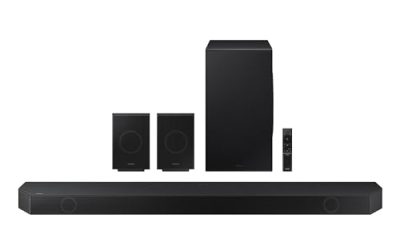
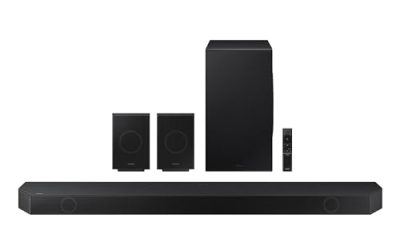
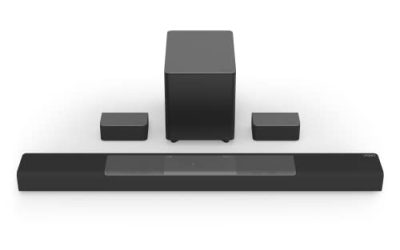
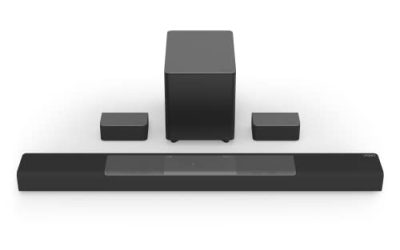
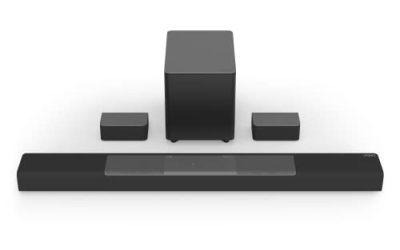
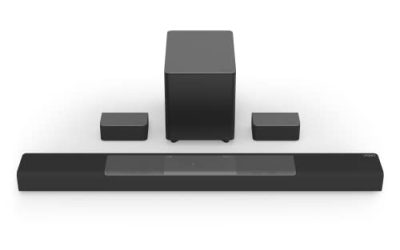
If you want a complete surround set with eARC, the JBL Bar 1000 is the pick: a 7.1.4-channel system with detachable surround speakers, a 10-inch subwoofer, MultiBeam, Dolby Atmos, and DTS:X. The Sony HT-A5000 suits viewers who want a 5.1.2-channel bar with built-in bass and room calibration, with optional parts to add later. The Sonos Beam (Gen 2) is the pick for smaller rooms: a compact bar with Dolby Atmos, HDMI eARC, Wi-Fi streaming, and an upgrade path.
Our Top Picks
- Sonos Arc Ultra — Best for: a premium eARC bar that grows later. Key specs: 9.1.4 channels; Dolby Atmos; HDMI eARC; Wi-Fi; voice control; optional Sub and rears. Check on Amazon
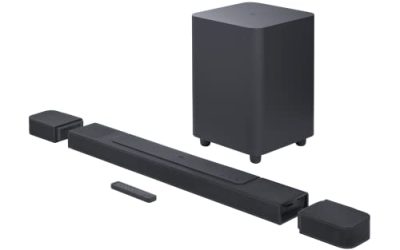
- JBL Bar 1000 — Best for: a complete surround set with eARC. Key specs: 7.1.4 channels; detachable rears; 10-inch subwoofer; MultiBeam; Dolby Atmos and DTS:X. Check on Amazon
- Sony HT-A5000 — Best for: a 5.1.2 bar with built-in bass. Key specs: 5.1.2 channels; Dolby Atmos and DTS:X; HDMI eARC; built-in subwoofer. Check on Amazon
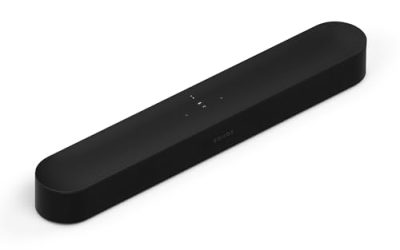
- Sonos Beam (Gen 2) — Best for: a compact eARC bar for smaller rooms. Key specs: compact bar; Dolby Atmos; HDMI eARC; Wi-Fi; voice assistants; optional Sub and rears. Check on Amazon
Quick Comparison
| Product | Best for | Key spec | What to check |
|---|---|---|---|
| Sonos Arc Ultra | Premium eARC bar that grows later | 9.1.4 channels, HDMI eARC, Wi-Fi | Which optional Sub and rears fit |
| JBL Bar 1000 | Complete surround set with eARC | 7.1.4 channels, detachable rears, 10-inch subwoofer | Where to place the rears |
| Sony HT-A5000 | 5.1.2 bar with built-in bass | 5.1.2 channels, built-in subwoofer, HDMI eARC | Whether you want the subwoofer |
| Sonos Beam (Gen 2) | Compact eARC bar for smaller rooms | Compact bar, Dolby Atmos, HDMI eARC | Exact color and generation |
How to Choose
Confirm your TV has an HDMI eARC port. Look for a port labeled eARC on the back of the TV, and check the TV manual if the label is unclear. Older TVs may have only ARC, which cannot carry full-quality Dolby Atmos.
Use the right cable. An Ultra High Speed HDMI cable is the safe choice for an eARC connection. Connect the cable from the TV’s eARC port directly to the bar’s HDMI eARC port, not to a regular HDMI input.
Enable eARC in the TV settings. Many TVs ship with eARC turned off, or with the audio output set to the TV speakers. Open the TV sound settings, set the audio output to the external sound system, and turn on eARC if the setting is separate.
Decide how much surround you want. A single bar such as the Sonos Arc Ultra or Sonos Beam (Gen 2) covers the front soundstage, with rears as optional additions. A complete set such as the JBL Bar 1000 includes detachable surround speakers and a subwoofer in the box.
Check the height effect honestly. Bars with up-firing drivers, such as the JBL Bar 1000 and Sony HT-A5000, bounce sound off the ceiling, so a flat ceiling at a normal height matters. The Sonos Beam (Gen 2) creates height effects by processing instead, which suits small rooms but is subtler.
Plan for one-remote control. HDMI eARC usually works with HDMI-CEC, so the TV remote controls the bar volume. Check that CEC is enabled in the TV settings if the remote does not control volume.
The Picks in Detail
1. Sonos Arc Ultra — Best for a Premium eARC Bar That Grows Later
The Sonos Arc Ultra is a 9.1.4-channel soundbar with Dolby Atmos, HDMI eARC, Wi-Fi streaming, and voice control. The maker lists it as a single bar that accepts an optional Sub and rear speakers, so it suits an upgrade in stages. It also fits multi-room Sonos setups, which matters if other Sonos speakers are already in the home.
Pros
- Premium single bar with a clear upgrade path
- HDMI eARC carries full-quality Dolby Atmos from the TV
- Wi-Fi streaming and multi-room Sonos support
Cons
- Subwoofer and rear speakers are optional additions, not included
- Only one HDMI input
Best for: viewers who want a premium eARC bar. What to check on the listing: the exact color, and which optional Sub and rear models are compatible.
2. JBL Bar 1000 — Best for a Complete Surround Set With eARC
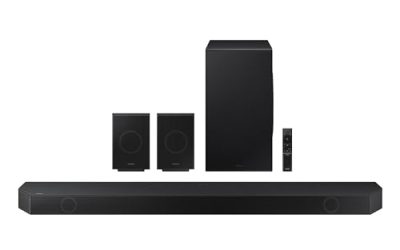
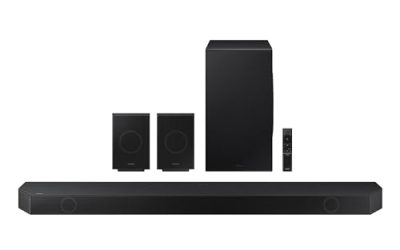
The JBL Bar 1000 is a 7.1.4-channel system with detachable surround speakers, a 10-inch subwoofer, MultiBeam, Dolby Atmos, and DTS:X. The maker lists HDMI eARC, Wi-Fi and Bluetooth streaming, and a wireless subwoofer. The detachable rears dock on the bar to charge and lift off for movie nights, so it works as a single bar for everyday viewing and a full surround set for movie nights.
Pros
- Detachable rears and a 10-inch subwoofer included in the box
- 7.1.4 channels for full surround and height effects
- HDMI eARC carries full-quality Dolby Atmos from the TV
Cons
- Detachable rears need a place behind the seating
- The subwoofer is large, so check floor space
Best for: viewers who want a complete surround set with eARC. What to check on the listing: the exact model and generation, and whether the rears are included in your version.
3. Sony HT-A5000 — Best for a 5.1.2 Bar With Built-In Bass
The Sony HT-A5000 is a 5.1.2-channel soundbar with Dolby Atmos and DTS:X, HDMI eARC, and a built-in subwoofer. The maker lists Sound Field Optimization room calibration and optional subwoofers and rears to add later. The built-in subwoofer means the bar alone delivers more bass than a typical single bar, without a separate subwoofer box.
Pros
- Built-in subwoofer gives the bar alone real bass
- Room calibration adapts the sound to the space
- HDMI eARC carries full-quality Dolby Atmos from the TV
Cons
- Rear speakers and an external subwoofer are optional additions
- The bar is wide, so check the TV stand width
Best for: viewers who want a 5.1.2 bar with built-in bass. What to check on the listing: whether the listing is for the soundbar only, and the exact optional parts.
4. Sonos Beam (Gen 2) — Best for a Compact eARC Bar for Smaller Rooms
The Sonos Beam (Gen 2) is a compact soundbar with Dolby Atmos, HDMI eARC, Wi-Fi streaming, and voice assistants. The maker lists Dolby Atmos support without up-firing drivers, so the height effect is created by processing. That suits small rooms, where a large system would crowd the space. It also accepts an optional Sub and rear speakers, so it can grow later.
Pros
- Compact size fits small rooms and TV stands
- HDMI eARC carries Dolby Atmos from the TV’s own apps
- Optional Sub and rear speakers for a later upgrade
Cons
- Height effects are virtualized, not from up-firing drivers
- No subwoofer included, so bass is limited without an optional Sub
Best for: small-room viewers who want eARC in a compact bar. What to check on the listing: the exact color and generation, and which optional parts are compatible.
Who Should Choose What
| If your situation is | Consider |
|---|---|
| You want a premium bar | Sonos Arc Ultra |
| You want a complete surround set | JBL Bar 1000 |
| You want a 5.1.2 bar | Sony HT-A5000 |
| You want a compact bar | Sonos Beam (Gen 2) |
| You already use Sonos speakers | Sonos Arc Ultra or Sonos Beam (Gen 2) |
| You want detachable rears | JBL Bar 1000 |
Common Mistakes
- Connecting the bar to a regular HDMI port instead of the eARC port.
- Using an old HDMI cable and getting dropouts.
- Leaving eARC turned off in the TV sound settings.
- Assuming any HDMI port supports eARC, when only one usually does.
- Buying a bar alone and expecting rear surround sound.
- Ignoring the ceiling: up-firing drivers need a flat ceiling.
Frequently Asked Questions
What is HDMI eARC?
HDMI eARC is the enhanced audio return channel. It carries audio from the TV back to the soundbar, including full-quality Dolby Atmos from the TV’s own apps. It replaces the older ARC connection.
How is eARC different from ARC?
ARC carries compressed audio, while eARC carries higher-quality audio including Dolby Atmos. A bar connected by ARC still plays sound, but the Atmos signal may be limited.
Do I need a special HDMI cable for eARC?
An Ultra High Speed HDMI cable is the safe choice. Older cables sometimes work, but they can cause dropouts. Connect the cable from the TV’s eARC port directly to the bar’s eARC port.
Why is there no sound after connecting by eARC?
Check the TV sound settings first: set the audio output to the external sound system and turn on eARC if the setting is separate. Also check that CEC is enabled, and confirm the cable is in the eARC port.
Can I use these soundbars without eARC?
Yes. A bar connected by HDMI ARC or optical still plays sound, but Dolby Atmos may be limited, and optical cannot carry it at all. For full-quality Atmos, eARC is the connection to use.
Will eARC work with a streaming stick or console?
Yes, if the stick or console connects to the TV and the TV passes the audio to the bar through eARC. Confirm the TV’s audio passthrough setting is on.
Conclusion
The best Dolby Atmos soundbar systems with HDMI eARC carry full-quality Dolby Atmos from the TV’s own apps, with one remote controlling volume. Choose the Sonos Arc Ultra for a premium bar, the JBL Bar 1000 for a complete surround set, the Sony HT-A5000 for a 5.1.2 bar with built-in bass, or the Sonos Beam (Gen 2) for a compact bar. Confirm the TV has an eARC port, use an Ultra High Speed HDMI cable, and enable eARC in the TV settings.
More from Amazon
Programs that pair well with the guide above. Offers and eligibility are set by Amazon and may change.
Free shipping on eligible items, Prime Video and more. Eligible new members can start with a free trial.
Start a Prime free trialAd-free music streaming. Eligible new subscribers can start with a free trial.
Try Music Unlimited freeA Prime membership for ages 18-24 with a trial period. Eligibility is set by Amazon.
See Prime for Young AdultsAudiobooks and podcasts to listen to on the go. Eligible new members can start with a free trial.
Try Audible freeAs an Amazon Associate we earn from qualifying purchases.