Our Short List of 3
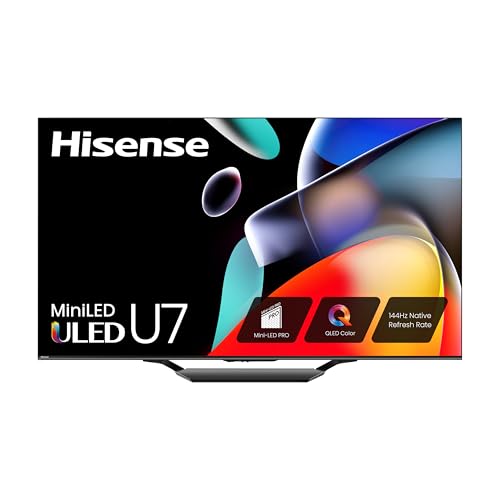
- Best for: A bright room where one 55-inch screen handles work, films and fast gaming.
- Panel: 55-inch Mini-LED ULED 4K UHD, QLED colour, full-array local dimming
- Refresh: native 144Hz with Game Mode Pro; VRR from 48Hz to 144Hz
- Sync: AMD FreeSync Premium Pro
- Ports: two HDMI 2.1 (4K at 144Hz) plus two HDMI 2.0

- Best for: A bright, glare-prone office that needs a smaller screen with flagship brightness.
- Panel: 43-inch Neo QLED 4K, Mini LED backlight, Neo Quantum HDR+
- Refresh: Motion Xcelerator, up to 144Hz gaming refresh
- Ports and sync: HDMI 2.1; AMD FreeSync
- Audio: Dolby Atmos with Object Tracking Sound+

- Best for: A gaming-first 55-inch desk that also doubles as the room’s film screen.
- Panel: 55-inch QD-Mini LED QLED 4K; precise dimming (LD2500)
- Brightness: HDR 3000 peak brightness (maker claim)
- Refresh: 144Hz native; Game Accelerator 288, up to 240 variable refresh in this size
- Finish and audio: anti-reflective screen; Dolby Atmos with Onkyo audio
All 3 Picks at a Glance
| Product | Specs | Action |
|---|---|---|
| Hisense 55U7N (55″) |
| Check price on Amazon |
| Samsung QN90D 43″ |
| Check price on Amazon |
| TCL QM7K 55″ |
| Check price on Amazon |
Key takeaways
- Four televisions that genuinely work as PC monitors: 4:4:4 chroma for clean text, 144Hz HDMI 2.1 gaming and desk-friendly 42 to 55 inch sizes.
A television can replace a desktop monitor only if it behaves like one at arm’s length: text must stay sharp, the panel must accept a clean signal from your graphics card, and the screen cannot lag behind your mouse. Most TVs fail one of those tests, because they are built for sofas and films rather than documents and code. The four sets below were picked for monitor duty above all — clean chroma, fast panels, proper PC inputs — with film and game performance close behind.
The shortlist suits three kinds of desk: the mixed work-and-play desk needing one big screen for documents and evening gaming, the compact desk where 42 or 43 inches is the largest size that fits, and the hybrid desk that doubles as a film screen after hours. Each pick is one specific size of one specific model, chosen from the maker’s own panel, port and refresh specifications, because another size in the same range can use a different panel.
Quick Picks
As an Amazon Associate we earn from qualifying purchases.
| Product | Best for | Key spec |
|---|---|---|
| Hisense 55U7N (55″) | Work-and-play desks in bright rooms | Native 144Hz Mini-LED panel |
| LG C4 OLED evo 42″ | Compact desks that need clean text | Four HDMI 2.1 ports, 4:4:4 PC mode |
| Samsung QN90D 43″ | Glare-prone home offices | Anti-glare Neo QLED panel |
| TCL QM7K 55″ | Big-screen gaming from a desk chair | 144Hz native, Game Accelerator 288 |
How to Choose
Demand 4:4:4 Chroma or a Dedicated PC Mode
Text clarity is the whole ballgame when a TV sits a metre from your face. Many televisions subsample colour information on their HDMI inputs, which saves bandwidth for films but leaves coloured fringes around letters and makes small fonts look smeared. A set that offers full 4:4:4 chroma, usually through a labelled PC or Graphics mode on one of its inputs, passes every pixel of the desktop through untouched. Check the specification for that mode before anything else, and plan to run the TV in it permanently rather than in a cinema preset.
Match Screen Size to Your Desk Depth
At 4K resolution, a 42 or 43 inch panel lands near 105 pixels per inch, so text renders cleanly at 100 percent scaling with no software magnification. That size suits a desk roughly 60 to 80 centimetres deep. A 55 inch set spreads the same pixel count thinner, which stays comfortable for mixed work and gaming from a little further back, but forces constant head movement if your chair is close. Measure your viewing distance honestly, and remember that a TV stand is usually wider and less adjustable than a monitor arm.
Count HDMI 2.1 Ports and Check the Refresh Rate
Driving 4K beyond 60Hz from a PC takes an HDMI 2.1 connection, and the number of full-bandwidth ports varies sharply between models: some sets offer four, others only two, with the remaining sockets capped at 60Hz. A native 120Hz or 144Hz panel also lowers input lag and makes cursor movement feel like a real monitor. Variable refresh support matters too — FreeSync or G-Sync compatibility keeps games smooth without tearing. List every device you intend to plug in, then confirm the TV has enough full-speed ports for all of them.
Plan for TV Habits a Monitor Never Has
A television brings behaviours no monitor would dare. Input lag only drops to acceptable levels inside Game or PC mode, so a film preset will feel mushy. Brightness limiters can dim a static white document over a few minutes. OLED panels carry a genuine burn-in risk from taskbars and window frames left in one place all day. And most TVs will not wake from sleep when your PC does — expect to reach for the remote each morning. None of these is a deal-breaker, but each one shapes daily life with the screen.
The 4 Best Options
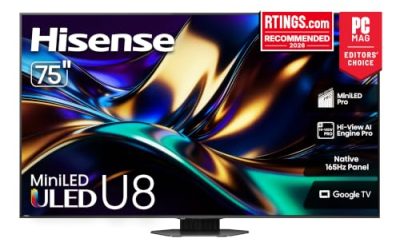
Hisense 55U7N (55″)
- Best for: A bright room where one 55-inch screen handles work, films and fast gaming.
- Panel: 55-inch Mini-LED ULED 4K UHD, QLED colour, full-array local dimming
- Refresh: native 144Hz with Game Mode Pro; VRR from 48Hz to 144Hz
- Sync: AMD FreeSync Premium Pro
- Ports: two HDMI 2.1 (4K at 144Hz) plus two HDMI 2.0
A bright room where one 55-inch screen handles work, films and fast gaming.
This is a 2024 model and remaining stock is thinning, with clearance pricing at some sellers — check who the seller is and what warranty the listing carries before ordering.
The U7N is the easiest recommendation here for a desk that splits its day between documents and games. Its Mini-LED panel runs at a native 144Hz with a wide variable refresh window, local dimming keeps dark scenes convincing after hours, and the panel gets bright enough to hold its own in a sunlit room. Two full HDMI 2.1 inputs cover a PC and a console at full speed, while FreeSync Premium Pro keeps fast games tear-free. It is a 2024 model, so it pairs current gaming hardware with a range that is now being cleared.
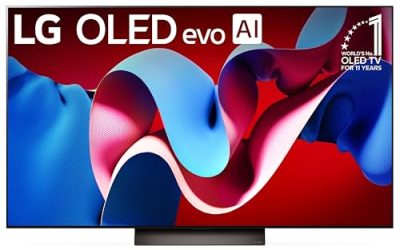
LG C4 OLED evo 42″
The 42-inch C4 is the closest thing on this list to a purpose-built monitor. Its self-lit OLED pixels deliver perfect blacks and per-pixel contrast that no backlit panel matches, the 4K resolution works out to about 105 pixels per inch at this size so text stays crisp at native scaling, and all four HDMI ports are full-bandwidth 2.1 — enough for a PC, two consoles and a spare. A dedicated PC mode passes 4:4:4 chroma, and the panel accepts up to 144Hz from a computer. For a compact desk, this is the premium answer.
Specs
- Panel: 42-inch 4K OLED evo, self-lit pixels, 3840×2160 (about 105 PPI)
- Refresh: 120Hz native, up to 144Hz from a PC
- Ports: four HDMI 2.1 (48Gbps)
- PC support: 4:4:4 chroma mode; NVIDIA G-Sync and AMD FreeSync VRR
- Processor and platform: α9 AI Processor Gen7; webOS with Magic Remote
Best for: A compact desk where text clarity and contrast matter more than raw size.
Watch out for: Listings for this range are messy and a parent listing has shown no featured offers, so confirm a live featured offer for this exact ASIN before ordering — and if none appears, skip the pick rather than substituting a different C4 listing code. Also plan around OLED habits: static desktop elements carry a burn-in risk over years, and the set will not wake from sleep over HDMI, so expect the remote every morning.
ASIN: B0CVS1MM9J
Samsung QN90D 43″
- Best for: A bright, glare-prone office that needs a smaller screen with flagship brightness.
- Panel: 43-inch Neo QLED 4K, Mini LED backlight, Neo Quantum HDR+
- Refresh: Motion Xcelerator, up to 144Hz gaming refresh
- Ports and sync: HDMI 2.1; AMD FreeSync
- Audio: Dolby Atmos with Object Tracking Sound+
A bright, glare-prone office that needs a smaller screen with flagship brightness.
Availability signals for this model conflict — a major photo retailer lists it as discontinued even though marketplace offers circulate — so confirm a live featured offer for this exact ASIN before ordering.
The QN90D squeezes Samsung’s flagship Neo QLED technology into the smallest desk-friendly size here. Its Mini LED backlight pushes brightness far beyond what an OLED can sustain, which pairs well with the anti-glare finish for offices lit by windows or ceiling panels. Gaming support is complete: HDMI 2.1, FreeSync and a gaming refresh rate that climbs to 144Hz keep a PC feeling responsive, while Object Tracking Sound+ gives the built-in audio more direction than most thin TVs manage. If your room fights reflections all day, this 43-inch set is the practical pick.
TCL QM7K 55″
- Best for: A gaming-first 55-inch desk that also doubles as the room’s film screen.
- Panel: 55-inch QD-Mini LED QLED 4K; precise dimming (LD2500)
- Brightness: HDR 3000 peak brightness (maker claim)
- Refresh: 144Hz native; Game Accelerator 288, up to 240 variable refresh in this size
- Finish and audio: anti-reflective screen; Dolby Atmos with Onkyo audio
A gaming-first 55-inch desk that also doubles as the room’s film screen.
Confirm a live featured offer for this exact ASIN before ordering, and make sure the listing is the QM7K rather than the older QM7, which is a different model from a previous year.
The QM7K is the newest design in this roundup, a 2025 QD-Mini LED set built with gaming hardware throughout. Its precise dimming system and high peak brightness give HDR films and games real punch, the panel runs at a native 144Hz, and TCL’s Game Accelerator 288 mode pushes variable refresh as high as 240 in this size for competitive play. An anti-reflective screen keeps the big panel usable in lit rooms, and the Onkyo-tuned audio is a cut above typical TV speakers. For a 55-inch desk setup centred on gaming, it is the current-generation choice.
Which One Fits Your Situation
You Work All Day, Then Game on the Same Screen
Choose between the two 55-inch sets. The Hisense U7N balances document work and evening play with a bright Mini-LED panel and two full-speed HDMI 2.1 inputs, while the TCL QM7K leans harder into gaming with its higher variable-refresh ceiling. Either gives you a single screen that never asks you to swap displays between spreadsheet and game.
Your Desk Is Shallow and Space Is Tight
Take the LG C4 at 42 inches or the Samsung QN90D at 43. Both keep 4K text near 105 pixels per inch, so fonts stay sharp without scaling, and both fit desks where a 55-inch panel would crowd out speakers and paperwork. The LG wins on contrast and port count; the Samsung wins on brightness.
Your Room Has Windows and Overhead Lights
Reflections ruin more desk setups than resolution ever will. The Samsung QN90D’s anti-glare panel is the strongest answer here, with the TCL QM7K’s anti-reflective screen close behind. The glossy OLED and the Hisense remain usable in lit rooms thanks to their brightness, but a window directly behind your chair will show up on either one.
You Connect a PC and Two Consoles
The LG C4 is the only pick with four full-bandwidth HDMI 2.1 ports, so every machine runs at its maximum refresh rate without a switch box or cable swapping. On the Hisense and TCL, the PC and your main console take the two fast ports and the third device accepts 60Hz — workable, but plan the cabling before the TV arrives.
Common Mistakes
- Buying a TV with no 4:4:4 or PC mode, then blaming the graphics card for fuzzy text that the TV itself causes.
- Sitting at normal monitor distance from a 55-inch screen, or across the room from a 42-inch one, and finding the size unusable.
- Assuming every size in a model range shares the same panel, ports and refresh rate — manufacturers routinely vary all three by size.
- Leaving a static taskbar and window frames on an OLED for ten hours a day without auto-hide, screen savers or brightness discipline.
- Leaving the TV in a film preset for desktop use, which adds input lag and processing that Game or PC mode exists to remove.
Frequently Asked Questions
Can any 4K TV work as a computer monitor?
No. Resolution alone is not enough. A TV used as a monitor needs full 4:4:4 chroma or a PC mode for sharp text, low input lag in that mode, and enough full-bandwidth HDMI 2.1 ports for your machines. Many budget 4K sets subsample colour and feel sluggish under a mouse, which is why this list is short.
Is a 42-inch TV too big for a desk?
For most desks, no. At 4K, a 42-inch panel offers roughly 105 pixels per inch, similar to a smaller 1440p monitor, so text stays crisp at native scaling. The real requirement is depth: sit about 70 to 90 centimetres away and the screen fills your view comfortably without forcing you to turn your head for the corners.
Will an OLED TV burn in if I use it for desktop work?
The risk is real but manageable. Static elements such as taskbars, browser chrome and window borders are the danger, because those pixels age unevenly. Auto-hiding the taskbar, using a screen saver, varying your windows and keeping brightness moderate all reduce the risk substantially. If your work means one fixed layout for ten hours daily, a Mini-LED pick is safer.
Do I really need HDMI 2.1 to use a TV as a monitor?
Only if you want more than 60Hz at 4K. An HDMI 2.0 connection drives these panels at 4K and 60Hz, which is fine for office work and films. Gaming at 120Hz or 144Hz, and variable refresh from a PC, both require HDMI 2.1 — and on sets with only two such ports, reserve them for the machines that actually use the speed.
More from Amazon
Programs that pair well with the guide above. Offers and eligibility are set by Amazon and may change.
Free shipping on eligible items, Prime Video and more. Eligible new members can start with a free trial.
Start a Prime free trialAd-free music streaming. Eligible new subscribers can start with a free trial.
Try Music Unlimited freeA Prime membership for ages 18-24 with a trial period. Eligibility is set by Amazon.
See Prime for Young AdultsAudiobooks and podcasts to listen to on the go. Eligible new members can start with a free trial.
Try Audible freeAs an Amazon Associate we earn from qualifying purchases.