Key takeaways
- Find the right soundbar for your OLED TV: which connections, channel layouts and bar heights keep dialogue clear without blocking the screen.
OLED panels are thin, and the speakers squeezed inside them are thinner still. Dialogue gets buried under music, action scenes sound flat, and turning the volume up only makes the distortion louder. A soundbar is the simplest fix, yet the choice is not only about sound. The wrong bar blocks the bottom of the screen, covers the remote sensor, or eats the one HDMI port a console needs. The right bar disappears under the picture and lets the television’s contrast shine while voices stay clear.
This guide is for anyone who already owns an OLED television or plans to buy one: film watchers in a dark living room, console gamers, and people in small rooms who want better sound without a rack of speakers. Every point below draws on published specifications from maker and retailer listings, with the focus on the details that decide whether a bar suits an OLED set: the connection, the height, the channel layout, and the controls you will reach for every day.
As an Amazon Associate we earn from qualifying purchases.
How to Choose
Start with the eARC port, not the wattage
HDMI eARC is the single connection that matters most for an OLED television. It carries Dolby Atmos and other high-bandwidth audio to the bar over one cable, and lets the television remote control volume through CEC. Optical digital still works for ordinary stereo and Dolby Digital, but it cannot carry lossless Atmos, so a bar bought for height effects never receives them. Check the back of the television for a port labelled eARC, and count the remaining HDMI ports: a console, a streaming box and a set-top box can fill a television fast. When the bar has an HDMI input of its own, a source can plug straight into the bar and pass video onward, keeping the television’s ports free.
Measure the bar against the stand
OLED televisions sit low. Many stands lift the bottom edge of the screen only a couple of inches above the surface, and a tall bar will cover subtitles, the picture’s lower edge, or the sensor that takes remote commands. Measure from the surface to the bottom of the screen before shopping, then compare that number with the bar’s stated height and leave a small margin. Width matters too: a bar close to the screen’s width looks settled, while a short bar under a large panel looks lost and can leave dialogue sounding narrow. Wall mounting changes the sums, since a bar beneath a wall-hung set can be taller, but the same problem appears if it creeps up over the frame.
Pick a channel layout for the room, not the spec sheet
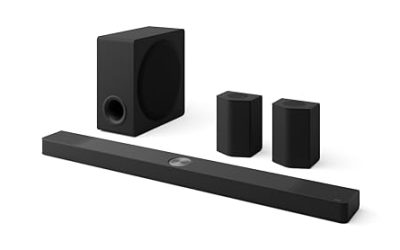
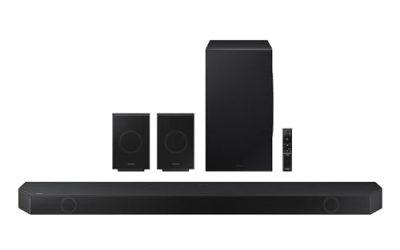
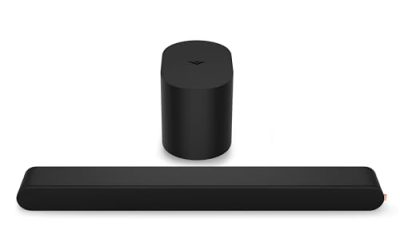
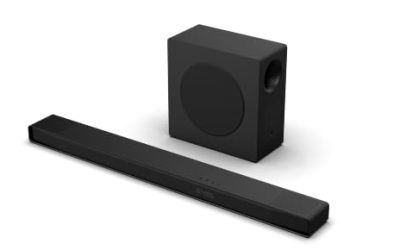
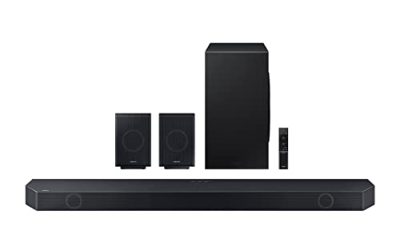
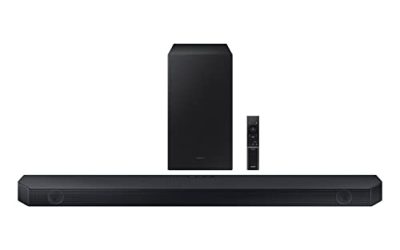
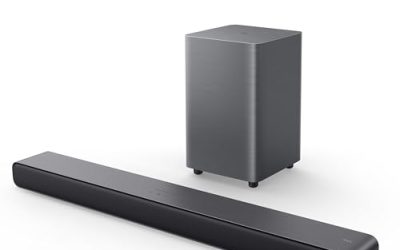
Channel numbers describe where sound comes from. A 2.0 bar has left and right drivers only, a 2.1 adds a subwoofer, and a 3.1 adds a centre channel that anchors dialogue to the middle of the screen. Up-firing drivers, shown by the final digit in layouts such as 3.1.2, bounce height effects off the ceiling, which needs a flat ceiling and does little in a room with beams or a vault. A wireless subwoofer gives films real weight, while built-in bass keeps the floor clear and suits a bedroom. Match the layout to the room: a compact bar fits a small space, a full set suits a large living room, and a centre channel helps almost every listener hear voices.
Check the controls you will use every day
A soundbar lives or dies by its controls. Dialogue enhancement lifts voices without raising the whole soundtrack, and a night mode tames sudden loud passages after the household has gone to bed. Look for a clear remote or a usable app, plus Wi-Fi streaming for music without switching inputs. Expandability counts: some bars accept a matching subwoofer or rear speakers later, so a simple setup grows instead of being replaced. Brand pairing is worth checking when the television and the bar share a maker, since some combinations play the television’s own speakers together with the bar or share one on-screen menu. Gamers should check HDMI passthrough, which routes a console through the bar without giving up a high-bandwidth television port.
Which One Fits Your Situation
Movies in a living room with a large OLED
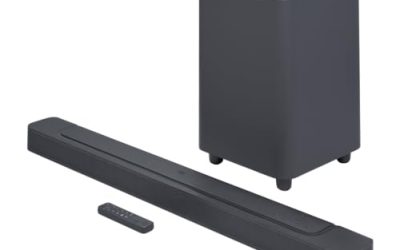
Choose a full Atmos bar with a wireless subwoofer and up-firing drivers. The subwoofer carries the low end that a slim bar cannot, the height drivers open up the ceiling, and the eARC link keeps everything on one remote. Keep the bar centred under the screen, place the subwoofer near the front wall, and keep the path between the up-firing drivers and the ceiling clear of shelves.
A bedroom or small apartment OLED
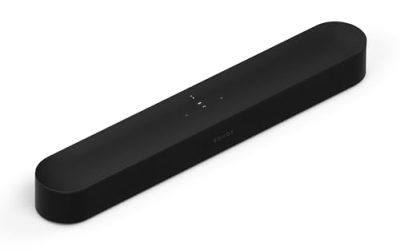
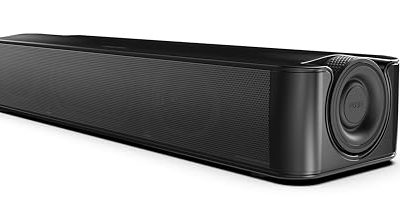
Choose a compact single bar with built-in bass and a dialogue mode. It takes up little space, needs no floor unit, and lifts voices at low volume, which matters when neighbours share a wall. Bluetooth and a simple remote matter more here than extra channels. Wall mounting can work too, but keep the bar below the screen and clear of bedding or curtains that would muffle the sound.
An LG OLED C-series sitting on its stand
Choose a matching LG bar made for that television. A synergy bracket mounts the bar directly beneath the panel on the 55, 65 and 77 inch models, and the pairing feature plays the television’s speakers together with the bar for a wider front stage. The bracket keeps the setup tidy with no extra shelf, and one remote runs both pieces. Confirm the bracket fits your exact model year before ordering.
Gaming on an OLED with a console
Choose an eARC bar with an HDMI input for passthrough, so the console keeps its high-bandwidth television port and the audio still reaches the bar. A clear dialogue setting helps with in-game voices, and a low-latency path keeps sound in step with the picture during fast play. Switch the television to its game mode as well, so the picture stays fast, and check that the bar’s passthrough adds no delay of its own.
Common Mistakes
- Buying a bar taller than the gap under the screen, so it covers subtitles or blocks the remote sensor.
- Connecting over optical and expecting Atmos, when only eARC carries the full signal.
- Pointing up-firing drivers at a shelf, a beam or a vaulted ceiling, which kills the height effect.
- Expecting deep bass from a slim bar alone, then blaming the bar instead of adding a subwoofer.
- Pairing brands without checking whether the television’s speaker-linking feature works with that bar.
Frequently Asked Questions
Do OLED televisions need a special soundbar?
No. Any soundbar works with an OLED television, because the connection standards are the same across panel types. What matters is the combination: an eARC port for full Atmos audio, a low profile that fits under the screen, and a channel layout suited to the room. A bar made to match a particular OLED line adds tidy mounting and shared controls, but it is a convenience, not a requirement.
Can I use optical instead of HDMI eARC?
Yes, optical still carries ordinary television audio, including stereo and Dolby Digital, and it suits older sets or simple bars. The trade is Atmos: optical cannot carry the lossless height signal, so up-firing drivers will have nothing to work with. When the television has an eARC port, use it, and keep optical as the fallback for a second room or an older television.
Will a soundbar block my OLED screen?
It can, because many OLED stands leave only a small gap beneath the panel. Measure the clearance from the surface to the bottom edge of the screen, then choose a bar shorter than that gap. Wall mounting the television or the bar solves the problem another way, as long as the bar stays below the frame and clear of the remote sensor.
Is a separate subwoofer necessary?
Not always. A compact bar with built-in bass suits a bedroom or a small apartment, where a separate unit would dominate the floor. Films and large rooms benefit from a wireless subwoofer, which adds weight to explosions and music that a slim bar cannot reproduce. When in doubt, pick a bar that accepts a matching subwoofer later, so the choice stays open.
More from Amazon
Programs that pair well with the guide above. Offers and eligibility are set by Amazon and may change.
Free shipping on eligible items, Prime Video and more. Eligible new members can start with a free trial.
Start a Prime free trialAd-free music streaming. Eligible new subscribers can start with a free trial.
Try Music Unlimited freeA Prime membership for ages 18-24 with a trial period. Eligibility is set by Amazon.
See Prime for Young AdultsAudiobooks and podcasts to listen to on the go. Eligible new members can start with a free trial.
Try Audible freeAs an Amazon Associate we earn from qualifying purchases.