Our Short List of 3
All 3 Picks at a Glance
| Product | Specs | Action |
|---|---|---|
 1. LG C4 OLED evo 55-Inch (OLED55C4PUA) | Check price on Amazon | |
 2. Samsung S90D OLED 65-Inch (QN65S90D) | Check price on Amazon | |
 3. Hisense U8N Mini-LED 55-Inch (55U8N) | Check price on Amazon |
Key takeaways
- Compare the best gaming TVs for Xbox Series X with HDMI 2.1, 120Hz panels, VRR, ALLM and low input lag, from bright Mini-LED sets to OLED models.
The Xbox Series X was built to output 4K games at up to 120 frames per second, with variable refresh rate, auto low latency mode, and Dolby Vision gaming on supported titles. A television that cannot accept that signal leaves much of the console unused. An older 60Hz set still shows a picture, but it caps frame rates, can add screen tearing when the frame rate shifts, and often carries higher input lag, so inputs feel a step behind the action in shooters, racers, and sports games.
This guide gathers five televisions that match the console properly: every pick has a native high refresh rate panel, at least one full-bandwidth HDMI 2.1 port, variable refresh rate, auto low latency switching, and a dedicated game mode with low input lag. The list mixes OLED sets for dark rooms with very bright Mini-LED models for living rooms with windows, across 55-inch and 65-inch sizes, so the right choice depends mainly on room light, viewing distance, and how the console shares the screen with movies and sports.
As an Amazon Associate, we earn from qualifying purchases.
How to Choose a Gaming TV for Xbox Series X
Start with HDMI 2.1, because that connection standard carries the signal the Series X is designed to send. A full-bandwidth HDMI 2.1 port accepts 4K at 120Hz from the console, while an HDMI 2.0 port tops out at 4K at 60Hz. Check the port count as well as the standard itself. Some televisions offer HDMI 2.1 on every input, which suits a setup with a console, a PC, and a soundbar using the enhanced audio return channel. Others limit full bandwidth to one or two ports, which is workable when the Xbox gets the fastest port and less demanding devices use the rest, but it becomes a constraint once a second high-refresh source is added.
Refresh rate is the second filter. A native 120Hz panel can display the 120 frames per second mode offered by many Series X titles, and it also handles 60 frames per second content with smoother motion handling. Marketing labels need care here: terms such as game accelerator or motion rate often describe a boosted figure rather than the native panel rate. The specifications that matter are the native refresh rate listed for the panel and the variable refresh rate range, since the Xbox will use up to 120Hz at 4K regardless of any higher boosted number a brand advertises for lower resolutions.
Variable refresh rate, usually shortened to VRR, lets the television match its refresh timing to the frame rate the console is actually producing. When a game dips below its target during a busy scene, VRR prevents the tearing and stutter that appear on a fixed-rate screen. Auto low latency mode, or ALLM, tells the television to switch into its game mode the moment the console powers on, turning off picture processing that adds delay. Together with a game mode that keeps input lag low, these two features are what make a large television feel responsive rather than merely large and sharp.
Picture technology shapes the rest of the decision. OLED panels light each pixel individually, giving true black levels, very fast pixel response, and strong contrast in a dim room, which suits evening gaming and cinematic titles. Mini-LED sets use a dense backlight with local dimming zones, reaching much higher brightness, which keeps HDR highlights and daytime sports visible in a bright room and removes any concern about static game interface elements staying on screen for long sessions. Neither approach is automatically better; the room decides more than the badge does.
Finally, confirm the supporting details. Dolby Vision support matters because the Series X can output Dolby Vision for games and streaming, and not every brand handles it the same way at 120Hz. Check that the stand fits the media unit and that enough ports remain for a soundbar once the console takes an HDMI 2.1 input. The five models below each clear the core gaming requirements.
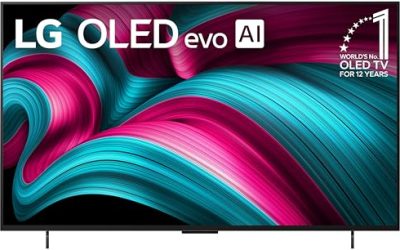
1. LG C4 OLED evo 55-Inch (OLED55C4PUA)
The LG C4 is the most complete Xbox match in this group because it removes the port juggling that other sets require. All four of its HDMI inputs support full-bandwidth HDMI 2.1, so the Series X, a gaming PC, and an audio system using the enhanced audio return channel can all connect without swapping cables or giving up the fastest signal. Its OLED evo panel is self-lit, so black levels stay true in a dark room and pixel response is effectively immediate, which keeps fast camera movement in shooters and racing games clean rather than smeared.
The panel runs at a native 120Hz and supports up to 144Hz for PC use, with variable refresh rate, auto low latency mode, and support for both major adaptive sync formats listed on the product page. Dolby Vision is supported for games and streaming, and the alpha 9 AI Processor Gen 7 handles upscaling of older content and broadcast sports when the console is off. The Game Optimizer menu gathers refresh rate, black level, and latency settings in one place, which makes it simple to confirm the console is actually running in its high frame rate mode.
Who It Suits
The C4 suits Xbox owners who play mainly in a dim or light-controlled room and want the simplest possible connection setup, especially anyone also connecting a PC or a second console. Buyers in very bright rooms, or anyone who leaves a static game interface on screen for many hours a day, may prefer one of the Mini-LED models below instead.
2. Samsung S90D OLED 65-Inch (QN65S90D)
The Samsung S90D brings the same self-lit OLED advantages to a larger 65-inch screen, using a quantum dot OLED panel that holds color saturation well at high brightness for an OLED. Its Motion Xcelerator technology supports refresh rates up to 144Hz, and the panel handles 4K gaming at 120Hz from the Series X with variable refresh rate and auto low latency switching, so competitive titles stay fluid on a screen big enough to make single-player adventures feel cinematic.
Samsung lists OLED HDR Plus, Dolby Atmos sound with Object Tracking Sound Lite, which follows on-screen movement through the speaker layout, and Real Depth Enhancer processing for non-gaming content. The 4K AI upscaling helps streamed shows and older game libraries, and the built-in Gaming Hub gives quick access to console and cloud gaming sources from one screen.
Who It Suits
The S90D suits players who want a large OLED for a mixed room that is not fully dark, and who value a bigger screen for story-driven games, racing titles, and sports. Buyers who specifically need Dolby Vision, which Samsung televisions do not support, should look at the LG, Hisense, TCL, or Sony models in this guide instead.
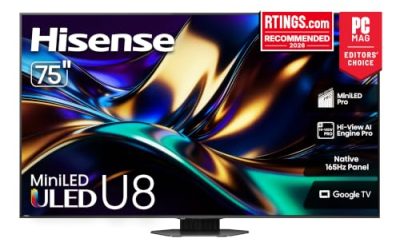
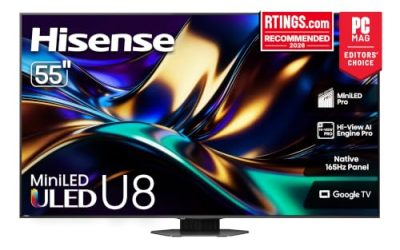
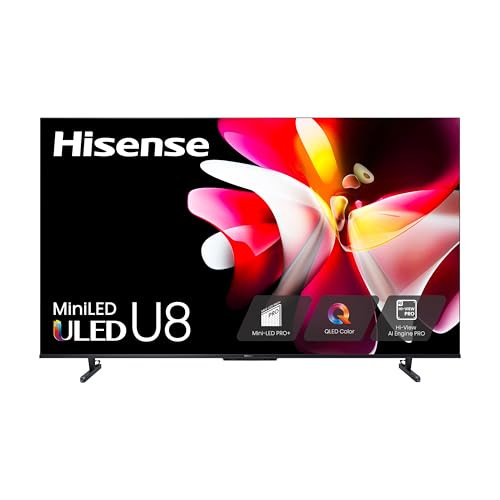
3. Hisense U8N Mini-LED 55-Inch (55U8N)
The Hisense U8N is the bright-room answer at 55 inches. Its Mini-LED Pro backlight with full array local dimming reaches up to 1,800 nits of peak brightness according to the product listing, far beyond what an OLED can sustain, so HDR highlights in games and midday sports stay punchy even with windows open. Quantum dot color covers the wide gamut that modern game worlds use, and Dolby Vision IQ adjusts the picture to the light in the room.
For gaming, the 144Hz Game Mode Pro package is the headline: a native 144Hz panel, variable refresh rate spanning 48Hz to 144Hz, FreeSync Premium Pro, and auto low latency mode across its HDMI 2.1 ports. That range means the Series X can run at 4K and 120Hz with tearing kept in check when frame rates dip. The built-in 2.1.2 channel audio system is rated at 50 watts with Dolby Atmos, stronger than the slim speakers on most sets this size, and Google TV handles streaming apps and voice control.
Who It Suits
The U8N suits Xbox owners whose television sits in a bright living room and who split time between gaming, sports, and movies. Its viewing angles are narrower than the OLED models here, so households where many viewers sit far off to the sides should weigh that against the brightness advantage.
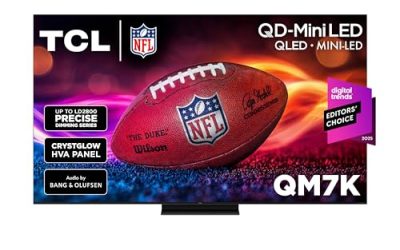
4. TCL QM851G QD-Mini LED 65-Inch (65QM851G)
The TCL QM851G, sold as the QM8 series flagship, is built around brightness and local dimming at 65 inches. Its QD-Mini LED panel pairs quantum dot color with a dense Mini-LED backlight and TCL local dimming control, delivering the high peak brightness that makes HDR game scenes and bright stadium broadcasts hold up in daylight. The anti-glare handling and wide color volume suit rooms where an OLED would struggle against reflections.
Gaming support is thorough. The panel is native 120Hz with variable refresh rate up to 144Hz, and TCL Game Accelerator extends frame handling further at lower resolution for PC play. Two HDMI inputs carry the full HDMI 2.1 signal for 4K at 120Hz, covering the Series X plus one more high-refresh device, and FreeSync Premium Pro, auto low latency mode, and a game bar are all included. Dolby Vision IQ and HDR10 Plus cover the main HDR formats, and Google TV runs the streaming side.
Specs
| Item | Detail |
|---|---|
| Screen size | 65 inches |
| Model | 65QM851G |
| Display technology | QD-Mini LED with QLED quantum dot color |
| Resolution | 4K Ultra HD |
| Refresh rate | Native 120Hz, VRR up to 144Hz |
| Gaming features | HDMI 2.1 inputs, Game Accelerator, FreeSync Premium Pro, ALLM, Game Bar |
| HDR | Dolby Vision IQ, HDR10 Plus, HDR10, HLG |
| Audio | Dolby Atmos built-in speaker system |
| Smart platform | Google TV, works with Alexa |
| ASIN | B0CZM3F9RN |
Who It Suits
The QM851G suits players who want a big, very bright screen for a family room and who play during the day as often as at night. Buyers connecting more than two full-bandwidth gaming devices at once should note the port count and consider the LG C4, which offers HDMI 2.1 on every input.
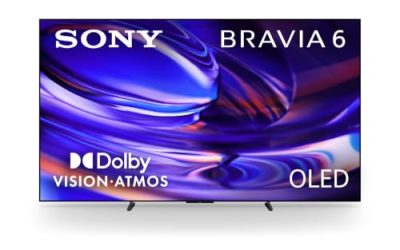
5. Sony BRAVIA 7 Mini-LED 65-Inch (K-65XR70)
The Sony BRAVIA 7 takes a processing-led approach to the same bright-room brief. Thousands of Mini LEDs are controlled by XR Backlight Master Drive, Sony local dimming system, to keep contrast tight for an LCD panel, while XR Triluminos Pro and QLED color produce the wide, accurate palette that film and game creators intend. The XR Processor also drives strong upscaling and motion handling for broadcast sports and older content between gaming sessions.
For the Series X, the BRAVIA 7 provides a native 120Hz panel, HDMI 2.1 inputs with 4K at 120Hz, variable refresh rate, and auto low latency mode, so the console full high frame rate output is supported with low input lag in game mode. Dolby Vision is included for games and streaming. Google TV is the smart platform, and the four-way stand helps the 65-inch screen fit narrower furniture.
Specs
| Item | Detail |
|---|---|
| Screen size | 65 inches |
| Model | K-65XR70 |
| Display technology | Mini-LED with QLED color |
| Resolution | 4K Ultra HD |
| Refresh rate | Native 120Hz |
| Gaming features | HDMI 2.1, 4K at 120Hz, VRR, ALLM, game mode |
| Backlight control | XR Backlight Master Drive local dimming |
| HDR | Dolby Vision, HDR10, HLG |
| Processor | XR Processor with XR Triluminos Pro |
| Smart platform | Google TV |
| ASIN | B0CVQ4FQJ9 |
Who It Suits
The BRAVIA 7 suits Xbox owners who also watch a lot of film and broadcast content and want Sony picture processing and color accuracy alongside full gaming support. It fits bright rooms well, and its strengths lean toward viewers who value natural color and motion handling over the sheer peak brightness of the TCL and Hisense models.
Frequently Asked Questions
Does the Xbox Series X need HDMI 2.1 to run at 120Hz?
Yes, for 4K output at 120 frames per second the console needs a television with a full-bandwidth HDMI 2.1 input and a native 120Hz panel. With an HDMI 2.0 connection the same games are limited to 4K at 60 frames per second. Every television in this guide provides HDMI 2.1 and at least a native 120Hz panel, so each one can accept the console full signal.
What do VRR and ALLM actually do during a game?
Variable refresh rate synchronizes the television refresh timing with the frame rate the console is producing, which removes screen tearing and reduces stutter when a game frame rate rises and falls during demanding scenes. Auto low latency mode signals the television to enter its low-lag game mode automatically when the console turns on, so picture processing that adds delay is switched off without digging through menus each time.
Is OLED or Mini-LED better for Xbox Series X gaming?
Both technologies meet the console technical requirements, and the better fit depends on the room. OLED gives true blacks, very fast pixel response, and wide viewing angles, which suit dim rooms and evening play. Mini-LED reaches much higher brightness and handles daylight and reflections better, and it carries no concern about static interface elements during long sessions. Choose by room light first, then by size and port count.
Which screen size works best for a Series X setup?
Viewing distance decides more than the room overall size. A 55-inch screen suits seating roughly six to eight feet away, while a 65-inch screen fills the view better at eight to eleven feet and makes split-screen and sports viewing easier to follow. Both sizes appear in this guide, and gaming features do not change between them within each model line, so pick the size that fits the seating and the furniture.
Final Verdict
For most Xbox Series X owners, the LG C4 is the easiest recommendation: HDMI 2.1 on all four ports, a native high refresh OLED panel, variable refresh rate, auto low latency mode, and Dolby Vision gaming support cover everything the console can output, with no port compromises. The Samsung S90D is the larger OLED alternative for a 65-inch screen, keeping the same fluid gaming foundation while giving up Dolby Vision.
Bright rooms point to the three Mini-LED models. The Hisense U8N delivers high brightness and a 144Hz game mode at 55 inches, the TCL QM851G scales that up to a very bright 65-inch screen, and the Sony BRAVIA 7 adds refined processing and color accuracy. Match the panel to the room, give the Xbox the fastest HDMI port, and enable game mode, VRR, and 120Hz output in the console settings.
Product and ASIN Reference
| Product | ASIN |
|---|---|
| LG C4 OLED evo 55-Inch (OLED55C4PUA) | B0CVRDK4P6 |
| Samsung S90D OLED 65-Inch (QN65S90D) | B0CV9VGMPT |
| Hisense U8N Mini-LED 55-Inch (55U8N) | B0CY4TQ91Q |
| TCL QM851G QD-Mini LED 65-Inch (65QM851G) | B0CZM3F9RN |
| Sony BRAVIA 7 Mini-LED 65-Inch (K-65XR70) | B0CVQ4FQJ9 |
More from Amazon
Programs that pair well with the guide above. Offers and eligibility are set by Amazon and may change.
Free shipping on eligible items, Prime Video and more. Eligible new members can start with a free trial.
Start a Prime free trialAd-free music streaming. Eligible new subscribers can start with a free trial.
Try Music Unlimited freeA Prime membership for ages 18-24 with a trial period. Eligibility is set by Amazon.
See Prime for Young AdultsAudiobooks and podcasts to listen to on the go. Eligible new members can start with a free trial.
Try Audible freeAs an Amazon Associate we earn from qualifying purchases.