
Key takeaways
- Budget and value tier: Philips-style 40-inch office panels. You get the resolution and USB-C docking, with less polish on colour and extras.
- Mid-range to upper-mid tier: The LG 40WP95C sits here for many shoppers, with Thunderbolt and creator-oriented colour.
- Premium tier: The Dell U4025QW and LG 45GX950A. Pay for the faster refresh, hub features or OLED technology only if you will use them.
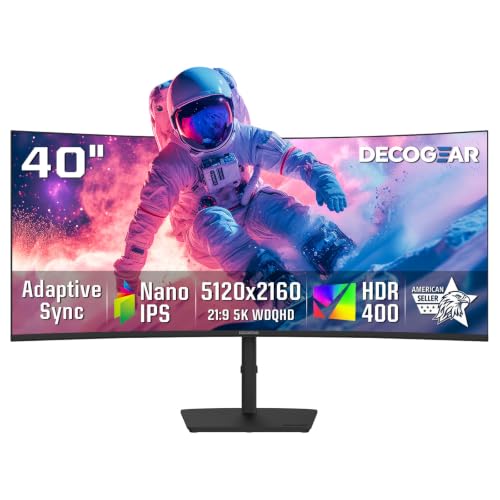
The LG 40WP95C suits buyers who want a Thunderbolt hub monitor for creative and office work, the Dell UltraSharp U4025QW suits those who want the same 5120×2160 canvas with a faster refresh rate and a docking-focused port layout, and the LG UltraGear 45GX950A suits gamers who want an OLED panel and are willing to give up pixel density for size. A 5K2K monitor is a 21:9 ultrawide with a 5120×2160 resolution, which keeps the pixel density of a 27-inch 4K display across a much wider surface. That makes it a different proposition from a standard 3440×1440 ultrawide, and this guide explains who benefits from the jump.
Our top picks


As an Amazon Associate we earn from qualifying purchases at no extra cost to you.
What 5K2K actually means
The “2K” in the name refers to the 2160 vertical pixels, the same height as a 4K panel. The 5120 horizontal pixels stretch that height into a 21:9 shape. On a 40-inch panel the makers describe this as roughly the width of two 27-inch screens without the bezel gap, so side-by-side windows keep a comfortable working size. Video editors get a full 4K timeline preview with room left for panels, spreadsheet users see many more columns, and developers can keep an editor, terminal and browser open together.
The trade-off is graphics load. Driving 5120×2160 pixels is about 11 million pixels per frame, roughly 33 percent more than 4K, so games need a capable graphics card, and older laptops may be limited to lower refresh rates over their video outputs. Check the maker’s cable and port notes before pairing the monitor with a laptop, because the full resolution generally needs DisplayPort 1.4 with compression, HDMI 2.1, or Thunderbolt and USB-C with DisplayPort alt mode.
At a glance
| Monitor | Best for | Key stated specs | Limits |
|---|---|---|---|
| LG UltraWide 40WP95C | Creative work and a single-cable laptop desk | 40-inch curved nano IPS, 5120×2160, Thunderbolt 4 with power delivery, built-in USB hub | Refresh rate listed by the maker at a modest level, so not aimed at fast games |
| Dell UltraSharp U4025QW | Office and mixed use with a heavy docking need | 40-inch curved IPS Black panel, 5120×2160, Thunderbolt 4 hub, up to 120Hz listed by the maker, KVM and network features | Premium tier; HDR is basic compared with OLED |
| LG UltraGear 45GX950A | OLED gaming and media | 45-inch curved OLED, 5120×2160 mode with a faster refresh dual mode at a lower resolution, per the maker | Lower pixel density than 40-inch models; text clarity and static-image care matter on OLED |
| Philips 40B1U6903CH | Value-minded office buyers | 40-inch curved 5120×2160 IPS-type panel, USB-C docking, per the maker | Fewer reviews and less colour-accuracy data than the LG and Dell units |
Specifications change between regional variants and revisions, so treat the table as a starting point and read the exact model listing from the maker.
LG UltraWide 40WP95C
This model is the best-known 5K2K design for mixed creative and office use. LG lists a 40-inch curved nano IPS panel at 5120×2160, wide colour coverage aimed at content creators, and a Thunderbolt 4 port that carries video, data and power to a laptop. That single cable is the main appeal: a laptop connects, charges and gains access to the monitor’s USB ports in one step. Reviewers who cover productivity monitors generally praise the workspace size and the clean text, and the common criticisms are a modest refresh rate and a standard dynamic range experience rather than a bright HDR one.
It fits designers, photo editors, video editors and finance users who live in spreadsheets. It is less suited to fast shooters. If a buyer wants a monitor that stays on a desk for years and mainly serves work, it is a safe shortlist entry.
Dell UltraSharp U4025QW
Dell positions this as a flagship docking monitor. The maker lists a 40-inch curved IPS Black panel at 5120×2160 with a refresh rate up to 120Hz, a Thunderbolt 4 upstream port, and an extensive hub that includes Ethernet and downstream Thunderbolt, plus a built-in KVM so one keyboard and mouse can control two computers. IPS Black panels advertise deeper blacks than conventional IPS, which helps with contrast in dim rooms.
The higher refresh rate makes the cursor and window movement feel smoother than on a 72Hz-class panel, and it gives light gaming a reasonable footing. Buyers in managed office environments often like Dell because of its warranty and service structure, though terms vary by region and should be read on the maker’s site. The cost sits in the premium tier, so it makes most sense when the dock and KVM features replace separate hardware.
LG UltraGear 45GX950A
This is the gaming-first choice. LG lists a 45-inch curved OLED panel with a dual-resolution approach: a 5K2K mode for detail and a lower-resolution mode at a much higher refresh rate for competitive play. OLED brings per-pixel lighting, near-instant response and strong contrast, which is why outlets that cover gaming monitors favour the format for movies and single-player games.
Understand the cost of the larger panel: at 45 inches, 5120×2160 is a lower pixel density than on a 40-inch model, so text looks a little less sharp. OLED also calls for habits such as letting the monitor run its refresh routines, avoiding static taskbars at full brightness for long periods, and following the maker’s care guidance. A spreadsheet-heavy workday is not the ideal use for this panel type. A buyer who splits time between games and video will be the happiest.
Philips 40B1U6903CH
Philips lists a 40-inch curved 5120×2160 panel with USB-C docking, an integrated webcam option on some variants, and a price tier below the LG and Dell units. It is useful for readers who want the large-canvas benefit without the premium. The compromise is that independent measurement data is thinner, so colour-critical buyers should lean toward the LG or Dell models. As with all models here, confirm the exact regional variant and its port list before buying.
Budget tiers
- Budget and value tier: Philips-style 40-inch office panels. You get the resolution and USB-C docking, with less polish on colour and extras.
- Mid-range to upper-mid tier: The LG 40WP95C sits here for many shoppers, with Thunderbolt and creator-oriented colour.
- Premium tier: The Dell U4025QW and LG 45GX950A. Pay for the faster refresh, hub features or OLED technology only if you will use them.
Fit, size and compatibility notes
- Desk depth: A curved 40-inch screen needs a deeper desk than a 27-inch monitor. Sit about an arm’s length away or a little farther so the edges are readable without large head turns.
- Weight and mounts: The stand supplied by the maker is usually tall and heavy. If you plan to use a monitor arm, confirm the VESA pattern and weight limit in the manual.
- Graphics hardware: A recent discrete graphics card or a modern Apple silicon Mac is advisable for smooth gaming or video work. Integrated graphics on very old laptops may be unable to run the full resolution at higher refresh rates.
- Cables: Use the cable the maker supplies, or one rated for the same standard. A cheap unlabeled cable is a common cause of black screens and capped refresh rates.
- Scaling: At 40 inches, 100 to 125 percent scaling is typical for the denser panels. Some older applications render slightly soft at fractional scaling.
Pick X if …
| Pick this | If you … |
|---|---|
| LG 40WP95C | want a single-cable laptop desk and creative colour at a mid-range tier |
| Dell U4025QW | need a docking hub, KVM and a smoother refresh rate for office use |
| LG 45GX950A | mainly game and watch video and want OLED contrast |
| Philips 40B1U6903CH | want the 5K2K canvas on a tighter budget and are not colour-critical |
| A 34-inch 3440×1440 ultrawide | have a modest graphics card or limited desk space |
Alternatives worth considering
- 34-inch 3440×1440 ultrawides: Far cheaper, easier to drive, and with higher refresh options. The pixel density is lower, so text and fine detail are less sharp.
- 49-inch 32:9 super ultrawides: Equal to two monitors side by side with a very large field of view. Many use 5120×1440, so the vertical space is smaller than on 5K2K.
- Two 27-inch 4K monitors: Flexible for window management and often less costly, though the bezel gap interrupts a single wide image.
Frequently Asked Questions
Is 5K2K better than 4K?
They solve different problems. A 4K screen is 16:9, while 5K2K is the same height stretched to 21:9, so you gain width rather than sharpness. If you want more horizontal workspace, 5K2K is the better fit; if you mainly watch standard video or want smaller panels, 4K is simpler.
Can a laptop drive a 5K2K monitor?
Many recent laptops can, usually through Thunderbolt, USB-C with DisplayPort alt mode, or HDMI 2.1. The maximum refresh rate depends on the laptop’s graphics output and the cable, so read both the laptop and monitor manuals. Older machines may be capped at a lower refresh rate.
Is a curved 40-inch monitor too big for a desk?
It needs more depth than a 27-inch monitor and a stand that fits the desk width. Most buyers find about 80 to 100 centimetres of viewing distance comfortable. If your desk is shallow, a wall mount or monitor arm can free space.
Is OLED safe for office work?
Makers sell OLED monitors for general use and include features designed to reduce image retention. Static elements such as a taskbar can still cause issues over long periods at high brightness, so follow the maker’s care guidance. LCD models like the LG 40WP95C and Dell U4025QW avoid that concern.
Do I need Thunderbolt?
No, but it is convenient. Thunderbolt or USB-C docking lets one cable handle video, data and charging for a laptop. A desktop with a standard graphics card can use DisplayPort or HDMI instead and may not need it.
Will games run at 5120×2160?
Many modern titles support 21:9, but not all handle 5120×2160 well, and the load is higher than 4K. A strong graphics card is advisable, and upscaling features can help. Some games add black bars or stretch the interface, so check community reports for specific titles.





