Key takeaways
- The best home theather 8k projectors compared in 2026: a true 8K-capable JVC and two affordable 8K-decoding models, with honest notes on native resolution.
The label 8K on a home theater projector needs careful reading, because it can mean two very different things. A small number of projectors use native 4K panels with pixel shifting to reach 8K addressable pixels, while most affordable models use native 1080p panels that accept and decode an 8K signal without displaying it at full 8K resolution. The brief for this guide spells the room “theather”, which is the same home theater every reader knows, and the projectors below are chosen with that distinction stated plainly. The difference shows up on screen, where true 8K detail looks sharper than a decoded image on a large screen.


This guide compares three projectors sold for 8K home theater use, from a true 8K-capable JVC to two affordable models that decode 8K signals. Every projector below was chosen from the names and specifications listed on its Amazon product page, so the comparisons rest on what each listing actually states about panels, brightness, contrast and decoding.
Quick Picks
As an Amazon Associate we earn from qualifying purchases
| Product | Best for | Key spec from title |
|---|---|---|
| JVC DLA-NZ8 | A true 8K-capable theater | Native 4K, 8K e-shiftX, 2500 lumens |
| Magcubic HY350Max | Affordable 8K decoding with apps | Native 1080p, 8K decode, 600 ANSI |
| Sucetiho Mini Projector | A compact 8K-supporting mini | 4K and 8K support, Android 11, WiFi 6 |
How to Choose
Native Resolution Versus 8K Decoding
Native resolution is the figure that decides what the projector actually displays, and it is the first thing to check. A projector with native 4K panels and pixel shifting can address 8K pixels on screen, while a projector with native 1080p panels displays at 1080p even when it accepts an 8K signal. The listing usually states the native resolution separately from the supported input, so read both figures rather than trusting the headline. A model that decodes 8K is still useful for a bright living room, but it is not the same as a model that renders 8K detail. Look for the words native resolution on the listing.
Brightness, Contrast and the Room
Brightness decides whether the image holds up in a living room or needs a dark theater, and the unit on the listing matters. ANSI lumens are the comparable figure, while a plain lumen number without the ANSI label is harder to compare across brands. Contrast decides whether dark scenes show detail or collapse into grey, and a high contrast ratio suits films with many night scenes. Check both figures on the listing, and remember that a bright room needs more lumens than a dedicated theater, while a dark room lets contrast shine. Close the curtains for the best image, since even a bright projector loses to daylight.
Throw Distance, Screen Size and Placement
Throw distance decides where the projector sits and how large the image grows, so measure the room before you shop. A short-throw model fills a large screen from close up, while a long-throw model needs distance and suits a dedicated theater with the projector mounted at the back. Check the listed throw ratio or the recommended screen size on the product page, and leave room for ventilation, since a projector that overheats will shut down mid-film. Mount the projector level with the screen centre to avoid keystone distortion. Measure twice, since moving a ceiling mount after installation is a chore.
Smart Features, Sound and Connections
Smart features decide whether the projector works on its own or needs a streaming stick, and the operating system on the listing tells you which apps are built in. An Android-based projector with Wi-Fi can stream directly, while a basic model needs an external source. Built-in speakers suit a casual setup, but a home theater deserves external sound, so check the audio output options. Count the HDMI ports too, since a theater with a console, a player and a streaming stick needs more than one. Check that the apps you use are on the projector, since not every Android model carries every service.
The 3 Best Options
JVC DLA-NZ8
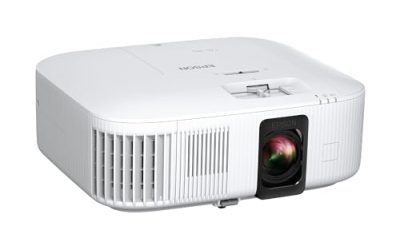
The JVC DLA-NZ8 is the only projector in this guide that genuinely reaches 8K on screen. Its native 4K D-ILA panels use 8K e-shiftX pixel shifting to address 8K pixels, so the image carries detail that a native 1080p model cannot match. The 2500-lumen output suits a dark theater, and the 80,000 to 1 contrast ratio keeps dark scenes rich with detail. The 65mm all-glass lens holds the image sharp across a large screen. It is the pick for a dedicated home theater where the projector is the centrepiece and the room is built around it. Pair it with a proper screen and external sound to get the full benefit.
Specs
- Native 4K D-ILA panels with 8K e-shiftX
- 2500 lumens brightness
- 80,000 to 1 contrast ratio
- 65mm all-glass lens
- 8K addressable pixels via pixel shifting
- Designed for dedicated home theaters
Best for: A dedicated dark home theater where true 8K detail matters on a large screen.
Watch out for: It needs a dark room and a large screen to show its advantage over the affordable models, and external sound to match the picture.
ASIN: B09F1TB9L5
Magcubic HY350Max
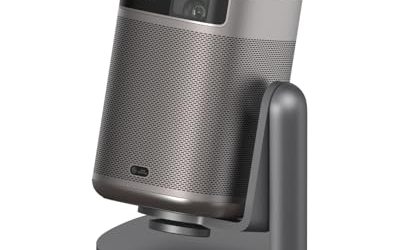
The Magcubic HY350Max is the pick for a buyer who wants 8K support at an affordable level and understands what the label means. Its native resolution is 1080p, while the listing states 4K and 8K decoding, so it accepts an 8K signal and displays it at 1080p. The 600 ANSI lumen output suits a dim room, and Android 14 brings streaming apps built in without a separate stick. It is the best choice for a living room setup where convenience and a low profile matter more than native 8K detail. Set it on a shelf and it disappears into the room when not in use.
Specs
- Native 1080p resolution
- 4K and 8K decoding supported
- 600 ANSI lumens
- Android 14 operating system
- Compact mini projector design
- Built-in streaming apps
Best for: A living room setup where built-in apps and easy placement matter more than native resolution.
Watch out for: The native panel is 1080p, so it displays at 1080p even with an 8K source. Check the native figure before you buy.
ASIN: B0H1C9FNY2
Sucetiho Mini Projector
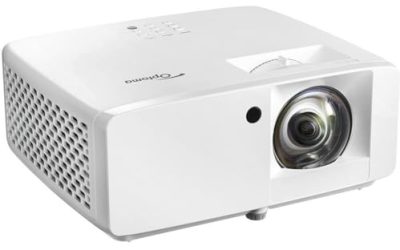
The Sucetiho Mini Projector suits a small room or a portable setup where a compact projector is the priority. Its listing states 4K and 8K support, and it runs Android 11 with Wi-Fi 6 for streaming without extra hardware. The small body fits on a shelf or a side table, and the wireless connection keeps the setup tidy. It is the best pick for a bedroom or a small flat where a large theater projector would dominate the room. Carry it from room to room, since the mini body travels easily.
Specs
- 4K and 8K support stated
- Android 11 operating system
- Wi-Fi 6 connectivity
- Mini portable design
- Built-in streaming apps
- Built-in streaming apps
Best for: Small rooms and portable setups where size matters more than ultimate image quality.
Watch out for: Check the native resolution on the listing, since the 8K figure refers to supported input rather than native display, and compare it with the JVC.
ASIN: B0F5H57GMC
Which One Fits Your Situation
A Dedicated Dark Theater Room
Choose the JVC DLA-NZ8 when the room is built for films and the screen is large. Its native 4K panels with 8K e-shiftX deliver detail the affordable models cannot match, and the high contrast ratio keeps dark scenes rich. Pair it with external sound and a proper screen, and the room becomes a real theater. Dim the lights fully, since the JVC shows its best in darkness.
A Living Room With Built-In Apps
Choose the Magcubic HY350Max when the projector lives in a living room and needs to work without extra boxes. Android 14 brings streaming apps built in, the 600 ANSI lumen output suits a dim room, and the compact body fits on a shelf. It is the practical pick for everyday viewing rather than critical film watching. Close the curtains for evening films, since the image suits a dim room.
A Bedroom or Small Flat
Choose the Sucetiho Mini Projector when space is tight and the projector must disappear when not in use. Its mini body fits on a bedside table, Wi-Fi 6 streams without cables, and Android 11 covers the apps. It suits casual viewing where convenience beats ultimate image quality. Tuck it in a drawer when guests arrive, since the mini body hides easily.
A First Step Into 8K Content
Choose the Magcubic HY350Max when the goal is to play 8K sources without paying for a true 8K projector. The 8K decoding accepts the signal, and the image is a bright 1080p picture that suits a living room. Upgrade to the JVC later if the room and the budget grow into a dedicated theater. Learn what 8K content looks like first, then decide if a true 8K projector is worth it.
Common Mistakes
- Reading 8K on the box and assuming the projector displays native 8K, when most affordable models are native 1080p with 8K decoding. Check the native resolution on the listing, since the headline figure often describes the input rather than the display. The distinction matters on a large screen.
- Comparing lumen figures across brands without checking whether the number is ANSI lumens, which is the comparable standard. A plain lumen number without the ANSI label cannot be compared fairly across brands, so always look for the ANSI figure.
- Placing a bright projector in a sunny room and expecting cinema contrast, when a dark room is what lets contrast shine. Close the curtains and dim the lights, since even a bright projector loses to daylight on a white wall.
- Forgetting to measure the throw distance, so the projector cannot fill the screen from where it sits. Measure the room and check the listed throw ratio before ordering, since moving a ceiling mount after installation is a chore.
- Buying a projector with one HDMI port for a theater that needs a console, a player and a streaming stick. Count the devices before you buy, and choose a projector with enough HDMI ports for every source you own.
Frequently Asked Questions
Does an 8K projector display native 8K resolution?
It depends on the model: a few projectors use native 4K panels with pixel shifting to address 8K pixels, while most models use native 1080p panels that decode an 8K signal and display it at 1080p. The JVC is the first type, while the Magcubic and Sucetiho are the second. Check the native resolution on the listing, not the headline.
How bright should a home theater projector be?
It depends on the room: a dark theater works well with 2500 lumens, while a living room with light needs more brightness to keep the image vivid. The Magcubic offers 600 ANSI lumens, which suits a dim room rather than a bright one. Check whether the listing states ANSI lumens, since that figure compares fairly across brands, and dim the room.
Do I need a screen for an 8K projector?
A proper screen helps, since a smooth white or grey surface shows more detail than a painted wall. A wall works for casual viewing, but texture and colour shifts in the paint soften the picture. For a theater, a screen is worth the investment, while a mini projector in a bedroom works fine on a smooth wall.
Can a mini projector replace a TV?
Yes, for casual viewing in a dim room, since a mini projector with built-in apps and Wi-Fi streams films and shows without extra hardware. It suits a bedroom or a small flat where a large TV would dominate the room. For bright rooms, fast sports or critical film watching, a TV or a true theater projector gives a sharper and brighter image.
More from Amazon
Programs that pair well with the guide above. Offers and eligibility are set by Amazon and may change.
Free shipping on eligible items, Prime Video and more. Eligible new members can start with a free trial.
Start a Prime free trialAd-free music streaming. Eligible new subscribers can start with a free trial.
Try Music Unlimited freeA Prime membership for ages 18-24 with a trial period. Eligibility is set by Amazon.
See Prime for Young AdultsAudiobooks and podcasts to listen to on the go. Eligible new members can start with a free trial.
Try Audible freeAs an Amazon Associate we earn from qualifying purchases.