Key takeaways
- Four wireless multiroom audio players that keep music lossless in every room, with WiiM, Bluesound, and Sonos picks for stereos and powered speakers.
The real decision here is not which box has the longest spec sheet. It is which multiroom family you want to live with for years, because players from rival platforms generally refuse to group together, and because a lossless file only stays lossless if every link in the chain, from the service tier to the player output, handles it without downsampling. Pick the wrong family and you end up running two apps and two systems that ignore each other.

This guide serves listeners who already own stereos, powered speakers, or a Sonos setup and want synchronized music in several rooms without giving up hi-res quality. Every pick below earned its place from its own Amazon listing: each one states multiroom grouping on the page, and each one names lossless or hi-res support, such as 24-bit/192 kHz playback or bit-perfect digital output, in its listing text.
Quick Picks
As an Amazon Associate we earn from qualifying purchases.
| Product | Best for | Key spec |
|---|---|---|
| WiiM Pro Plus | Adding lossless multiroom to an existing stereo | AKM DAC with hi-res streaming up to 24-bit/192 kHz |
| Bluesound NODE | A large BluOS system built around one hub | BluOS grouping for up to 64 players in 24-bit hi-res |
| WiiM Ultra | A main room with TV, turntable, and streaming | ESS SABRE DAC, 3.5-inch touchscreen, HDMI ARC input |
| Sonos Era 100 | One self-contained speaker per room | Multi Room Audio and Hi Res Audio listed as features |
How to Choose
Pick One Multiroom Family and Commit to It
Multiroom systems are walled gardens. A WiiM player groups with other WiiM units plus Echo and Google Home devices, a Bluesound player groups inside BluOS with up to 64 players, and a Sonos speaker groups only with Sonos gear. None of these families syncs natively with the others, so the brand of your first player quietly decides the brand of your third and fourth. Before buying, list the rooms you realistically plan to cover within two years, check that the family sells a suitable player for each one, and confirm any speakers you already own can join the group.
Confirm the Lossless Path End to End
A player can accept a hi-res stream and still hand your amplifier a reduced signal if the output or settings get in the way. Look for explicit listing language: bit-perfect digital output, a stated ceiling such as 24-bit/192 kHz, and named lossless formats like FLAC or ALAC. Then check the source side. The same service may send a lossy stream to one app and a lossless stream to another, and Bluetooth links between phone and player are a common weak point. The safest setups pull the stream over Wi-Fi inside the player itself, using the phone only as a remote control.
Match the Outputs to the Gear You Already Own
Streamers divide into two camps: boxes that feed an existing amplifier or powered speakers, and speakers with everything built in. For the boxes, the output set decides what you can connect. Optical and coaxial outputs suit older amplifiers and external DACs, RCA suits nearly everything, and USB audio output suits a modern DAC. The WiiM Pro Plus covers RCA, optical, and coaxial in one small chassis, while the Bluesound NODE adds a USB output and HDMI eARC. If your speakers are already powered and lack spare inputs, a self-contained unit like the Sonos Era 100 avoids the cabling question entirely.
Check Inputs if a TV or Turntable Shares the System
Many buyers place the main player in the living room, where the television and a record player also live. An HDMI ARC input lets the player take TV sound through the same speakers you use for music, which keeps one remote and one volume control in charge. A phono input with a built-in stage accepts a turntable directly, and a line-in or optical input can feed that source to other rooms in some systems. The WiiM Ultra combines HDMI ARC and a phono input in one unit; most smaller streamers offer neither, so confirm before assuming your sources will fit.
The 4 Best Options
WiiM Pro Plus
The WiiM Pro Plus suits the listener who owns a capable stereo or a pair of powered speakers and wants to add modern streaming plus multiroom grouping without replacing anything. Its listing leads with multiroom support across Wi-Fi, Bluetooth, and even its wired inputs, and the AKM DAC handles hi-res streams up to 24-bit/192 kHz with bit-perfect output over optical and coaxial. AirPlay 2, Google Cast, Spotify Connect, and TIDAL Connect are all on board, so guests and household members can send music from whichever phone they carry, while the included voice remote covers basic control from the couch.
Specs
- Multiroom streamer with AirPlay 2, Google Cast, and DLNA
- AKM 4493SEQ DAC supporting audio up to 768 kHz/32-bit
- Hi-res streaming up to 24-bit/192 kHz, bit-perfect via optical or coaxial
- Dual-band Wi-Fi, Bluetooth 5.1, and 100M Ethernet
- RCA, optical, and coaxial outputs; RCA and optical inputs
- Spotify Connect, TIDAL Connect, Qobuz Connect, and Roon Ready
- Voice remote included; works with Alexa, Siri, and Google
- 5.5 x 5.5 x 1.6 in, 14.1 oz (400 g), USB Type-C power
Best for: Bringing an existing stereo into a lossless multiroom system.
Watch out for: AirPlay works in one direction only; the listing notes it receives AirPlay and cannot send audio onward to AirPlay speakers.
ASIN: B0CC2HWC7N — View on Amazon
Bluesound NODE
The Bluesound NODE fits the household that expects the system to grow. BluOS, the platform named throughout its listing, supports up to 64 players all streaming in 24-bit hi-res, and the NODE acts as the hub that feeds your best amplifier or powered speakers. A 32-bit/384kHz DAC design and a quad-core processor keep the interface quick, while HDMI eARC lets the television share the same speakers. Two-way aptX HD Bluetooth covers headphones and phone playback, and the USB audio output gives owners of external DACs a clean digital path that many rival streamers omit.
Specs
- BluOS wireless multi-room platform, up to 64 players in 24-bit hi-res
- 32-bit/384kHz premium DAC design
- Quad-core 1.8GHz ARM Cortex A53 processor
- HDMI eARC input for TV audio
- AirPlay 2 and two-way Bluetooth with aptX HD
- Gigabit Ethernet and dual-band Wi-Fi 5
- RCA, optical, coaxial, and USB audio outputs; 3.5mm headphone jack
- Model N130; works with Roon and Spotify Connect
Best for: A serious main system that anchors a growing BluOS household.
Watch out for: Grouping stays inside the BluOS family, so speakers from other platforms in your home cannot join a NODE group.
ASIN: B0937LC7P2 — View on Amazon
WiiM Ultra
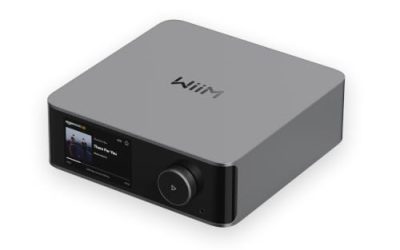
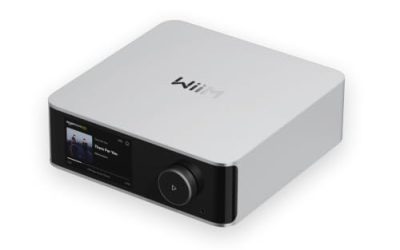
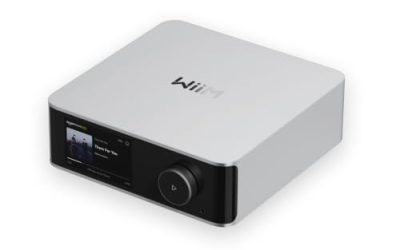
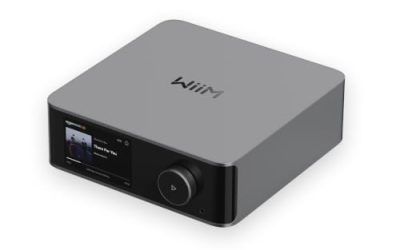
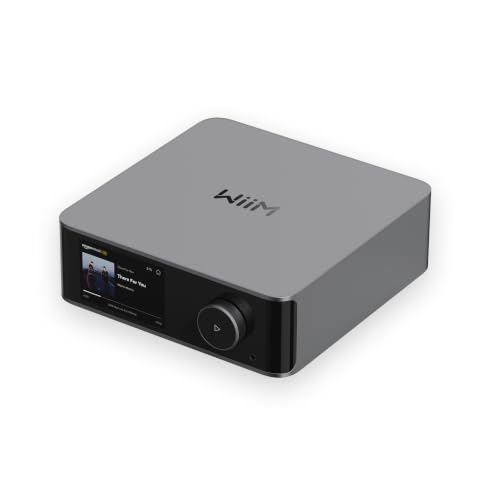
The WiiM Ultra is the pick for a main listening room where streaming shares space with a television and a turntable. Its listing pairs an ESS ES9038 Q2M SABRE DAC with hi-res streaming up to 24-bit/192 kHz, and the multiroom section describes grouping with Echo, Google Home, and WiiM devices through the WiiM Home app. A 3.5-inch touchscreen shows album art and playback controls at the rack, HDMI ARC handles TV sound, the phono input accepts a turntable directly, and a subwoofer output plus a dedicated headphone amplifier cover the two upgrades living-room systems most often want next.
Specs
- ESS ES9038 Q2M SABRE DAC, 32-bit/384kHz, 121 dB SNR on line out
- Hi-res streaming up to 24-bit/192 kHz
- 3.5-inch glass touchscreen with album art and playback controls
- Wi-Fi 6, Bluetooth 5.3, and Ethernet
- Inputs: HDMI ARC, optical, line-in, and phono (MM and MC)
- Outputs: RCA, optical, coaxial, USB, headphone, and subwoofer
- Google Cast, Spotify Connect, TIDAL Connect, Roon Ready, DLNA
- Aluminum enclosure, 3.13 lbs
Best for: One hub that unites streaming, TV audio, and vinyl in the main room.
Watch out for: The listing states plainly that this model cannot act as an AirPlay receiver, so households built around AirPlay should choose a different pick.
ASIN: B0D41YCLW8 — View on Amazon
Sonos Era 100
The Sonos Era 100 serves rooms where a separate streamer, amplifier, and speakers would be clutter. Everything sits in one compact cabinet: its Amazon listing classifies the speaker type as Multi Room and names Multi Room Audio and Hi Res Audio among its special features. Two angled tweeters produce stereo separation from a single unit, Trueplay tuning adjusts the sound to the room from the Sonos app, and Alexa is built in for hands-free control. It drops neatly into an existing Sonos household, pairs with a twin for true stereo, and covers kitchens, bedrooms, and desks where component stacks never belonged.
Specs
- Speaker type listed as Multi Room; features include Multi Room Audio and Hi Res Audio
- Wi-Fi, Bluetooth, and AirPlay 2 streaming
- Alexa built in, plus Sonos Voice Control
- Trueplay room tuning through the Sonos app
- Dual-tweeter design with a midwoofer 25% larger than the Sonos One
- Stereo pairing with a second Era 100
- USB-C port; line-in available through the Sonos Line-In Adapter
- Model E10G1US1BLK, 2.02 kg
Best for: Adding a tidy, self-contained room to a Sonos multiroom system.
Watch out for: Line-in and Ethernet both need separate Sonos adapters that are not in the box, so budget for the adapter if you plan to connect a turntable.
ASIN: B0BW34LCB8 — View on Amazon
Which One Fits Your Situation
You Already Own a Good Stereo or Powered Speakers
Keep the amplifier and speakers you like and add the WiiM Pro Plus. It feeds nearly any analog or digital input, pulls lossless streams over Wi-Fi from the major services, and joins WiiM, Echo, and Google Home groups for other rooms. It is the least disruptive route from a traditional stereo to a whole-home system.
Your TV and Turntable Share the Main System
Choose the WiiM Ultra. HDMI ARC folds television sound into the same speakers, the phono input takes a turntable without a separate stage, and the touchscreen keeps basic control at the rack. It still groups with other WiiM and voice-assistant speakers around the house, so the living room hub does not become an island.
You Want One Speaker Per Room, Not Components
Pick the Sonos Era 100 for each room. There is no amplifier to hide and no cable run to plan; you place the speaker, join it to the Sonos system in the app, and group rooms as you like. A stereo pair in the main room covers listeners who later want a wider soundstage.
You Plan to Grow Room by Room for Years
Anchor the system with the Bluesound NODE. BluOS scales to dozens of players at 24-bit hi-res, the NODE feeds your best existing gear, and its USB output leaves room for a future external DAC. Growth stays inside one app and one family instead of becoming a shelf of mismatched boxes.
Common Mistakes
- Mixing brands across rooms and expecting them to sync. WiiM, BluOS, and Sonos groups stay inside their own families, so a mixed shelf means separate apps and no shared playback.
- Sending music from a phone over Bluetooth and calling it lossless. The Bluetooth link is the weak point; let the player pull the stream over Wi-Fi and use the phone only to control it.
- Buying on DAC numbers alone. A higher stated ceiling means little if your service tier, output settings, or files never reach it; confirm the full path supports the format you actually own.
- Ignoring the inputs you need. Small streamers often lack HDMI ARC and phono stages, which only becomes obvious when the television or turntable has nowhere to plug in.
- Placing the main player where Wi-Fi is weakest. A streamer in a dead corner undermines every room that depends on it; use the Ethernet port when the rack sits near your router.
Frequently Asked Questions
Can players from different brands play in sync together?
Generally, no. WiiM groups with WiiM, Echo, and Google Home devices; Bluesound groups inside BluOS; Sonos groups with Sonos. AirPlay 2 can bridge some of these for casual listening from an Apple device, but it is a workaround rather than true membership in either family, so choose one main platform for the rooms that must play together.
Does lossless quality survive multiroom playback?
It can, provided the platform supports it and your network keeps up. BluOS states 24-bit hi-res across its player groups, and the WiiM models here stream up to 24-bit/192 kHz. The weak links are usually Bluetooth hops, lossy service tiers, and strained Wi-Fi, not the grouping itself. Wiring the main player by Ethernet removes the most common bottleneck.
Do I need an amplifier with these players?
The WiiM Pro Plus, WiiM Ultra, and Bluesound NODE are sources, not amplifiers. They feed a powered speaker pair, an existing amplifier, or an external DAC, and they make no sound alone. The Sonos Era 100 is the exception in this guide: its amplification and drivers are built into the cabinet, so it plays by itself in any room with an outlet.
Which services actually send lossless streams to these players?
The listings name TIDAL, Qobuz, and Amazon Music among their supported services, and all three offer lossless or hi-res tiers. Spotify Connect appears on the WiiM and Bluesound listings as a control path. Your subscription tier decides what the service sends, so confirm the plan level inside the service app before blaming the hardware for a lossy feed.
More from Amazon
Programs that pair well with the guide above. Offers and eligibility are set by Amazon and may change.
Free shipping on eligible items, Prime Video and more. Eligible new members can start with a free trial.
Start a Prime free trialAd-free music streaming. Eligible new subscribers can start with a free trial.
Try Music Unlimited freeA Prime membership for ages 18-24 with a trial period. Eligibility is set by Amazon.
See Prime for Young AdultsAudiobooks and podcasts to listen to on the go. Eligible new members can start with a free trial.
Try Audible freeAs an Amazon Associate we earn from qualifying purchases.