Key takeaways
- Roku Ultra vs Fire TV Stick 4K Max compared on design, wired internet, interface, voice control and 5 buying checks, so you can pick the right 4K streamer.
Choose the Roku Ultra if you want a wired-capable box with a neutral, app-grid interface, and choose the Fire TV Stick 4K Max if you prefer a compact stick that leans into Alexa and Amazon services. Both are positioned as premium 4K streamers with support for popular HDR formats, so the decision rarely comes down to picture quality alone. It usually comes down to ports, interface style, voice assistant and how you already use your home network. This comparison relies on published specifications and general knowledge, so confirm current details before buying.
Short verdict
If you have an Ethernet jack near your TV, enjoy a simple tile layout, and dislike having a streaming platform steer you toward one retailer, the Roku Ultra is the more natural fit. If you already own Echo speakers, use Prime Video regularly, and want a small device that disappears behind the screen, the Fire TV Stick 4K Max is the more natural fit. Neither choice is wrong. They are different design philosophies aimed at the same living room.
Both products receive revisions, and model names can cover several hardware generations. Treat any feature mentioned here as a general trait, and check current specifications for the version listed in the store.
Side-by-side comparison
| Feature | Roku Ultra | Fire TV Stick 4K Max |
|---|---|---|
| Form factor | Small box | Compact stick |
| Wired network | Ethernet port commonly included | Usually via a separate adapter, check support |
| Wireless | Dual-band Wi-Fi | Newer Wi-Fi generation, check the version |
| Voice assistant | Roku voice search | Alexa built into the remote |
| Interface | Grid of channel tiles | Content rows with strong Amazon emphasis |
| HDR and audio | Premium HDR and Dolby Atmos commonly listed | Premium HDR and Dolby Atmos commonly listed |
| Remote extras | Often a headphone jack and remote finder | Often TV control and Alexa button |
Think of this table as a starting map and not a final answer. Manufacturers change remotes, chipsets and included accessories, and some features appear only on certain versions.
Design and physical setup
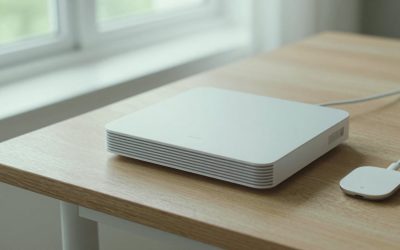
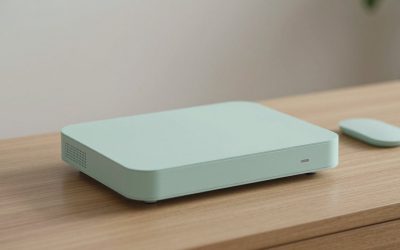
The Roku Ultra is a small box that sits on a shelf or mounts behind the TV, with a power cable and an HDMI cable. The extra body gives it room for ports and cooling. The Fire TV Stick 4K Max plugs directly into an HDMI port and draws power from a wall adapter, which keeps cables tidy on a wall-mounted screen.
Sticks can be awkward when the HDMI ports sit very close to a wall, so check whether an extender is included. Power matters too. Powering a stick from a TV’s USB port can cause instability on some sets, so using the supplied wall adapter is usually the safer choice.
Interface and day-to-day use
Roku’s home screen is a grid of app tiles you can rearrange. It is easy to understand, which makes it popular with households that include less technical users. Roku also offers its own free ad-supported channel and a universal search feature that looks across services.
Fire TV’s interface puts a heavier emphasis on content rows and recommendations, often tied to Amazon video and add-on subscriptions. People who regularly use Prime Video may like the integration, while others find the home screen busy. Fire TV is built on a version of Android, which in general gives it a larger pool of available apps and, for some users, more flexibility. Only install apps from official stores, since unofficial sources can carry security and legal risks.
Connectivity and network performance
For streaming reliability, the connection matters as much as the device. A wired Ethernet link avoids interference from walls, microwaves and neighbors. The Roku Ultra has commonly included an Ethernet port, so a cable can be plugged straight in. Many Fire TV sticks rely on Wi-Fi, though Amazon has sold an adapter for some models.
If you can only use Wi-Fi, router placement and band choice matter. A stick sitting behind a metal-framed TV can receive a weaker signal than a box in open air. Newer Wi-Fi standards help when the router supports them, but they do nothing if your router is older. A stable 5 GHz connection is typically enough for 4K streaming, as long as the signal is strong at the TV. If buffering persists on a strong signal, check what else on the network is using bandwidth before blaming the device.
Voice control and smart home
Alexa is built into the Fire TV remote, which suits households already using Echo devices and compatible smart home gear. You can ask for shows, control playback, and sometimes check connected cameras or devices on screen. Roku supports voice search and works with several smart home platforms, but its voice features are more focused on finding and launching content.
Privacy is a fair concern with any microphone-equipped remote. Both platforms provide settings to manage voice recordings and microphone behavior, so review them during setup. If you prefer not to use voice at all, both devices work normally with the standard buttons.
Picture, sound and TV compatibility
Both devices are widely listed as handling 4K output with premium HDR formats and Dolby Atmos passthrough. That is only useful if your TV can accept them. Check which HDMI port on the TV supports the full 4K and HDR features, because on many sets only one or two ports do. Use a certified high-speed HDMI cable, and confirm that the TV’s own settings have enhanced HDMI mode turned on if the manual says so.
Apps also decide what you see. Not every service streams in 4K or Dolby Vision, and some require a higher-priced subscription tier. A premium streamer cannot add detail that the source does not contain.
Which one to pick for common situations
- Wired TV in a living room cabinet: the Roku Ultra, because it has been built around an Ethernet port.
- Wall-mounted TV with little room: the Fire TV Stick 4K Max, since a stick is easier to conceal.
- Households that use Alexa daily: the Fire TV Stick 4K Max.
- Shared TV with less technical viewers: the Roku Ultra, thanks to its simple tile layout.
- Private late-night listening: the Roku Ultra remote has commonly included a headphone jack, so check whether your version does.
- Frequent travel: the stick is easier to pack for a hotel or a second home.
What to check before buying
- Confirm your TV has a free HDMI port and supports the HDR formats you want.
- Decide whether you will use Ethernet or Wi-Fi, and check the router’s capability.
- List the apps you use and verify that both platforms carry them.
- Look at current screenshots of both home screens to judge the ad and recommendation load.
- Read the current specification sheet for the exact model, because remotes, ports and processors change over time.
Return policies are worth a glance too. If the interface or Wi-Fi behavior does not suit your home, an easy return is more useful than any feature table.
Related guides
- Hdmi Capture Cards For Streaming From Console
- How Much Data Does Streaming Use Per Hour
- Streaming Devices With Ethernet Port
Frequently asked questions
Which is better for a TV with a wired internet connection?
The Roku Ultra has historically included an Ethernet port, which makes it a straightforward choice for a wired connection. Fire TV Stick models generally rely on Wi-Fi unless you add Amazon’s separate Ethernet adapter, if the model supports one. Check current specifications for the exact version you are buying, because accessories and ports change between generations.
Do both devices support Dolby Vision and HDR10 Plus?
Both are widely described as supporting premium HDR formats, including Dolby Vision and HDR10 Plus, along with Dolby Atmos audio passthrough. Your results still depend on the TV, the HDMI port, the cable, and the app. A TV that does not support a format will fall back to a simpler picture. Check the current specification sheets and your TV manual before relying on any one format.
Which one has fewer ads and recommendations?
Neither is ad-free. Both interfaces promote shows, services and sponsored content on the home screen. Roku’s layout is a plain grid of channel tiles, which many people find calmer, while Fire TV tends to place more emphasis on recommended content and Amazon services. If clutter matters to you, look at current screenshots of both home screens before buying.
Can either one be used without Amazon services?
Yes. Both support the major streaming apps in the United States, and both run apps without an Amazon Prime membership. Fire TV is built around Amazon’s ecosystem, so Prime Video and Alexa features feel most natural there, but it is not required. Roku is more platform-neutral. Confirm that your favorite apps are available on each platform before you commit.
Is a streaming stick or a box better for a tight spot behind the TV?
A stick plugs straight into an HDMI port and is easy to hide, which suits wall-mounted TVs. A box needs shelf space and a power outlet, but it often has more ports and a larger body for cooling. If space behind the TV is tight, a stick with a short HDMI extender, if one is included, is usually simpler. Check the physical dimensions against your setup.