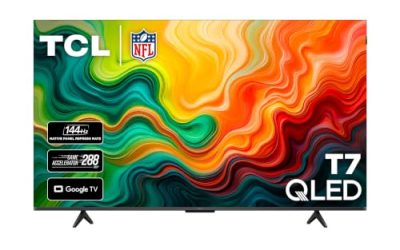
Key takeaways
- A 65-inch screen is where a living-room TV stops feeling like furniture and starts feeling like a small cinema.
A 65-inch screen is where a living-room TV stops feeling like furniture and starts feeling like a small cinema, and it is also where price gaps between brands get wide. The phrase “best value” is the real decision here: you are not hunting for the sharpest panel on the market, you are looking for the point where size, picture technology, and smart features stop getting cheaper without something important being cut. That sweet spot has moved in 2026, because Mini LED and QLED panels now show up on sets that used to ship with plain edge-lit LED.
This guide is for buyers who already know they want 65 inches and 4K, and who would rather spend on picture quality and a smooth interface than on brand glow. It compares seven sets that sit in the budget-to-mid-range zone, from simple Fire TV models to Mini LED and Google TV options. Premium OLED sets in the same size class were left out, because they answer a different question than value.
Quick Picks
Our top picks
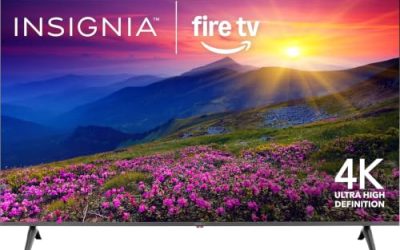
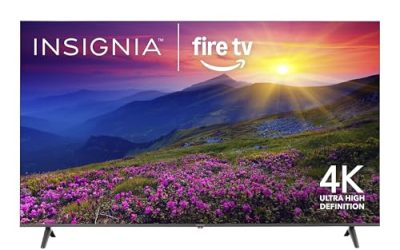
 Insignia 65" Class F50 Series LED 4K
- 4K Ultra HD (2160p resolution): Enjoy breathtaking HDR10…
- High Dynamic Range: Provides a wide range of…
- Alexa voice control: The Alexa Voice Remote lets…
 Samsung 65-Inch Class M70H Series
- Our advanced processor delivers brighter highlights and deeper…
- delivers one billion true-to-life colors, powered by advanced…
- Experience HDR picture quality with brighter highlights and…
 TOSHIBA 65" Class M450 Series QLED 4K
- REGZA Engine ZR: The new REGZA AI Engine…
- REGZA QLED Color: Experience rich, lifelike color with…
- REGZA Power Audio: REGZA Power Audio enables you…
| Product | Key specs | |
|---|---|---|
| Insignia 65" Class F50 Series LED 4K | 4K Ultra HD (2160p resolution): Enjoy breathtaking HDR10… High Dynamic Range: Provides a wide range of… Alexa voice control: The Alexa Voice Remote lets… | Check price |
| Samsung 65-Inch Class M70H Series | Our advanced processor delivers brighter highlights and deeper… delivers one billion true-to-life colors, powered by advanced… Experience HDR picture quality with brighter highlights and… | Check price |
| TOSHIBA 65" Class M450 Series QLED 4K | REGZA Engine ZR: The new REGZA AI Engine… REGZA QLED Color: Experience rich, lifelike color with… REGZA Power Audio: REGZA Power Audio enables you… | Check price |
 TCL 65-Inch R7D Series QLED 4K UHD TCL 65-Inch R7D Series QLED 4K UHD | Real 4K HDR picture: A true 4K UHD… Built for gaming and sports: Game Accelerator 120… Your next Roku TV: One simple home screen… | Check price |
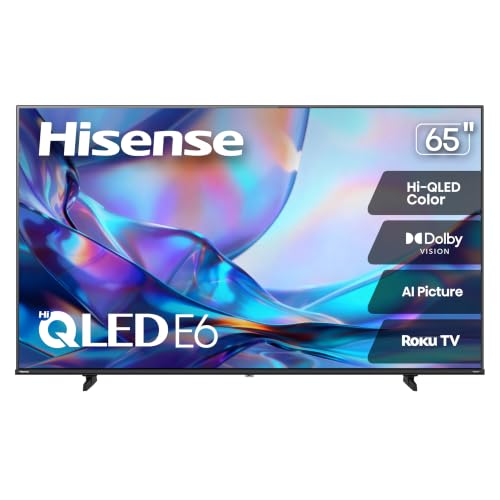 Hisense 65" Class E6SR Series Hi-QLED 4K Hisense 65" Class E6SR Series Hi-QLED 4K | Vivid and authentic color brings every shade, scene,… Discover the Dolby difference Upscale all your content to stunning 4K quality | Check price |
 Roku 65-Inch Pro Series Smart TV Roku 65-Inch Pro Series Smart TV | TVs from TV experts: From America’s number 1… TV, simplified: With setup that only takes minutes,… A world of free entertainment: Enjoy a huge… | Check price |
 Roku 65-Inch Plus Series Smart TV Roku 65-Inch Plus Series Smart TV | Breathtaking picture: Mini-LED backlighting brings out the rich… TV, simplified: With setup that only takes minutes,… A world of free entertainment: Enjoy a huge… | Check price |
As an Amazon Associate we earn from qualifying purchases at no extra cost to you.
| Product | Best for | Key spec taken from the product title |
|---|---|---|
| Insignia F50 Fire TV | Lowest-cost 65-inch entry | LED 4K UHD, Fire TV with Alexa voice remote |
| Samsung M70H | Brightness-focused Mini LED buyers | Mini LED, 4K, Mini LED Processor 4K, Pure Spectrum Color |
| Toshiba M450 Fire TV | Alexa households upgrading from LED | QLED 4K UHD, Fire TV with Alexa voice remote |
| TCL R7D Roku TV | Roku fans who watch in bright rooms | QLED 4K HDR, high brightness, Motion Rate 240, AirPlay 2 |
| Hisense E6SR Roku TV | Console gamers on a budget | Hi-QLED, Dolby Vision, VRR, ALLM, Game Mode Plus |
| Roku Plus Series | Buyers who want Mini-LED with Roku simplicity | 4K QLED Mini-LED, Dolby Vision, Wi-Fi |
| TCL QM6K Google TV | Movie and sports viewers wanting more features | QLED Mini LED, 144Hz, IMAX Enhanced, Dolby Vision |
How to Choose
Panel type decides most of the picture
Plain LED is the cheapest tier, QLED adds a quantum-dot layer for stronger color, and Mini LED adds many more small backlight zones for better contrast. At 65 inches, the jump from LED to QLED is easy to notice in a lit room, while Mini LED helps most with dark scenes. If two sets are close in cost, favor the one with the more advanced panel before chasing a longer feature list. Features like voice search are easy to live without; a weak panel is something you stare at every night for years.
Refresh rate and gaming features
A 60Hz panel is fine for TV shows and movies. If you own a current console or a gaming PC, look for VRR, ALLM, and a 120Hz or 144Hz panel in the listing. Hisense lists VRR and ALLM, and TCL lists 144Hz on one model. Marketing terms like “Motion Rate 240” are processing claims, not true panel speeds, so do not treat them as equal to 120Hz native.
Smart platform and remote
Fire TV, Roku TV, and Google TV all stream the same big apps, so choose the interface you will actually enjoy. Fire TV suits people with Alexa devices, Roku is the plainest to navigate, and Google TV offers the most recommendations and Cast support. Voice remotes are worth confirming in the listing, since some budget packages skip them.
HDR formats and what to ignore
Dolby Vision and HDR10 matter for streaming movies. A budget panel that lists HDR support still may not get bright enough to show it off, which is why brightness and local dimming matter more than the logo count. Ignore speaker wattage claims and ignore “smart” buzzwords; every set here is smart. Budget models usually cut corners on dimming zones, panel speed, and built-in audio.
The 7 Best Options
Insignia 65-Inch F50 Series Fire TV
This is the plain-spoken entry in the group: an LED 4K UHD set with Fire TV built in and a voice remote with Alexa. It suits a guest room, a basement, or a first big screen where the goal is simply to get 65 inches on the wall for the lowest outlay. Buyers who mostly watch streaming shows and live channels will not feel much missing here.
- Strength: Fire TV with an Alexa voice remote keeps navigation and search simple.
- Strength: 4K UHD resolution at 65 inches with live TV streaming support.
- Trade-off: the title lists LED rather than QLED or Mini LED, so expect less color and contrast depth than the pricier panels here.
Skip it if you plan to watch in a very bright room or want a console-ready feature set.
Samsung 65-Inch M70H Mini LED
Samsung’s current-year Mini LED model pairs a Mini LED panel with a dedicated 4K processor and a color technology the title calls Pure Spectrum Color. It fits buyers who want the better contrast Mini LED backlighting promises without moving into OLED territory. It reads as the pick for someone who watches a lot of dark, cinematic content and wants the backlight to keep up.
- Strength: Mini LED backlighting is listed, which is the stronger panel type in this group.
- Strength: a dedicated Mini LED processor and an AI companion feature are named in the title.
- Trade-off: the title does not list Dolby Vision, so buyers who prize that format should confirm it.
Skip it if you rely on Roku or Fire TV menus and do not want to learn a different smart interface.
Toshiba 65-Inch M450 Fire TV
Toshiba takes the Fire TV formula and upgrades the panel to QLED, which makes it a natural step above the entry LED set, especially when the price gap between the two is small. It is aimed at households already living with Alexa speakers and smart-home routines.
- Strength: QLED is listed, giving a color-oriented panel upgrade over basic LED.
- Strength: Alexa voice remote and live TV streaming without cable keep setup simple.
- Trade-off: the title offers no refresh-rate or gaming details, so it reads as a general-viewing set.
Skip it if you want a Mini LED panel or a documented gaming feature list.
TCL 65-Inch R7D Roku TV
The R7D combines a QLED panel with Roku’s straightforward interface, and the title emphasizes high brightness. That makes it a sensible match for a sunlit family room where daytime sports and news dominate the viewing schedule. The streaming platform is already built in, so no extra device is needed.
- Strength: high brightness and QLED color are both named in the listing.
- Strength: Google Cast and AirPlay 2 mean phones from either ecosystem can send video to the screen.
- Trade-off: “Motion Rate 240” is a processing figure, not a native 240Hz panel, so gamers should look elsewhere.
Skip it if you want Mini LED contrast or Dolby Vision, which the visible title does not list.
Hisense 65-Inch E6SR Roku TV
Hisense clearly aims this set at players. Variable refresh rate, auto low latency mode, and a Game Mode Plus setting are all in the title, alongside Dolby Vision and DTS Virtual:X audio processing. Apple AirPlay support is also named, which helps iPhone owners.
- Strength: VRR and ALLM are the gaming features console owners should look for.
- Strength: Dolby Vision support on a Hi-QLED panel suits streaming movies.
- Trade-off: the title does not state a 120Hz panel, so confirm the refresh rate before pairing it with a high-frame-rate console.
Skip it if you prefer a Google TV or Fire TV interface over Roku.
Roku 65-Inch Plus Series
Roku’s own Plus Series pairs a QLED Mini-LED panel with its home-grown software, which gives buyers one company responsible for both hardware and interface. It suits people who care most about a calm, uncluttered menu, with fewer surprises during setup and updates.
- Strength: QLED with Mini-LED backlighting is a stronger panel pairing than most budget sets.
- Strength: Dolby Vision and Wi-Fi for streaming live local news and sports are named.
- Trade-off: no gaming features or refresh rate appear in the title.
Skip it if you need verified VRR or a high refresh panel for fast games.
TCL 65-Inch QM6K Google TV
This is the most feature-rich option here for the money class: QLED Mini LED, a 144Hz rate, IMAX Enhanced certification, HDR10, and Dolby Vision, all on Google TV. It fits viewers who want one set for films, sports, and some gaming, without needing a separate upgrade later.
- Strength: 144Hz is the highest refresh rate listed in the group.
- Strength: IMAX Enhanced plus Dolby Vision and HDR10 cover the major movie formats.
- Trade-off: it carries the most features, so it likely sits at the upper end of the value range.
Skip it if you only watch casual TV and would rather keep the budget minimal.
Which One Fits Your Situation
You want the lowest possible cost for 65 inches
Choose the Insignia F50. It gets you size and 4K with a simple Fire TV experience, and nothing in the listing promises more than that.
You play on a console
The Hisense E6SR lists VRR, ALLM, and Game Mode Plus, which is the most direct gaming package among the budget sets. If you also want the highest refresh rate, step up to the TCL QM6K.
You watch in a bright room
The TCL R7D highlights high brightness on a QLED panel, and the Roku Plus Series adds Mini-LED backlighting if you want more contrast on top.
You watch movies in a dim room
The Samsung M70H and TCL QM6K both use Mini LED, and the QM6K adds Dolby Vision plus IMAX Enhanced, so it is the stronger pick for film nights.
Common Mistakes
- Buying on size alone and ignoring whether the panel is LED, QLED, or Mini LED.
- Treating “Motion Rate” or “effective” numbers as if they were native refresh rates.
- Forgetting that a console needs HDMI features such as VRR, not just a fast-sounding panel.
- Choosing a smart platform you dislike because the interface cannot be swapped out of the box.
- Skipping the sound plan; thin built-in speakers on any budget set usually justify a soundbar later.
Sizing and Compatibility Checklist
- Measure the width of the wall space or stand. A 65-inch 16:9 screen is roughly 57 inches wide before you count the bezel or feet, and stands with feet near the edges need a surface at least that wide.
- Check viewing distance. A common guideline for 4K is to sit about one to one and a half times the screen diagonal away, which works out to roughly 5.5 to 8 feet for this size.
- If you plan to wall-mount, find the VESA hole pattern in the specification list and match it to the mount’s rating. Pattern sizes vary by model.
- Count the HDMI ports against what you own: console, streaming box, soundbar, and cable box all want one each.
- Look for an HDMI port marked ARC or eARC if you want to send sound to a soundbar with a single cable.
- Measure doorways, stairwells, and the car trunk. A 65-inch carton is larger than the TV inside it.
Which One Should You Buy?
| If you… | Choose… |
|---|---|
| Like the Fire TV home screen and Alexa voice remote | Insignia 65-Inch F50 Series Fire TV or Toshiba 65-Inch M450 Fire TV |
| Want the simple Roku interface with a basic remote | TCL 65-Inch R7D Roku TV, Hisense 65-Inch E6SR Roku TV, or Roku 65-Inch Plus Series |
| Already use Google Home and Android phones | TCL 65-Inch QM6K Google TV |
| Want a Mini LED backlight, which generally allows finer dimming control | Samsung 65-Inch M70H Mini LED |
Setup and Care Tips
- Skip the Vivid or Dynamic preset out of the box. Movie, Cinema, or Filmmaker modes usually give more natural color, and Standard is a fine starting point.
- Turn off motion smoothing (called different names by each brand) for films, since it can make movies look like live video.
- Enable Game mode for consoles, because it cuts the extra image processing that adds delay.
- Run a firmware update on first setup; it often fixes app and remote bugs.
- Wipe the screen with a dry microfiber cloth. Spray cleaners can seep behind the bezel and mark the coating.
- Leave a few inches of airflow behind the set so heat does not build up in a closed cabinet.
Who Should Skip a Value 65-Inch TV
If your room has strong daytime sunlight and you watch mostly with the curtains open, a budget-tier panel may look washed out, and a brighter set in a smaller size could serve you better. Anyone who cares about built-in sound should plan on a soundbar, because thin cabinets leave little room for speakers. And if your couch is closer than about five feet from the wall, a 65-inch screen can feel overwhelming, so a 55-inch model is usually the more comfortable choice.
Related guides
- Hdmi Capture Cards For Streaming From Console
- How To Reduce Background Noise When Streaming
- How Much Data Does Streaming Use Per Hour
Frequently Asked Questions
Is a 65-inch TV too big for a small living room?
Not usually. At typical couch distance of eight to ten feet, 65 inches suits 4K well. If you sit closer than six feet, consider a smaller size.
Is QLED worth it over standard LED?
For most rooms, yes. The quantum-dot layer improves color and brightness, and the gap shows more at 65 inches than on a small screen.
Do I need Dolby Vision?
It is helpful for streaming movies, but a brighter panel with good dimming matters more. Treat the format as a bonus rather than a deciding factor, and check that your streaming apps actually deliver it.
Should I pick Fire TV, Roku, or Google TV?
Match the platform to your habits. Alexa homes lean Fire TV, simplicity-first viewers lean Roku, and people who cast from Android phones or want broad recommendations lean Google TV.