Key takeaways
- The Epson EpiqVision Flex CO-W01 brings bright 3LCD WXGA projection, a 5W speaker and simple HDMI streaming to work and movie nights at home.
The Epson EpiqVision Flex CO-W01 is a portable projector built for people who move between work and entertainment in the same day. It pairs Epson 3-chip 3LCD technology with WXGA widescreen resolution and a rated brightness that is meant to stay usable in rooms that are not fully dark, which makes it a practical option for presentations, classroom use, video calls on a big screen, and casual movie nights without a dedicated home theater setup.
Unlike compact pico projectors that trade brightness for size, the CO-W01 keeps a traditional lamp-based design in a still-portable body. There is no built-in smart TV platform, no battery, and no Full HD native panel, so expectations need to match the specification sheet. In return, buyers get a straightforward HDMI connection for a laptop or streaming stick, a built-in speaker, manual image correction, and a very large maximum image size for shared viewing.
As an Amazon Associate, we earn from qualifying purchases.
Quick Verdict
The Epson EpiqVision Flex CO-W01 suits buyers who want bright, colorful widescreen projection for work, school, and streaming without paying for built-in smart features. Its 3,000-lumen 3LCD image, simple HDMI setup, and portable 5.3-pound body are the strengths. Shoppers who need native Full HD detail, automatic keystone, wireless casting out of the box, or battery power should look elsewhere.
Key Specs
| Specification | Detail |
|---|---|
| Model | Epson EpiqVision Flex CO-W01 (V11HA86020) |
| Display technology | 3-chip 3LCD |
| Native resolution | 1280 x 800 (WXGA) |
| Aspect ratio | 16:10 native; supports 4:3 and 16:9 |
| Color brightness | 3,000 lumens |
| White brightness | 3,000 lumens |
| Maximum image size | Up to 300 inches in product description; up to 378 inches listed in detailed specifications |
| Minimum image size | 33 inches |
| Throw distance | 2.11 feet to 34.1 feet |
| Throw ratio | 1.27 to 1.71 |
| Zoom | 1.35x, digital/manual adjustment per specification listings |
| Focal length | 16.4 mm |
| Focus | Manual |
| Keystone correction | Manual, with horizontal slider |
| Built-in speaker | 5 W |
| Connectivity | HDMI, USB-A, USB-B |
| Light source | Lamp |
| Dimensions | 11.6 x 8.3 x 3.4 inches |
| Weight | 5.3 pounds |
| Color | White |
| Included in box | Projector, power cable, remote control, batteries, Quick Start Guide |
| Warranty | 1-year projector limited warranty |
Design and Setup
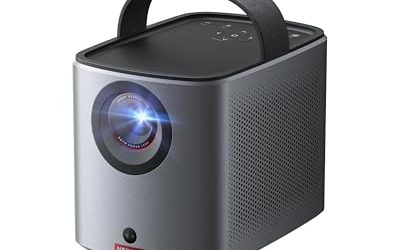
The CO-W01 uses a clean, white, rectangular housing that looks at home on an office table, a classroom cart, or a living room side table. At 11.6 inches wide, 8.3 inches deep, and 3.4 inches high, it is larger than a pocket projector but still small enough to fit in many backpacks and carry bags, as Epson describes in the product listing. At 5.3 pounds, it is light enough for one person to move between rooms without help, yet heavy enough to stay planted on a table once it is positioned.
The layout is deliberately simple. The lens sits at the front, ventilation is built into the body, and the rear panel groups the connections together so cables do not need to be hunted for around the sides. The listing confirms HDMI and USB connectivity, and detailed port descriptions for this model identify HDMI, USB-A, and USB-B connections. The USB-A port can supply power to a streaming device in typical use for this class of projector, which helps keep a simple streaming setup tidy, although buyers should confirm the power needs of their specific stick before relying on a single-cable arrangement.
Setup follows the pattern of a traditional portable projector. Place the unit on a flat surface or a compatible ceiling mount, point it at a wall or screen, connect the power cable, connect a source over HDMI, and then adjust focus manually with the lens control. The throw range is wide. The Amazon specification lists a minimum throw distance of 2.11 feet and a maximum of 34.1 feet, with image sizes starting at 33 inches. That flexibility means the same projector can fill a modest wall in a small meeting room or produce a much larger image in a bigger space, provided the room is long enough and the surface is flat and light in color.
Image alignment is manual rather than automatic. The CO-W01 provides manual keystone correction and a horizontal keystone slider intended to make squaring the picture easier when the projector cannot sit perfectly centered. Manual correction rewards a few extra minutes of careful placement. Placing the projector as square to the wall as possible, at the right height, and then making only small keystone adjustments will preserve more of the native resolution than relying on heavy digital correction. There is no mention of automatic vertical keystone, autofocus, or obstacle avoidance in the specification for this model, and that absence is part of the value proposition: fewer automated systems, lower complexity, and a lower-feature design aimed at buyers who are comfortable with a basic setup routine.
The included remote, batteries, power cable, and Quick Start Guide cover the essentials for a wired setup. There is no carrying case, screen, or streaming stick in the box, so anyone planning to stream on the first day should have an HDMI source ready. A ceiling mount is also a separate purchase.
Features and Performance
Performance for the CO-W01 starts with its 3-chip 3LCD engine. In a 3LCD design, light is split and passed through three LCD panels, one for each primary color, and then recombined. Epson positions this approach as delivering equal color brightness and white brightness, and the CO-W01 is rated at 3,000 lumens for both. That balance matters for the kinds of content this projector is most likely to show. Slides with colored charts, classroom material with diagrams, sports broadcasts, and animated films all carry a lot of saturated color. A projector that only quotes a high white brightness figure can look washed out on that material, while the CO-W01 specification promises the same headline figure for color output.
The 3,000-lumen rating also shapes where the projector can be used. It is not a guarantee of a perfect picture in direct sunlight, and no projector in this class delivers that. It does, however, place the CO-W01 well above low-lumen mini projectors for daytime meetings, bright classrooms, and living rooms with curtains open. For movies, a darker room will still give the deepest blacks and the most satisfying contrast, because projection always competes with ambient light. For work and school use, the brightness headroom is the main reason to choose a model like this over a smaller, dimmer alternative.
Resolution is WXGA at 1280 x 800, in a 16:10 widescreen format. That is more vertical space than a 1280 x 720 panel, which helps with documents, web pages, spreadsheets, and presentation slides. Text remains legible at moderate image sizes, and the widescreen shape avoids the cramped feel of older 4:3 business projectors. At the same time, WXGA is not Full HD. Fine detail in films, small text pushed to a very large image size, and close viewing distances will reveal the limits of the panel. The specification lists support for higher input signals up to Full HD resolution, but input support is not the same as native display resolution. The projector will show that content, scaled to its native panel. Buyers whose main use is cinema at large sizes should weigh that trade-off carefully, while buyers whose main use is slides, lessons, and casual streaming are more likely to find WXGA sufficient.
Image size is a headline feature. Epson describes a widescreen picture up to 300 inches, and the detailed Amazon specifications list a maximum image size of 378 inches and a screen size compatibility range starting at 33 inches. In practice, most owners will use far smaller images. A picture in the range of roughly 80 to 120 inches already feels dramatically larger than a television for group viewing, and it keeps the available brightness concentrated on a smaller area. Pushing toward the maximum sizes requires a large, smooth, light-colored surface, a long throw distance, and a dark room to keep the image from looking dim and soft. The specification gives flexibility, not a recommendation to always use the largest possible image.
The built-in 5 W speaker covers basic audio needs. It is suitable for spoken presentations, video calls, classroom video, and casual viewing where the goal is to hear dialogue clearly without extra equipment. It is a single built-in speaker, not a surround system, and it will not reproduce the low-frequency weight of a dedicated soundbar or external speaker for action films and music. For a permanent living room setup, an external audio solution connected through the source device or an audio output arrangement is the natural upgrade path. For a portable work setup, the built-in speaker removes one more item from the bag, which is exactly the convenience this model is selling.
Connectivity is intentionally focused. HDMI is the main path for laptops, consoles, Blu-ray players, and streaming sticks. USB connections support service, media, and accessory functions depending on the source and configuration, and the model supports an optional wireless adapter in Epson documentation for this family, rather than offering the full wireless feature set built in. There is no built-in Android TV or Google TV platform on the CO-W01 itself. That means the streaming experience depends entirely on the device connected to it. Some buyers will see that as a drawback. Others will prefer it, because a separate streaming stick can be replaced or upgraded without replacing the projector, and a work laptop needs no smart platform at all.
Gaming is listed among the compatible uses in the product information, and consoles are listed among compatible devices. Casual and family gaming on a very large screen is a reasonable use for this projector, especially for slower-paced, sports, racing, and party titles played in a social setting. Competitive players who prioritize the lowest possible input lag and the highest refresh rates should compare dedicated gaming specifications carefully, because the CO-W01 listing does not headline gaming-specific lag or high-refresh figures. Its strengths remain brightness, color, size, and simplicity rather than specialist gaming performance.
Lamp life and running costs complete the performance picture. The Amazon specification lists a light source operating life figure and a 200 W lamp wattage in its detailed fields, while Epson materials for this model family emphasize long lamp life in Eco mode. The practical takeaway is that a lamp is a consumable part. Over years of heavy daily use, a replacement lamp becomes part of the total cost of ownership in a way that does not apply to LED and laser models in the same way. In return, lamp-based models like this one have historically offered high brightness at an accessible point in the range. Buyers who will use the projector for occasional movie nights and weekly meetings will spread that lamp life over a long calendar period, while a classroom running the unit all day, every day, should budget for maintenance from the start.
Who It’s For / Who Should Skip
The CO-W01 is for remote workers and small teams who want a bigger screen for shared calls, slide reviews, and collaborative documents without dedicating a room to a fixed installation. It is for teachers and trainers who move between classrooms and need a bright image that can handle lights-on teaching. It is for families who want occasional big-screen movie, sports, and gaming nights on a wall, and who are happy to plug in a laptop or streaming stick to do it. It is also for buyers who value the color performance of 3LCD and who would rather have a simple, wired, easy-to-understand projector than a feature-heavy smart model with accounts, updates, and app stores to manage.
Shoppers should skip the CO-W01 if native Full HD or 4K detail is the priority, if a built-in smart platform with no external source is required, or if wireless screen mirroring must work out of the box with no optional accessory. It is also the wrong choice for anyone who needs a battery-powered projector for outdoor use away from an outlet, an ultra-short-throw model that sits inches from the wall, or a premium home theater projector with advanced lens shift, high-end contrast, and automated setup. Frequent travelers who need the absolute smallest bag footprint should also look at pico and mini models, accepting their lower brightness, rather than forcing a 5.3-pound lamp projector into that role.
How It Compares With Alternatives
Compared with Epson’s own higher-step Flex and EpiqVision models, the CO-W01 sits at the simple end of the line. Sibling models in Epson’s comparison material add native Full HD resolution, built-in streaming platforms such as Android TV, wireless casting features such as Miracast, and in some cases larger speakers or automatic keystone. Those additions improve convenience and detail, and they also add complexity. The CO-W01 keeps manual correction, WXGA resolution, and an external-source model, which will suit buyers who already own a streaming device and do not want to pay again for a platform built into the projector.
Compared with single-chip DLP portable projectors in general, the CO-W01 offers the characteristic 3LCD advantage of equal color and white brightness ratings, which helps colorful content hold up in brighter rooms. DLP alternatives may offer different strengths, such as compact optics, different contrast characteristics, or built-in smart features at a similar position in the market. The right choice depends on whether the priority is colorful brightness for mixed work and entertainment, or a specific DLP model’s feature set, size, or gaming specification.
Compared with low-cost mini LED projectors, the CO-W01 is brighter, larger, and more work-focused, with a lamp light source and a proper 5 W speaker in a 5.3-pound body. Mini projectors often win on size, built-in batteries, and built-in apps, but give up a great deal of brightness and often quote less comparable brightness figures. For a dark bedroom ceiling projection, a mini model may be enough. For a lit meeting room or classroom, the CO-W01 specification is far better matched to the task.
FAQ
Does the Epson CO-W01 have built-in streaming apps?
No. The CO-W01 does not include a built-in smart TV platform. It is designed to show content from an external source connected over HDMI, such as a laptop, game console, or a separate streaming stick. That arrangement keeps the projector simple and lets the streaming device be upgraded independently.
Can the CO-W01 be used in a bright room?
Its specification is well suited to rooms with ambient light for presentations, lessons, and casual viewing, thanks to a rating of 3,000 lumens of both color and white brightness from its 3LCD engine. Direct sunlight on the projection surface will still wash out any projector image, and movies look best with light controlled, but the CO-W01 has far more brightness headroom than low-lumen mini projectors.
What image size can the CO-W01 produce?
Epson describes a widescreen picture up to 300 inches, and the detailed specifications list a maximum image size of 378 inches with a minimum of 33 inches, over a throw distance of 2.11 feet to 34.1 feet. Most rooms will suit a smaller image, which also keeps the picture brighter and sharper.
Is the CO-W01 good for gaming?
It can be used with game consoles, which are listed among its compatible devices, and casual big-screen gaming for sports, racing, and party titles fits its brightness and size strengths. The listing does not headline specialist gaming figures for input lag or high refresh rates, so competitive players should compare dedicated gaming projectors before deciding.
Final Verdict
The Epson EpiqVision Flex CO-W01 is a focused, honest portable projector. It does not try to be a smart TV, a battery-powered outdoor projector, or a premium home theater centerpiece. Instead, it delivers the fundamentals that matter for its intended job: a bright 3LCD image rated equally for color and white brightness, widescreen WXGA resolution that handles slides and streaming well, a very flexible image size range, a built-in speaker for basic sound, and a portable body that one person can carry and set up with a single HDMI source.
Those fundamentals come with clear trade-offs. Resolution stops at WXGA, setup and focus are manual, wireless and streaming features depend on external or optional equipment, and the lamp is a long-term consumable. None of those points is hidden in the specification, and buyers who accept them are the buyers this model was made for. For home offices, classrooms, small meeting rooms, and families who want a big shared picture for movie and sports nights without a complicated installation, the CO-W01 remains a sensible, well-matched choice. Buyers who need sharper native detail, automatic setup, or a fully self-contained smart projector should step up to a model that lists those features explicitly rather than expecting them here.
Product and ASIN Reference
| Product | ASIN |
|---|---|
| Epson EpiqVision Flex CO-W01 Portable Projector | B0BDQ84L6Z |
More from Amazon
Programs that pair well with the guide above. Offers and eligibility are set by Amazon and may change.
Free shipping on eligible items, Prime Video and more. Eligible new members can start with a free trial.
Start a Prime free trialAd-free music streaming. Eligible new subscribers can start with a free trial.
Try Music Unlimited freeA Prime membership for ages 18-24 with a trial period. Eligibility is set by Amazon.
See Prime for Young AdultsAudiobooks and podcasts to listen to on the go. Eligible new members can start with a free trial.
Try Audible freeAs an Amazon Associate we earn from qualifying purchases.