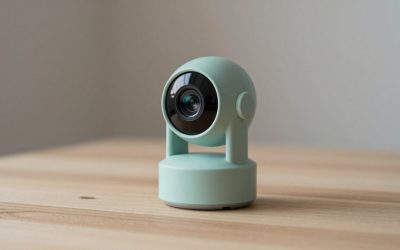
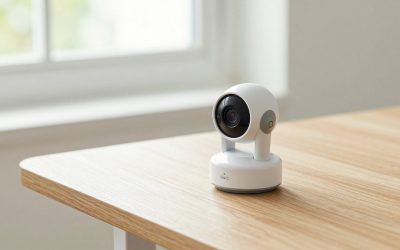
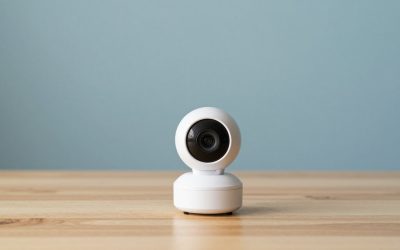
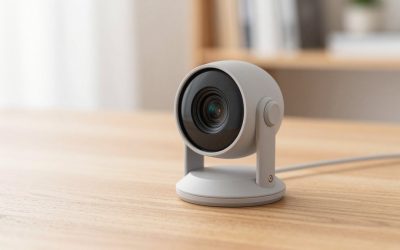
The best IP webcam for most people in 2026 is the Reolink E1 Pro, an indoor pan-and-tilt Wi-Fi camera with RTSP support that works with the widest range of recording software. The TP-Link Tapo C210 is the budget pick if you only need a simple pan-and-tilt camera, and Amcrest cameras are the choice if you want PoE wiring and open ONVIF support. An IP webcam is a camera with its own network address that streams over Wi-Fi or Ethernet, so unlike a USB webcam it can be viewed from a phone, a recorder or streaming software anywhere on your network.
Our top picks


As an Amazon Associate we earn from qualifying purchases at no extra cost to you.
Quick comparison of IP webcams
| Pick | Best for | Resolution and movement | Open standards | Price tier |
|---|---|---|---|---|
| Reolink E1 Pro | Best overall, RTSP use | 4MP class, 355 degree pan and 50 degree tilt, dual-band Wi-Fi | RTSP (and ONVIF) | Mid |
| TP-Link Tapo C210 | Budget pan and tilt | 1296p, 360 degree pan and 114 degree tilt, 2.4GHz Wi-Fi | RTSP and ONVIF after enabling in the app | Budget |
| Amcrest Wi-Fi and PoE indoor lines | Home Assistant and recorders | Varies by model, 2K to 4K | RTSP and ONVIF | Mid |
| Wyze Cam v4 | Easy app, low cost | 2.5K, colour night vision | Limited, RTSP needs special firmware | Budget |
| Eufy Indoor Cam 2K line | Local storage, no cloud plan | 2K | RTSP only on select models | Budget to mid |
Best overall: Reolink E1 Pro
The E1 Pro is a pan-and-tilt indoor camera that Reolink supplies with RTSP enabled, two-way audio, dual-band 2.4 and 5GHz Wi-Fi, and microSD recording. Retail listings describe it as a 4MP camera with about 355 degrees of horizontal and 50 degrees of vertical movement, though some roundups quote 5MP, so check Reolink’s current spec sheet. Its RTSP stream drops straight into OBS, VLC, Blue Iris and Home Assistant. The trade-off is a basic app compared with the biggest brands and no built-in cloud ecosystem.
Best budget: TP-Link Tapo C210
The Tapo C210 offers 1296p video, 360 degree pan and 114 degree tilt, a microSD slot and works with Alexa, Google Home and Home Assistant. It supports 2.4GHz Wi-Fi only and is not weatherproof. RTSP and ONVIF are available, but you must create a camera account in the Tapo app first. It is the cheapest way to get a controllable network camera.
Best for open systems: Amcrest
Amcrest cameras are built on Dahua hardware and use the familiar RTSP URL structure, so they are widely supported by NVR software. The PoE models need only one Ethernet cable for power and data, which is more reliable than Wi-Fi. They suit anyone building a Frigate, Blue Iris or Home Assistant setup. The downside is a plainer app.
Best for simple setup: Wyze Cam v4
Wyze Cam v4 records 2.5K video with colour night vision and works without a subscription for basic functions. RTSP support is limited and generally depends on a special firmware, and there is no ONVIF. Choose it for app-based viewing, not for streaming into other software.
Best local storage: Eufy Indoor Cam 2K line
Eufy Indoor Cam models record to local storage and do not require a cloud plan. RTSP is available on select models and sometimes requires a HomeBase hub, so check the exact model before buying if you plan to use it as a webcam.
How to choose: resolution, bandwidth and storage
- Bandwidth. A 4MP H.264 stream typically uses about 2 to 4 Mbps. At 4 Mbps, a day of continuous recording is about 43 GB (4 Mbps x 86,400 seconds, divided by 8, gives about 43 GB).
- SD card life. A 256GB card holds roughly six days of continuous 4 Mbps video before it loops. Motion-only recording stretches that to weeks.
- Wi-Fi band. A 2.4GHz-only camera reaches farther but is slower. Choose dual-band or Ethernet for 2K and 4K streams.
- Protocols. RTSP lets any media player or OBS read the stream. ONVIF makes the camera discoverable by recorders. Without either, you are locked to the vendor app.
To use an IP camera in OBS, add a Media Source, untick “Local File” and enter the RTSP address, for example rtsp://user:[email protected]:554/ plus the stream path in the camera manual. Expect one to two seconds of delay, which is acceptable for room views but not for lip-sync.
Decision matrix
| Your situation | Pick |
|---|---|
| Streaming a room feed into OBS | Reolink E1 Pro or Amcrest |
| Baby or pet check, lowest cost | Tapo C210 |
| Home Assistant or Frigate build | Amcrest PoE or Reolink |
| Just want an app, no tinkering | Wyze Cam v4 |
| No cloud fees | Eufy Indoor Cam or any microSD model |
Security and ownership
Change the default password, update firmware and place cameras on a guest or separate network where possible. Do not forward camera ports to the internet. Use a VPN or the vendor’s cloud relay instead. Plastic gear on pan-and-tilt cameras wears over time, and microSD cards fail after heavy writing, so use high-endurance cards and replace them yearly. Consider privacy: avoid pointing cameras at bedrooms or bathrooms and tell guests about indoor cameras.
Setting up an IP webcam step by step
- Give it a fixed address. In your router, reserve a DHCP address for the camera so its RTSP link never changes.
- Create a camera account. Many cameras, including the Tapo line, need a separate username and password for RTSP and ONVIF, distinct from your cloud login.
- Find the stream path. Reolink uses a path ending in h264Preview_01_main for the main stream. Amcrest uses a Dahua-style path. The camera manual or vendor support page lists it.
- Choose the sub-stream for remote viewing. A lower-resolution sub-stream uses a fraction of the bandwidth, which keeps Wi-Fi smooth when several cameras share a network.
- Test in VLC first. Open Network Stream, paste the URL, and confirm the picture before adding it to OBS or a recorder.
Phone-as-IP-webcam option
The term IP webcam is also used for apps that turn an old phone into a network camera. It works for a temporary view, but phones overheat when left on all day, need constant power, and lack the night vision of purpose-built cameras. A dedicated camera costs little and runs for years, so use a phone only as a short-term fix.
Finally, think about night performance. Infrared LEDs give black-and-white night views, while colour night vision cameras use a small white light or a larger sensor. IR reflects off glass, so avoid placing a camera right against a window. Place it at least a few centimetres back, or angle it away from reflective surfaces.
Frequently Asked Questions
What is an IP webcam?
It is a camera with a network address that sends video over Wi-Fi or Ethernet. You can view it on a phone, in a browser or in software like OBS, without a USB cable.
Can I use an IP camera as a PC webcam?
Yes. Use its RTSP stream in OBS or VLC, or a virtual camera tool to expose it to video-call apps. Expect some delay.
Is RTSP the same as ONVIF?
No. RTSP is a streaming protocol for video. ONVIF is a standard for discovering and controlling cameras. Many cameras support both.
Do IP cameras need a subscription?
Not necessarily. Many record to microSD or a local recorder. Cloud storage and AI alerts are usually optional paid features.
Wi-Fi or PoE IP camera?
PoE is more reliable and needs one cable, but it requires wiring. Wi-Fi is easier to install and fine for indoor use with a strong signal.