Our Top Picks
A cheap USB 3.0 HDMI capture card that records 1080p at 60 frames per second and offers HDMI loop-out is the best fit for most people streaming from a PlayStation, Xbox or Switch, and four of the eight listings below promise that mix in their titles. Others are slower, older or built for a completely different job. The titles are noisy: “4K” appears on almost every one, and it rarely means what shoppers hope.
This page walks the signal path first, because every purchase decision follows from it. Then comes the comparison table, one block per card, a bandwidth worked example that explains why USB 2.0 and USB 3.0 are not interchangeable, a short upload-speed check and a troubleshooting list for the dreaded black screen.
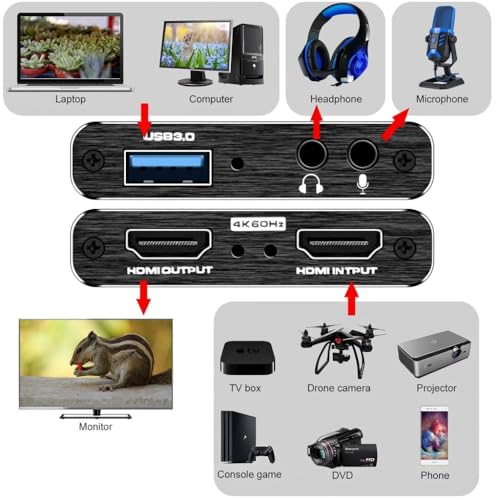
The signal path in four steps

Capture Card, 4K HDMI Video Capture Card, Game Capture Card, 1080P 60FPS Video Capture Device, HDMI to USB 3.0 Capture Card for Streaming, Work with Camera/Xbox/PS4/PS5/PC/OBS




As an Amazon Associate we earn from qualifying purchases. Product prices and availability are accurate as of the date/time indicated.

acer USB 3.0 HDMI Capture Card, 4K HDMI Loop-Out, 1080P 60Hz for Streaming | Low-Latency Audio Video Capture, USB Type-A & Type-C Ports, Compatible with Switch 2, PS5/PS4, Cameras, PC, OBS, Xbox


As an Amazon Associate we earn from qualifying purchases. Product prices and availability are accurate as of the date/time indicated.

Capture Card 4K HDMI Video Streaming to USB 3.0 1080P 60FPS Capture Device | Audio Video Capture, 4K HDMI Loop-Out, Work for PS5/PS4/Switch/Xbox/PC/Camera/OBS, Game Screen Recorder Streaming Equipment


As an Amazon Associate we earn from qualifying purchases. Product prices and availability are accurate as of the date/time indicated.

Guermok Video Capture Card, 4K USB3.0 HDMI to USB C, 1080P 60FPS & 2K 30FPS | Capture Card for Streaming, Compatible with iPad Mac OS Windows, Quest 3, OBS, PS5/4, Switch2/1, Xbox, Camera (Silver)
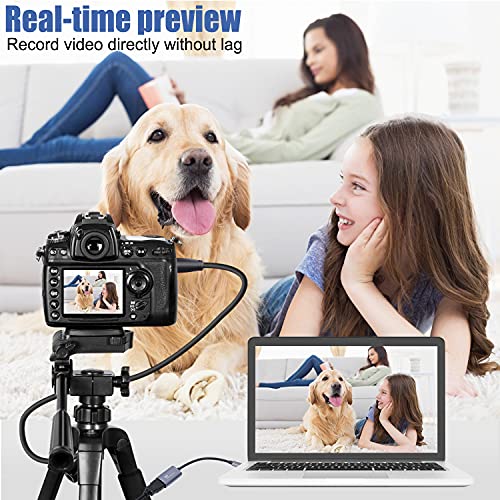

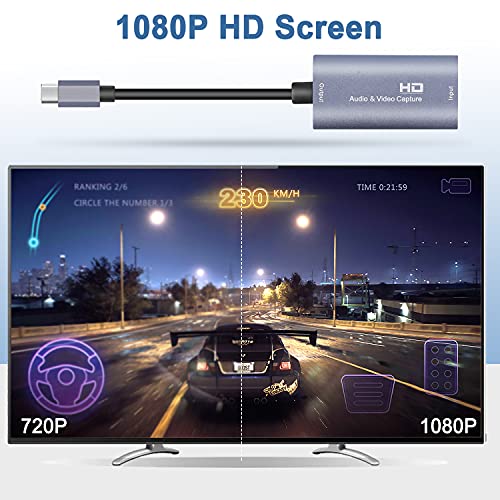


As an Amazon Associate we earn from qualifying purchases. Product prices and availability are accurate as of the date/time indicated.

Fifine AmpliGame Video Capture Card, HD 1080 60fps for Audio Video, Gaming, Live Streaming, 4K HDMI to USB Capture Card Compatible with PS4/Windows/Mac OS/Switch/Xbox-V3


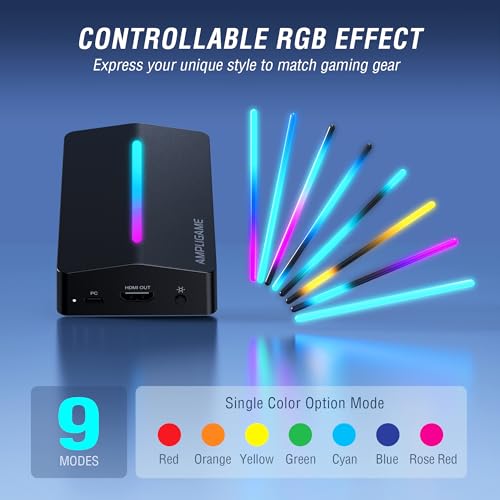


As an Amazon Associate we earn from qualifying purchases. Product prices and availability are accurate as of the date/time indicated.
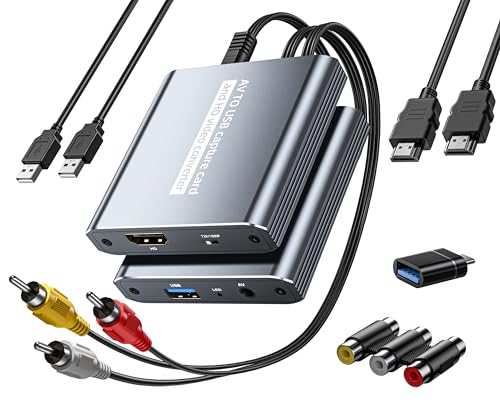
VHS to Digital Capture Card – USB Video Capture Card with HDMI Loop Out, RCA AV to USB for VCR/DVD/Hi8/PS2/Wii, 1080P 30fps Analog to Digital Converter, Effortless Record & Preview Old Videos on TV/PC


As an Amazon Associate we earn from qualifying purchases. Product prices and availability are accurate as of the date/time indicated.

Audio Express AXHDCAP 4K HDMI Video Capture Card, Cam Link Card Game Audio Adapter HDMI to USB 2.0 Record Capture Device for Streaming, Live Broadcasting, Video Conference, Teaching, Gaming


As an Amazon Associate we earn from qualifying purchases. Product prices and availability are accurate as of the date/time indicated.

UGREEN 2K@30Hz 1080P 60FPS Video Capture Card 4K Input HDMI to USB 3.0 | 4K HDMI Input, Low Latency, Capture Card for Streaming Game Recording Compatible with Switch 2 Xbox PS4 PS5 PC Camera Usb C


As an Amazon Associate we earn from qualifying purchases. Product prices and availability are accurate as of the date/time indicated.
- Console to card. An HDMI cable from the console’s output goes into the card’s HDMI input.
- Card to display. If the card has a loop-out port, a second HDMI cable goes from it to your TV or monitor, so you play with no preview delay.
- Card to PC. A USB cable connects the card to your computer, where software such as OBS or Streamlabs receives the video.
- PC to the internet. The software encodes the video and sends it to your streaming platform.
Each link can be a bottleneck. The card’s capture limits, the USB port’s bandwidth, your computer’s encoder and your upload speed all cap the final quality. A card that records 1080p60 does nothing for you if your connection can only sustain 720p.
Compared at a glance
“Price tier” is relative within this set. Budget means one of the lower-priced listings among the eight, and Premium means the single highest-priced. Check current prices on the product page.
| Model | What the title promises | Price tier | Best for |
|---|---|---|---|
| Generic “Capture Card, 4K HDMI” (B097DKNS1M) | 1080P 60FPS, HDMI to USB 3.0, camera/Xbox/PS4/PS5/PC/OBS | Mid-range | Simple console capture |
| acer USB 3.0 HDMI Capture Card | 4K loop-out, 1080P 60Hz, USB-A and USB-C, Switch 2 | Mid-range | Brand-name, flexible ports |
| Generic “Capture Card 4K HDMI” (B0BWT35QW8) | 1080P 60FPS, 4K loop-out, USB 3.0, PS5/PS4/Switch/Xbox | Budget | Lowest-risk spend |
| Guermok Video Capture Card | 4K USB 3.0, 1080P 60FPS and 2K 30FPS, USB-C, Quest 3 | Budget | Mac, iPad and mixed device users |
| Fifine AmpliGame | HD 1080 60fps, 4K HDMI to USB, PS4/Windows/Mac/Switch/Xbox | Premium | Streamers wanting a known streaming brand |
| VHS to Digital Capture Card | Analog RCA AV in, 1080P 30fps, HDMI loop-out | Mid-range | Retro and analog sources only |
| Audio Express AXHDCAP | 4K HDMI, “HDMI to USB 2.0”, Cam Link style | Budget | Basic video calls and light capture |
| UGREEN 2K@30Hz | 1080P 60FPS, 4K input, USB 3.0, low latency | Budget | Low-cost console recording |
Two listings, the generic B097DKNS1M and B0BWT35QW8, have almost identical wording. They appear to be rebadged versions of the same kind of device, so compare their product pages for warranty, included cable and return terms instead of the headline words.
The eight cards, one by one
Generic 4K HDMI Video Capture Card (B097DKNS1M)
This listing’s title starts with the words “Capture Card, 4K HDMI Video Capture Card, Game Capture Card,” followed by “1080P 60FPS Video Capture Device, HDMI to USB 3.0 Capture Card for Streaming,” and a compatibility list with camera, Xbox, PS4, PS5, PC and OBS. No brand name appears in the title, which makes support and warranty a question to answer on the product page.
The 4K label and the 1080P 60FPS label sit side by side, which is the pattern to read carefully. The most likely reading is that the card accepts a 4K signal and records 1080p at 60 fps, but the title does not say how a 4K input is handled when you send one. If your console is set to 4K output, you may need to lower it to 1080p while capturing. Check the listing for supported input modes.
The USB 3.0 interface is a plus, because 1080p60 over USB 2.0 needs compression that can add latency or cost quality. The price field puts it in the middle of the set, a bit above the near-identical generic. When two generics sit close, the one with the clearer warranty wording is the safer pick.
Because the title lists “Camera” and “OBS,” the seller is positioning it for streaming and camera input. Whether the card works as a standard video device on Windows and Mac is something buyer reviews can tell you.
Pros
- HDMI to USB 3.0 with 1080P 60FPS named in the title
- Console, PC, camera and OBS compatibility listed
- Mid-range tier without a brand premium
Cons
- No brand named in the title; support is unknown
- Loop-out is not mentioned in the title
- “4K” wording can mislead about capture resolution
Who it’s for: a console streamer who wants 1080p60 recording and will read the product page for details before buying.
acer USB 3.0 HDMI Capture Card, 4K HDMI Loop-Out
The acer listing is the one with a recognizable brand in the title, and it gives more detail than most: USB 3.0, 4K HDMI loop-out, 1080P 60Hz capture, “Low-Latency Audio Video Capture,” USB Type-A and Type-C ports, and compatibility with Switch 2, PS5, PS4, cameras, PC, OBS and Xbox.
The loop-out is a real convenience: it lets you plug your console into the card and the card into your display, so you play on a monitor with no preview lag. The title says 4K loop-out, which suggests pass-through of a 4K signal while capture happens at 1080p60. Whether the pass-through supports high refresh or HDR is not in the title.
The two USB connectors are another practical feature. A card with Type-A and Type-C ends can connect to a desktop or a laptop without an adapter. Check which cable is included and whether the Type-C side supports the same speed as the Type-A side.
Power is another thing to check. USB capture cards draw power from the computer, and a laptop port with weak output or a long unpowered extension can cause disconnects. If the listing mentions a recommended port or a separate power input, follow it, and keep the card away from stacked hot electronics where airflow is poor.
“Low latency” is a claim without a number. If the listing offers a figure in milliseconds, note the test conditions. Latency matters most for the preview in your streaming software, and less when you rely on loop-out to play.
Pros
- Brand name in the title, with loop-out stated
- USB Type-A and Type-C connection options
- Lists Switch 2, PS5, PS4 and Xbox
Cons
- Higher price tier than the cheapest generics
- Low-latency claim has no number in the title
- HDR and high-refresh pass-through not stated
Who it’s for: a streamer who wants a recognized brand name and loop-out in a small card.
Generic 4K HDMI Video Streaming to USB 3.0 Capture Card (B0BWT35QW8)
This listing’s title reads very similarly to the first generic: 4K HDMI, USB 3.0, 1080P 60FPS, “4K HDMI Loop-Out,” and a list of PS5, PS4, Switch, Xbox, PC, camera and OBS. It adds “Game Screen Recorder Streaming Equipment,” and the price field makes it one of the cheaper options. Unlike the first generic, it does mention loop-out.
Because two listings share almost the same name, the sensible approach is to treat them as near-duplicates and look for differences on the product pages: cable length, warranty and the stated pass-through resolution. If the loop-out does not support the refresh rate your TV or monitor uses, you may be better off with a different card.
The title says “Switch,” not “Switch 2,” so check whether the listing covers newer hardware if that is what you own. Also confirm that the card supports 1080p at 60 fps with your console set to the same output. A mismatch between console output and the card’s input limits is a leading cause of black screens, as we cover in the troubleshooting section.
At this price level you are buying a functional bridge, not extras. Expect minimal software and no bundled audio features. If you want more control over audio sources, plan to route audio inside OBS.
If something goes wrong, the return window is your safety net, so buy from a seller that clearly lists one, and keep the packaging until you have confirmed that the card captures your console at the resolution you want for at least one full session.
Pros
- Budget tier, with 1080P 60FPS and loop-out named in the title
- Works with PS5, PS4, Switch, Xbox, PC and OBS per the title
- USB 3.0 interface
Cons
- No brand in the title, so support is unknown
- Title says Switch, not Switch 2
- Near-duplicate of another listing; compare terms, not titles
Who it’s for: someone trying console capture for the first time at the lowest sensible spend.
Guermok Video Capture Card, 4K USB3.0 HDMI to USB C
Guermok’s listing states two capture modes: “1080P 60FPS & 2K 30FPS.” It also lists Mac OS, Windows, iPad, Meta Quest 3, OBS, PS5/4, Switch 2/1, Xbox and cameras, in a silver finish. The wide compatibility list is the standout, particularly the iPad and Quest mentions, which almost no other listing names.
The dual-mode statement is useful. It suggests a tradeoff: 1080p at 60 fps for smooth action or 2K at 30 fps for more detail. For most streaming from a console, 60 fps looks better than a higher resolution at half the frame rate, but the choice is yours. If you record slower games and stream at 30 fps, the 2K mode could appeal.
USB-C on the title and a USB 3.0 interface suggest an easy fit with laptops and tablets. Confirm the cable type and whether you need an adapter for older computers. Mobile use also depends on the app: iPad capture generally relies on apps that recognize the card as a video source, which is a listing and app-store question.
The price field puts it at the budget end. As with all unbranded cards, check the warranty and the return policy, and read reviews for driver or app issues on your platform.
The mobile claims deserve extra care. Capturing to a tablet or headset depends on an app that treats the card as a camera source, and permissions or power limits on the device can interfere. Check what the listing says about each device you plan to use, and do not assume that a title naming ten devices works equally well on all ten.
Pros
- 1080P 60FPS and 2K 30FPS modes listed
- Broad device list including Mac, iPad and Quest 3
- USB-C connection with Windows and OBS support
Cons
- Loop-out is not mentioned in the title
- 2K only at 30 fps
- Lesser-known brand; confirm warranty terms
Who it’s for: someone who wants to use one card across a Mac, an iPad or a headset as well as a console.
Fifine AmpliGame Video Capture Card (V3)
The Fifine AmpliGame listing presents the card as “HD 1080 60fps for Audio Video, Gaming, Live Streaming, 4K HDMI to USB Capture Card,” compatible with PS4, Windows, Mac OS, Switch and Xbox, version V3. The price field makes it the highest in the set.
The name on the box is the reason to consider it. A named brand gives you something to look up for documentation, support channels and warranty terms, which are factors you cannot see in a title.
On paper, though, the title does not offer more than the cheaper listings: 1080p at 60 fps, 4K HDMI input, and a console list that names PS4 but not PS5 in the title. If you have a PS5, check the listing for its compatibility. The “V3” tag suggests this is the third version of the product, so check whether the listing is for the current revision.
Nothing in the title mentions loop-out. Without it, you would need a splitter or to watch on your PC preview, so check the listing carefully. Spending the most in the set only makes sense if the product page shows features, support or warranty terms that the title leaves out.
Look too at what is physically in the box. A card sold with a short USB cable can push you into buying a longer one, and a cable that is not rated for USB 3.0 speeds will quietly drop the card to a slower mode. Compare the cable details against the cheaper listings before you decide whether the premium is justified.
Pros
- Named brand with a version tag (V3) to look up
- 1080 60fps capture named in the title
- Works with Windows, Mac and several consoles
Cons
- Highest price in the set by a wide margin
- Loop-out not named in the title
- PS5 not named in the title; confirm compatibility
Who it’s for: a buyer who wants a streaming-specialist brand and will confirm features on the product page.
VHS to Digital Capture Card (Analog RCA, Not an HDMI Console Card)
This listing is not an HDMI capture card in the sense most shoppers mean. The title is “VHS to Digital Capture Card,” with USB video capture, HDMI loop-out, RCA AV to USB for VCR, DVD, Hi8, PS2 and Wii, and a 1080P 30fps analog to digital converter. Its inputs are analog.
The analog design is the point. Old VCRs, camcorders and early consoles output composite video over yellow, red and white RCA cables, and this card digitizes them. Modern consoles such as the PS5 and Xbox Series output HDMI, which this card does not take as the main input per the title. It appears in console capture searches because of the word “HDMI loop-out” and “capture card,” but that loop-out is for viewing, not for capturing a modern console.
If you stream a retro console like a Wii or PS2, it could be the right tool, with the caveat that 30 fps is what the title states. Most old consoles ran at 60 fields per second, so deinterlacing and frame-rate handling are details to read about in the listing.
The price field puts it in the middle of the set. The only reason to include it here is so readers do not buy it by mistake. For an HDMI console, move to one of the other cards.
If you do have analog sources, remember that old tapes and consoles produce a soft picture by modern standards, so expect results closer to the original media than to a crisp HDMI feed. Keep tapes in good condition, clean the VCR heads per its manual, and treat digitizing as a one-time archive job rather than a streaming setup.
Pros
- Digitizes analog sources such as VCRs, DVDs and PS2 or Wii
- HDMI loop-out for viewing named in the title
- USB connection to a PC
Cons
- Not suited to modern HDMI consoles per the title
- 1080P at 30fps is stated; not 60
- Mid-range tier for a narrow use
Who it’s for: someone digitizing tapes or streaming a composite-output retro console.
Audio Express AXHDCAP 4K HDMI Video Capture Card
The AXHDCAP is the cheapest in the set by the price field, and its title is the most conflicted. It says “4K HDMI Video Capture Card, Cam Link Card Game Audio Adapter HDMI to USB 2.0 Record Capture Device,” and mentions streaming, live broadcasting, video conference, teaching and gaming. “HDMI to USB 2.0” is the phrase to focus on.
USB 2.0 has a theoretical maximum of 480 megabits per second, which is far less than the roughly 2 gigabits per second that uncompressed 1080p60 needs, as the math below shows. A USB 2.0 capture device therefore relies on compression and may cap its frame rate or resolution. The title does not say what resolution and frame rate it records, so read the specification before you assume 1080p60.
That is not a reason to dismiss it. For video calls, classroom use or slower-paced streams, a USB 2.0 card can be adequate. For fast action games at 60 fps, a USB 3.0 card is the safer match. “Cam Link” in the title is a reference to a well-known product category, and the product page should state whether it behaves as a plain video device.
At this price, expect little documentation. Read buyer reviews for notes about driver issues, audio sync and resolution.
If you use it for video calls, check the conferencing app’s settings: many tools expect a standard video device and let you pick the resolution. For a console, set the output to 1080p and expect the capture quality to be limited by the interface, so keep expectations modest and a return option in mind.
Pros
- Lowest price tier in the set
- Lists streaming, conferencing, teaching and gaming uses
- HDMI input with simple USB connection
Cons
- USB 2.0 interface limits resolution and frame rate
- Capture specs are not stated in the title
- Console compatibility is not listed in the title
Who it’s for: a casual user who wants basic capture for conferencing or a slow-paced stream.
UGREEN 2K@30Hz 1080P 60FPS Video Capture Card
The UGREEN listing says “2K@30Hz 1080P 60FPS Video Capture Card, 4K Input HDMI to USB 3.0,” with low latency and compatibility with Switch 2, Xbox, PS4, PS5, PC, camera and USB-C. Like the Guermok, it names two capture modes; unlike it, the title clearly says 4K is an input, not a capture mode.
The title names a brand, which at least gives you a name to look up for support and warranty terms, unlike the generic listings. The price field puts it in the lower group, only slightly above the cheapest cards. The title does not say whether loop-out is included, so check the listing.
If you want a quick way to pick between this one and the Guermok, compare the connectors, cable lengths and warranties, since the capture modes are close. Where it differs is the brand name, which may make support easier to find.
Low latency is again a claim without numbers, so treat it as a goal. The latency you notice depends on your software settings, the encoder, and whether you watch the game on a loop-out display or in the PC preview window.
Because the title lists USB-C compatibility, you can connect to a modern laptop without an adapter, but confirm which cable is in the box and whether it is rated for USB 3.0 speeds. A charge-only or USB 2.0 cable will cause the card to run at a lower speed or fail to be recognized, which is a common cause of confusion when a new card seems not to work. Try the supplied cable before a spare, and plug directly into the computer rather than a hub. If you use a console that outputs a variable refresh mode, switch it off while capturing, since the card may not support it.
Pros
- 1080P 60FPS and 2K@30Hz modes named in the title
- Named brand in the title
- USB 3.0, with Switch 2, Xbox, PS4 and PS5 listed
Cons
- Loop-out is not mentioned in the title
- Latency figure missing
- 2K capture only at 30 Hz
Who it’s for: a budget buyer who prefers an established accessory brand.
How we picked these
The Editorial team put this list together from published specifications, manufacturer documentation and buyer reviews. Nobody on the team used or measured these units, so we have no latency figures, image-quality comparisons or driver anecdotes. We read the titles, noted which claims they make and flagged what they leave out.
We included eight USB capture devices that appear in searches for console streaming. One is analog and one is USB 2.0, and we kept them so readers can see the difference. We left out PCIe cards, which require a desktop, and standalone recorders that save to a drive without a PC.
Price tiers are relative to this set, using each listing’s price field. The gap between tiers is smaller in dollars than the labels suggest, so weigh warranty and loop-out as much as price.
Bandwidth worked example: why USB 2.0 is a problem
Here is the arithmetic behind the USB 2.0 warning. These are estimates based on stated assumptions.
A 1080p frame is 1,920 by 1,080 pixels, or 2,073,600 pixels. Assume 16 bits per pixel, a common figure for an uncompressed 4:2:2 video format. That is about 33.2 million bits per frame. At 60 frames per second, the stream is roughly 1.99 billion bits per second, or about 2 gigabits per second.
- USB 2.0: about 0.48 gigabits per second in theory, so uncompressed 1080p60 does not fit. Cards on USB 2.0 must compress the video or lower the frame rate or resolution.
- USB 3.0: about 5 gigabits per second in theory, so uncompressed 1080p60 fits with room to spare.
Real transfer rates are lower than the theory, and cards often use compression even on USB 3.0. Even so, the numbers explain why most 1080p60 cards in this roundup state USB 3.0 and the one that states USB 2.0 does not claim a capture mode in its title.
Does your upload speed cover the stream?
The capture card handles video into your PC. The next constraint is the stream you send out. As a planning figure, assume a 1080p60 stream at 6 megabits per second, which is in the range commonly cited for major platforms. Add about 25 percent headroom for overhead, which gives roughly 7.5 megabits per second of stable upload. If your home upload is 10 Mbps and others in the house are using it, that is tight. Check your platform’s current recommendations and test your own upload using a speed test, then lower the bitrate if you see dropped frames.
HDCP, black screens and other setup snags
HDCP protection
Some content is protected by HDCP, a copy protection that blocks capture. Console menus and streaming apps may show a black screen on your PC while the game itself captures normally. Some consoles have an HDCP setting; check the console’s documentation before changing it, and expect protected apps to stay blocked.
Wrong output resolution
If the console outputs a mode the card does not list, such as 4K or a variable refresh mode, you may see a black screen. Set the console to 1080p at 60 Hz while you capture. Disable HDR and variable refresh for the first run.
Wrong USB port
Plug the card into a USB 3.0 port directly on the computer, not a hub, and use the cable that came with it. A blue port or an SS label is a good sign, but the manual is the authority.
Wrong source in software
In OBS, add a video capture device source and select the card. If the preview is black, try removing and re-adding the source. Our guide on how to set up OBS for streaming on Twitch, YouTube and Kick covers the scene setup, and the comparison of Streamlabs and OBS helps if you are still choosing software.
Audio out of sync
A fixed audio delay in OBS often corrects small offsets. Apply it to the capture source, and adjust until speech lines up with lip movement or button presses.
Mistakes that cost money
- Buying “4K” and expecting 4K capture. Most of these record at 1080p60 or lower. The 4K wording refers to input or pass-through.
- Buying an analog card for an HDMI console. The VHS to Digital listing is for composite sources.
- Choosing USB 2.0 for action games. The bandwidth math shows why it struggles.
- Skipping loop-out. Without it you either play with preview delay or need a splitter.
- Not checking the warranty. Several titles carry no brand, so the product page and return window matter more.
If you only need a budget card for console play, our short guide to budget capture cards for console streaming covers the low end in more depth.
Which one to pick
For a straightforward console setup with a recognizable brand, the acer listing combines USB 3.0, 1080P 60Hz and loop-out in its title. For the lowest cost with loop-out stated, the second generic (B0BWT35QW8) is the budget option, and UGREEN is the budget pick if you want an accessory brand. The Guermok suits mixed-device users who want Mac, iPad or Quest support. The Fifine suits those who weigh brand and support above price, while the Audio Express fits light conferencing and the VHS to Digital card fits tape and retro projects only.
Frequently asked questions
Do I need a capture card to stream from a console?
Often not for basic streaming, because PlayStation, Xbox and Switch consoles have built-in broadcast features for some services. A capture card becomes useful when you want to stream through OBS with overlays, record gameplay on a PC, add a webcam or microphone mix, or stream to a platform the console does not support directly. If all you want is quick sharing, check the console’s own tools first and use a card when you need more control.
Does 4K on the box mean 4K capture?
Not necessarily. Several listings advertise 4K HDMI input or loop-out but record at 1080p at 60 frames per second, and one lists 2K at 30. The 4K usually refers to the signal the card accepts or passes to your TV, not what it saves to the PC. Read the specification line for the capture resolution and frame rate, and match it to what your streaming platform and upload speed will handle.
What is HDMI loop-out and why does it matter?
Loop-out is a second HDMI port on the card that passes the console signal through to a TV or monitor. It lets you play on a screen with no preview delay while the card sends a copy to your PC. Without it, you may have to watch the preview on the computer, which adds latency. Several listings mention loop-out, but check each product page for the maximum pass-through resolution.
Why is my capture card showing a black screen?
Common causes include HDCP protection on the console, the wrong input and output cables, the console set to a resolution the card does not support, or a USB port that cannot supply enough bandwidth. Try a different USB 3.0 port without a hub, match the console output to a resolution the card lists, and check whether your console has an HDCP setting. Protected streaming apps are blocked from capture by design.
Is the VHS to Digital card suitable for a modern console?
Probably not. That listing is built around analog RCA sources such as VCRs, DVD players and older consoles, with a 1080p at 30 frames per second claim and an HDMI loop-out. Modern consoles output HDMI, and a stream from them typically looks best at 60 frames per second. It can serve a retro console with composite output, so it belongs on a shopping list for a different project.