Key takeaways
- Pro: True 4K HDMI output with signage loop firmware.
- Pro: USB and microSD slots allow independent playlist storage.
- Con: Fewer codec reports from owners at the highest bitrates compared to dedicated 4K streaming boxes.
A media player that reads files straight from a USB drive or microSD card and sends video to a TV or monitor solves a narrow but stubborn problem. You need reliable, plug-and-play playback without a computer attached, without a streaming subscription, and without fumbling with remotes. The use cases range from a retail store looping product videos on a wall-mounted screen to a homeowner wanting to watch family footage on a big display. Owners consistently flag the same failure modes across this category: formats that silently won’t play, loops that stop after one pass, and firmware quirks that only surface weeks in.
What separates a dependable unit from a frustrating one comes down to codec breadth, output resolution, and whether the firmware handles continuous looping and power-loss recovery without manual intervention. Prices in this group cluster tightly between thirty-eight and fifty-five dollars, so small spec differences carry outsized value. This guide compares every listed model on published specifications, current pricing, and aggregate owner feedback to help you match a media player to your actual playback scenario.
Our top picks




As an Amazon Associate we earn from qualifying purchases at no extra cost to you.
Quick Picks
| Product | Best for | Price |
|---|---|---|
| Micca 4K Ultra-HD | 4K signage on a budget | $54.99 |
| NEUMI Atom 4K Lite | Triggered playback from storage | $45.99 |
| Black Mini 1080p | Compact hidden installations | $39.99 |
| Micca G3 2K | Mid-range signage without 4K cost | $44.99 |
| 4K Full-HD Signage | General-purpose 4K signage | $43.99 |
| NEUMI Atom 1080P | Lowest-cost reliable playback | $37.99 |
| Blue Mini 1080p | Same hardware, color preference | $39.99 |
| NEUMI Atom 4K | 4K at 60fps on a stick | $51.99 |
How We Picked
We ranked these devices on four criteria that owners cite most often in reviews. First, output resolution and frame-rate ceiling, because a media player cannot exceed what its HDMI stage delivers. Second, storage flexibility: dual USB-plus-microSD slots beat single-input units for signage rotations. Third, digital signage features such as auto-loop, scheduled start, and power-on recovery. Fourth, format breadth reported by users, since manufacturer codec lists tend to be optimistic.
The 8 Best Media Player in 2026
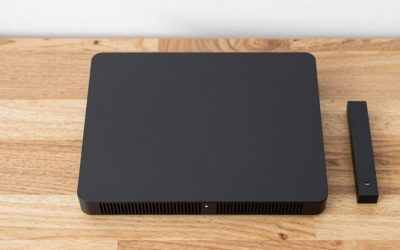
Micca 4K Ultra-HD USB and microSD Media Player
This unit targets anyone who needs genuine 4K HDMI output paired with digital-signage firmware, and it does so for under fifty-five dollars. The dual storage input lets you load different playlists on a flash drive and a card simultaneously, which reviewers appreciate for A/B rotation in small-business displays. Build quality is utilitarian but solid, and the auto-play-on-insert behavior means no menu navigation for non-technical staff.
- Pro: True 4K HDMI output with signage loop firmware.
- Pro: USB and microSD slots allow independent playlist storage.
- Con: Fewer codec reports from owners at the highest bitrates compared to dedicated 4K streaming boxes.
Skip it if your display tops out at 1080p; you would pay a premium for resolution you cannot use.
NEUMI Atom 4K Lite Digital Trigger Media Player
The “Lite” qualifier signals that this is a trimmed-down sibling of the full 4K Atom, yet it still accepts USB and SD media and includes a digital trigger input. That trigger lets an external signal—say, a motion sensor or a control-system output—start playback automatically, a niche but valuable feature for interactive kiosks and showroom displays. It is the right pick when you need hands-off start without a remote.
- Pro: Digital trigger input enables automatic, sensor-driven playback.
- Pro: USB and SD card compatibility keeps media swaps simple.
- Con: Output resolution sits below the full Atom 4K, limiting it on larger panels.
Skip it if your installation always runs in a continuous loop and never needs an external start signal.
Black Mini 1080p Full-HD Ultra HDMI Digital Media Player
This compact black stick is designed to disappear behind a TV or mount inside a media console with minimal visual footprint. It outputs 1080p over HDMI and plays common video files from USB storage. Owners favor it for bedroom monitors, digital picture frames with video support, and simple signage on smaller screens where 4K is unnecessary.
- Pro: Tiny form factor fits inconspicuous installations.
- Pro: Straightforward USB playback with no network configuration.
- Con: No microSD slot, so media loading depends entirely on USB drives.
Skip it if your signage loop requires a card you can hot-swap between locations.
Micca G3 2K Quad-HD USB and microSD Media Player
The G3 bridges the gap between budget 1080p sticks and premium 4K signage players. Its 2K output is a practical sweet spot for mid-size commercial displays and home theater projectors that do not accept a full 4K signal but still want sharper-than-1080p clarity. Like its 4K sibling, it carries both USB and microSD inputs plus loop-playback firmware aimed at small-business digital signage.
- Pro: 2K output sharpens text and product detail on mid-range panels.
- Pro: Dual storage slots support separate playlists for rotation.
- Con: Fewer owner reports than the 4K Micca, so codec long-tail support is less documented.
Skip it if your monitor is strictly 1080p; the G3 will downscale without visible benefit.
4K Full-HD USB and microSD Digital Media Player for TV Signage
This unbranded but functional unit delivers 4K-capable HDMI output alongside a dual USB-plus-microSD interface, all at a price below forty-four dollars. It appeals to buyers who want signage features without paying brand premiums. Owners note that the auto-loop and power-on-restore behaviors work out of the box, and that the included remote covers basic playlist selection without menu diving.
- Pro: 4K output at the lowest price in this roundup.
- Pro: USB and microSD slots plus auto-loop for unattended signage.
- Con: Limited firmware update path; owners report occasional format support gaps.
Skip it if you require long-term vendor support or scheduled firmware patches for a multi-site deployment.
NEUMI Atom 1080P Full-HD Digital Media Player
At just under thirty-eight dollars, this is the least expensive entry here and the most stripped-down. It reads video files from USB drives and SD cards, outputs 1080p over HDMI, and includes the digital-trigger feature inherited from NEUMI’s lineup. For single-screen home playback or a basic retail loop on a 1080p panel, it delivers the essentials without compromise.
- Pro: Lowest price while retaining USB, SD, and trigger input.
- Pro: Reliable 1080p output confirmed by owner feedback.
- Con: Cannot drive 4K panels natively; upscaling is software-only.
Skip it if your display is 4K and you want pixel-perfect output without upscaling artifacts.
HDMI Media Player, Blue Mini 1080p Full-HD Ultra HDMI MP4 Player
Functionally identical in specification to its black cousin, this blue-cased stick exists for installations where color-coding helps staff identify which player feeds which screen. It plays MP4 and other common formats from USB media and outputs 1080p HDMI. The blue housing is the only meaningful difference, making it a practical choice for multi-player setups in classrooms, clinics, or warehouses.
- Pro: Distinctive blue casing simplifies identification in multi-screen installations.
- Pro: Same compact, no-network USB playback experience as the black variant.
- Con: No microSD slot; media management is USB-only.
Skip it if you need both storage slots or if color is irrelevant to your setup.
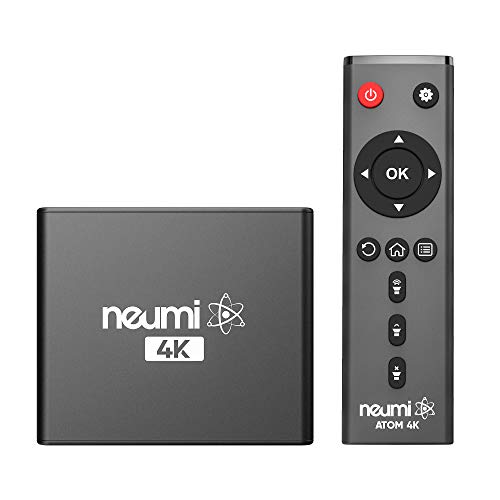
NEUMI Atom 4K Digital Media Player, 4K 60fps
This is the highest frame-rate capability in the group: genuine 4K output at sixty frames per second from USB and SD media. That matters for high-motion signage—sports highlights, animated product demos—where thirty-fps stutter is noticeable on large panels. NEUMI’s 4K firmware also supports loop playback and the trigger input found across the Atom line, so it functions as a full signage unit rather than a basic stick.
- Pro: 4K at 60fps is the smoothest output available here.
- Pro: USB, SD, and trigger input combine flexibility for commercial use.
- Con: Highest price in the group, and 60fps benefits vanish on 30Hz-capable displays.
Skip it if your signage content is static or slides; the frame-rate premium buys nothing there.
Buying Guide
Resolution and Frame Rate
The HDMI output ceiling is the single most consequential spec. A 1080p stick plugged into a 4K panel will upscale in software, introducing softness visible at normal viewing distances on screens over fifty inches. Conversely, a 4K player on a 1080p monitor wastes money. Frame rate is the less obvious factor: most signage content is thirty fps, so the jump to sixty fps only justifies itself when you play action sequences, animated loops, or high-motion B-roll where motion clarity matters.
Storage Inputs and File Formats
Dual-slot units—USB plus microSD—give you two independent playlists you can swap without opening a housing or rebooting. Single-USB players force you to rely on one drive, which becomes inconvenient in multi-location rotation schedules. Codec support is where manufacturer specs and owner experience diverge most: H.264 and MP4 are universal, but HEVC, VP9, and higher-bitrate files depend on firmware maturity. Read owner reports for the specific container and codec combination you plan to use before purchasing.
Digital Signage Features
For unattended commercial playback, three firmware behaviors are non-negotiable: auto-loop so the playlist restarts silently, power-on restore so the unit resumes after a blackout without anyone pressing a button, and scheduled start/stop windows that let a player remain off overnight to extend panel life. A digital-trigger input adds a fourth capability for interactive or sensor-driven installations. Consumer-grade players often lack all three; signage-specific models include them as standard.
Our Verdict
The Micca 4K Ultra-HD is the top pick overall. It pairs genuine 4K HDMI output with dual storage slots, proven signage firmware, and a brand with a longer track record of owner support—all for just over fifty-five dollars. The NEUMI Atom 1080P is the best budget choice, delivering reliable playback, a trigger input, and USB-plus-SD flexibility under thirty-eight dollars for anyone whose panel does not exceed 1080p. The exception case: if your signage runs high-motion content on a 4K display that accepts a sixty-hertz signal, the NEUMI Atom 4K is the only unit here that will exploit that refresh rate, making it the definitive pick for that specific scenario.
FAQ
Do these media players need internet?
No. Every device in this roundup plays files stored locally on USB drives or SD cards and outputs directly over HDMI. None require Wi-Fi, Ethernet, or a streaming account to function.
Can I use any USB flash drive with these players?
Most units accept FAT32 and exFAT formatted drives up to the capacity listed in their manual, commonly 128 GB or larger. File-system mismatch is the top cause of “drive not detected” complaints, so format the drive to the specification before inserting.
What is a digital trigger input?
A digital trigger is a low-voltage signal port that starts or stops playback when an external device—such as a motion sensor, a door contact, or a home-automation controller—closes a circuit. It is useful for kiosks, showroom displays, and interactive installations where media should begin automatically when someone approaches.
Is 4K signage overkill for a small retail screen?
On panels under thirty-two inches, the pixel-density gain of 4K over 1080p is minimal at normal viewing distance. If your display is small and the content is text or static product images, a 1080p unit saves money with no perceptible quality loss.