Our Top Picks
 Logitech Creators Blue Yeti USB Microphone for PC1 Count (Pack of 1)4.92 x 4.72 x 11.61 inches3.51 PoundsCheck on Amazon
 FIFINE AmpliGame AM8 USB/XLR Dynamic Microphone for Gaming3.35 x 4.96 x 9.65 inches1.7 poundsCheck on Amazon
The best USB microphone for most streamers is a cardioid or dynamic model that you can place close to your mouth, and among the ten listings below the FIFINE AmpliGame pair and the Logitech Blue Yeti are the strongest all-round candidates on paper. The cheap gooseneck and mini mics are fine for calls, and the conference mic is a different tool entirely. This guide sorts the field by what each title actually promises, then shows you how distance, gain and room noise decide the sound more than the badge on the box.
Everything here rests on published titles, manufacturer documentation and buyer reviews. Nobody on the team used or measured these units. Where a title is vague, we say “check the listing” instead of guessing.
Top picks at a glance

JOUNIVO USB Microphone, 360 Degree Adjustable Gooseneck Design, Mute Button & LED Indicator, Noise-Canceling Technology, Plug & Play, Compatible with Windows & MacOS


As an Amazon Associate we earn from qualifying purchases. Product prices and availability are accurate as of the date/time indicated.
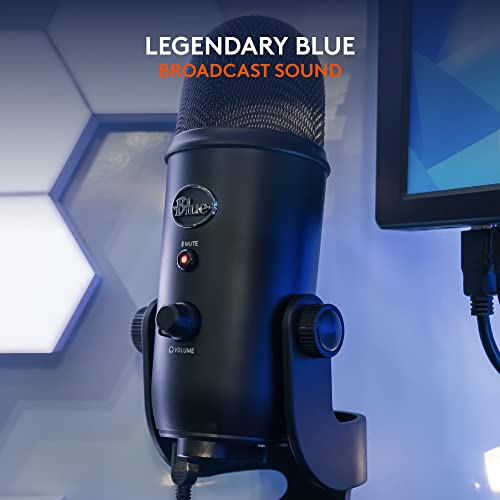
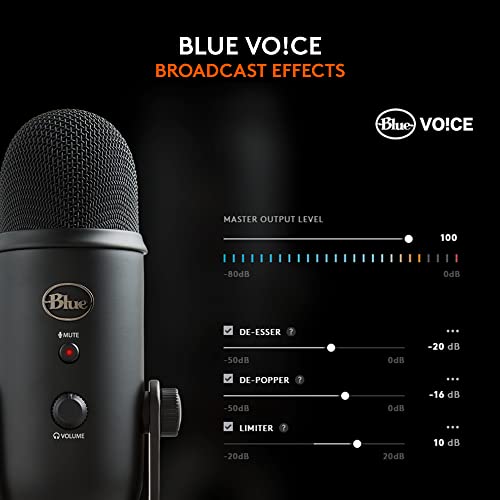
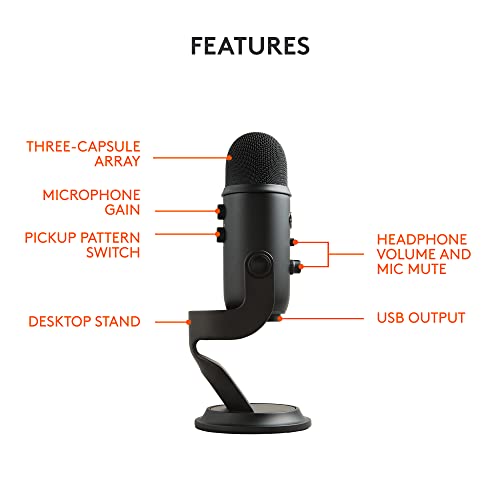
Logitech Creators Blue Yeti USB Microphone for PC, Mac, Gaming, Recording, Streaming, Podcasting, Studio and Computer Condenser Mic with Blue VO!CE effects, 4 Pickup Patterns, Plug and Play - Blackout




As an Amazon Associate we earn from qualifying purchases. Product prices and availability are accurate as of the date/time indicated.
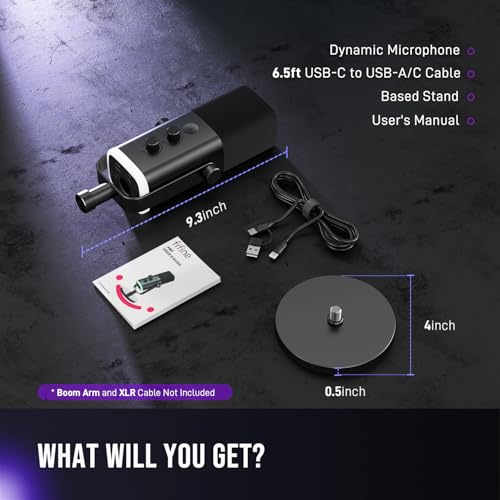
FIFINE AmpliGame AM8 USB/XLR Dynamic Microphone for Gaming Streaming | Podcast Mic with RGB Light, Mute Button, Headphones Jack, Desktop Stand, for Vocal Recording Singing YouTube


As an Amazon Associate we earn from qualifying purchases. Product prices and availability are accurate as of the date/time indicated.

Amazon Basics Condenser Microphone for PC, Cardioid Pickup, USB Mic for Streaming, Recording, and Podcasting, 360° Adjustable Stand, Plug and Play, 5.8" x 3.4", Black


As an Amazon Associate we earn from qualifying purchases. Product prices and availability are accurate as of the date/time indicated.

ZealSound Podcast Microphone for PC, Noise Cancellation USB Mic with Gain, Volume Adjustment & Mute Button, Monitoring & Echo, for YouTube, TikTok, Podcasting, Streaming, iPhone, iPad, Android, Mac


As an Amazon Associate we earn from qualifying purchases. Product prices and availability are accurate as of the date/time indicated.

CMTECK USB Computer Microphone G009, Noise-Cancelling Recording Desktop Mic for PC/Laptop for Online Chatting, Home Studio, Podcasting, Gaming, Skype, YouTube with Mute Function(Windows/Mac)


As an Amazon Associate we earn from qualifying purchases. Product prices and availability are accurate as of the date/time indicated.

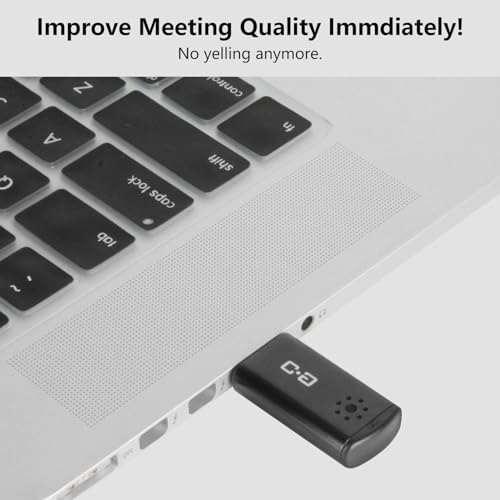
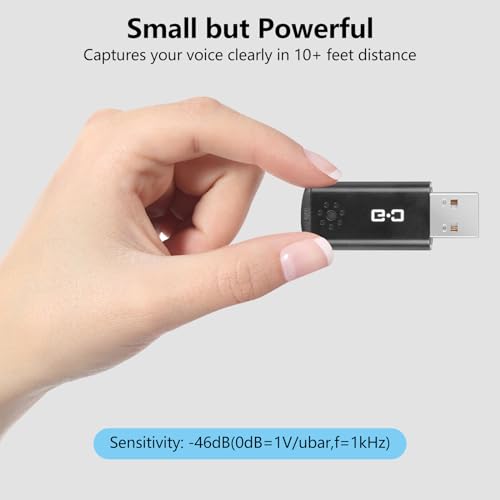
Mini USB Microphone for Laptop & Desktop, Plug-and-Play | High-Sensitivity USB Mic for Clear Voice Pickup, Compact and Portable, Ideal for Work and Study



As an Amazon Associate we earn from qualifying purchases. Product prices and availability are accurate as of the date/time indicated.

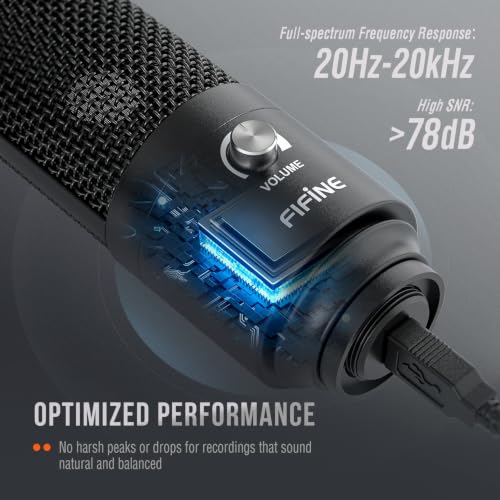
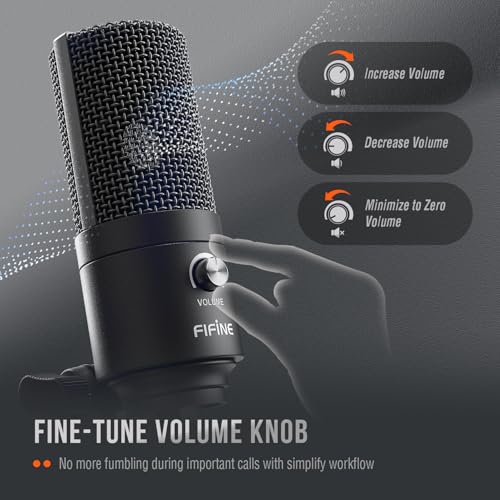
FIFINE K669B USB Microphone, Condenser Recording Mic for Vocals, Meeting | Metal Cardioid Laptop Mic for MAC OS, Windows, Voice Overs, Streaming, Online Meeting and YouTube Videos



As an Amazon Associate we earn from qualifying purchases. Product prices and availability are accurate as of the date/time indicated.

FIFINE AmpliGame AM8T XLR/USB Gaming Microphone Set, Dynamic PC Mic | Streaming RGB Mic Kit with Boom Arm Stand, Mute Button, Headphones Jack, for Podcasting Recording Vocal Voice-Over




As an Amazon Associate we earn from qualifying purchases. Product prices and availability are accurate as of the date/time indicated.

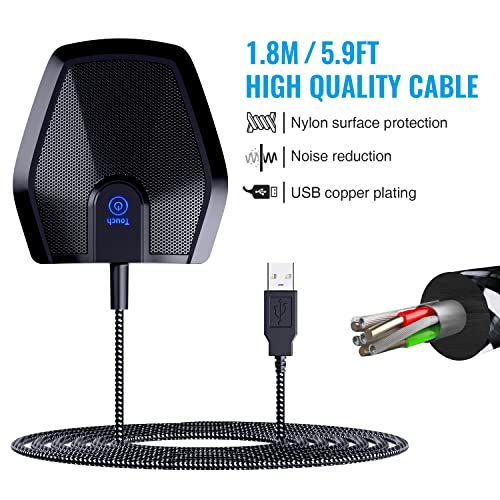
TONOR Conference Microphone for PC, USB Microphone for Win & Mac, G11 | Omnidirectional Condenser Mic with 190 cm/74inch Cable, Plug&Play, Desktop PC & Laptop for Teleconference, Court Reporter


As an Amazon Associate we earn from qualifying purchases. Product prices and availability are accurate as of the date/time indicated.
| Model | Key point from the title | Price tier | Best for |
|---|---|---|---|
| Logitech Blue Yeti | Condenser, 4 pickup patterns, Blue VO!CE effects | Premium | Solo streamers who want pattern choice |
| FIFINE AmpliGame AM8T | USB/XLR dynamic, boom arm included, RGB, headphone jack | Mid | Gamers wanting a ready arm setup |
| FIFINE AmpliGame AM8 | USB/XLR dynamic, RGB, mute, desktop stand | Mid | Noisy rooms, upgrade path to XLR |
| FIFINE K669B | Metal cardioid condenser | Budget to mid | Calls, voice-overs, light streaming |
| ZealSound Podcast Microphone | Gain, volume, mute, monitoring and echo controls | Budget to mid | Podcasters who like hardware knobs |
| Amazon Basics Condenser | Cardioid, adjustable stand, plug and play | Budget | First mic for chat and recording |
| TONOR G11 Conference | Omnidirectional, long cable | Budget | Meetings, not streaming |
| JOUNIVO Gooseneck | Adjustable gooseneck, mute button with LED | Budget | Desk calls and voice chat |
| CMTECK G009 | Noise-cancelling claim, mute function | Budget | Online classes and chat |
| DUNGZDUZ Mini USB Mic | Compact, work and study positioning | Lowest | Travel and light calls |
Read the table as a map, not a ranking. Price tiers are relative within this set, and the dollar figure on the day you shop will differ, so check the listing for the current number.
What separates a streaming mic from a meeting mic
All ten listings plug into a USB port, but they are built for different jobs. A streaming or podcast mic is designed to sit close to one speaker and ignore the rest of the room. A meeting mic such as the TONOR G11 is described as omnidirectional, meaning it tries to hear everyone around a table. Put an omnidirectional capsule next to a mechanical keyboard and a PC fan, and it will faithfully record both. That is not a flaw, it is the design goal, but it makes this model a poor fit for a stream.
Then there is the capsule type. Dynamic mics, which include the two AmpliGame models, tend to be less sensitive, so they hear less of the room at a given distance. Condenser mics, which cover the Yeti, K669B and Amazon Basics listings, tend to capture finer detail and more ambient sound. Neither type is universally better. A quiet, carpeted room with a close-sitting speaker lets a condenser shine. A bedroom with a tower PC under the desk usually rewards a dynamic.
The last split is control surface. Some titles advertise a gain knob, a volume dial, a mute button with an LED, or a headphone jack for zero-latency monitoring. Those features sound minor until the moment you need to mute a cough mid-stream without alt-tabbing. If you stream often, hardware mute and monitoring are worth more than an extra bullet about noise cancellation.
How we picked these
We read each title for what it states: capsule type or pickup pattern, connection options, included stand or arm, and controls. We then cross-checked those claims against general knowledge of how USB microphones work and against the kinds of complaints buyers commonly raise, such as hum, a quiet output level or a stand that droops. We did not rank on brand reputation alone, and we flagged claims that are marketing language rather than measurable features. Noise cancellation on a USB mic, for example, is usually either a pickup pattern, a software effect or a slogan, so treat it as a question for the listing rather than a guarantee.
The ten listings, one by one
Logitech Blue Yeti USB Microphone (Blackout)
The title lists a condenser design, four pickup patterns, Blue VO!CE effects and plug-and-play use with PC and Mac for gaming, recording, streaming and podcasting. The pattern selector is the main reason to consider it: cardioid for one speaker, a figure-eight or bidirectional mode for two people facing each other, omnidirectional for a group, and a stereo mode. Most solo streamers will leave it on cardioid and never touch the rest.
The trade-off is that a sensitive condenser on a desk stand hears the desk. Keyboard thumps travel through the stand, so a boom arm or a foam isolator is worth budgeting for. The VO!CE effects are software, so check whether you need Logitech’s app installed to use them.
Ask yourself before buying: do I actually need more than one pickup pattern? If not, a cheaper cardioid model gets you most of the benefit.
Pros
- Four pickup patterns for solo, interview or group use
- Named streaming, recording and podcasting use cases in the title
- Software voice effects available through the maker’s app
Cons
- Condenser sensitivity means more room and keyboard sound in untreated spaces
- Highest price tier in this set
- Desk stand picks up vibration; an arm may be a separate purchase
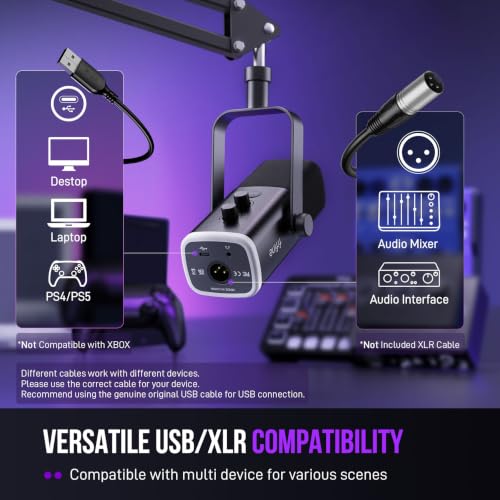
FIFINE AmpliGame AM8T XLR/USB Gaming Microphone Set
This listing bundles a dynamic mic with a boom arm stand, which is the detail that separates it from the single-mic AM8 listing. The title also names RGB lighting, a mute button and a headphone jack. A dynamic capsule with an arm lets you park the mic a few inches from your mouth, off to the side of your keyboard, which is the classic streamer setup for keeping room sound out.
The XLR plus USB wording suggests two connection routes, so you can start on USB and move to an audio interface later. Check the listing for which cable ships in the box and whether the arm clamp fits your desk thickness.
Question to ask: does my desk edge allow a clamp-style arm, or do I need a different mount?
Pros
- Boom arm included in the title, so placement is flexible from day one
- Dynamic capsule, a sensible fit for noisy rooms
- USB now, XLR later if you add an interface
Cons
- Dynamic mics reward close placement; sit too far away and the signal gets thin
- RGB lighting adds nothing to the sound
- Arm quality is a common weak point at this tier; read buyer comments on droop
FIFINE AmpliGame AM8 USB/XLR Dynamic Microphone
The AM8 is the same family as the AM8T but sold with a desktop stand rather than an arm. The title promises a dynamic capsule, RGB lighting, a mute button and a headphone jack, aimed at gaming, streaming, podcasts and vocal recording. For a streamer with an existing boom arm or monitor mount, this version avoids paying for hardware you already own.
The desktop stand is fine for voice chat, but it puts the capsule at desk level, farther from your mouth than a boom would. Expect to lean in or tilt the stand. If you plan to buy an arm later anyway, compare the total with the AM8T bundle.
Question to ask: do I own an arm that accepts the mic’s thread size, or will I need an adapter?
Pros
- Dynamic design with mute and headphone monitoring on the body
- Can be reused with a separate arm
- Dual connection options in the title
Cons
- Stand-only listing; arm cost may erase the saving over the AM8T
- Desk stand transmits keyboard vibration
- Near-duplicate of the AM8T apart from the mount
FIFINE K669B USB Microphone
A metal-bodied cardioid condenser described for vocals, meetings, voice-overs, streaming and online video. It is the plain, no-frills option in this set: no RGB, no extras promised beyond Mac and Windows compatibility. The cardioid pattern means it favors sound in front of the capsule, which helps with a noisy PC on one side.
Because it is a condenser, it will pick up more of the room than the AmpliGame dynamics. In a quiet room that detail is a plus for speech clarity. In a loud room it works against you. The title does not mention a gain knob or headphone output, so confirm the controls on the listing if you want hardware monitoring.
Question to ask: does the listing show a mute control, and where is it?
Pros
- Cardioid condenser at a modest price tier
- Metal build is stated in the title
- Suits calls, voice-over and light streaming
Cons
- Title lists no headphone jack or gain control
- Condenser sensitivity in untreated rooms
- Stand and arm options need checking
ZealSound Podcast Microphone for PC
This one leads with controls: gain, volume adjustment, a mute button, monitoring and echo. It also lists a broad device range, naming iPhone, iPad, Android and Mac alongside PC, which hints at adapter or cable support for mobile. The noise cancellation wording is a marketing claim, so ask what it means in practice: a pickup pattern, a software filter or neither.
The monitoring and echo controls will appeal to podcasters who want to hear themselves while talking. Echo is a voice effect, though, and most people leave it off after the novelty fades. Check whether mobile use needs a separate adapter.
Question to ask: which cable ships in the box, and does it suit my phone’s port?
Pros
- Hardware gain, volume, mute and monitoring named in the title
- Multiple device types mentioned
- Budget-friendly tier
Cons
- Noise cancellation is an unclear claim
- Echo effect is a novelty for most users
- Capsule type is not stated in the title
Amazon Basics Condenser Microphone for PC
A cardioid condenser with an adjustable stand, sized at roughly 5.8 by 3.4 inches according to the title. The pitch is simple: plug in, pick it as your input and start recording. That makes it a reasonable first mic for chat, recording and light podcasting at a low price tier.
The title does not list a gain knob, a mute button or a headphone jack, so those controls are probably absent. You would mute in software instead. Small desktop stands also tend to carry vibration, so rest the mic on a folded towel if keyboard noise appears in your recordings.
Question to ask: is software-only mute acceptable for how I stream?
Pros
- Cardioid pattern stated in the title
- Low price tier and simple setup
- Adjustable stand included
Cons
- No hardware controls listed
- Condenser picks up keyboard and fan noise
- Few extras if you outgrow it
JOUNIVO USB Microphone with Gooseneck
A gooseneck design that bends 360 degrees, with a mute button and LED indicator. The practical advantage of a flexible neck is that you can place the capsule close to your mouth without a boom arm, and the LED tells you at a glance if you are live. It is aimed at calls and chat, and the title mentions noise-canceling technology without defining it.
A gooseneck mic tends to be a good fit for streamers who only need clear voice chat and do not care about broadcast-grade tone. It is less suited to singing or music recording. The base can also pick up desk vibrations, so avoid typing near it.
Question to ask: how long is the cable, and does the base stay put on a smooth desk?
Pros
- Flexible gooseneck for close placement
- Mute button with LED
- Very low price tier
Cons
- Noise-canceling wording is vague
- Voice-chat tone rather than studio tone is the realistic expectation
- Gooseneck can sag over time on cheap units; read buyer feedback
CMTECK USB Computer Microphone G009
The title calls this a noise-cancelling desktop mic for online chatting, home studio, podcasting, gaming, Skype and YouTube, with a mute function. Notice the range: chatting through home studio in one line. That kind of breadth is typical of budget listings and is best treated as marketing. The honest reading is a simple voice-chat microphone.
It works for online classes and casual gaming calls, where the goal is intelligibility rather than polish. If you stream or record for an audience, a cardioid or dynamic model from the list above gives you more room for improvement.
Question to ask: does the listing explain the mute function, such as a button, a touch control or software?
Pros
- Budget tier with a mute function in the title
- Windows and Mac named as compatible
- Covers casual chat and meetings
Cons
- Broad use-case wording over specifics
- Pickup pattern and capsule type not stated
- Not a clear step up for streaming
TONOR G11 Conference Microphone
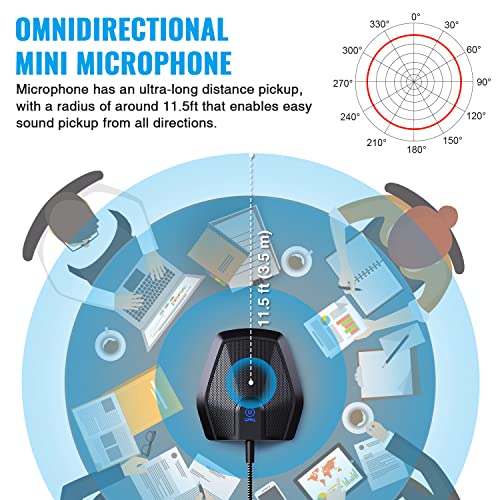
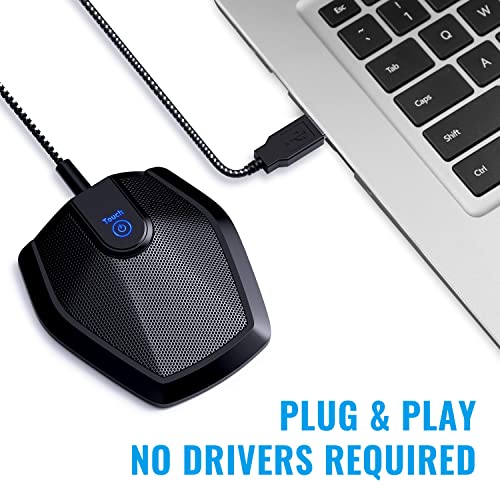
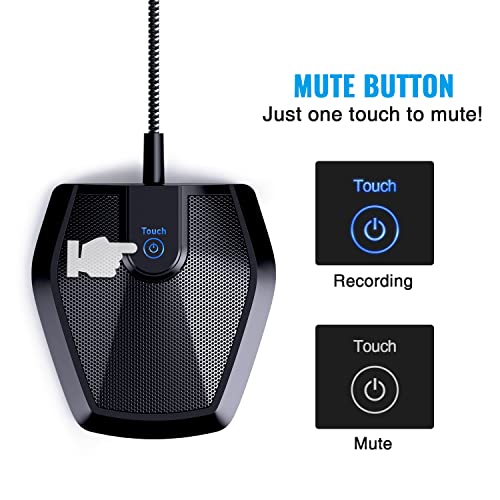
This is the off-type listing in the set for streamers. The title says conference microphone, omnidirectional condenser, 190 cm cable, for teleconferences and court reporter use. An omnidirectional pattern is built to hear a room, which is the opposite of what a streamer wants. For a desk meeting or a family video call it can be handy, and the long cable gives you placement freedom.
If you stream with a noisy PC, an omni capsule will reproduce that noise. Treat this model as a meeting tool and consider it only if your use is calls with several people at a table.
Question to ask: will I ever need it to cover more than one speaker?
Pros
- Omnidirectional pickup for groups
- Long cable listed in the title
- Budget price tier
Cons
- Wrong pickup pattern for solo streaming
- Captures room and keyboard noise
- Weakest fit for the keyword in this roundup
DUNGZDUZ Mini USB Microphone
The title offers a compact, portable, plug-and-play USB mic for work and study, with high sensitivity for clear voice pickup. It is the smallest and cheapest entry here, and also the vaguest: no pattern, capsule or controls are listed. High sensitivity on a tiny mic tends to mean it hears the room, so use it near your mouth.
It is a travel and laptop-call tool rather than a streaming mic. If you need something in a bag for hotel Wi-Fi meetings, it fits. If you want to build a streaming desk, skip it.
Question to ask: does the listing show what is in the box and how long the cable is?
Pros
- Smallest footprint in the set
- Lowest price tier
- Plug-and-play for laptops
Cons
- Thin spec detail in the title
- Likely to pick up room noise
- Not aimed at streaming or podcasting
Which mic for which user
| If you are… | Start with | Why | Watch out for |
|---|---|---|---|
| A streamer in a noisy room | FIFINE AmpliGame AM8T | Dynamic capsule plus an arm for close placement | Sitting too far from the capsule |
| A streamer with an arm already | FIFINE AmpliGame AM8 | Dynamic mic without paying for a second mount | Mount thread compatibility |
| A podcaster with a guest | Logitech Blue Yeti | Bidirectional pattern for two people facing each other | Desk vibration, room echo |
| A voice-over beginner in a quiet room | FIFINE K669B | Cardioid condenser at a modest tier | No stated headphone jack |
| A student or remote worker | JOUNIVO or CMTECK | Simple mute and cheap setup | Vague noise claims |
| A traveler with a laptop | DUNGZDUZ Mini | Compact and light | Room pickup |
| A team meeting host | TONOR G11 | Omnidirectional table coverage | Not a streaming tool |
Specs that matter and what to look for
| Spec concept | What to look for | Why it matters |
|---|---|---|
| Capsule type | Dynamic for noisy rooms, condenser for quiet ones | Sets how much room sound enters the recording |
| Pickup pattern | Cardioid for one speaker; omni only for groups | Decides which noises are rejected |
| Controls on the body | Mute, gain, headphone jack | Saves software fumbling mid-stream |
| Mount | Boom arm or desk stand, thread size | Distance to the mouth and vibration isolation |
| Connection | USB only vs USB/XLR | Upgrade path to an audio interface |
| Device support | Windows, Mac, mobile, console named? | Avoids a mic that your device will not recognize |
Worked example: distance, gain and room noise
Here is a small calculation you can reuse. In open air, the level of your voice at the capsule falls by roughly 6 dB each time you double your distance from it, while steady background noise from the room stays about the same. These are assumptions for illustration, not measurements of any listing above.
| Scenario | Mouth-to-capsule distance | Voice level vs 4 in baseline | What happens to room noise |
|---|---|---|---|
| Close and centered | 4 in | 0 dB (reference) | Needs low gain, so noise stays low |
| Normal desk lean | 8 in | about 6 dB quieter | Gain must rise about 6 dB, and noise rises with it |
| Arm’s length | 16 in | about 12 dB quieter | Gain rises about 12 dB, so the room is nearly as loud as your voice |
The lesson is that moving a mic from 4 inches to 16 inches costs roughly 12 dB of voice level that you must buy back with gain, and that gain lifts the keyboard and fan equally. A dynamic mic with a boom arm makes the 4-inch position comfortable. A desk-stand condenser makes 16 inches the default. That is why the AM8T bundle can sound cleaner in a loud room than a pricier condenser on a stand, once you place both sensibly.
If you want a budget-focused follow-up, see our take on a budget microphone for game streaming.
Setup and verification checklist
- Plug straight into a motherboard or laptop USB port rather than an unpowered hub.
- Select the mic as the default input in your operating system and in OBS or your chat app.
- Set the mic’s own gain low, then raise the system level until speech peaks about two-thirds of the way up the meter.
- Record ten seconds of silence and listen for hum, fan whine or keyboard thump.
- Move the capsule off-axis from your plosives, or add a pop filter if the listing supports one.
- Check the mute indicator before every live session.
Mistakes buyers make
| Mistake | Why it hurts | Fix |
|---|---|---|
| Buying a conference mic for streaming | Omni pickup records the whole room | Choose cardioid or dynamic |
| Trusting “noise cancelling” as a spec | It may be a slogan, not a feature | Look for pattern and capsule type instead |
| Skipping the arm | Desk stand carries typing vibration | Budget for an arm or foam pad |
| Cranking gain to fix distance | Raises room noise equally | Move the mic closer |
| Ignoring device support | Mic is not recognized on console or phone | Check the maker’s spec page first |
If your next purchase is a capture device for console streaming, our look at HDMI capture cards for console streaming pairs naturally with whichever mic you pick.
Verdict by use case
For a solo streamer who wants the best chance at clean speech, start with the AmpliGame AM8T if you need an arm, or the AM8 if you already have one. For a podcast with a guest, the Blue Yeti’s multiple patterns are the most flexible on paper. For a quiet voice-over corner on a budget, the FIFINE K669B is a clean, simple condenser. For classes and calls, the gooseneck and mini mics do the job at the lowest cost. Skip the TONOR G11 unless you run meetings.
Whatever you buy, remember that a modest mic placed four inches from your mouth beats an expensive one sitting across the desk.
Related guides
- Hdmi Capture Cards For Streaming From Console
- How To Reduce Background Noise When Streaming
- Streaming Devices With Ethernet Port
Frequently asked questions
Is a USB microphone good enough for streaming?
Yes for most solo streamers. A USB mic has the audio interface built in, so you plug it in and select it in OBS or your chat app. The ceiling is lower than a studio XLR chain because you cannot swap preamps, but placement, gain and room noise matter far more than the connector for a typical stream. Start with a USB model and upgrade only if you hit a real limit.
Dynamic or condenser: which should I pick for a noisy room?
A dynamic mic generally picks up less background sound at a given distance, so it suits rooms with fans, keyboards and traffic. A condenser is more sensitive and captures more detail and more room. If you cannot treat the room and you sit close to the mic, a dynamic model is usually the safer starting point.
What does cardioid mean on a mic listing?
Cardioid describes a heart-shaped pickup pattern that favors sound from the front and rejects much of what arrives from the back. It helps keep a second monitor, fan or roommate quieter in the recording. It does not remove noise from the front, so keep the capsule pointed at your mouth and the noise sources behind it.
Why does my USB mic sound quiet or too loud?
Check three things in order: the gain or volume knob on the mic if it has one, the input level in the operating system sound settings, and your distance from the capsule. Sitting about a hand-width to a fist-width away with moderate gain is a common starting point. Fix distance first, because turning gain up also lifts keyboard and room noise.
Can I use a USB microphone with a phone or console?
Sometimes. Some listings mention iPhone, iPad or Android support, usually through an adapter, while others only claim Windows and Mac. Console support varies by model and system software. If a title does not name your device, check the maker’s spec page or manual before buying rather than assuming plug and play works everywhere.
Do RGB lights and mute LEDs affect sound?
No. Lighting is cosmetic, though a mute LED is genuinely useful because it shows at a glance whether you are live. Pay for the mute button and headphone jack if you stream often, and treat RGB as a styling choice rather than a quality signal.