Our Short List of 3

- Type: Digital DLP pico projector
- Native resolution: 1280 x 720 (accepts 4K input)
- Brightness: 110 ANSI lumens (spec database figure)
- Image size: 10 to 100 in (maker figure)

- Type: Digital LED projector
- Focus: Auto focus (maker feature)
- Correction: Auto keystone (maker feature)
- Image size: Up to 100 in (maker figure)

- Type: Digital projector with overhead stand
- Connection: 5G WiFi, web-based control interface
- Compatibility: iOS and Android; online and offline use
- Mounting: Stand included for downward tabletop projection
All 4 Picks at a Glance
| Product | Specs | Action |
|---|---|---|
| Caydo M1C Art Projector |
| Check price on Amazon |
| Caydo P1 Art Projector |
| Check price on Amazon |
| 5G WiFi Digital Sketch Projector with Stand |
| Check price on Amazon |
 Artograph LED Tracer |
| Check price on Amazon |
Key takeaways
- Art projectors for tracing sketches onto canvas and walls, with digital and opaque picks, honest brightness notes, grid tools and setup math.
An art projector does one job: it takes a sketch, photo or design and throws it onto canvas, paper or a wall at the size you actually want to work, so you can trace the layout instead of redrawing it freehand and hoping the proportions survive the scale-up. That job splits the field into two families. Digital models project a file from a phone, tablet or computer, and add tools no analog machine can offer, such as built-in proportion grids and image flipping. Opaque models shine light up through a physical original placed under the hood, a printed photo, a book page, a fabric pattern, and need no file, no app and no pairing ritual.
This guide covers both families, because the right pick depends on where your reference material lives. One caution before the picks: brightness decides whether any of these machines is usable outside a darkened room, and every brightness figure quoted here is a maker figure measured under maker conditions. LED lumens and ANSI lumens are different units and cannot be compared across brands, so treat the numbers as rough positioning, never as a head-to-head score. Every pick below was chosen from published specifications and listing data; no detailed research is claimed anywhere in this guide.
Disclosure: As an Amazon Associate, I earn from qualifying purchases.
How to Choose an Art Projector
Start with the source. If your references are digital, photos, downloaded designs, lettering files, a digital projector is the natural fit. If your references are physical, a sketchbook page, a printed pattern, a page from a book, an opaque projector reads them directly with zero conversion. Artists who work from both often prefer the opaque machine for its simplicity: nothing to pair, charge or update.
Brightness decides the room. Small pico digitals and opaque projectors alike are dim-room tools. Their maker lumen figures are modest, and an opaque machine also loses light to the original itself, so a bright studio washes the image out no matter what the box promises. Plan to dim the room for any model in this class.
Geometry decides the size. On a digital pico with a 1.2:1 throw ratio, image width is the projection distance divided by 1.2, so a four-foot-wide tracing means the projector sits about five feet back. On an opaque projector, enlargement grows with distance too, but the copy area caps the size of the original you can feed it. Measure your wall or canvas, work the math backwards, and confirm the machine can stand where the math says it must.
Placement is an accuracy question, not a convenience. A projector that is not square to the surface throws a trapezoid, and the digital fix, keystone correction, repairs the shape by discarding pixels, which shrinks and softens the image exactly where you need crisp edges. Angle the stand, not the settings menu. The same applies downward: for tabletop work such as cookie decorating, the projector must sit dead level above the surface, or straight lines become slow curves on the icing.
Grids are the honest scaling tool. A built-in grid overlay lets you transfer a design in sections and check proportions square by square, which is how muralists keep a face from drifting across a ten-foot wall. If you trace large work, grid patterns matter more than a small resolution advantage. For small work, a stand that holds the projector steady matters more than either.
Comparison Table
| Product | Type | Light Source | Working Size | Standout Tool |
|---|---|---|---|---|
| Caydo M1C | Digital DLP pico | LED | 10 to 100 in image | Drawing app with grids |
| Caydo P1 | Digital | LED | Up to 100 in image | Auto focus and auto keystone |
| 5G WiFi Digital Sketch Projector | Digital, stand-mounted | LED | Tabletop to wall sizes | Overhead stand, web control |
| Artograph EZ Tracer | Opaque | Bulb (sold separately) | 4 x 4 in copy area, 2x to 10x | Simplest paper workflow |
| Artograph LED Tracer | Opaque | LED | 5 x 5 in copy area, 2x to 14x | Bigger copy area, no bulb swaps |
Caydo M1C Art Projector
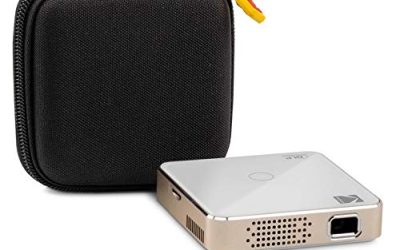
- Type: Digital DLP pico projector
- Native resolution: 1280 x 720 (accepts 4K input)
- Brightness: 110 ANSI lumens (spec database figure)
- Image size: 10 to 100 in (maker figure)
The M1C is the palm-size digital option, built around a DLP chip with a native 1280 x 720 resolution. Listings advertise 4K support, which means it accepts a 4K signal and scales it down; the image it throws is 720p, and for tracing that is honestly enough, because you are following edges, not watching cinema. Spec databases list it at 110 ANSI lumens, a modest figure that confirms the dim-room rule above, and its rechargeable 8000 mAh battery frees it from the outlet while you hunt for the right position.
Its real advantage for artists is the bundled drawing app, which adds grid overlays and image handling designed for tracing rather than movie night. The maker rates the image range at 10 to 100 inches, so the same unit handles a cookie at close range and a canvas across the room. A mini tripod is included, and cookie decorators favor this pico class because it sits close above small work without a hot lamp.
Caydo P1 Art Projector
- Type: Digital LED projector
- Focus: Auto focus (maker feature)
- Correction: Auto keystone (maker feature)
- Image size: Up to 100 in (maker figure)
The P1 is Caydo’s step-up digital model, and its headline features are automatic: auto focus and auto keystone correction handle the two adjustments that eat setup time when you move between a tabletop and a wall. A word of honesty about that convenience: auto keystone still works by discarding pixels, so use the automation to get close, then level the stand for the real trace.
Like the M1C, it works through a drawing app for artists, connects to iOS and Android devices, accepts 4K input and projects an image up to 100 inches. The LED light source keeps it cool and quiet next to detailed work. Where the M1C is the grab-and-go pico, the P1 suits a fixed studio corner where the projector comes out for every project and refocusing by hand each time would be a standing annoyance. Its automation also helps in workshop settings, where the machine is set up in unfamiliar rooms and needs to be tracing-ready in minutes.
5G WiFi Digital Sketch Projector with Stand
- Type: Digital projector with overhead stand
- Connection: 5G WiFi, web-based control interface
- Compatibility: iOS and Android; online and offline use
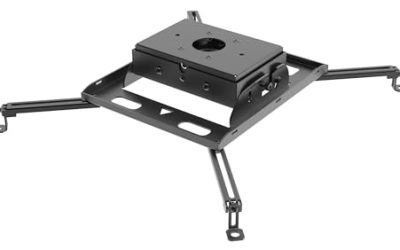
- Mounting: Stand included for downward tabletop projection
This is the tabletop specialist of the group: a digital sketch projector sold with the overhead stand that downward projection demands. Handheld setups fall apart here, because a few degrees of tilt bend every straight line in the design. A rigid stand that parks the lens dead level over the work removes that variable, and this bundle builds the whole product around that idea.
Control runs through a web interface over 5G WiFi, with iOS and Android support, and the listing notes it works with online and offline material, which matters in kitchens and classrooms where the network is unreliable. Because the stand fixes the distance, image size is set by the stand height and the design is scaled in software before the trace begins. Treat it as a dedicated station: decorators who pipe lettering all day will get more from this fixed geometry than from a flexible pico they must re-rig for every batch.
See the 5G WiFi Digital Sketch Projector on Amazon
Artograph EZ Tracer
The EZ Tracer is the simplest machine in this guide and the classic first opaque projector. You place a physical original, a drawing, a printed photo, a pattern, face up in the 4 x 4 inch copy area, and it enlarges that original from 2x to 10x onto a wall or canvas depending on how far back you set it. There is no software, no battery and no menu. For crafters tracing patterns onto fabric, wood or walls, that absence of friction is the entire appeal.
Two honest limits come with the design. The copy area is small, so a large original must be traced in sections and re-registered by hand. And the listing states plainly that the light bulb is not included, so budget for the bulb the maker specifies before the first session. Like every opaque projector, it wants a darkened room, because the image starts life as light bounced off paper. Within those limits it has been a craft-room staple for years precisely because there is so little to go wrong.
Specs
- Type: Opaque projector (not digital)
- Model: 225-550
- Copy area: 4 x 4 in
- Enlargement: 2x to 10x by distance
- Light source: Bulb, sold separately per the listing
- Best fit: Paper patterns, crafts, first-time tracers
See the Artograph EZ Tracer on Amazon
Artograph LED Tracer
- Type: Opaque projector (not digital)
- Model: 25370
- Copy area: 5 x 5 in
- Enlargement: 2x to 14x by distance
The LED Tracer is the EZ Tracer’s grown-up sibling. The copy area grows to 5 x 5 inches, which sounds minor and is not: it swallows a standard photo or a full pattern section without the constant shuffling the smaller window demands. Enlargement stretches from 2x to 14x, so the same machine covers a canvas on an easel and a mural layout across a room, provided the room can be darkened enough for the image to hold.
The LED light source is the other real upgrade. It runs cooler than a bulb housing, needs no bulb purchases, and suits teachers and decorators who run the machine daily. Of the two opaque picks here, this is the one to buy if opaque projection becomes a regular part of your practice rather than an occasional shortcut. It still obeys opaque physics, physical originals only, dim room required, but it is the most capable version of that simple idea in this lineup.
See the Artograph LED Tracer on Amazon
FAQ
Do I need a dark room to trace with an art projector?
For every machine in this guide, plan on a dimmed room. These are small projectors with modest maker-rated brightness, and an opaque model loses further light to the paper original itself. You do not need cinema darkness, but full studio lighting will wash out fine lines. Dim the room, trace, then bring the lights back up.
What is the difference between a digital and an opaque art projector?
A digital projector throws an image file from a phone, tablet or computer, and adds grids, flipping and scaling tools. An opaque projector throws a physical original placed under its hood, such as a printed photo or a sketchbook page, with no file or pairing involved. Choose by where your reference material lives, not by which technology sounds newer.
Can I use an art projector for cookie decorating?
Yes, and it is one of the most popular uses for the small digital models. The projector sits on a stand above the cookie and throws the design at a few inches across, so you can pipe lettering and logos directly over the guide image. A stand-mounted or pico model with a drawing app is the right shape for that work.
Does keystone correction ruin tracing accuracy?
It can soften it. Keystone correction reshapes the image digitally by discarding pixels, which blurs the fine edges you are trying to follow and can shift proportions slightly. Use it for a rough layout if you must, but for the final transfer, take the extra minute to square the projector to the surface and switch correction off.
Conclusion
Match the machine to the source material and the surface. Digital pico models, the Caydo M1C and P1, suit artists who work from files and want grids and app tools, with the stand-mounted sketch projector as the specialist pick for cookie decorating and tabletop lettering. The Artograph EZ Tracer and LED Tracer serve anyone whose references are physical pages and patterns, the LED model earning its place with a bigger copy area and no bulb changes. Whichever family you choose, dim the room, square the projector to the surface instead of leaning on keystone correction, and let the grid keep your proportions honest at scale.
More from Amazon
Programs that pair well with the guide above. Offers and eligibility are set by Amazon and may change.
Free shipping on eligible items, Prime Video and more. Eligible new members can start with a free trial.
Start a Prime free trialAd-free music streaming. Eligible new subscribers can start with a free trial.
Try Music Unlimited freeA Prime membership for ages 18-24 with a trial period. Eligibility is set by Amazon.
See Prime for Young AdultsAudiobooks and podcasts to listen to on the go. Eligible new members can start with a free trial.
Try Audible freeAs an Amazon Associate we earn from qualifying purchases.