
Key takeaways
- 1080p playback: a standard Blu-ray player sends the disc’s native Full HD image to the television. This is sufficient for a 1080p display.
- 4K upscaling: the player mathematically converts a 1080p Blu-ray or DVD image into a 3840 × 2160 output signal. It does not add the detail captured on a native 4K disc.
- Native 4K playback: an Ultra HD Blu-ray disc contains a higher-resolution source, often with wider color and HDR. This normally provides the largest improvement on a capable 4K television.
The best Blu-ray players in 2026 depend on whether you need basic 1080p playback, convincing 4K upscaling, full Ultra HD Blu-ray support, or the cleaner audio and construction of an audiophile model.
For most buyers, a mid-range 4K player such as the Panasonic DP-UB820 is the strongest all-round choice; a budget 4K player such as the Sony UBP-X700 keeps costs down; and the Panasonic DP-UB9000 is the premium option for serious home-cinema and two-channel audio systems. If you only own a 1080p television, an inexpensive standard Blu-ray player can still be the sensible purchase.
Our top picks


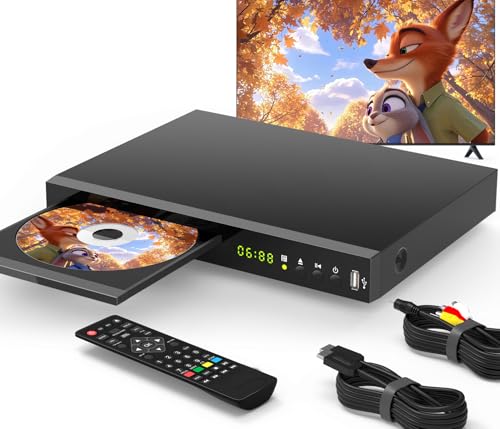

As an Amazon Associate we earn from qualifying purchases at no extra cost to you. Ratings are shown as listed on Amazon.
Quick picks by buyer situation
| Buyer situation | Best fit | Why | Typical market range |
|---|---|---|---|
| 1080p TV, occasional discs | Basic Blu-ray/DVD player | Lowest cost and simple 1080p output | $60–$120 |
| 4K TV, limited budget | Sony UBP-X700 | 4K Blu-ray, HDR, DVD and streaming in a compact body | $150–$250 |
| Frequent movie watching | Panasonic DP-UB820 | Excellent HDR processing, broad disc support and useful output controls | $350–$500 |
| Large disc collection and premium system | Panasonic DP-UB9000 | Heavy chassis, superior analog audio hardware and extensive setup options | $900–$1,300 |
| Simple 4K setup with LG television | LG UBK90 | Straightforward 4K playback and familiar smart-TV integration | $180–$300 |
Best Blu-ray players compared
Sony UBP-X700: best budget 4K Blu-ray player
The Sony UBP-X700 is a practical entry point for buyers upgrading from DVD or standard Blu-ray. It plays Ultra HD Blu-ray discs, regular Blu-ray discs, DVDs and CDs, and supports common HDR formats including HDR10 and Dolby Vision. Its dual HDMI outputs are particularly useful when an older AV receiver cannot pass 4K video: one output can feed the receiver for sound while the other goes directly to the television.
The main compromise is that Dolby Vision operation is not as automatic as it is on some newer televisions and players. Depending on the disc and display, you may need to select Dolby Vision behavior manually. The player also has a lightweight chassis, so it is better treated as a compact source component than as a premium piece of hi-fi equipment.
Choose it when you want 4K disc playback at a moderate price and do not require high-end analog audio outputs.
LG UBK90: best for a simple 4K setup
The LG UBK90 offers the core features most living-room systems need: Ultra HD Blu-ray playback, DVD and CD compatibility, HDR10, Dolby Vision, Wi-Fi and streaming applications. Its 4K output is a good match for a modern television, while regular Blu-ray discs remain useful if most of your collection has not been upgraded.
It is a better fit for buyers who prefer a simple, familiar interface than for users building a specialized audio system. Streaming applications and software support can change over time, so do not buy it primarily as a streaming box. A dedicated streaming device or the apps built into your television may receive updates for longer.
Panasonic DP-UB820: best overall for most 4K home cinemas
The Panasonic DP-UB820 is the most balanced choice in this group. It supports Ultra HD Blu-ray, standard Blu-ray, 3D Blu-ray, DVD, DVD-Audio and CD playback, and includes Dolby Vision, HDR10+, HDR10 and Panasonic’s HDR Optimizer. The HDR Optimizer is valuable when your television has limited peak brightness because it remaps difficult highlights instead of simply sending the disc’s signal unchanged.
Its two HDMI outputs can separate video and audio, which helps with older receivers and long-running home-cinema systems. It also includes 7.1-channel analog audio outputs, although those are most useful when your receiver or amplifier has a high-quality multichannel analog input.
The DP-UB820 is not the smallest or cheapest player, but it earns its place through picture controls that matter in real rooms. It is particularly attractive for owners of projectors, mid-brightness HDR televisions and mixed disc collections.
Panasonic DP-UB9000: best premium and audiophile model
The Panasonic DP-UB9000 is aimed at buyers who want a disc player to remain a centerpiece of a dedicated system. It supports the same broad disc formats and major HDR standards as the UB820, but adds a substantially heavier chassis, vibration-control measures, better power-supply design and more elaborate analog audio circuitry.
Its stereo RCA outputs and balanced XLR outputs make sense when connecting directly to a preamplifier or integrated amplifier. The 7.1-channel analog outputs can also serve a carefully configured surround system. These features have little value if all sound travels through HDMI to an AV receiver, so the price premium is difficult to justify for a basic television setup.
Choose the UB9000 when you will use its analog outputs, value its construction, or need the most comprehensive adjustment options. It is not automatically a better visual bargain than the UB820 on an ordinary 4K television.
1080p playback, 4K upscaling and native 4K discs
These three terms are often confused:
- 1080p playback: a standard Blu-ray player sends the disc’s native Full HD image to the television. This is sufficient for a 1080p display.
- 4K upscaling: the player mathematically converts a 1080p Blu-ray or DVD image into a 3840 × 2160 output signal. It does not add the detail captured on a native 4K disc.
- Native 4K playback: an Ultra HD Blu-ray disc contains a higher-resolution source, often with wider color and HDR. This normally provides the largest improvement on a capable 4K television.
A good upscaler can make an older disc look cleaner, especially by reducing jagged edges and preserving fine text. It cannot restore detail lost through low-quality compression, soft cinematography or a damaged master. In many systems, the television’s own upscaler is just as good or better, so compare the player and TV settings rather than assuming the “4K” output is automatically superior.
| Model | Approximate dimensions | Approximate weight | Maximum video output | Key audio connections |
|---|---|---|---|---|
| Sony UBP-X700 | 320 × 217 × 45 mm | About 1.4 kg | 3840 × 2160 at up to 60p | HDMI, coaxial digital |
| LG UBK90 | 430 × 205 × 45 mm | About 1.8 kg | 3840 × 2160 at up to 60p | HDMI, optical digital |
| Panasonic DP-UB820 | 430 × 204 × 62 mm | About 2.8 kg | 3840 × 2160 at up to 60p | Two HDMI, 7.1-channel analog, optical digital |
| Panasonic DP-UB9000 | 430 × 300 × 81 mm | About 7.8 kg | 3840 × 2160 at up to 60p | Two HDMI, 7.1-channel analog, stereo RCA, XLR, optical and coaxial digital |
DVD compatibility: the overlooked buying decision
Every player above is designed to handle DVDs, but regional and recording-format details still matter. Commercial DVDs are generally straightforward, while home-recorded DVD-R, DVD+R, rewritable discs and discs with unusual video files can be less predictable. If your collection includes many CDs, DVD-Audio discs, AVCHD recordings or 3D Blu-rays, check the manufacturer’s format list before buying rather than relying on the label “Blu-ray player.”
Ultra HD Blu-ray players usually play standard Blu-ray discs and DVDs, but they do not necessarily play every regional disc from every country. A player purchased for one region may be limited to that region for ordinary Blu-ray and DVD titles. Region-free modification is a separate product and can affect warranty or software support.
Connectivity: what actually matters
- Two HDMI outputs: useful for an older AV receiver, soundbar or projector arrangement that cannot pass 4K HDR.
- HDMI with HDCP 2.2: required throughout the video chain for many protected 4K sources. An old receiver can cause a black screen even when the player and television are compatible.
- Optical or coaxial digital audio: suitable for older sound equipment, but generally limited compared with sending modern lossless surround formats through HDMI.
- Analog outputs: valuable for direct connection to an amplifier, especially on the UB820 and UB9000; unnecessary if HDMI carries audio to a capable receiver.
- Wi-Fi and Ethernet: convenient for firmware updates and applications. Ethernet is usually more stable, but disc playback itself does not require an internet connection after initial setup.
Setup steps that prevent common problems
- Connect the player directly to the television first and install any available firmware update.
- Enable 4K output only if the television supports it, then turn on HDR and Dolby Vision or HDR10+ according to the display’s capabilities.
- If a receiver is older, connect the player’s video HDMI output to the TV and its separate audio HDMI output to the receiver.
- Set the player to bitstream when the receiver should decode Dolby or DTS sound. Use PCM if the receiver cannot decode the format or if you want the player to handle decoding.
- Test one DVD, one standard Blu-ray and one 4K disc. This quickly reveals HDMI handshake, region, subtitle and audio-format problems.
For a rough value calculation, a $400 mid-range player used twice a week for five years costs about $0.77 per viewing before electricity and discs: $400 divided by approximately 520 uses. A $200 budget model used only once a month costs about $3.33 per viewing over five years. Frequency of use therefore matters more than the initial price difference.
Ownership, cleaning and durability
The disc-loading mechanism and optical pickup are usually the parts most likely to wear first. Keep the player level, leave ventilation space above it, and do not force a tray that is slow or obstructed. Fingerprints and dust can cause skipping, but cleaning discs with a soft cloth from the center outward is safer than repeatedly using abrasive cleaners.
Avoid routine use of laser-cleaning discs unless the manufacturer recommends one; poorly made cleaning discs can create additional problems. Do not place the player on an amplifier that produces substantial heat, and use a surge protector in areas with unstable power. Firmware updates can improve disc compatibility, but they can also change streaming applications, which is another reason to choose the player primarily for physical media rather than app support.
Final verdict
The Sony UBP-X700 and LG UBK90 are sensible budget choices for a 4K television and a modest disc collection. The Panasonic DP-UB820 is the best Blu-ray player for most serious movie watchers because it combines strong HDR handling, broad format support and flexible connectivity. The Panasonic DP-UB9000 is worth the premium only when its heavier construction and analog audio connections will be used. For a 1080p television and occasional viewing, save money with a basic Blu-ray/DVD player and spend the difference on discs or a future display upgrade.
