
Key takeaways
- Budget: Logitech C920/C922 and similar 1080p cameras.
- Mid-range: Elgato Facecam MK.2 and OBSBOT Tiny 2 Lite.
- Premium: Logitech MX Brio, Razer Kiyo Pro Ultra, Insta360 Link 2, OBSBOT Tiny 2.
For recording video rather than just joining calls, the Elgato Facecam MK.2 suits creators who want clean 1080p at 60 frames per second with manual control, the Logitech MX Brio and Razer Kiyo Pro Ultra suit anyone who wants 4K detail, and the Insta360 Link 2 suits solo presenters who benefit from motorized tracking. If you only need decent footage on a limit, a Logitech C920 or C922 remains a widely used baseline.
Our top picks

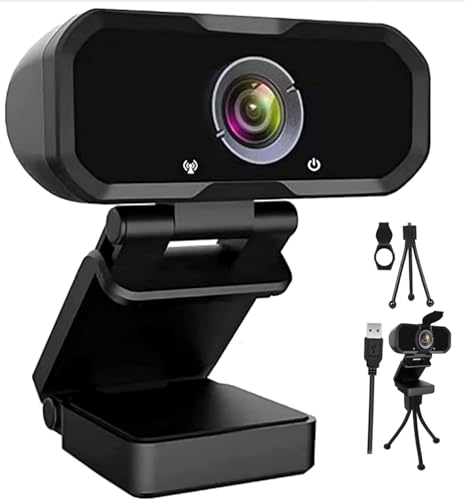


As an Amazon Associate we earn from qualifying purchases at no extra cost to you.
Top Picks at a Glance
| Webcam | Best for | Key stated specs | Limits |
|---|---|---|---|
| Elgato Facecam MK.2 | Streamers and YouTubers who want consistent color and manual control | 1080p up to 60 fps, HDR mode, uncompressed output over USB, no built-in microphone as the maker describes it | No 4K; fixed focus design; no built-in mic |
| Logitech MX Brio | Creators and professionals wanting 4K | 4K up to 30 fps, large sensor for the class per the maker, dual microphones, USB-C | Premium tier; 4K limited to 30 fps |
| Razer Kiyo Pro Ultra | Low-light recording with a larger sensor | The maker lists a larger sensor with 4K output and HDR options | Large body; premium tier |
| Insta360 Link 2 / Link 2C | Solo presenters, teachers, demonstrators | 4K, gimbal tracking, AI framing, gesture controls (maker details) | Gimbal adds bulk; features rely on Insta360 software |
| OBSBOT Tiny 2 / Tiny 2 Lite | Moving subjects, hands-free tracking | 4K with AI tracking per the maker | Software dependence; premium to mid tier |
| Logitech C920 / C922 | Budget recording and first setups | 1080p at 30 fps (C922 also lists 720p at 60 fps), built-in mics | Older design; weaker low-light performance |
What Matters for Recording
Sensor and low light
Recording often involves a desk lamp or a single window, so low-light performance matters. Larger sensors collect more light, which typically means cleaner footage. Reviewers generally rate larger-sensor models such as the MX Brio and Kiyo Pro Ultra higher in dim rooms than older budget cameras, though good lighting helps every webcam.
Resolution versus frame rate
4K sounds attractive but many webcams run 4K at 30 fps. For fast motion, a 1080p60 camera such as the Facecam MK.2 can look smoother. Consider your final output: if you deliver 1080p video, 4K lets you crop and reframe in editing without losing sharpness.
Manual controls
Locking exposure, white balance and focus prevents the shifting brightness and hunting focus that auto modes produce. Elgato’s Camera Hub, Logitech’s software and Razer’s Synapse expose these controls. Look for settings you can save as profiles.
Field of view and framing
A wider field of view helps in small rooms but can distort. Most makers offer adjustable field of view, typically in a range of roughly 65 to 90 degrees. Tracking models like the Insta360 Link 2 and OBSBOT keep you centered if you move.
Microphone
Built-in webcam mics are fine for calls but rarely good enough for polished recording. A separate USB or XLR microphone almost always sounds better, and the Facecam MK.2 omits a mic for that reason.
Mounting and connection
Most webcams clip to a monitor and have a tripod thread. Use a USB 3 port to carry higher resolutions and frame rates. USB hubs can limit bandwidth, so plug directly into the computer when possible.
Product Notes
Elgato Facecam MK.2
The Facecam MK.2 targets streamers. The maker advertises 1080p60 with uncompressed output, a Sony sensor and a fixed-focus lens that keeps you sharp at normal desk distance. Reviewers value the color consistency and software control, though some feel 4K competitors offer more detail for editing.
Logitech MX Brio
Logitech positions the MX Brio as its flagship creator webcam, with 4K at 30 fps, improved low-light behavior, and a privacy shutter. It integrates with Logi Tune and Logi Options+ for adjustments. It suits professionals who record presentations and tutorials.
Razer Kiyo Pro Ultra
Razer’s top webcam has a larger sensor than most competitors and targets users who record in imperfect lighting. It is larger than competitors and sits at the top price tier. Software control via Razer Synapse gives access to exposure and color settings.
Insta360 Link 2 and Link 2C
These 4K webcams add a motorized gimbal (Link 2) that follows you, plus whiteboard and desk modes. They suit teachers and demonstrators who move around. The Link 2C is the fixed variant for those who want the sensor without motor movement.
OBSBOT Tiny 2
OBSBOT focuses on AI tracking and gesture controls and has become popular with solo creators. Check your software compatibility before buying, as features depend on the OBSBOT app.
Logitech C920 and C922
These older models remain common because they are inexpensive and widely supported. They record acceptable 1080p in good light. The C922 adds background replacement via software. For better results in dim rooms, a more modern camera is worth considering.
Budget Tiers
- Budget: Logitech C920/C922 and similar 1080p cameras.
- Mid-range: Elgato Facecam MK.2 and OBSBOT Tiny 2 Lite.
- Premium: Logitech MX Brio, Razer Kiyo Pro Ultra, Insta360 Link 2, OBSBOT Tiny 2.
Pick X If…
| Your situation | Better fit | Why |
|---|---|---|
| Streaming or gaming content | Elgato Facecam MK.2 | 1080p60 and manual control |
| Tutorials needing crop room | Logitech MX Brio | 4K source for reframing |
| Dim room | Razer Kiyo Pro Ultra or MX Brio | Larger sensors |
| Moving around while recording | Insta360 Link 2 or OBSBOT Tiny 2 | Tracking |
| First webcam, tight budget | Logitech C920/C922 | Widely supported |
| Dedicated microphone already | Any camera without mic | Avoid paying for mic features |
Setup Tips
- Put the main light in front of you, slightly off to one side, not behind.
- Lock exposure and white balance once lighting is set.
- Use the camera’s USB 3 port and the maker’s cable.
- Mount at eye level and about an arm’s length away.
- Close apps that grab the camera while recording.
Alternatives
- Mirrorless or DSLR with a capture device or USB streaming mode: Better image quality with interchangeable lenses, but more cost and complexity.
- Phone as webcam: Many phones can serve as webcams through apps and offer excellent sensors.
- Action cameras in webcam mode: Some models, like GoPro Hero lines, support USB webcam mode.
Recording Workflow Tips
Recording differs from live calls because you control the whole pipeline. Use the camera maker’s software to set a fixed exposure and white balance, then record a short test clip and watch it on a monitor other than your editing screen. Reviewers often suggest recording at the highest bitrate your computer can handle, then compressing in editing. If your camera outputs compressed video over USB, a high-quality capture in OBS Studio or a similar tool can preserve more detail.
Storage and heat also matter. 4K recording uses large amounts of disk space, and some webcams warm up during long sessions. Leave airflow around the camera, give your USB port a stable power supply and watch for computer throttling during long takes. For interviews and tutorials, keep the camera at eye level, use a plain background with some distance behind you, and record a few seconds of silence at the start for easier syncing with a separate audio recorder.
Finally, remember lens care. Fingerprints and dust soften the image, so wipe the lens gently with a microfiber cloth before each session.
Frequently Asked Questions
Is 4K necessary for recording?
No. If you deliver 1080p, a good 1080p camera can look excellent. 4K helps when you want to crop in editing or future-proof your footage. Frame rate matters too, since many 4K webcams cap at 30 fps.
Why does my webcam look dark or grainy?
Usually the room lighting is too dim, so the camera raises gain. Add a soft light in front of you. Larger-sensor models cope better, but light is the biggest factor.
Do I need a separate microphone?
For recorded content, yes, in most cases. Built-in mics pick up room echo and keyboard noise. A USB or XLR mic placed near your mouth sounds much clearer.
Can I use these webcams on Mac and Windows?
Most listed models work on both, as standard video devices. Some features and software controls differ by operating system, so read the maker’s compatibility page.
What is the benefit of a tracking webcam?
It keeps you centered when you stand, gesture or use a whiteboard. If you sit still, tracking adds little, and a fixed camera is simpler.
Do webcams work through a USB hub?
Sometimes, but high resolutions and frame rates can exceed hub bandwidth. Connect directly to a USB 3 port on your computer for reliable results.





