
Key takeaways
- Resolution: 1080p is enough for nearly every meeting platform. Zoom and Teams often send 720p or 1080p. 4K is useful if you crop in digitally or record content.
- Sensor and low-light behaviour: Larger sensors gather more light. This is hard to judge from a spec sheet, so read reviewer comparisons in dim rooms.
- Autofocus: Fast, quiet focus matters if you hold documents up to the camera. Some cameras hunt in low light.
- Auto-framing: Digitally crops or physically moves to keep you centred. Useful if you shift in your chair.
- Privacy shutter: A physical cover is simple and reliable. Several makers include one.
- Microphone: Built-in mics are adequate for casual calls but pick up keyboard noise and room echo. A headset or USB microphone makes a bigger difference to how you sound.
- Mount: Check that the clip fits your monitor thickness and that there is a tripod thread.
- Cable: USB-C to USB-A cables are common; confirm your computer has the right port.
For most people on daily video meetings, a 1080p webcam with autofocus, a wide-angle lens and good low-light handling is enough, with the Logitech Brio line, Insta360 Link 2 and Obsbot Meet 2 covering the premium end and a Logitech C920-class or Anker PowerConf C200 style camera covering budget and mid-range buyers. Meeting rooms and frequent presenters should look at auto-framing models, while remote workers in dim rooms should prioritise sensor and light handling over resolution.
Our top picks

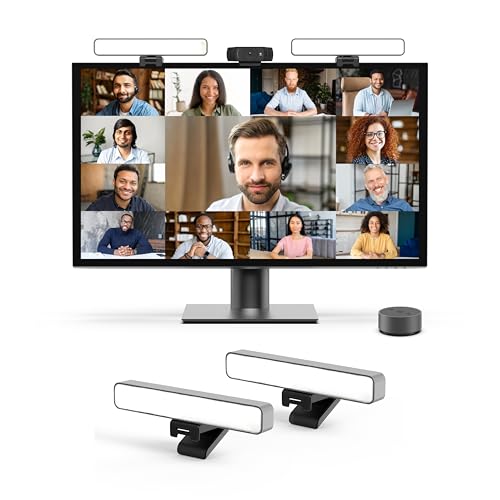


As an Amazon Associate we earn from qualifying purchases at no extra cost to you.
What a Conference Webcam Needs
Streamers chase frame rate and sensor size. Meeting users need something different: stable autofocus, clear skin tones under office lighting, acceptable low-light performance, a built-in microphone that is usable, a privacy shutter, and software compatibility with Zoom, Teams and Google Meet. Most meeting platforms compress video heavily, so the jump from 1080p to 4K is often less visible on a call than a better sensor or improved lighting.
Makers often list a field of view between 65 and 90 degrees. A narrower view crops the background, while a wider one is better for sharing a view of a whiteboard or two people sitting side by side. Many cameras let you change the field of view in their companion software.
At a Glance
| Model | Best for | Key stated specs | Limits |
|---|---|---|---|
| Logitech MX Brio | Premium desk setup, creators and managers | 4K sensor, HDR, large sensor stated by the maker, privacy shutter, USB-C | Premium tier; settings need Logitech software |
| Logitech Brio 500 / 505 | Mid-range office use | 1080p, auto light correction and framing features, privacy shutter, per the maker | 1080p only; mic is for casual calls |
| Insta360 Link 2 / Link 2C | Presenters who move around, gesture control | 4K on Link 2 family models, gimbal tracking on Link 2, AI framing, per the maker | Link 2C has a fixed body without a gimbal; software is required for some features |
| Obsbot Meet 2 | Auto-framing 4K on a mid-range tier | 4K, HDR, AI framing and autofocus, per the maker | Software settings take learning |
| Poly Studio P5 / similar | IT-managed offices on Teams or Zoom | 1080p, built-in mic, certified for major platforms per the maker | Basic features, older design |
| Anker PowerConf C200 | Budget 2K with a mic | 2K resolution, dual noise-reducing mics and a privacy cover, per the maker | Fixed focus quality varies by lighting |
| Logitech C920 / C920s | Value pick, widely supported | 1080p at 30 fps, stereo mics, privacy shutter on the s model | Older sensor, weaker in dim light |
Camera lines change frequently. If a model on this list has been superseded by a newer revision, the usual pattern is that the older model drops in tier while keeping the same driver support.
Picking by Situation
Home Office with Mixed Lighting
Windows behind you, a lamp to one side, and dim evenings are the real test of a conference webcam. Cameras with a larger sensor or auto light correction, such as the MX Brio, are described by reviewers as handling these cases better than older 1080p models. Still, a small desk lamp or a window facing you does more for image quality than any upgrade.
Presenters and Teachers
If you stand, gesture or walk, a tracking camera such as the Insta360 Link 2 can keep you in frame. The Obsbot line is also known for tracking, although some people find motion visually distracting for the viewers. Auto-framing without a gimbal, as on the Logitech Brio 500 family and Obsbot Meet 2, crops digitally and keeps costs down.
Meeting Rooms
For rooms with several people, consider a wide field of view of 90 degrees or more and an external speakerphone. A desktop webcam with a built-in mic is not a substitute for a room microphone. Poly and Logitech both sell conference-room devices intended for this task; they sit in a separate tier from consumer webcams.
Laptops Used Away from a Desk
A clip-on webcam sits on the laptop lid or a monitor and can be moved between workplaces. Check that the clip works on thin laptop screens and that the cable is long enough for a stand-alone mount.
Key Features Explained
- Resolution: 1080p is enough for nearly every meeting platform. Zoom and Teams often send 720p or 1080p. 4K is useful if you crop in digitally or record content.
- Sensor and low-light behaviour: Larger sensors gather more light. This is hard to judge from a spec sheet, so read reviewer comparisons in dim rooms.
- Autofocus: Fast, quiet focus matters if you hold documents up to the camera. Some cameras hunt in low light.
- Auto-framing: Digitally crops or physically moves to keep you centred. Useful if you shift in your chair.
- Privacy shutter: A physical cover is simple and reliable. Several makers include one.
- Microphone: Built-in mics are adequate for casual calls but pick up keyboard noise and room echo. A headset or USB microphone makes a bigger difference to how you sound.
- Mount: Check that the clip fits your monitor thickness and that there is a tripod thread.
- Cable: USB-C to USB-A cables are common; confirm your computer has the right port.
Compatibility Notes
- Most USB webcams work as standard UVC devices on Windows, macOS, ChromeOS and Linux without drivers, though features such as tracking and HDR rely on the maker’s software.
- Managed corporate laptops may block installation of companion apps. If so, check which features work without software before buying.
- USB hubs sometimes limit bandwidth. Plug a 4K camera directly into a port that supports USB 3.0 or higher when the maker recommends it.
- Meeting platforms may not show 4K output. They often use their own resolution limits, set by the plan or by the platform.
- Teams, Zoom and Google Meet room certifications apply to some Poly and Logitech devices, so confirm certification if your IT department requires it.
Pick X If …
| Pick this | If you |
|---|---|
| Logitech MX Brio | want sharp video in varied lighting and have a premium budget |
| Logitech Brio 500 | need a mid-range 1080p camera that adjusts to light automatically |
| Insta360 Link 2 | present standing, demonstrate objects or move about |
| Obsbot Meet 2 | want 4K with auto-framing at a mid-range tier |
| Anker PowerConf C200 | need a basic camera with mics for a tight budget |
| Logitech C920s | want a proven, widely supported camera for general calls |
Budget Tiers
Budget: 1080p or 2K fixed cameras with a privacy cover. They are fine for daily calls in a well-lit room.
Mid-range: 1080p to 4K with auto light correction, auto-framing and better lenses.
Premium: 4K cameras with larger sensors, HDR, gimbal tracking and stronger software.
Alternatives
- Phone as a webcam: Recent iPhones and Android phones can be used as a camera through the operating system or an app. Image quality is strong, but you need a mount and the phone is tied up.
- Mirrorless or compact camera with a capture device: Gives the best quality but adds cost, cables and complexity.
- Monitor with a built-in camera: Some business displays include a webcam and speakers, reducing desk clutter, although quality varies.
Setting Up for a Better Image
Camera position matters as much as the camera. Place the lens at or just above eye level, roughly an arm’s length away, so your face fills a natural share of the frame. A stack of books or a small monitor riser fixes a laptop camera that looks up your chin. Face a window or a soft lamp instead of sitting with a bright window behind you, because backlighting forces the camera to darken your face to protect the highlights.
Inside the camera software, lock white balance if your colour shifts when you move, and turn off any beautify filter that smooths detail. If your meeting platform offers a low-light or touch-up setting, test it briefly before an important call, since heavy processing can lower sharpness. Finally, close other apps that use the camera, because only one program can control a USB webcam at a time on most systems.
Frequently Asked Questions
Is a 4K webcam worth it for meetings?
For most calls it is not essential, because platforms compress video and often limit resolution. A 4K sensor can still help with cropping or recording content. Good lighting usually gives a bigger improvement than a resolution upgrade.
Do I need a separate microphone?
Built-in webcam mics work for occasional calls but often pick up room echo and keyboard noise. A headset or a USB microphone is the better choice if you speak a lot during the workday.
What field of view should I choose?
A field of view around 65 to 78 degrees suits one person at a desk. Wider angles of 90 degrees suit two people or a whiteboard. Many cameras let you adjust the view in their software.
Will these webcams work with Zoom, Teams and Google Meet?
Standard USB webcams are recognised by all three. Specific certifications exist for some business models, and extra features such as tracking may require the maker’s app.
Why does my webcam look dark or grainy?
Low light forces cameras to raise gain, which adds noise. Add a lamp facing you, avoid sitting with a bright window behind you, and make sure auto-exposure is on in the camera software.
Is a privacy shutter necessary?
It is not required, but a physical cover is a simple way to be certain the lens is blocked when you are not on a call. Many makers include one or sell a clip-on cover.
More from Amazon
Programs that pair well with the guide above. Offers and eligibility are set by Amazon and may change.
Free shipping on eligible items, Prime Video and more. Eligible new members can start with a free trial.
Start a Prime free trialAd-free music streaming. Eligible new subscribers can start with a free trial.
Try Music Unlimited freeA Prime membership for ages 18-24 with a trial period. Eligibility is set by Amazon.
See Prime for Young AdultsAudiobooks and podcasts to listen to on the go. Eligible new members can start with a free trial.
Try Audible freeAs an Amazon Associate we earn from qualifying purchases.








