Our Short List of 3
All 3 Picks at a Glance
| Product | Specs | Action |
|---|---|---|
 XGIMI MoGo 2 Pro | Check price on Amazon | |
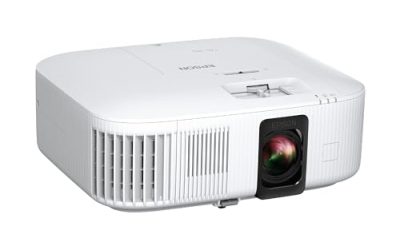
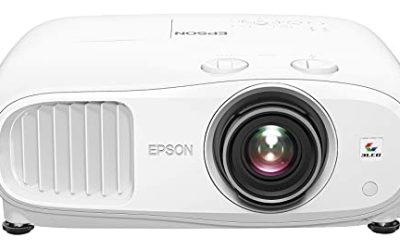
 Epson EpiqVision Flex CO-W01 | Check price on Amazon | |
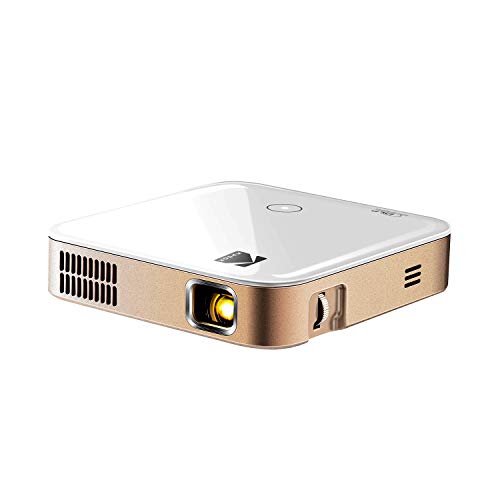 KODAK Luma 350 Portable Smart Projector | Check price on Amazon |
Key takeaways
- Compare the best projectors for college dorms, from bright lecture-friendly picks to tiny battery models for movie nights, group study, and gaming.
A projector can turn a blank dorm wall into a movie screen, a study aid, and a game-day display without taking up the floor space a large television demands. For college life, that flexibility matters more than raw size. Rooms are small, walls are shared, furniture moves often, and the same device may need to handle a film on Friday, a slide deck on Sunday, and a group review session before an exam.
The best projectors for college are therefore not simply the brightest or the largest models available. They are the ones that fit a desk or a shelf, set up quickly at an angle, connect easily to a laptop or phone, and still look clear at the modest image sizes a dorm or a small apartment can actually support. The five projectors below cover that range, from a bright plug-in model for lit rooms to pocket-size battery models that travel between rooms in a backpack.
As an Amazon Associate, we earn from qualifying purchases.
How to Choose a Projector for College
Start with the room, not the headline specification. Most dorm rooms and shared student apartments offer one usable wall, limited distance between that wall and a desk or bed, and lighting that is only partly under the viewer’s control. A projector that produces a clear 60 to 100 inch image from a short distance is usually more useful in that setting than one built around a very large image in a dedicated theater room. Check the throw distance for the image size planned, and leave room for people to sit without blocking the beam.
Brightness decides when the projector can be used. Portable LED and laser models with a few hundred lumens look best in a darkened room and suit evening movies well, but they can look washed out under bright overhead lights. A brighter plug-in model with several thousand lumens handles daytime slides, sports with the lights on, and shared study sessions far better. Students who mainly watch films after dark can prioritize portability and battery life, while students who expect to present, study, or watch during the day should prioritize brightness first.
Resolution shapes how text looks. A native 1080p projector keeps film detail and game graphics sharp, and it also keeps smaller text in slides and documents more legible. A WXGA model still handles presentations and casual viewing well, while a lower native resolution pocket model trades sharpness for size and convenience. For coursework, spreadsheets, code, and lecture slides, higher native resolution is worth serious attention, because soft text becomes tiring during a long study session.
Smart features reduce clutter. Built-in streaming, screen mirroring, and casting mean a laptop does not always need to stay connected, and automatic focus and keystone correction help when the projector sits at an angle on a crowded desk. Sound matters in the same way. A capable built-in speaker removes the need for a separate speaker in a small room, although a headphone jack or Bluetooth output remains useful for late-night viewing in a shared space. Finally, consider noise, weight, and storage. A quiet, light projector that fits in a drawer or a backpack is far more likely to be used often than a larger model that needs a permanent setup.
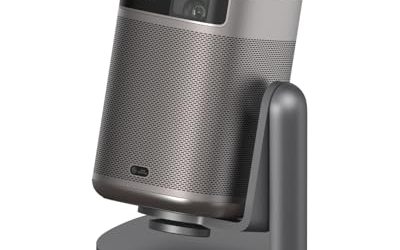
XGIMI MoGo 2 Pro
The XGIMI MoGo 2 Pro is a strong all-around choice for a dorm because it pairs native 1080p resolution with automatic setup in a compact body. Its Intelligent Screen Adaptation technology handles autofocus and keystone correction, which helps when the projector has to sit off to one side of a desk or on a stack of books. The image can scale up to a large size when space allows, but it is equally at home producing a moderate image on a dorm wall.
Built-in Android TV gives access to streaming apps and casting without keeping a laptop tied to the projector, and the dual speakers are more substantial than the single small speakers found in many portable models. That combination suits shared movie nights, casual gaming over HDMI, and quick presentation practice. The main limitation is brightness. At 400 ISO lumens, the picture is best in dim or darkened conditions, so blackout curtains or evening viewing make a real difference. There is also no internal battery, so it needs mains power or a suitable USB-C power source.
Who It Suits
The MoGo 2 Pro suits students who want one balanced projector for films, streaming, and occasional presentations, and who mostly watch in a room that can be darkened. It is a good fit for a fixed spot on a dorm desk or shelf, where its automatic alignment can be set once and then adjusted quickly whenever it is moved.
Nebula Capsule 3 Laser by Anker
The Nebula Capsule 3 Laser takes the opposite approach to size. It is shaped like a small can, weighs very little, and carries a built-in battery, so it can move from a dorm room to a friend’s room or a common area without a cable trailing behind it. Laser light output gives it a brightness advantage over many similarly tiny LED models, while autofocus keeps setup simple when it is placed on a bed, a desk, or a small tripod.
For college use, the appeal is spontaneity. A film can start on a wall and move to a ceiling, and a study group can share a diagram without gathering around a small laptop screen. The trade-offs follow from the size. The maximum image is smaller than on larger portables, the speaker and brightness are designed for close, dark-room viewing rather than a bright lounge, and the battery rating supports a typical film rather than an all-evening marathon without recharging.
Specs
| Item | Detail |
|---|---|
| Native resolution | 1920 x 1080 |
| Display technology | DLP with laser light source |
| Brightness | 300 ANSI lumens |
| Smart features | Streaming built in with autofocus |
| Battery life | Up to 2.5 hours of playtime |
| Speakers | Built-in speaker with Dolby Digital |
| Connectivity | Wi-Fi, HDMI, USB |
| Image size | Up to 120 inches |
| ASIN | B0BDCQP6ZZ |
Who It Suits
The Capsule 3 Laser suits students who value portability above everything else, including students in small dorms, students who move between rooms often, and anyone who wants ceiling projection from a bed. It works best for evening viewing at moderate image sizes, where its small body and battery are real advantages rather than compromises.
Samsung The Freestyle 2nd Gen with Gaming Hub
Samsung The Freestyle 2nd Gen is built around a rotating cradle that points the image at a wall or a ceiling without a separate stand. That flexibility is unusually useful in a dorm, where the only clear surface may be above a wardrobe or on the ceiling over a bed. Automatic keystone, focus, and leveling help the picture settle into shape after the projector is moved, and the compact cylindrical body stores easily when it is not in use.
The Gaming Hub angle separates it from many small projectors. Cloud gaming access, together with the wider smart television platform, makes it a natural center for casual games as well as streaming, provided the campus network handles the connection well. A laptop or console can still connect for local play and coursework. Buyers should keep expectations in line with the class of device. It is a portable lifestyle projector for images in the 30 to 100 inch range, not a high-brightness model for a lit lecture room, and its sound, while designed to fill the area around the projector, still benefits from a separate speaker for a larger group.
Specs
| Item | Detail |
|---|---|
| Model | SP-LFF3CLAXXZA |
| Native resolution | 1920 x 1080 Full HD |
| HDR support | Yes |
| Smart features | Smart TV platform with Gaming Hub |
| Setup features | Auto keystone, auto focus, and auto leveling |
| Sound | 360-degree sound design |
| Image size | 30 to 100 inches |
| Connectivity | Wi-Fi, Bluetooth, Micro HDMI |
| ASIN | B0C87Q4R51 |
Who It Suits
The Freestyle 2nd Gen suits students who split time between streaming and casual cloud gaming, and students whose room layout rewards a projector that can tilt easily toward a ceiling. It is especially appealing in a small single room, where its stand, smart platform, and automatic setup remove most of the usual friction.
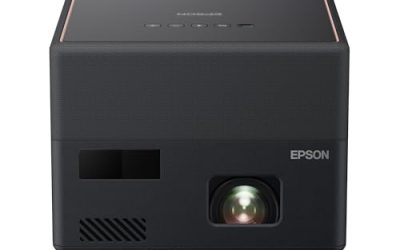
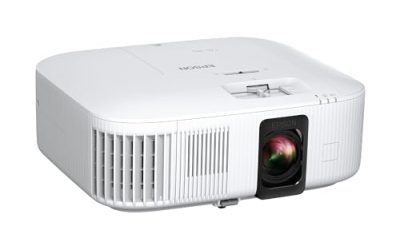
Epson EpiqVision Flex CO-W01
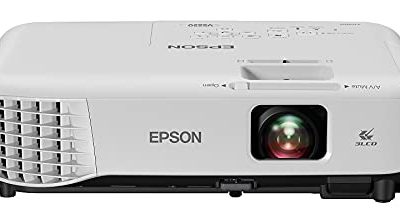
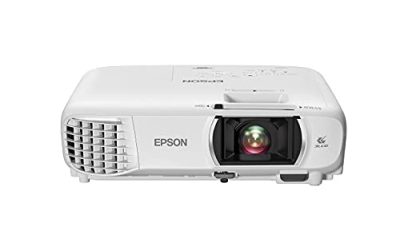
The Epson EpiqVision Flex CO-W01 is the practical brightness pick in this group. Its 3,000 lumens of color and white brightness are in a different class from the small battery portables, so slides, sports, and films remain visible when a room cannot be fully darkened. For a student apartment shared by several people, or a study group meeting during the day, that difference can decide whether a projector is useful at all.
The CO-W01 uses 3LCD technology and a WXGA widescreen resolution. Text and film detail will not match a native 1080p model at the same image size, but color brightness and overall punch are strong for presentations, shared viewing, and casual gaming. It has no built-in battery and no full smart streaming platform of its own, so most buyers will pair it with a laptop or a streaming stick over HDMI. In return, it offers a much larger maximum image and a built-in speaker that is adequate for a small room.
Who It Suits
The CO-W01 suits students in brighter apartments, students who present often, and groups who watch sports or study together with some light in the room. It is less portable than the battery models, but it is the most forgiving option here when lighting, group size, and daytime use matter more than pocket size.
KODAK Luma 350 Portable Smart Projector
The KODAK Luma 350 is the smallest and simplest option in this guide. It is a pocket-style DLP projector with onboard Android, Wi-Fi mirroring, and a rechargeable battery, designed to start a film or share photos and slides without a permanent setup. Its flat body fits in a bag or a drawer, and the included remote keeps basic control straightforward in a shared room.
Expectations should match its native resolution and brightness. At 854 x 480, fine text and detailed game graphics will look softer than on the 1080p models, and the picture is best kept at modest sizes in a dark room. Within those limits, it has a clear role. It is an easy second screen for a dorm, a travel projector for trips home, and a low-fuss way to share video with a small group when a laptop screen feels too small.
Who It Suits
The Luma 350 suits students who want the most portable and straightforward option for casual films, photos, and sharing in a dark room. It is a sensible pick when size and simplicity matter more than sharp text, and when the projector will be used at smaller image sizes close to the viewers.
FAQ
How big an image can a dorm projector handle well?
A 60 to 100 inch image is a realistic target for most dorm rooms. Larger images need more distance, a darker room, and more brightness to stay clear. Portable models can advertise very large maximum sizes, but picture quality usually holds up better at the middle of their range, especially for films with dark scenes and for slides with smaller text.
Can a college projector replace a television in a dorm?
For many students, yes, provided the room can be darkened and there is a suitable blank wall. A projector gives a larger image for the space it occupies and stores away easily at the end of term. A television still has advantages in bright rooms and for instant daytime viewing, so students who mostly watch sports or news with the lights on may prefer the brighter plug-in style represented by the Epson model in this guide.
Do projectors work well with laptops and game consoles?
Most projectors in this guide connect to a laptop or console over HDMI, and several also support casting or mirroring over Wi-Fi. Campus networks can sometimes complicate direct casting between devices, so an HDMI cable remains the most reliable backup for presentations and gaming. Students should also check whether a model uses a full-size HDMI port or a smaller connector that needs an adapter.
What should students check before buying for a shared room?
Check the residence rules on mounting and adhesives first, since many dorms restrict fixings on walls. Then consider fan noise during quiet scenes, speaker volume for group viewing, and a headphone or Bluetooth option for late nights. Storage matters as well. A projector that fits in a locked drawer or a bag is easier to keep safe in a shared space than one that must stay out on a desk.
Final Verdict
For a single all-around dorm projector, the XGIMI MoGo 2 Pro offers the best balance of native 1080p sharpness, automatic setup, built-in streaming, and sound. Students who need to watch or present in brighter rooms should choose the Epson EpiqVision Flex CO-W01 instead, because its brightness opens up daytime and group use that the portables cannot match. For maximum portability, the Nebula Capsule 3 Laser is the easiest model to carry and set up anywhere, while Samsung The Freestyle 2nd Gen adds ceiling-friendly positioning and a gaming focus. The KODAK Luma 350 rounds out the list as the smallest casual option for dark-room sharing at modest sizes. Matching the projector to the room, the lighting, and the way it will actually be shared will matter more than chasing the largest advertised image size.
Product and ASIN Reference
| Product | ASIN |
|---|---|
| XGIMI MoGo 2 Pro | B0D6381FYR |
| Nebula Capsule 3 Laser by Anker | B0BDCQP6ZZ |
| Samsung The Freestyle 2nd Gen with Gaming Hub | B0C87Q4R51 |
| Epson EpiqVision Flex CO-W01 | B0BDQ84L6Z |
| KODAK Luma 350 Portable Smart Projector | B07RB7P439 |
More from Amazon
Programs that pair well with the guide above. Offers and eligibility are set by Amazon and may change.
Free shipping on eligible items, Prime Video and more. Eligible new members can start with a free trial.
Start a Prime free trialAd-free music streaming. Eligible new subscribers can start with a free trial.
Try Music Unlimited freeA Prime membership for ages 18-24 with a trial period. Eligibility is set by Amazon.
See Prime for Young AdultsAudiobooks and podcasts to listen to on the go. Eligible new members can start with a free trial.
Try Audible freeAs an Amazon Associate we earn from qualifying purchases.