Our Top Picks
 Focusrite Scarlett Solo 4th Gen USB-C Audio Interface1.79 x 5.63 x 3.78 Inches0.9 poundsCheck on Amazon
 Focusrite Scarlett Solo 3rd Gen USB-C Audio InterfacePack of 11.71 x 5.65 x 3.77 Inches0.77 PoundsCheck on Amazon
 Focusrite Scarlett 2i2 4th Gen USB-C Audio Interface7.09 x 3.9 x 1.79 inches1.31 PoundsCheck on Amazon
 MAONO PS22 Lite USB Audio Interface for PC23.93'' x 15.16''6.29 x 5.19 x 2 inches0.9 PoundsCheck on Amazon
For most solo streamers with one XLR microphone, a single-input unit such as the Focusrite Scarlett Solo 4th Gen or the Elgato Wave XLR MK.2 is the sensible starting point; step up to the Scarlett 2i2 or the PIYONE 2×2 when a second input is real rather than hypothetical, and drop to the MAONO PS22 Lite when the budget is the first constraint. Those calls come from reading the listing titles, manufacturer-style specifications and buyer feedback patterns, not from putting the boxes on a desk. Below you will find a quick comparison table, a short primer on what an interface does in a streaming chain, a section for each listing, and a worked latency calculation you can reuse with your own settings.
Top picks at a glance
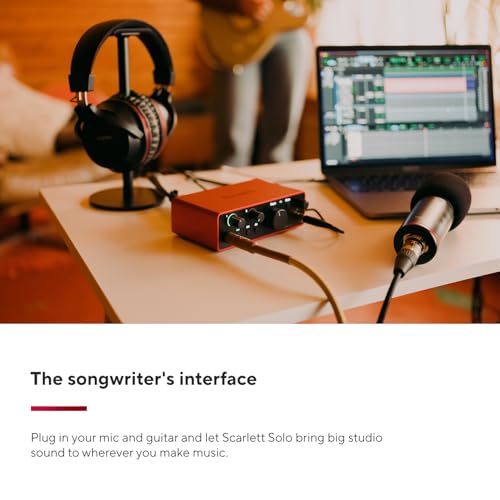
Focusrite Scarlett Solo 4th Gen USB-C Audio Interface | 1 XLR Mic Preamp, 1 Hi-Z Instrument Input, 24-Bit/192kHz, 120dB Dynamic Range, Air Modes, PC/Mac/iPad Compatible




As an Amazon Associate we earn from qualifying purchases. Product prices and availability are accurate as of the date/time indicated.
Focusrite Scarlett Solo 3rd Gen USB-C Audio Interface | 1 XLR Mic Preamp, 1 Hi-Z Instrument Input, 24-Bit/192kHz, 56dB Gain Range, Air Mode, macOS/Windows/iPadOS Compatible


As an Amazon Associate we earn from qualifying purchases. Product prices and availability are accurate as of the date/time indicated.
Focusrite Scarlett 2i2 4th Gen USB-C Audio Interface | 2 Mic Preamps, 2 Hi-Z Instrument Inputs, 24-Bit/192kHz, 120dB Dynamic Range, Auto Gain, Clip Safe, Air Modes


As an Amazon Associate we earn from qualifying purchases. Product prices and availability are accurate as of the date/time indicated.

PIYONE Audio Interface, 2X2 24-bit/192kHz Interface for High-Fidelity, Studio Quality PC/Mac/iOS Recording, XLR/TRS Combo Input, Monitor Mix/Loopback Function, One-Cable Setup(Alloy Red)


As an Amazon Associate we earn from qualifying purchases. Product prices and availability are accurate as of the date/time indicated.

Elgato Wave XLR MK.2 USB Audio Interface and DSP Mixer | 80dB gain, Onboard voice effects, LED level feedback, Touch mute, Ultra-low-latency monitoring, Works with Stream Deck






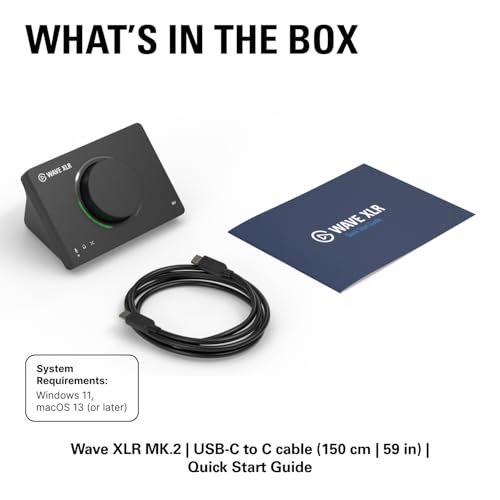

As an Amazon Associate we earn from qualifying purchases. Product prices and availability are accurate as of the date/time indicated.
MAONO PS22 Lite USB Audio Interface for PC for Guitar & Vocals Streaming | Low-noise preamp, 24-bit/192kHz, loopback, ASIO driver, routing software, for home studio, DAW recording, OBS, creators


As an Amazon Associate we earn from qualifying purchases. Product prices and availability are accurate as of the date/time indicated.
| Model | Key points from the title | Price tier | Best for |
|---|---|---|---|
| Focusrite Scarlett Solo 4th Gen | 1 XLR mic preamp, 1 Hi-Z input, 24-bit/192kHz, 120dB dynamic range, Air modes, USB-C | Mid | Solo streamer with one XLR mic |
| Focusrite Scarlett Solo 3rd Gen | 1 XLR preamp, 1 Hi-Z input, 56dB gain range, Air mode, USB-C | Budget to mid | Same job, older generation |
| Focusrite Scarlett 2i2 4th Gen | 2 mic preamps, 2 Hi-Z inputs, Auto Gain, Clip Safe, Air modes | Premium | Guest, co-host or instrument plus mic |
| PIYONE 2×2 | XLR/TRS combo input, monitor mix, loopback, one-cable setup | Budget | Cheap two-way interface with loopback |
| Elgato Wave XLR MK.2 | DSP mixer, 80dB gain, voice effects, LED level feedback, touch mute, Stream Deck | Mid to premium | Stream-first control surface |
| MAONO PS22 Lite | Low-noise preamp, loopback, ASIO driver, routing software, OBS | Budget | Entry-level streaming and guitar |
What the box does between your mouth and the stream
An audio interface is an external sound card built to take professional microphone signals. Your XLR mic produces a very small electrical signal; the interface preamp amplifies it, an analog-to-digital converter turns it into numbers, and USB carries those numbers to the PC. The reverse path feeds your headphones, so you can hear yourself without the delay that a software-only chain can add.
For streamers the interesting parts are narrower than for a music studio. You want enough clean gain for a low-output dynamic mic, a direct monitor mix so your voice in the headphones is instant, and a driver that does not crackle when OBS and a game are both fighting for the CPU. Sample rate headlines like 192kHz matter little for speech; platforms compress your audio heavily, so the practical differences show up in noise floor and in how reliably the driver behaves.
Two features set streaming-oriented units apart from plain recording boxes. Loopback lets the computer’s own playback return as an input, so game audio, music and chat can be mixed with your voice before OBS sees them. A software mixer, whether from the maker or a third party, lets you split those sources into separate channels. The titles in this set advertise these things unevenly, which is why the comparison above keeps to what each listing actually states.
How these six were picked
The set comes from interfaces listed under streaming-friendly keywords, filtered to USB devices that accept an XLR microphone. Each entry was read against its listing title, the maker’s published specifications where a reader can verify them, and common themes in buyer feedback. Nobody on the team used or measured these units. Seller claims are marked as claims, and anything the title does not mention is sent back to the listing page.
The six listings, one by one
Focusrite Scarlett Solo 4th Gen
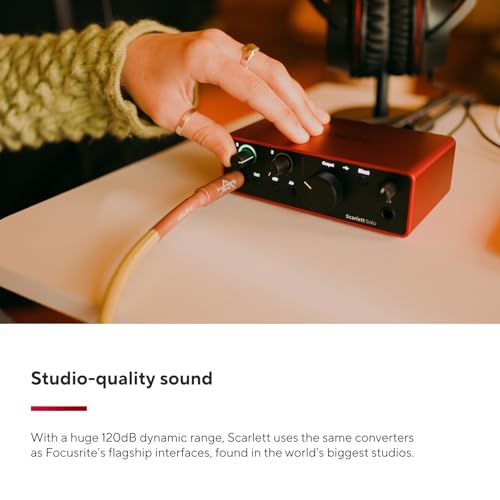
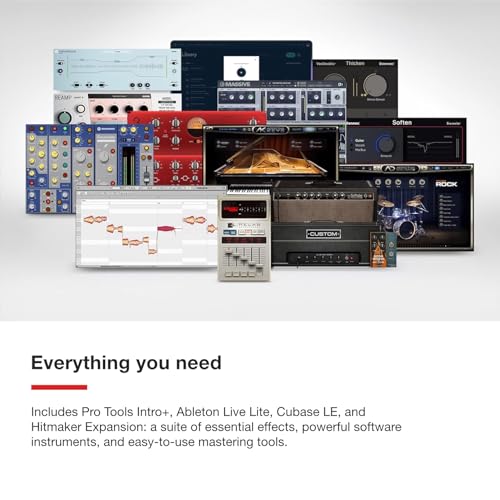
The listing promises one XLR mic preamp, one Hi-Z instrument input, 24-bit/192kHz conversion, a 120dB dynamic range figure and Air modes, over USB-C, for PC, Mac and iPad. For a streamer who speaks into one microphone and sometimes plugs in a guitar or bass, that is the whole checklist, and the Solo form factor keeps the desk footprint small. The title does not mention loopback, so confirm the routing options on the maker’s page if you want game audio and voice mixed in hardware or in the maker’s own control software.
The Scarlett line is widely used, which means plentiful tutorials, but popularity is not a performance guarantee. Treat the 120dB figure as a seller-quoted specification; for speech, a low noise floor is the part that benefits you.
- Pros: Compact single-input layout; Hi-Z input for instruments; USB-C connection; Air modes for a brighter voice character.
- Cons: Only one mic input; loopback not advertised in the title; sits near the top of the one-input price range.
Question to ask before buying: does your microphone need more gain than a standard preamp offers? If it is a hard-to-drive dynamic mic, read the maker’s gain figures first.
Focusrite Scarlett Solo 3rd Gen
This is the previous generation of the same one-input design. Its title lists one XLR preamp, one Hi-Z input, 24-bit/192kHz, a 56dB gain range, a single Air mode and compatibility with macOS, Windows and iPadOS. The gain range is the one number here that reads clearly: 56dB is generally enough for condenser mics and for many dynamic mics, though very low-output dynamics can run out of headroom near the top of the dial.
Because it is a prior model, you are buying an older design that is often priced lower, though stock levels vary. Compare it directly against the 4th Gen listing and decide whether the newer features justify the price gap. Note also that the title says macOS, Windows and iPadOS rather than the broader wording used on the newer listing.
- Pros: Stated gain range; same one-XLR plus one-Hi-Z layout as the newer unit; typically lower priced tier.
- Cons: Older generation; fewer Air options than the newer title; no loopback mentioned.
Question to ask before buying: does the listing show current driver support for your version of Windows or macOS?
Focusrite Scarlett 2i2 4th Gen
Two mic preamps, two Hi-Z instrument inputs, Auto Gain, Clip Safe and Air modes make this the only listing in the set that addresses guests directly. Auto Gain and Clip Safe are aimed at one problem: levels that jump when someone laughs or leans in. If you stream with a co-host, record a podcast on the side, or run a mic and an electric guitar together, the second input pays for itself quickly.
It is also the most expensive listing here, and a solo streamer with one mic will not touch most of what the extra money buys. The title does not name loopback, so check that before assuming game audio can be captured through the interface.
- Pros: Two mic inputs; Auto Gain and Clip Safe for forgiving levels; Air modes; same USB-C family as the Solo.
- Cons: Highest price tier in the set; larger desk footprint; loopback not mentioned.
Question to ask before buying: will a second person or instrument actually be plugged in at least once a week?
PIYONE 2×2 Audio Interface
A budget two-in, two-out unit with 24-bit/192kHz, an XLR/TRS combo input, a monitor mix control, a loopback function, one-cable setup and a red alloy shell for PC, Mac and iOS. On paper it is the cheapest route to loopback in this set, which is why it keeps appearing in budget streaming builds. The caution is that the brand is lesser known, so the driver quality, preamp noise at high gain and long-term support are things buyers need to check in the reviews rather than assume from the title.
Titles with words like “high-fidelity” and “studio quality” are marketing language rather than measurements. Read recent buyer comments about driver installation on Windows before ordering, and check the combo jack description if you want to know how many microphone channels you really get.
- Pros: Very low price tier; loopback and monitor mix advertised; combo input accepts XLR or TRS.
- Cons: Unfamiliar brand; marketing-heavy title; support and driver stability worth checking.
Question to ask before buying: does the seller supply a downloadable driver and an easy return window?
Elgato Wave XLR MK.2
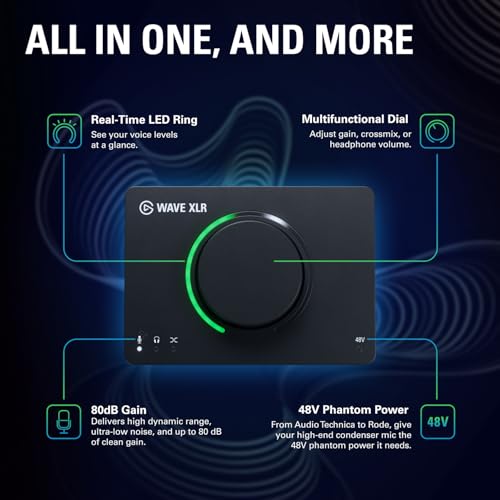
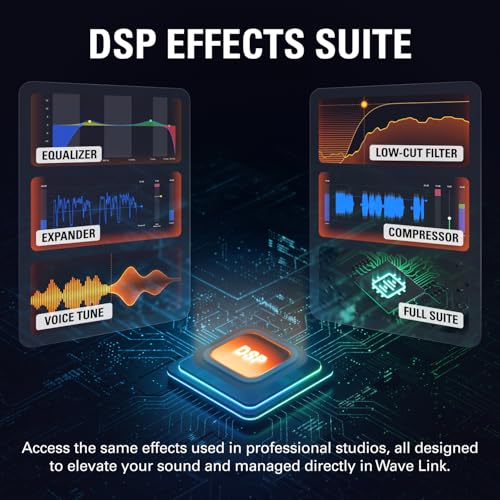
This one is built around a stream-first idea. Its title calls it a USB audio interface and DSP mixer with 80dB of gain, onboard voice effects, LED level feedback, touch mute, ultra-low-latency monitoring and Stream Deck compatibility. Touch mute and the LED meter are the sort of features that save a mistake mid-stream, because you can see your level and silence the mic without reaching for the mouse.
The title does not state how many mic inputs there are or whether instrument inputs exist, so open the listing and confirm the connector layout before buying if you plan to plug in more than one source. The 80dB gain claim is the highest number in this set, which could matter for dynamic mics that need extra amplification.
- Pros: High stated gain; mute and metering on the device; designed around streaming and Stream Deck workflows.
- Cons: Higher price tier; input count not in the title; less suited to instrument recording.
Question to ask before buying: do you want the maker’s mixing software, or would you rather run a plain driver?
MAONO PS22 Lite
The cheapest-looking option on paper pairs a low-noise preamp with 24-bit/192kHz, loopback, an ASIO driver, routing software and mentions of OBS, DAW recording and guitar and vocals. For a new streamer with a modest XLR microphone, that is a surprisingly complete feature list. ASIO matters for low-latency monitoring on Windows, and the routing software is where you decide what goes into the stream.
As with other budget entries, the useful question is consistency. Read what buyers say about gain at the upper end of the dial and about driver stability with OBS open before trusting the listing.
- Pros: Budget price tier; loopback and ASIO driver in the title; routing software included.
- Cons: Limited detail on input count; preamp quality at high gain unproven; fewer long-term support signals than the larger brands.
Question to ask before buying: is the microphone you own a high-output condenser or a low-output dynamic?
Choosing: the spec concepts that decide the purchase
| Spec concept | What to look for | Why it matters for streaming |
|---|---|---|
| Input count | One for a solo mic; two for a guest or instrument | Extra inputs cost money and desk space |
| Gain range | Enough for your mic; the Solo 3rd Gen title says 56dB, the Wave XLR MK.2 title says 80dB | Low-output dynamic mics need more headroom |
| Phantom power | A switch if you use condensers | Condensers will stay silent without it |
| Loopback | PIYONE and MAONO titles mention it; others do not | Lets you mix game audio and voice in one place |
| Driver | Stable Windows ASIO or class-compliant support | Crackles and dropouts ruin a live show |
| Monitoring | Direct monitor mix and a headphone output | You hear yourself without delay |
| Connection | USB-C or USB with a cable included | Matches your PC ports |
Gain deserves a longer explanation. Dynamic mics produce a quieter signal than condensers, so they ask more from the preamp. When the preamp is pushed near its maximum, the noise floor rises with it, and you hear a hiss behind your voice. A condenser, being hotter, usually lets you leave the dial at moderate settings.
Phantom power is a related issue. A 48V supply is the standard for condenser mics; dynamic mics ignore it. Switching it on with a delicate ribbon mic can cause damage, so always read the mic maker’s guidance first.
Which one for which user
| If you are… | Start with | Why |
|---|---|---|
| A solo streamer with one XLR mic | Scarlett Solo 4th Gen or Wave XLR MK.2 | One input, simple layout |
| Watching every dollar | MAONO PS22 Lite or PIYONE 2×2 | Lowest price tier; loopback in the title |
| Streaming with a co-host | Scarlett 2i2 4th Gen | Two preamps, level protection |
| Stream Deck user | Elgato Wave XLR MK.2 | Title mentions integration and touch mute |
| Guitar or bass player | Scarlett Solo or 2i2 | Hi-Z instrument inputs |
| Upgrading from a previous Scarlett | Evaluate Solo 3rd Gen vs 4th Gen | Price gap against newer features |
A worked example: monitoring delay from buffer size
Every interface lets you pick a buffer size, and the number you choose sets a hard floor on delay. The table below uses a 48kHz sample rate and a simple assumption: one buffer on the way in and one on the way out, ignoring converter and USB overhead, which add a little more. Divide the buffer size by the sample rate and you get the delay in milliseconds for one pass.
| Buffer (samples) | One pass at 48kHz | In plus out (assumption) | Likely feel |
|---|---|---|---|
| 64 | 1.33 ms | 2.67 ms | Immediate; higher CPU load |
| 128 | 2.67 ms | 5.33 ms | Comfortable for most voice work |
| 256 | 5.33 ms | 10.67 ms | Noticeable on software monitoring |
| 512 | 10.67 ms | 21.33 ms | Echo-like; only for stable recording |
So 128 samples gives roughly 5ms of round-trip delay under these assumptions, which almost nobody hears when talking. If you monitor through the interface’s hardware mix, the buffer stops mattering for what you hear, and you can safely run a larger buffer to protect the stream from glitches while a game is using the CPU. Real figures vary with driver and hardware, so read them as a floor rather than a promise.
Decision flow: first, name your microphone and look up whether it is a condenser or dynamic. Second, count the voices and instruments that will be plugged in at once. Third, decide whether game audio will be mixed in the interface or inside OBS. Fourth, pick the lowest price tier that satisfies those three answers, and keep the receipt for a return window.
Setting up the chain for a first show
Once the box is on the desk, the order of operations matters more than the brand. Start with the gain dial at its lowest position, plug in the microphone, and turn on phantom power only if the mic asks for it. Speak at your normal streaming volume from your normal distance, and raise the gain until the loudest syllables sit comfortably below the clipping indicator. Most interfaces show green for healthy signal, then amber, then red; staying mostly green with occasional amber is the aim.
Next, decide where mixing happens. If the interface offers a direct monitor control, set it so you hear your own voice in the headphones with no computer delay, then lower the computer playback so game sound does not bury it. In OBS, add the interface as an audio input device and, if you plan to let the interface supply desktop audio through loopback, remove the separate desktop capture so game sound is not doubled. Doubled audio is one of the most common mistakes in a first show, and it sounds like a faint echo on every explosion.
Finally, record thirty seconds of yourself talking and listen back on headphones before going live. Listen for hiss between words, for a boxy room sound, and for pops on letters like P and B. If you hear hiss, move the mic closer and lower the gain. If you hear pops, add a pop filter or turn the mic slightly off-axis. These fixes cost almost nothing, and they matter more than the difference between neighboring interfaces in the table above.
Mistakes buyers make and how to fix them
| Mistake | What goes wrong | Fix |
|---|---|---|
| Buying two inputs for a one-mic desk | Extra cost, extra clutter | Match input count to real use |
| Ignoring mic gain needs | Hiss when the dial is maxed | Check gain range against the mic |
| Trusting the sample rate headline | Paying for 192kHz that streaming does not use | Run 48kHz and judge by noise floor |
| Skipping the driver check | Crackles and dropouts | Read recent buyer comments for your OS |
| Forgetting phantom power | A condenser stays silent | Confirm a switch exists in the listing |
| Cable and port mismatch | USB-C cable not included or port missing | Check ports before ordering |
A seventh trap is treating the interface as the cure for a noisy room. If the keyboard, fan and street sound are loud, move the mic closer to your mouth and use a dynamic microphone or a noise gate in OBS; a better preamp will not remove those sounds.
Verdict by use case
One mic, one streamer, no guests: the Scarlett Solo 4th Gen is the safe general pick, and the Wave XLR MK.2 is the better fit if on-device mute and Stream Deck control sound useful. Guests or instruments: the Scarlett 2i2 4th Gen. Tightest budget: the MAONO PS22 Lite or PIYONE 2×2, with the habit of reading driver feedback first. Staying cheaper without leaving the Focusrite family: the Solo 3rd Gen, if its older design suits you. Once your audio chain is settled, our guide to webcams that work well with OBS covers the video half of the same desk.
Related guides
- Hdmi Capture Cards For Streaming From Console
- How To Reduce Background Noise When Streaming
- Streaming Devices With Ethernet Port
Frequently asked questions
Do I need an audio interface to stream?
No. A USB microphone plugs straight into your PC and works for many streamers. An interface becomes worth it when you own, or want, an XLR microphone, when you need more than one input for a guest or an instrument, or when you want a hardware volume knob and headphone output between the mic and the computer. If your current setup sounds fine and has no input limits, an interface is optional rather than required.
Is a one-input or two-input interface better for streaming?
One input covers a solo streamer with a single XLR microphone. Two inputs add room for a guest, a second mic, or a guitar or bass through a Hi-Z input. Two-input units usually cost more and take more desk space, so buy the extra input only if you can name the thing you will plug into it within the next year or so.
What is loopback and do I need it?
Loopback sends your computer’s playback audio back into the interface’s recording path so streaming software can capture game sound and your voice as one controlled mix. It is convenient, but OBS can also capture desktop audio on its own, so many streamers manage without hardware loopback. If you want a simple single-source setup, check each listing and the maker’s spec page for loopback support.
Will a cheap interface make my voice sound bad?
Not automatically. For speech, the microphone, its distance from your mouth and the room matter more than the converter chip, and 24-bit/48kHz is already plenty for streaming platforms. Budget units can differ in preamp noise at high gain and in driver stability, so a quiet, sensitive condenser is more forgiving than a low-output dynamic mic on an entry-level preamp.
Do I need phantom power?
Only for condenser microphones that request it, which is common on studio-style XLR condensers. Dynamic microphones do not need phantom power and some ribbon microphones can be damaged by it. Check your microphone’s documentation, and confirm the interface lists a phantom power switch; the product titles here do not all state it.
Which interface works with a Stream Deck?
Of these six, only the Elgato Wave XLR MK.2 title mentions Stream Deck integration. That does not stop you from using other interfaces alongside a Stream Deck, since OBS and Windows audio can be controlled from it through plugins or hotkeys, but the Elgato listing is the one that advertises it directly.