Our Top Picks
 FIFINE BM88 Low Profile Microphone Boom Arm StandLow Profile (BM88 Black)13 x 11.6 x 4.1 inches2.9 PoundsCheck on Amazon
For a lightweight USB microphone on a normal desk, the InnoGear and FIFINE arms in this group are the sensible low-spend choices; the RØDE PSA1+ is the one listing that states spring damping and a published mic weight range, and it carries the premium price to match. If your mic is heavy, such as a large dynamic, start from the weight rating rather than from the brand name. This ranking is built from listing titles, maker documentation and buyer feedback patterns; the arms were not placed on a desk by anyone here, so every number below is a seller claim until you check it on the listing page.
Top picks at a glance

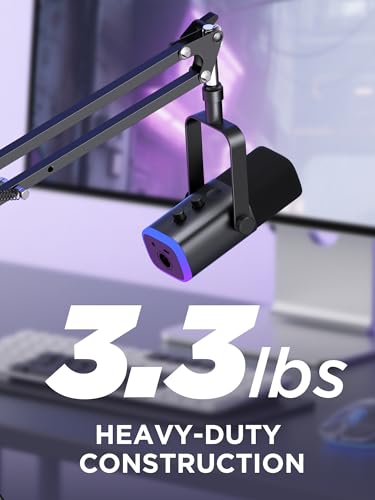
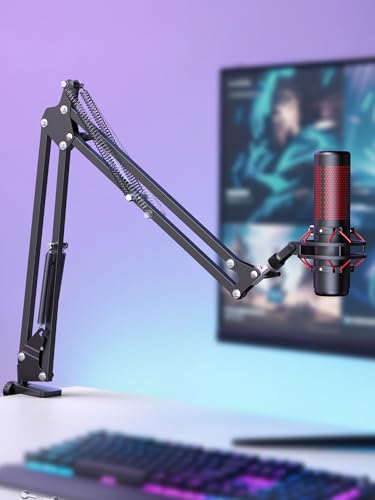
InnoGear Boom Arm Microphone Mic Stand for Blue Yeti Fifine HyperX, Black | Desk Mount, Desktop Stands, Adjustable Reach, Rotate Fully, Folds Away Compactly, for Gaming, Streaming or Recording




As an Amazon Associate we earn from qualifying purchases. Product prices and availability are accurate as of the date/time indicated.
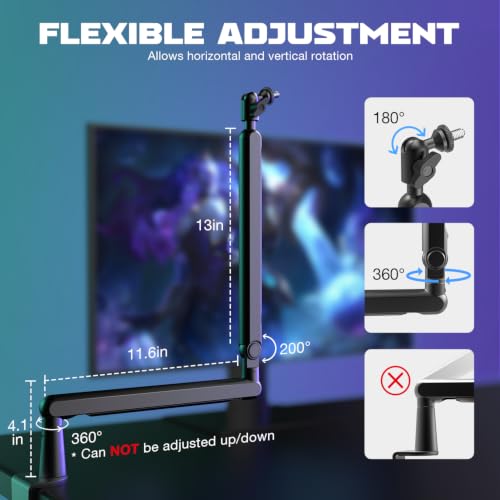
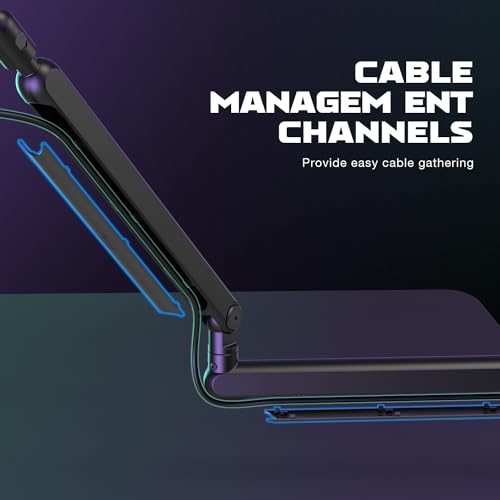
FIFINE BM88 Low Profile Microphone Boom Arm Stand for Gaming Streaming | Adjustable Stick Stand, Desk Mount Clamp, Cable Management, Screw Adapter, for Podcast Streaming Gaming





As an Amazon Associate we earn from qualifying purchases. Product prices and availability are accurate as of the date/time indicated.

InnoGear Mic Arm Low Profile Microphone Boom Arm Mic Stand 360° Flex, Black | Vibration Resistant, 3.3 lbs Weight Capacity, Extendable up to 25.6", Multiple Adapters, for Desk Thickness Within 2.75"


As an Amazon Associate we earn from qualifying purchases. Product prices and availability are accurate as of the date/time indicated.

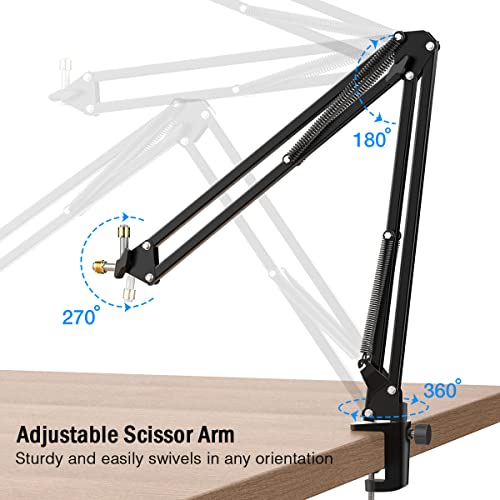
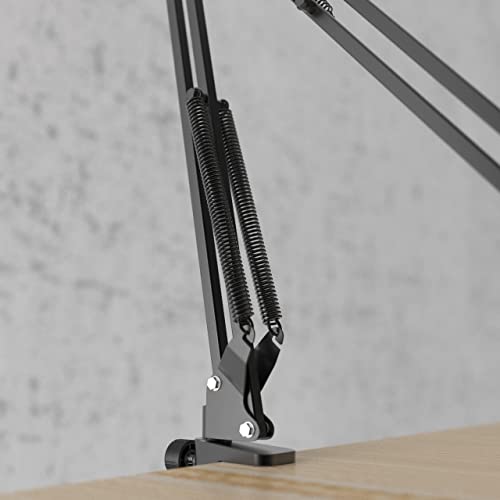
FIFINE CS1 Scissor Microphone Boom Arm Stand for Gaming Recording | Podcast Mic Arm Stand,Heavy Duty clamp,3/8" to 5/8" Adapter, for Voice-over Home Office
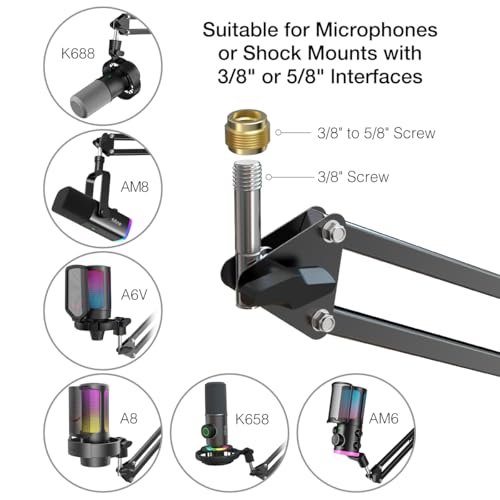

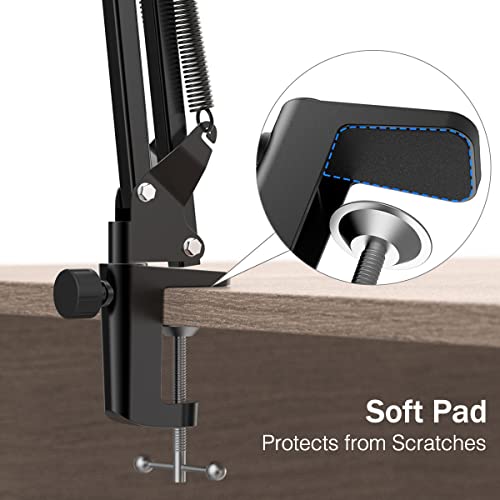

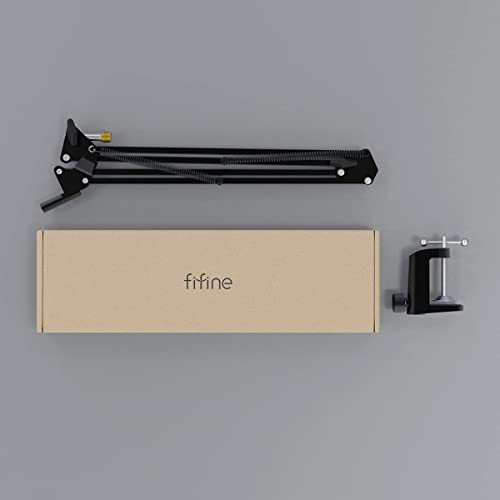
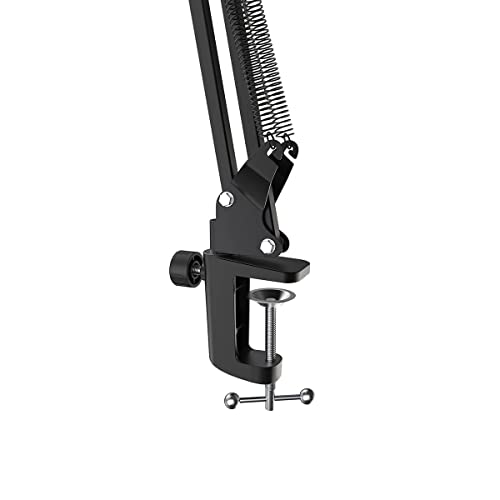
As an Amazon Associate we earn from qualifying purchases. Product prices and availability are accurate as of the date/time indicated.

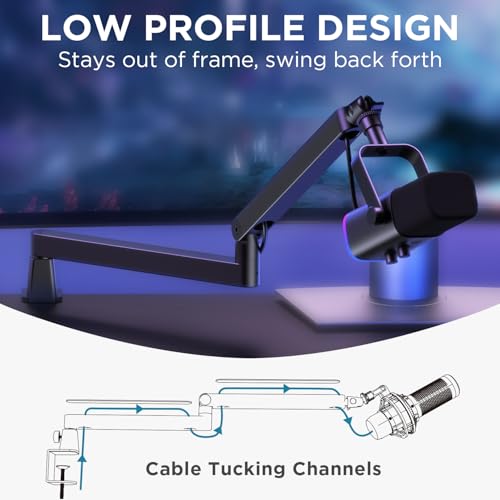
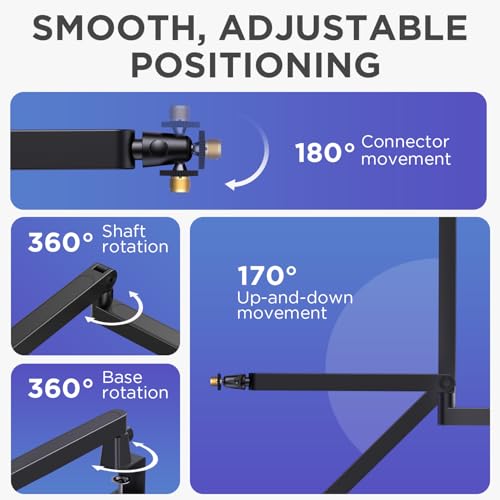
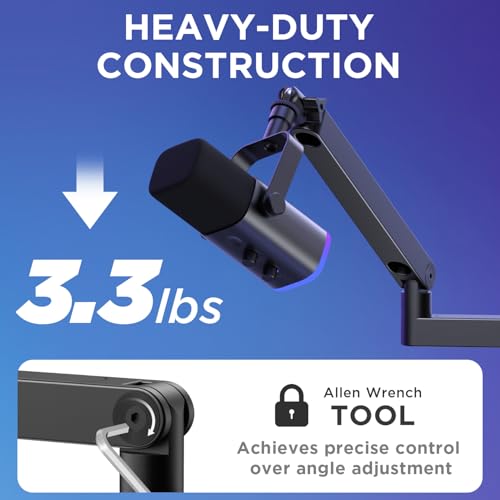
InnoGear Low Profile Mic Arm Boom Arm Microphone Stand Desk Mount, Black | for Fifine AM8 K669B Elgato Blue Yeti Shure SM58 SM7B, 3.3lb Weight Capacity, Vibration Resistant, Adjustable Angle



As an Amazon Associate we earn from qualifying purchases. Product prices and availability are accurate as of the date/time indicated.

Frgyee Mic Boom Arm, Adjustable Height Overhead Microphone Stand with Heightened Extension Riser for Shure SM7B Blue Yeti HyperX QuadCast S and other Mic


As an Amazon Associate we earn from qualifying purchases. Product prices and availability are accurate as of the date/time indicated.

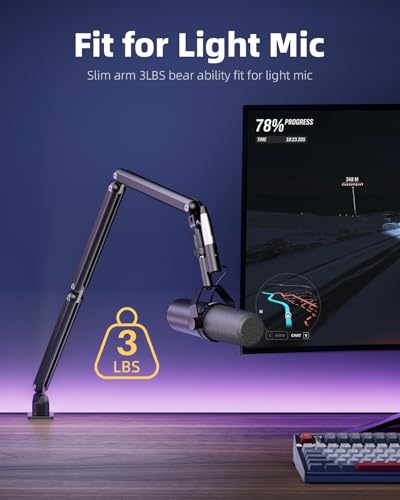
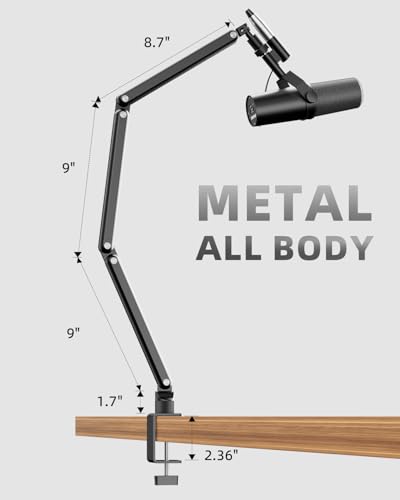
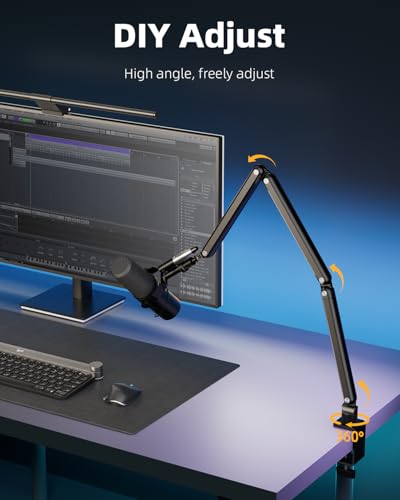
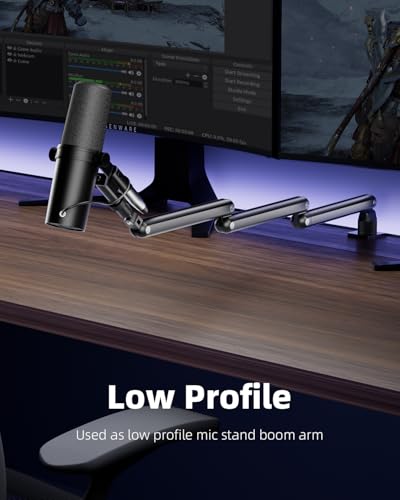
TODI Mic Arm for Lightweight Mics, Microphone Arm Rotatable, Storable Desk Mic Stand for Bear 3LB with Mount Clamp, Mic Stand Boom Arm with Cable Channel with 3/8'' 5/8'' Thread for Podcast, Gaming


As an Amazon Associate we earn from qualifying purchases. Product prices and availability are accurate as of the date/time indicated.
| Model | Key points from the title | Price tier | Best for |
|---|---|---|---|
| InnoGear Boom Arm (original) | Desk mount, adjustable reach, folds away compactly | Budget | Light USB mics on a first setup |
| InnoGear Mic Arm, cable management | 32.3″ horizontal reach, 3.5 lb capacity, heavy-duty | Mid | Longer reach with a heavier mic |
| FIFINE BM88 | Low profile, desk clamp, cable management, screw adapter | Mid | Tight desks, clean look |
| SUNMON QuadCast Boom Arm | 3/8″ to 5/8″ adapter, named for Yeti, QuadCast, SoloCast | Budget | Popular USB gaming mics |
| RØDE PSA1+ | Spring damping, 0.25 to 1.2kg, 360 degree rotation, internal cabling | Premium | Podcast desks, quiet operation |
| InnoGear Low Profile 360 | 3.3 lb capacity, extends to 25.6″, desk thickness up to 2.75″ | Budget to mid | Light mics, compact spaces |
| FIFINE CS1 Scissor | Scissor arm, heavy-duty clamp, 3/8″ to 5/8″ adapter | Budget | Voice-over and home office |
| InnoGear Low Profile (SM7B listing) | 3.3 lb capacity, vibration resistant, adjustable angle | Mid | XLR mics, with weight checks |
| Frgyee Overhead Stand | Adjustable height, heightened extension riser | Mid | Overhead placement, tall setups |
| TODI Mic Arm | For lightweight mics, storable, cable channel | Budget | Very light mics only |
Why arm choice shapes what your viewers hear
Voice level and room noise travel together. If your microphone sits a forearm away from your mouth, a keyboard and a fan are almost as loud as you are. Moving a microphone to a hand’s width from your lips changes that ratio far more than any filter in OBS, and an arm is how you get it there without a stack of books. The arm also keeps the mic out of the line of sight of your monitor and camera, which matters if you stream with a facecam.
Weight is the hard limit. A boom arm is a lever, and the farther you extend it, the more load the base joint carries. Manufacturers list a weight capacity, but the number usually applies to the arm in a favorable position. Treat the printed figure as an upper bound and leave margin, especially once you add a shock mount and a pop filter, which are easy to forget.
Clamp compatibility is the second limit. Many arms clamp onto a desk edge, and the title may state a maximum desk thickness. Glass-top desks, curved edges, lips and rear risers all affect how well a clamp seats, so measure your desk before ordering and keep the clamp pad on flat wood or metal rather than on a fragile surface.
How the ten were chosen
The set is the group of arms listed under streaming and podcast microphone keywords with a desk clamp and a stated thread adapter or microphone compatibility. They were read against their titles, the maker’s published specifications and buyer comments. Nobody on the team used or measured these units. Where a title is vague, it is flagged rather than filled in.
The ten listings in detail
InnoGear Boom Arm Microphone Mic Stand (original)
This is the plain desk-mount version, written up for Blue Yeti, Fifine and HyperX microphones, with adjustable reach, full rotation and a compact fold-away design. The title gives no weight capacity, which is the first thing to look up before pairing it with anything heavier than a typical USB mic. Its pitch is the first-arm buyer who wants the microphone off the desk without a large spend.
Its fold-away design is the quiet selling point for people who share a desk with a laptop or a study area, because the arm can tuck back when the stream ends. The trade-off with budget arms of this type is that the joints rely on friction, so expect to retighten them now and then.
- Pros: Low price tier; folds away; named for common USB mics.
- Cons: No capacity figure in the title; basic feature list; not aimed at heavy XLR mics.
Ask before buying: what does your mic plus shock mount weigh?
InnoGear Mic Arm with Cable Management
The title gives two useful numbers: a 32.3 inch horizontal reach and a 3.5 lb weight capacity, plus a heavy-duty label and a cable management feature. That capacity is higher than most InnoGear listings in this set, which makes it the sturdier of the family on paper. The long reach suits wide monitors and anyone who sits back from the desk. The extra length also adds leverage, so a heavy mic at full extension is where drooping appears.
A practical way to use that reach is to mount the clamp at the side of the desk and swing the arm across, which keeps the base out of the way of your keyboard hand. Buyers with ultrawide monitors usually care most about this figure, because the mic has to clear a wide screen to reach the mouth.
- Pros: Stated reach and capacity; built-in cable management; broad mic compatibility named.
- Cons: Higher price than the base InnoGear; leverage at full reach; title wording is long on marketing.
Ask before buying: how far back from the desk edge do you sit?
FIFINE BM88 Low Profile
A low-profile arm for gaming and streaming with a desk clamp, a screw adapter and cable management. Low-profile arms keep the structure closer to the desk, so they tend to suit people who want a tidy, less intrusive look. The title offers no capacity figure, so find that on the listing before trusting it with a heavy mic. It also helps to check how much headroom you have between the desk and a monitor stand, because a low-profile arm can still collide with a screen arm.
- Pros: Low-profile styling; cable management; adapter included.
- Cons: No weight rating in the title; mid price tier; fewer named mic matches.
Ask before buying: will it clear your monitor arm and keyboard tray?
SUNMON QuadCast Boom Arm
This listing is the cheapest-looking way to mount the microphones it names: Blue Yeti, HyperX QuadCast, SoloCast and Fifine AM8, along with a 3/8 inch to 5/8 inch adapter for most others. Because it is aimed at USB gaming microphones, it is best matched to lighter mics; check the microphone’s weight on the maker’s page rather than assuming. The brand is less known, so buyer comments on joint tightness over time deserve attention.
Naming specific microphones in the title is helpful for fit, but it does not prove that the arm carries each of them without sagging at full reach. Use the named list as a compatibility hint for thread and mount style, then do the weight sum yourself.
- Pros: Budget price tier; thread adapter included; specific microphone matches.
- Cons: No capacity figure in the title; less established brand; features are basic.
Ask before buying: does your shock mount fit the thread this arm ends in?
RØDE PSA1+ Professional Studio Boom Arm
The most specific entry in the group. The title lists spring damping, a microphone weight range of 0.25 to 1.2kg, 360 degree rotation, silent spring operation and internal cable management for podcast desks. The 1.2kg ceiling converts to roughly 2.6 lb, so it is not a heavier-duty arm than the InnoGear listings; what you pay for is the quiet spring mechanism and the studio-style build. Even the lower bound matters: a very light mic may sit under the 0.25kg floor, so check yours.
- Pros: Published weight range; silent spring operation; internal cable routing.
- Cons: Premium price tier; lower ceiling than some cheaper arms; very light mics may fall below the minimum.
Ask before buying: is your microphone between 0.25 and 1.2kg with its mount?
InnoGear Low Profile Mic Arm, 360 Flex
The title states a 3.3 lb weight capacity, extension up to 25.6 inches, 360 degree flex, vibration resistance, multiple adapters and a maximum desk thickness of 2.75 inches. That last number is useful: if your desk is thicker than that, or has a lip, this clamp will not seat. For a lightweight USB mic on a standard desk, the numbers look reasonable. Reach is shorter than the cable-management InnoGear, so compare it against how far you sit from the desk.
- Pros: Clear weight, reach and clamp numbers; adapters included; low-profile shape.
- Cons: Shorter reach than the longest InnoGear; 2.75 inch desk limit; near-duplicate of another InnoGear listing.
Ask before buying: how thick is your desk, including any edge trim?
FIFINE CS1 Scissor Microphone Boom Arm
A scissor-style arm, marketed for gaming, recording, podcasts and voice-over, with a heavy-duty clamp and a 3/8 inch to 5/8 inch adapter. Scissor designs fold like a pantograph and generally suit a fixed, tidy position. Check how the listing says the arm holds its set angle, because the title does not describe damping or a capacity figure. The low price tier is the pull; the unknown holding strength is the risk.
- Pros: Budget price tier; heavy-duty clamp described; adapter included.
- Cons: No capacity figure; scissor design may move less freely than a boom; no cable management mentioned.
Ask before buying: do you want to move the mic often, or park it?
InnoGear Low Profile Mic Arm (SM7B-named listing)
This listing names Fifine AM8, K669B, Elgato, Blue Yeti, Shure SM58 and SM7B, with a 3.3 lb capacity, vibration resistance and adjustable angle. It is almost the same as the other low-profile InnoGear arm, so treat them as near-duplicates and compare prices. Naming a large dynamic mic in a title is a seller claim; look up the microphone’s weight, add the shock mount, and confirm there is margin under 3.3 lb before relying on it.
- Pros: Broad compatibility list; stated capacity; vibration resistance.
- Cons: Near-duplicate of a cheaper sibling; capacity margin may be thin for heavy dynamics; mid price tier.
Ask before buying: what is the total payload, including mount and cable?
Frgyee Mic Boom Arm with Extension Riser
This one is an overhead stand with adjustable height and a heightened extension riser, pitched at Shure SM7B, Blue Yeti and HyperX QuadCast S owners. Height is the point: a taller riser lifts the arm pivot above the desk clutter so the microphone can come down from above and clear the monitor. The title gives no weight capacity, so the SM7B mention is a claim to confirm on the listing before trusting a large microphone to the riser.
Taller risers add a longer lever between the clamp and the mic, so any wobble in the base is magnified at the top. If you pick this style, mount it on a firm desk edge, keep the riser as short as your layout allows, and tighten every joint before going live.
- Pros: Extra height from the riser; overhead placement; broad mic names.
- Cons: Taller structure can wobble more; no capacity in the title; mid price tier.
Ask before buying: do you want the mic above the monitor line, or beside it?
TODI Mic Arm for Lightweight Mics
The title says it is for lightweight mics, rotatable and storable, with a cable channel and 3/8 inch and 5/8 inch threads. It also includes the phrase “for Bear 3LB”, which reads like a typo or a capacity note; the listing is ambiguous, so confirm the real weight rating before purchase. Because it advertises itself as a light-duty option, it makes sense only with small USB mics and not with heavy dynamics.
- Pros: Budget price tier; storable; cable channel.
- Cons: Garbled capacity wording; explicitly light-duty; unfamiliar brand.
Ask before buying: does the seller state the weight rating in plain numbers?
Placing the arm so it stays out of frame and out of the way
Placement decides whether an arm feels invisible or annoying. Start with the clamp position: the side of the desk near your dominant hand’s opposite side usually keeps the pivot out of your mouse path. Extend the arm until the capsule sits roughly a fist to a hand’s width from your mouth, angled slightly off-axis to soften plosive sounds like P and B, and low enough that it does not block the facecam.
Next, handle the cable. A free-hanging cable swings when the arm moves and can tap the desk, which becomes a thud in the stream. Use the channel or clips on the arm if the listing has them, leave a small loop near the mic so movement does not pull on the connector, and tape the cable to the desk leg if it crosses a walkway.
Finally, check the swing range with the arm empty before you mount a microphone. Make sure the arm can rotate away from the mic position without hitting monitors, speakers or a lamp, and that it can park flat against the wall when you are not streaming. Taking five minutes to map the arc saves the damage that comes from knocking a mic into a monitor at the wrong moment.
Spec concepts that decide the purchase
| Concept | What to look for | Why it matters |
|---|---|---|
| Weight capacity | A stated number in pounds or kilograms | Prevents drooping with heavy mics |
| Reach | Horizontal extension, such as 25.6″ or 32.3″ in the titles | Sets how far from the desk the mic can sit |
| Clamp limit | Maximum desk thickness, such as 2.75″ in one title | Thicker desks may not fit |
| Thread size | 3/8″ to 5/8″ adapter included | Matches mics and shock mounts |
| Cable routing | Channel or internal path | Stops cables swinging into the mic |
| Joint design | Spring, scissor or friction pivots | Affects noise and how long position holds |
| Profile height | Low profile or tall riser | Clears monitors and desk gear |
Which one for which user
| If you have… | Start with | Why |
|---|---|---|
| A light USB mic on a basic desk | InnoGear original or SUNMON | Lowest price tier, named matches |
| A bigger monitor and long reach | InnoGear with cable management | 32.3″ reach, 3.5 lb capacity |
| A tidy, compact desk | FIFINE BM88 or InnoGear Low Profile | Low-profile builds |
| A quiet podcast room | RØDE PSA1+ | Spring damping, published range |
| A tall setup with an overhead mic | Frgyee | Heightened riser |
| A very light mic and a tiny budget | TODI | Light duty, with caution on wording |
A worked example: payload margin
Take three assumed microphones: a light USB condenser at 1.2 lb, a mid-weight one at 1.8 lb, and a heavy dynamic at 2.2 lb. Add a shock mount and pop filter assumed at 0.5 lb together. A common cautious rule of thumb, not a manufacturer figure, is to keep the total under about 70 percent of the stated rating, so the arm has headroom at full reach. The table applies that rule to three arms from this set using their title numbers.
| Arm (title rating) | 70% safe payload | Light mic + accessories (1.7 lb) | Heavy dynamic + accessories (2.7 lb) |
|---|---|---|---|
| InnoGear 3.5 lb | 2.45 lb | Fits with margin | Over the safe line |
| InnoGear 3.3 lb | 2.31 lb | Fits with margin | Over the safe line |
| RØDE PSA1+ (1.2kg, about 2.65 lb) | 1.85 lb | Fits, just | Exceeds the maker’s range |
The pattern is clear: the heavy dynamic is a problem for every arm at the 70 percent line, which is why large dynamics often need a heavier studio arm with a published, higher rating. Always replace the assumed weights with the real ones from the maker’s pages. Quick flow: weigh the mic and mount, add 0.5 lb, divide by your arm’s stated rating, and if the answer is above 0.7, shorten the reach, choose a stronger arm, or lighten the setup.
Mistakes buyers make and how to fix them
| Mistake | What goes wrong | Fix |
|---|---|---|
| Ignoring mic and mount weight | Drooping, drift, slipping | Add the payload and keep margin |
| Not measuring desk thickness | Clamp will not seat | Check the listed limit, such as 2.75″ |
| Thread mismatch | Mic will not screw on | Use the supplied adapter |
| Cable dangling in front of the mic | Thumps and rustle | Route the cable along the arm |
| Buying near-duplicate listings at different prices | Paying more for the same hardware | Compare titles side by side |
| Over-tightening the clamp on a thin desk | Dents or cracks | Use the pad and tighten gradually |
Verdict by use case
For a light USB mic on a first streaming desk: the InnoGear original or SUNMON at the budget tier. For the best published numbers in the lower tiers: the InnoGear with cable management (3.5 lb) or the 3.3 lb low-profile pair. For quiet operation and a published weight range: the RØDE PSA1+. For overhead height: the Frgyee, after confirming its capacity. Before spending on any of these, decide on the microphone itself; our guide to a budget microphone for game streaming covers that half of the decision.
Related guides
- Hdmi Capture Cards For Streaming From Console
- How To Reduce Background Noise When Streaming
- Streaming Devices With Ethernet Port
Frequently asked questions
Does a boom arm improve microphone sound?
Indirectly, yes. An arm lets you park the microphone a hand’s width from your mouth instead of leaving it at arm’s length on the desk, and that closer distance raises voice level relative to room noise and keyboard clatter. It also lifts the mic off the desk surface, which cuts thumps from knocks and desk vibration, especially with a shock mount. The arm itself does not change tone.
How do I know if an arm can hold my microphone?
Compare the arm’s stated weight capacity with the real weight of the mic plus any shock mount, pop filter and adapter. Leave margin; a payload that sits right at the rating can sag or drift over time. Check the maker’s spec page for your microphone’s weight, and read buyer comments from owners using the same model, since extension length changes how much load the joints take.
Why does my boom arm drift or sag?
Usually because the mic and mount weigh more than the arm can hold at its current extension, or because the tension screws and joint knobs have loosened. Tighten the joints, shorten the reach, and move the load closer to the clamp. If a low-priced arm still drifts with a light microphone, that is a build-quality signal worth returning it for.
What is the difference between 3/8 inch and 5/8 inch threads?
Both are common microphone stand thread sizes. In the United States, 5/8 inch is the usual standard on stands and shock mounts, while many smaller microphones and arms use 3/8 inch. Several listings here include a thread adapter that converts between the two, but check that your mic or shock mount thread matches what the arm ships with.
Will a boom arm pick up desk noise?
An arm cannot remove noise, but a good one reduces how much transfers into the microphone. Choose a model with a stable clamp, tighten all joints, run the cable along the arm rather than letting it dangle, and consider a shock mount. Spring noise and creaks can also be picked up on sensitive condenser mics, so look for descriptions of silent operation.
Can I use a boom arm with a monitor arm on the same desk?
Often yes, but plan the clamp positions. Both clamp to the edge or a rear section of the desk, and the two pivots can collide when the monitor arm swings. Mount the microphone arm to the side or behind the monitor arm, check the swing range with the arm empty, and keep the clamp pads apart so neither hardware piece loosens the other.