
Key takeaways
- Pro: Minimal learning curve; two text fields and a confirmation button cover the entire workflow.
- Pro: Long track record of updates and community familiarity means troubleshooting answers are easy to find.
- Con: No file management layer — it installs an APK and then disappears, leaving you to locate the app yourself.
Getting content onto a television screen without a cable box or a constant internet connection sounds simple until you actually try it. The problem is that most streaming apps only work when you are online, and the few built-in browser options on smart TV platforms are too limited to save files locally. A downloader for tv solves this by letting you pull media from cloud storage, save videos from direct links, or sideload applications that add offline playback — all from your living room couch with a remote control.
What separates a worthwhile download tool from a frustrating one comes down to three things: how clearly it handles file sources, whether it respects your privacy while pulling data, and whether an older relative or a non-technical household member can figure out the interface without reading a manual. Some apps bundle downloading into a broader browsing or media platform, while others are single-purpose tools that do one job well. The price difference can be zero or negligible across most of these options, so the real decision is about workflow and long-term reliability.
Our top picks



As an Amazon Associate we earn from qualifying purchases at no extra cost to you.
Quick Picks
| Product | Best for | Price |
|---|---|---|
| Downloader | Sideloading apps via URL | n/a |
| All Movies and TV Shows Downloader | Saving media for offline viewing | n/a |
| 5G Web Browser for Fire TV | Combined browsing and downloading | n/a |
| Layerseven TV | Streamlined media playback and saving | n/a |
| Fire TV Stick User Guide 2026 | Learning safe setup and sideloading | $6.99 |
How We Picked
We compared these products using published specifications, listed features, and aggregated owner feedback. Our four criteria were straightforward: source compatibility (how many types of download links or file formats the tool accepts), interface clarity for remote-control navigation, privacy posture (whether the app collects or transmits data you did not intend to share), and sustained reliability reported by owners over multiple app updates. We gave extra weight to options that work without a keyboard or smartphone companion, because a tv is not a laptop and needing a second device to finish a download defeats the purpose.
The 5 Best Downloader For Tv in 2026
Downloader
Downloader is the most recognized name in this category and the one most Fire TV owners encounter first when they search for a way to sideload apps. It functions by accepting a direct URL for an APK file and installing it without navigating the full Amazon store. Owners consistently praise its dead-simple two-field interface — type a URL, confirm, and it pulls the file. The main trade-off is that it is strictly a single-purpose utility; it does not preview media, manage folders, or handle anything beyond installation links. If you need a tool that only exists to open a door to other apps, this does that job reliably.
- Pro: Minimal learning curve; two text fields and a confirmation button cover the entire workflow.
- Pro: Long track record of updates and community familiarity means troubleshooting answers are easy to find.
- Con: No file management layer — it installs an APK and then disappears, leaving you to locate the app yourself.
Skip this if you want to save video or audio files for offline playback; it is built for app installation, not media downloading.
All Movies and TV Shows Downloader
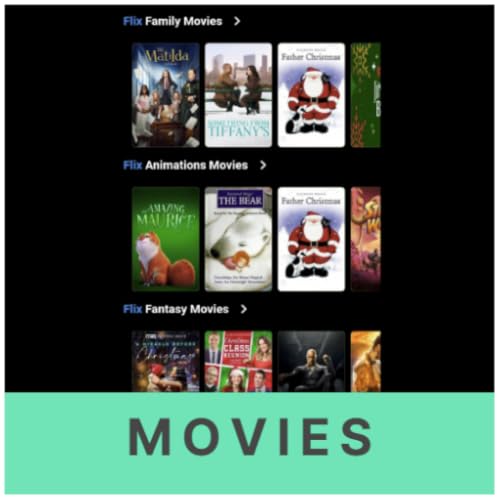
This app is aimed squarely at people who want to grab a movie or episode and watch it later without buffering concerns. It supports common direct media links and presents a simple library of saved files on the home screen, which makes it feel less like a utility and more like a personal offline streaming queue. Owners like the folder-based organization and the ability to resume a paused download. The drawback is that its interface can feel cluttered with promotional content, and some source types produce inconsistent thumbnail previews, making it harder to identify a file at a glance. It works best for users who have already built a habit of collecting media links from cloud drives or direct hosting services.
- Pro: Built-in offline library with resume-on-pause, so large files survive a dropped connection.
- Pro: Supports multiple common video formats, so you are not limited to one source type.
- Con: In-app promotional clutter slows navigation on lower-end tv hardware.
Skip this if your primary goal is sideloading apps rather than saving media files.
5G Web Browser for Fire TV
The full name of this app tells you what it tries to be: an all-in-one browsing experience with a download manager bolted on. It is the right choice for households that want a single tool to search the web, view content, and save files without juggling two or three separate apps. The browser interface supports tabs and a history stack that works acceptably with a remote. The download function handles standard file types but occasionally struggles with files that require authentication redirects, which means a few sources will not complete without a keyboard workaround. Owners appreciate the privacy mode, which disables history and blocks trackers by default.
- Pro: Combines browsing and downloading in one app, reducing the number of tools you manage.
- Pro: Privacy mode is genuinely effective at reducing data leakage during sessions.
- Con: Downloads that require login redirects or JavaScript-heavy pages can fail silently.
Skip this if you need a dedicated, no-frills downloader and prefer minimal interface layers.
Layerseven TV
Layerseven TV positions itself as a media platform that includes download and offline-playback features as part of a broader player experience. It appeals to users who already manage playlists or subscribe to source lists and want the option to cache content locally for travel or bandwidth-constrained environments. The playback engine handles a wide range of container formats, and the download queue integrates cleanly with the existing library view. The limitation is that downloading is not the app’s headline feature — it sits one menu level deeper than competitors, and some owners report slower indexing after adding large batches of files simultaneously.
- Pro: Playback and download share a unified library, so saved files appear alongside streamed ones without manual import.
- Pro: Strong container format support means fewer codec surprises.
- Con: Download controls are less prominent than in single-purpose alternatives, adding friction for first-time users.
Skip this if downloading is your sole reason for acquiring the app; its value increases when you also want an advanced player.
Fire TV Stick User Guide for Beginners and Seniors 2026
This is not an app but a reference guide, and it earns its spot here because a significant portion of owner complaints about downloader tools on tv stem from setup errors rather than software flaws. The guide walks through sideloading, safe navigation of third-party sources, and troubleshooting steps that apply directly to every downloader for tv mentioned above. The screenshot-heavy format suits people who learn visually, and the step-by-step numbering means you can follow along with a remote in one hand. It is not a substitute for software, but for a household where someone needs a printed walkthrough before touching settings, it removes a major barrier.
- Pro: Concrete, numbered steps with screenshots that apply across all downloader apps on Fire TV.
- Pro: Addresses safety and parental-control concerns that raw app interfaces ignore.
- Con: Becomes stale as Amazon redesigns Fire OS menus; you will eventually need a newer edition.
Skip this if you are already comfortable navigating Fire TV settings without assistance.
Buying Guide
File Format and Source Compatibility
Before choosing a downloader for tv, look at the list of supported source types. Some tools accept only direct file URLs ending in .apk or .mp4, while others handle cloud-drive share links, magnet-style references, or authenticated endpoints. If your media lives on a cloud storage service that generates time-limited URLs, you need a downloader that either refreshes the link automatically or lets you re-paste it quickly without losing your place in the queue.
Privacy and Permission Scope
Apps on tv platforms often request broad storage and network permissions. Check the permission screen before confirming installation — a downloader that asks for access to your microphone, contacts, or precise location is raising a red flag. The 5G Web Browser for Fire TV and Downloader both operate with narrower permission footprints than some alternatives, which matters if you share the device in a household with children or roommates.
Remote-Only Navigation
Not every app is designed around the Fire TV remote’s directional pad and single select button. Some interfaces assume you will attach a Bluetooth keyboard or mirror your phone screen. Read owner reviews specifically for phrases like “needs a keyboard” or “impossible to navigate with remote” before committing. If an app has a URL entry field, check whether it supports a paste-from-saved-text shortcut; typing a long link with a remote is tedious in any scenario.
Our Verdict
Our top pick for most households is Downloader. It is the most transparent single-purpose sideloading tool available, and its long history means community support is abundant when things go wrong. For offline media saving specifically, All Movies and TV Shows Downloader edges it out because of its resume and library features. The budget pick is clear: at $6.99, the Fire TV Stick User Guide for Beginners and Seniors 2026 costs less than a single streaming rental and can prevent hours of frustration for the person least comfortable with technology in your home.
FAQ
Is a downloader for tv legal to use?
The tool itself is legal; what you download determines legality. Sideloaded apps and files you own or have permission to use are perfectly fine. Downloading copyrighted content without authorization is not, and no tv platform makes that distinction for you.
Do I need a keyboard to use these apps?
Most of the options here work with a standard Fire TV remote, though entering a URL is faster with a Bluetooth keyboard or the Amazon app’s text-send feature. None of these products strictly require a second device to function.
Will these apps work on a Roku or Apple TV?
No. All five products in this roundup are built for Fire TV or Android TV ecosystems. Roku’s closed system does not support sideloaded apps, and Apple TV has its own separate software store with different installation rules.
How often should I update a downloader app?
Check monthly, since source endpoints and URL formats change frequently. Most of these tools rely on specific link structures, and an outdated version can fail silently when a provider rotates its server addresses.









