Key takeaways
- Upgrade your TV, instantly
- The newest Fire TV experience (2026)
- All your apps in one place
A buyer shopping for streaming hardware faces a narrow window of meaningful differences. Roku devices span from under $30 to roughly $95, and every model above the entry tier looks nearly identical on a spec sheet: 4K output, HDR support, a voice remote. The real gaps show up in resolution ceilings, HDR format compatibility, wireless radio quality, and whether the device includes Ethernet or private-listening features that matter in shared households.
Owner feedback across these products reveals a consistent pattern: the stick form factors earn praise for plug-and-play simplicity and frustration when users discover their TV lacks a compatible HDR format or their Wi-Fi is congested. Box-style players split opinions on value versus performance. Below, each Roku device on our list is evaluated on published specs, listed price, and recurring owner themes so you can match a model to your actual TV and network rather than a marketing tier name.
Our top picks





 Amazon Fire TV Stick HD
- Upgrade your TV, instantly
- The newest Fire TV experience (2026)
- All your apps in one place
As an Amazon Associate we earn from qualifying purchases at no extra cost to you.
Quick Picks
| Product | Best for | Price |
|---|---|---|
| Roku Streaming Stick HD | Budget HD viewing | $29.99 |
| Roku Ultra | Full feature set without gaming | $94.95 |
| Roku Streaming Stick Plus | HDR10+ at the lowest 4K price | $36.47 |
| Roku Streaming Stick 4K | Dolby Vision on a stick | $47.06 |
| Roku Ultra LT (2023) | Ethernet and private listening | $59.75 |
| Roku Express HD (Renewed) | Closest to rock-bottom HD | $29.99 |
| Roku Ultra LT (MTC bundle) | Bundled cables at mid-range cost | $63.90 |
| Amazon Fire TV Stick HD | Lowest price outside the Roku line | $17.99 |
How We Picked
Four criteria separate the worthwhile Roku devices from the forgettable ones: native resolution and HDR format support (HDR10+ and Dolby Vision are not interchangeable and your TV must match), form factor (stick versus box affects cable management and heat), connectivity options (dual-band Wi-Fi versus Ethernet, and whether private listening is included), and price-to-feature ratio. A device that caps at HD but costs the same as a 4K stick is an easy skip, while a slightly pricier box that solves a real network bottleneck justifies its cost.
The 8 Best Roku Devices in 2026
Roku Streaming Stick HD with Voice Remote
This is the floor model for anyone whose television does not support 4K or HDR. Owners consistently highlight the voice remote as the feature that makes it feel more expensive than its price. The stick form factor hides behind the TV with no visible cable run.
- Voice remote with search and channel power controls at the lowest Roku stick price point
- Compact design suitable for a secondary TV, bedroom, or travel use
- HD-only output means it is a dead end if you upgrade your television later
Skip this if your display supports 4K; the streaming stick plus line delivers a meaningful picture improvement for under ten dollars more.
Roku Ultra, Ultimate Streaming Player
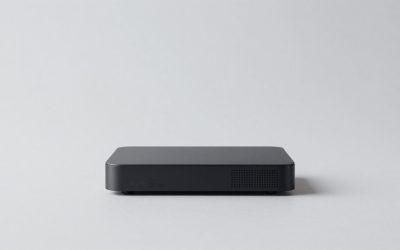
The flagship box carries every feature Roku offers: 4K, Dolby Vision, HDR10+, Ethernet, private listening, and a microSD slot. It is the only model on this list with a dedicated gaming-capable hardware tier. Owners who stream over wired connections report the most stable experience here.
- Ethernet port eliminates Wi-Fi congestion for households with multiple streamers
- Supports every current video format Roku can output
- Price is roughly triple the mid-range sticks, which is hard to justify if you only watch in 4K
Skip this if you do not need Ethernet, a microSD slot, or the fastest processor; the Ultra LT or Stick 4K cover most use cases at half the cost.
Roku Streaming Stick Plus with Voice Remote
This stick adds HDR10+ over the HD model at a modest price bump. It targets owners of newer Samsung or Hisense televisions that favor HDR10+ over Dolby Vision. The voice remote and plug-and-play setup carry over unchanged.
- Lowest-cost path to a 4K picture with HDR among Roku devices
- Voice remote with private-listening support on the remote itself
- No Dolby Vision, so owners of LG or Sony TVs see no benefit over the HD stick in those cases
Skip this if your TV supports Dolby Vision; the Stick 4K is the better pairing and costs only slightly more.
Roku Streaming Stick 4K with Voice Remote
The best all-around stick for most buyers in 2026. It adds Dolby Vision alongside HDR10+, covering the two dominant HDR formats without jumping to a box form factor. Owners with a 4K Dolby Vision TV and Wi-Fi find this the sweet spot.
- Supports both Dolby Vision and HDR10+, broadest HDR compatibility on a stick
- Noticeably faster interface than the Plus model on spec-heavy channels
- Still limited to dual-band Wi-Fi with no Ethernet option
Skip this if your network is congested or you prefer a wired connection; the Ultra LT at a similar price adds Ethernet.
Roku Ultra LT (2023) HD/4K/HDR Dolby Vision Quad-Core Streaming Player
This box bundles Ethernet, private listening, a quad-core processor, and an included HDMI cable. Owners in apartment buildings or rural areas with poor Wi-Fi call it the most practical Roku because the wired port solves connectivity headaches permanently.
- Ethernet plus Dolby Vision and HDR10+ in one package
- Includes HDMI cable and headphone-style private listening out of the box
- Larger footprint than any stick; requires shelf space behind or near the TV
Skip this if you have strong Wi-Fi and minimal space; the Stick 4K delivers the same picture in a smaller form.
Roku Express HD Streaming Media Player, Black (Renewed)
A renewed Express HD at the same price as the new Stick HD. The device itself caps at HD and the renewed status means you accept the seller’s condition grading. Some owners report flawless function; others note minor cosmetic wear.
- Lowest absolute cost to get a Roku interface on a non-4K TV
- Simple one-button power and basic channel setup for less technical users
- Renewed unit carries shorter effective warranty and HD-only resolution
Skip this unless you specifically need the cheapest working Roku and your TV cannot display 4K anyway.
Roku Ultra LT Streaming Device 4K/HDR/Dolby Vision/Dual-Band Wi-Fi with Roku Voice Remote and HDMI Cable, with MTC HDMI Cable and USB Extension Cord
Functionally the same Ultra LT as above but packaged with third-party accessories: an extra HDMI cable and a USB extension cord. The listing price sits slightly under the standalone model, effectively giving you the extras for free.
- Includes USB extension cord, useful when the TV blocks the port behind the unit
- Same Ethernet, Dolby Vision, and HDR10+ feature set as the standalone Ultra LT
- Third-party cable quality is a variable the original model does not introduce
Skip this if you already own spare HDMI and USB extension cables; the standalone version is cleaner.
Amazon Fire TV Stick HD (newest model)
Not a Roku, but included here because the $17.99 price undercuts every Roku on this list and forces the comparison. Alexa integration and the TV-powered design remove the need for a separate adapter. The tradeoff is that it locks you into Amazon’s interface and app ecosystem rather than Roku’s.
- Cheapest streaming stick available at any resolution, powered directly by the TV’s USB port
- Alexa voice search and integration with Echo devices if you already own them
- Not a Roku; no Roku apps, no cross-compatibility, and ads on the home screen
Skip this if you want the Roku interface, share a household with Roku users, or prefer no lock-in to Amazon’s service layer.
Buying Guide
Match HDR Format to Your Television
Two competing HDR formats matter here: Dolby Vision and HDR10+. A Roku Stick Plus delivers HDR10+ but cannot output Dolby Vision, so pairing it with a TV that only supports Dolby Vision wastes the format difference. Check your TV’s manual for which HDR labels appear in its settings menu, then buy the Roku device that includes that format. If your display supports both, the Stick 4K or any Ultra model covers you regardless.
Wi-Fi vs. Ethernet and Network Reality
Every stick on this list relies on Wi-Fi. If you live in a multi-dwelling building, stream over 2.4 GHz congestion, or share bandwidth with multiple simultaneous users, the 4K picture will buffer even though the device itself is fast enough. Box models with Ethernet ports offload that variable entirely. A $2 patch cable eliminates an entire category of complaints that appear repeatedly in stick reviews.
Form Factor, Port Clearance, and Accessory Needs
Sticks plug directly into the HDMI port. On some wall-mounted or shallow-niche TVs, the power cable and antenna housing collide with the wall. A short HDMI extension (sometimes included, sometimes not) resolves this. Box models need shelf or surface space but avoid the clearance issue entirely. Decide before purchasing whether your installation environment favors one form over the other, because returning a stick that physically will not fit is common.
Our Verdict
The Roku Streaming Stick 4K is the top pick for the widest audience: it covers both major HDR formats, maintains a compact footprint, and sits at a price that undercuts every box model while matching them in picture output. For buyers who need the absolute lowest entry cost without 4K requirements, the Streaming Stick HD is the budget pick at $29.99. However, if your living situation includes poor or congested Wi-Fi, the Roku Ultra LT becomes the better value than the Stick 4K despite a higher price, because the Ethernet port removes the most common source of owner frustration in this category.
FAQ
Do Roku devices work on any television?
Any television with a functioning HDMI input will display a Roku device’s output. The resolution and HDR quality are limited by whichever component is weaker: if the TV is 1080p, a 4K Roku will output 1080p. No Roku requires a proprietary port or specific TV brand.
What is the difference between the Ultra and the Ultra LT?
The Ultra adds a faster quad-core-plus processor, a microSD expansion slot, and a higher-grade wireless radio. The Ultra LT retains Ethernet, Dolby Vision, HDR10+, and private listening at a noticeably lower price. For streaming video alone, most owners cannot perceive the performance gap.
Is a renewed or refurbished Roku device worth the savings?
A renewed Express HD carries no functional difference from a new unit beyond condition grade and warranty length. The savings are modest relative to a new Stick HD that offers the same price with full warranty and a voice remote. Renewed units make sense only when no cheaper new option covers the use case.
Can I move a Roku device between TVs?
Yes. Unplug the device, plug it into another HDMI port, and it reconnects to your account and channels automatically. Sticks are easier to relocate because they carry no power adapter beyond a short USB cable. The device stores your login on Roku’s servers, not locally, so any Roku will restore your setup in under a minute.