Key takeaways
- Within 2 to 3 feet: a 7-inch display is generally sufficient for timers and short recipe steps.
- About 3 to 5 feet: an 8-inch display is easier to read without leaning toward the counter.
- More than 5 feet: a 15-inch or 21-inch wall-mounted display is substantially more practical.
The best smart displays for a kitchen are the Google Nest Hub (2nd Gen) for compact counters, Amazon Echo Show 8 for the best all-around balance, and Echo Show 15 or 21 for large, wall-mounted recipe viewing.
Your choice should follow the kitchen rather than the feature list: measure the available counter or wall area, decide how far away you will stand from the screen, and prioritize voice control if your hands are usually wet or covered in food. One important limitation applies to nearly every mainstream model: these displays are not designed to be sprayed or immersed, so “splash resistance” usually means careful placement rather than an official water-resistance rating.
Our top picks
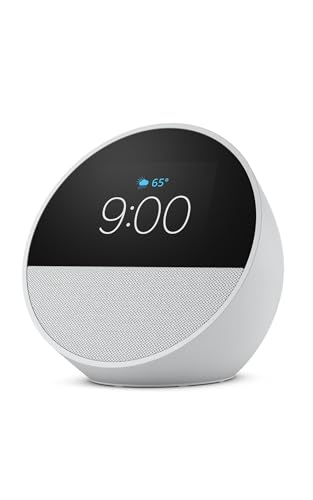
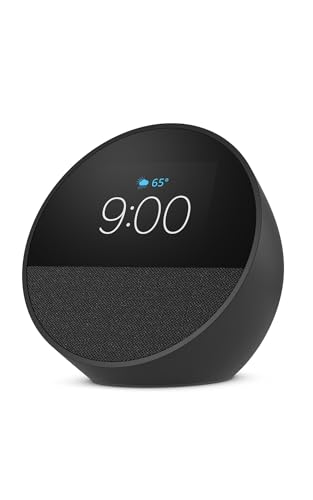
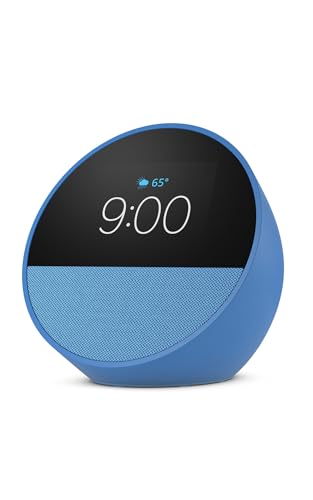
As an Amazon Associate we earn from qualifying purchases at no extra cost to you. Ratings are shown as listed on Amazon.
Best smart displays for kitchen use by situation
| Kitchen situation | Best fit | Why it works | Main compromise |
|---|---|---|---|
| Small counter, one or two people cooking | Google Nest Hub (2nd Gen) | Compact 7-inch screen, useful voice controls, no camera | Small text and modest speaker output |
| Most kitchens and mixed daily use | Amazon Echo Show 8 (3rd Gen) | 8-inch HD screen, stronger audio, broad smart-home support | Still needs protection from steam and splashes |
| Large recipes, family schedules, or shared household use | Amazon Echo Show 15 | 15.6-inch Full HD display and glanceable widgets | Best mounted on a wall; awkward on a shallow counter |
| Very large kitchen or viewing from across the room | Amazon Echo Show 21 | 21-inch Full HD screen is easy to read at distance | Requires substantial wall space and a suitable power route |
| Privacy-sensitive kitchen | Google Nest Hub (2nd Gen) | No camera for video calling | Less suitable for video calls and room monitoring |
1. Google Nest Hub (2nd Gen): best for a compact countertop
The Google Nest Hub (2nd Gen) is the easiest choice when counter space is limited. Its 7-inch, 1024-by-600 display is large enough for short ingredient lists, timers, music controls, and step-by-step recipe cards, while its integrated stand takes up roughly the footprint of a small paperback book. It weighs about 1.6 pounds, so moving it away from the sink or cooktop is simple.
Google Assistant is particularly useful for hands-free timers, unit conversions, shopping-list additions, and follow-up questions while cooking. The display’s lack of a camera is also a practical advantage if the kitchen faces a private area or you do not want a lens near family activity.
The limitation is viewing distance. A 7-inch screen is comfortable from a nearby chopping board but less useful from the opposite side of a kitchen. Its speaker is adequate for podcasts, alarms, and background music, but it does not provide the fullness of the larger Echo Show models. Choose it when compactness and privacy matter more than maximum recipe visibility.
2. Amazon Echo Show 8 (3rd Gen): the best all-rounder
For most households, the Echo Show 8 (3rd Gen) is the strongest middle ground. Its 8-inch, 1280-by-800 display gives recipes more room than a 7-inch panel without demanding the wall space of a large dashboard display. The device is about 2.3 pounds and has a roughly 7.9-by-5.7-inch footprint, so it fits on many counters but should not be squeezed between a sink and a hot appliance.
The larger enclosure produces more convincing audio than compact smart displays, making it better for music during meal preparation. Alexa also handles multiple timers, conversions, reminders, shopping lists, and compatible smart-home controls. The third-generation model includes a camera for video calling, with a physical camera shutter for added privacy.
Recipe visibility is good at arm’s length, but an 8-inch display can still require scrolling. If you frequently follow long recipes, use a stand that raises the screen and angle it toward your normal working position rather than placing it flat and low behind ingredients.
3. Echo Show 15 and Echo Show 21: best for wall-mounted kitchens
The Echo Show 15 has a 15.6-inch 1920-by-1080 display, while the Echo Show 21 expands the same basic concept to a 21-inch Full HD screen. Both are intended primarily for wall mounting. Their size makes calendar widgets, grocery lists, recipes, weather, and household reminders readable from several feet away.
The Echo Show 15 is the more practical choice for a typical kitchen wall. It offers a useful large-screen experience without consuming as much visual space as the 21-inch model. The Echo Show 21 makes sense in an open-plan kitchen, large family room, or space where people will view it from across the room.
Large displays solve a real problem: you can keep a recipe visible while moving between the refrigerator, worktop, and stove. They also introduce installation issues. Check stud locations or use appropriate wall hardware, measure nearby cabinet doors, and plan the cable route before mounting. Neither is an ideal substitute for a portable tablet if you rent or frequently rearrange the kitchen.
Screen size: match it to viewing distance
A useful rule is to choose the smallest screen whose text remains readable from your usual standing position:
- Within 2 to 3 feet: a 7-inch display is generally sufficient for timers and short recipe steps.
- About 3 to 5 feet: an 8-inch display is easier to read without leaning toward the counter.
- More than 5 feet: a 15-inch or 21-inch wall-mounted display is substantially more practical.
Resolution matters, but physical size matters more for kitchen use. A sharp small screen can still force you to walk over to read a line. Large screens also reduce the number of page turns, which is useful when your hands are messy.
Voice controls: the feature that matters when cooking
Voice recognition is valuable only if the display can hear you over ventilation fans, running water, and cookware. Place the device with its microphones facing the main work area, ideally several feet from the loudest appliance. Do not hide it behind a coffee machine or place it directly beside a range hood.
Google Assistant and Alexa both support the core kitchen commands: starting several timers, converting measurements, adding ingredients to lists, and controlling compatible lights or plugs. Ecosystem compatibility should decide between them. Choose Google if your household already relies heavily on Google services; choose Alexa if your smart-home accessories and routines are centered on Amazon’s platform.
Voice commands do not eliminate the need for a usable screen. Some recipes are easier to follow visually, and voice assistants may interpret brand names, fractions, or unusual ingredient terms incorrectly. Treat voice control as a hands-free supplement rather than the only interface.
Audio, splash protection, and countertop placement
The Echo Show 8 is the better pick for music and spoken audio among the compact options. The Nest Hub is fine for podcasts and instructions but has less low-end impact. The larger Echo Show models are easier to hear across an open room, though their advantage is primarily screen size rather than portable audio quality.
Mainstream kitchen smart displays generally do not carry an IP rating for water resistance. Steam, grease, flour, and cleaning spray are more realistic threats than an occasional droplet. Keep the display:
- At least several inches away from the sink and cooktop.
- Out of the direct path of a kettle, pressure cooker, or range hood exhaust.
- On a stable stand or correctly installed wall mount.
- Unplugged before cleaning.
Use a soft, barely damp microfiber cloth on the screen and housing. Do not spray cleaner directly onto the device, push liquid into microphone openings, or cover the display with a thick film that can interfere with touch sensitivity and heat dissipation.
Ownership realities and common mistakes
The first parts likely to become inconvenient are not usually the screen or processor. Countertop stands collect grease and crumbs, fabric-covered areas can stain, and power cables can become loose or exposed to heat. A display positioned too close to the stove may develop a greasy film that makes touch controls difficult to use.
There are no routine cartridges or replaceable filters, but electricity is continuous: a small display commonly uses only a few watts while idle, with higher consumption during video or audio playback. The larger models also need a permanent power connection, so they are not replacements for battery-powered tablets.
One common mistake is buying a large display for a small counter. A 15-inch or 21-inch screen may provide excellent readability but create a new obstruction near cabinets and preparation space. Another is selecting a compact model for a kitchen where everyone stands six feet away. Measure first, then choose the screen.
Bottom line
Choose the Google Nest Hub (2nd Gen) for a small counter, privacy without a camera, and basic recipe and timer use. Choose the Echo Show 8 (3rd Gen) if you want the best balance of screen size, voice control, and audio. Choose the Echo Show 15 for a shared kitchen dashboard and the Echo Show 21 only when the room and wall layout genuinely justify its size. In every case, leave room around the device, keep it away from direct splashes and steam, and prioritize viewing distance over headline specifications.