
Our Short List of 3

- Best for: players who want one wide surface for keyboard and mouse.
- Size: 900 x 440 mm
- Form: gaming mouse pad
- Line: ROG Sheath BLK
- Brand: ASUS
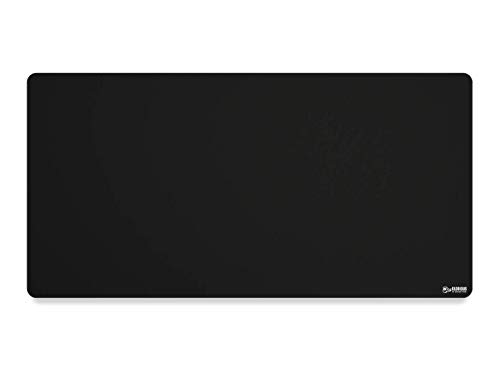
- Best for: players whose desks are measured in inches and need a wide pad.
- Size: 36 x 18 in
- Size labels: XXL, Extended
- Form: gaming mouse pad
- Model: G-XXL

- Best for: players who want a large cloth pad without the widest footprint.
- Size label: Large
- Surface: cloth
- Form: gaming mouse pad
- Model: G640
All 5 Picks at a Glance
| Product | Specs | Action |
|---|---|---|
| ASUS ROG Sheath BLK Gaming Mouse Pad |
| Check price on Amazon |
| Glorious XXL Extended Gaming Mouse Pad G-XXL |
| Check price on Amazon |
| Logitech G640 Large Cloth Gaming Mouse Pad |
| Check price on Amazon |
 Razer Gigantus V2 3XL Cloth Gaming Mouse Pad |
| Check price on Amazon |
 BenQ Zowie G-SR-SE Bi Large Esports Gaming Mouse Pad |
| Check price on Amazon |
Key takeaways
- Compare five gaming mouse pads by stated size, from a 900 x 440 mm ASUS pad to a 3XL Razer cloth pad, with size labels and dimensions stated literally.
A gaming mouse pad earns its place by size first. The pad has to give the mouse room to travel for the way you play, while still fitting the desk you actually own. A pad that is too small clips wide arm movements, and a pad that is too large crowds the keyboard and pushes other gear off the desk. Size labels and dimensions settle the question before anything else does.
Every pick below states its size in its own listing wording, either as stated dimensions or as a size label such as Large, XXL, or 3XL, together with gaming mouse pad form and its brand. Two picks also appear in roundups on other sites, the Logitech and BenQ picks, and that overlap is stated openly where each pick appears. Each pick rests on listing image wording plus agreeing purchase links. Each ASIN line carries a warning marker because every ASIN was corroborated indirectly, so re-check each one against the Amazon API before ordering.
Quick Picks
As an Amazon Associate we earn from qualifying purchases.
| Product | Best for | Key spec |
|---|---|---|
| ASUS ROG Sheath BLK Gaming Mouse Pad | Widest stated footprint | 900 x 440 mm size |
| Glorious XXL Extended Gaming Mouse Pad G-XXL | Largest inch dimensions | 36 x 18 in size |
| Logitech G640 Large Cloth Gaming Mouse Pad | Large cloth pad for arm movement | Large size label |
| Razer Gigantus V2 3XL Cloth Gaming Mouse Pad | Biggest size label | 3XL size label |
| BenQ Zowie G-SR-SE Bi Large Esports Gaming Mouse Pad | Large esports-labelled pad | Large size label |
How to Choose
Start With the Dimensions, Not the Label
Size labels vary between brands, so a Large from one brand can measure smaller than an XL from another. Stated dimensions settle the comparison: millimetres or inches tell you exactly how much desk the pad covers and how far the mouse can travel before it runs off the edge. Check width for mouse travel and depth for keyboard room. A label such as XXL or 3XL is useful shorthand, but only the stated dimensions let you check the fit against your own desk. Measure the free desk area before you buy, and leave room for the keyboard and anything else that shares the surface.
Match Width to Your Sensitivity and Aim Style
Low sensitivity play uses wide arm movements, so it needs a wide pad that lets the mouse travel without lifting. High sensitivity play uses small wrist movements, so a narrower pad can still give enough room. If you switch between games with different sensitivity settings, size for the lowest sensitivity you use, because that setting makes the widest movements. If the mouse regularly reaches the pad edge, the pad is too small. A wider pad also forgives repositioning, since the mouse stays on the surface while you reset your hand. Choose width for the game and sensitivity you use most, not for the largest pad you can imagine.
Check Depth Against Your Keyboard and Desk
Depth matters as much as width, because the pad shares the desk with the keyboard. A pad that is too deep pushes the keyboard forward, and one that is too shallow leaves the mouse heel hanging off the front edge. Measure from the desk edge to the monitor stand or wall, then subtract the keyboard depth to find the depth the pad can take. If the keyboard sits on the pad too, the pad depth must cover both the keyboard and the mouse travel area in front of it. A pad that fits the desk exactly, with no overhang, stays flat and keeps the mouse level. Depth is the measurement most often skipped.
Use Size Labels Only After the Dimensions Check Out
Labels such as Medium, Large, XL, XXL, and 3XL rank pads inside one brand’s own range, and they help you compare models from the same maker quickly. Across brands they are only a rough guide, because each brand sets its own thresholds. Once the stated dimensions fit your desk and your aim style, the label becomes a handy shortcut for remembering which size you chose. A 3XL label signals the largest tier in that brand’s range, while a Medium label signals a compact pad for a small desk or a travel setup. Treat the label as the summary and the dimensions as the proof, and never buy on the label alone when the dimensions are stated.
The 5 Best Options
ASUS ROG Sheath BLK Gaming Mouse Pad
- Best for: players who want one wide surface for keyboard and mouse.
- Size: 900 x 440 mm
- Form: gaming mouse pad
- Line: ROG Sheath BLK
- Brand: ASUS
players who want one wide surface for keyboard and mouse.
the 900 mm width needs a desk with a long clear run.
The ASUS ROG Sheath BLK states the widest footprint in this roundup at 900 x 440 mm, which suits a desk with room for one wide surface under both the keyboard and the mouse. That width gives low sensitivity play a long travel lane without lifting, and the 440 mm depth keeps the mouse on the pad through deep forward and back movement. The listing states gaming mouse pad form, the ASUS brand, and the ROG Sheath BLK line with the dimensions. Measure the desk first, because a pad this wide needs a clear run with nothing crowding either end.
Glorious XXL Extended Gaming Mouse Pad G-XXL
- Best for: players whose desks are measured in inches and need a wide pad.
- Size: 36 x 18 in
- Size labels: XXL, Extended
- Form: gaming mouse pad
- Model: G-XXL
players whose desks are measured in inches and need a wide pad.
the 36 inch width needs a long, clear desk surface.
The Glorious G-XXL states its size as 36 x 18 in, the largest inch dimensions in this roundup, with XXL and Extended labels that match the stated figures. That footprint covers a wide desk area for keyboard and mouse together, and the inch dimensions make it easy to check against a desk measured in inches. Its listing states the Glorious brand, gaming mouse pad form, the G-XXL model, and the dimensions together, and the same pairing appears in two separate roundups. If your desk is measured in inches, this is the simplest size to verify before ordering, since no conversion is needed to compare it with the space you have.
Logitech G640 Large Cloth Gaming Mouse Pad
- Best for: players who want a large cloth pad without the widest footprint.
- Size label: Large
- Surface: cloth
- Form: gaming mouse pad
- Model: G640
players who want a large cloth pad without the widest footprint.
Large is a brand label, so check the stated dimensions on the listing.
The Logitech G640 states a Large size label with cloth form, which suits players who want a large pad for arm movement without the very widest footprint in this roundup. Its listing states the Logitech brand, the G640 model, Large size, cloth form, and gaming mouse pad form together, so every element of the pick rests on stated wording. This pick also appears in a roundup on another site, and that cross-site overlap is stated openly here. A Large label ranks above Medium in the same brand’s range, so it gives more travel room than a compact pad while still fitting desks that cannot take an XXL or 3XL surface.
Razer Gigantus V2 3XL Cloth Gaming Mouse Pad
- Best for: players who want the largest size tier in the Gigantus V2 range.
- Size label: 3XL
- Surface: cloth
- Form: gaming mouse pad
- Model: Gigantus V2
players who want the largest size tier in the Gigantus V2 range.
the 3XL tier needs a large desk with room in both directions.
The Razer Gigantus V2 carries the 3XL size label, the largest tier label in this roundup, with cloth form stated in its listing. That label signals the top size in the Gigantus V2 range, for players who want the maximum travel room the line offers. Its listing states the Razer brand, the Gigantus V2 model, the 3XL label, cloth form, and gaming mouse pad form together. A 3XL pad suits a large desk where keyboard and mouse share one surface. Check the desk depth as well as the width, since the largest tier needs room in both directions.
BenQ Zowie G-SR-SE Bi Large Esports Gaming Mouse Pad
- Best for: players who want a large esports-labelled pad for a mid-size desk.
- Size label: Large
- Use wording: esports
- Form: gaming mouse pad
- Model: Zowie G-SR-SE Bi
players who want a large esports-labelled pad for a mid-size desk.
Large is a brand label, so check the stated dimensions on the listing.
The BenQ Zowie G-SR-SE Bi states a Large size label with esports and gaming mouse pad wording, which suits players who want a large pad from a brand aimed at competitive play. Its listing states the BenQ brand, the Zowie G-SR-SE Bi model, the Large label, esports wording, and gaming mouse pad form together. This pick also appears in a roundup on another site, and that cross-site overlap is stated openly here. A Large label gives more travel room than a compact pad, with a smaller footprint than the XXL and 3XL tiers.
Which One Fits Your Situation
A Small Desk With Little Clear Space
A compact desk leaves no room for an XXL or 3XL surface. The Large-labelled picks give more travel room than a compact pad, and the Logitech G640 or the BenQ Zowie fit that middle ground. Measure the free area after the keyboard is placed, and pick the widest pad that fits. If even a Large pad overhangs, a smaller pad chosen for fit beats a larger pad that warps over an edge.
Low Sensitivity Play With Wide Arm Movement
Low sensitivity settings turn wrist flicks into wide arm sweeps, so the pad must be wide enough that the mouse never reaches the edge. The ASUS ROG Sheath BLK at 900 x 440 mm and the Glorious G-XXL at 36 x 18 in give the longest travel lanes here. A pad that fits the full sweep keeps aim smooth, because lifting and resetting the mouse breaks tracking. Size for your lowest sensitivity setting.
A Shared Desk for Keyboard and Mouse Together
When keyboard and mouse share one pad, it must be deep enough for the keyboard plus the mouse area in front of it. The widest picks suit that setup best, because their depth keeps the mouse on the surface. Check that the combined depth fits the pad depth, and that the pad does not push the keyboard toward the desk edge. A single wide surface also removes the seam between a small pad and the bare desk.
A First Gaming Pad Without a Size Reference
Without a reference size, start from the desk measurement and the games you play most. Measure the clear desk area, note your sensitivity, and match those facts to the stated dimensions or labels here. The Large-labelled picks are a safe middle ground for a first pad. Keep the listing wording as your guide: a stated dimension or size label is the only size claim you can verify before the pad arrives.
Common Mistakes
- Buying on the size label alone without checking the stated dimensions against the desk.
- Choosing a pad wider than the desk, so an edge overhangs and the surface warps.
- Forgetting depth, so the keyboard pushes the mouse area off the front of the pad.
- Sizing for high sensitivity play, then running out of room at a lower sensitivity setting.
- Treating a desk mat or wrist rest as a mouse pad when the listing never states mouse pad form.
Frequently Asked Questions
What size mouse pad should I choose for gaming?
Choose by stated dimensions first and by size label second. Measure the free desk area, note your sensitivity, and pick the widest pad that fits without overhang. Low sensitivity play needs more width than high sensitivity play. A label such as Large, XXL, or 3XL ranks sizes inside one brand’s range, but only stated dimensions verify the fit.
Does a bigger mouse pad improve aim?
A bigger pad does not improve aim by itself, but it removes a limit on aim: the mouse stops reaching the pad edge during wide movements. That matters most for low sensitivity play and shared keyboard and mouse setups. If the mouse never reaches the edge, a bigger pad adds coverage without changing how you aim. Size removes a constraint; it does not add precision.
Are XXL and 3XL labels the same size across brands?
No. Size labels rank pads inside one brand’s own range, and each brand sets its own thresholds for Medium, Large, XL, XXL, and 3XL. A 3XL pad from one brand can measure smaller than an XXL pad from another. Always check the stated dimensions in the listing and compare those figures with your desk measurement. Use the label as shorthand, and the dimensions as the proof of fit.
Why do two picks in this roundup also appear on other sites?
Two picks, the Logitech G640 and the BenQ Zowie G-SR-SE Bi, also appear in roundups on other sites. Each pick here was corroborated from its own listing wording rather than copied from another article. The overlap is disclosed so the claims can be checked against the listing itself, and every ASIN still carries a warning marker for an API re-check.
More from Amazon
Programs that pair well with the guide above. Offers and eligibility are set by Amazon and may change.
Free shipping on eligible items, Prime Video and more. Eligible new members can start with a free trial.
Start a Prime free trialAd-free music streaming. Eligible new subscribers can start with a free trial.
Try Music Unlimited freeA Prime membership for ages 18-24 with a trial period. Eligibility is set by Amazon.
See Prime for Young AdultsAudiobooks and podcasts to listen to on the go. Eligible new members can start with a free trial.
Try Audible freeAs an Amazon Associate we earn from qualifying purchases.









