Our Short List of 3
All 4 Picks at a Glance
| Product | Specs | Action |
|---|---|---|
 Epson Pro EX7280 | Check price on Amazon | |
 ViewSonic PA503W | Check price on Amazon | |
 BenQ MH535FHD | Check price on Amazon | |
 ViewSonic PA503HD | Check price on Amazon |
Our Top Picks
- ViewSonic PA503W 4000 Lumens WXGA DLP Projector4.3" x 8.6" x 11.6"4.33 x 11.57 x 8.58 inches4.9 poundsCheck on Amazon
- ViewSonic PA503HD 4000 Lumens 1080p Full HD DLP13.3" x 12.2" x 4.5"13.3 x 12.2 x 4.5 inches6 poundsCheck on Amazon
A presentation projector has a different job from a home theater projector. Slides, spreadsheets, and charts need to stay readable with the lights on, small text needs to stay sharp from the back row, and setup needs to be fast enough that a meeting can start on time. Brightness, native resolution, and simple wired connections matter more here than cinematic contrast or built-in streaming apps.
This guide covers four bright, business-focused projectors that suit PowerPoint and similar slide software in offices, classrooms, and training rooms. The picks span WXGA models that match many business laptops, a widescreen XGA alternative from ViewSonic, and Full HD models for rooms where fine spreadsheet detail matters. Each entry lists verified specifications from the product listing so buyers can match throw distance, resolution, and ports to the room before ordering.
As an Amazon Associate, we earn from qualifying purchases.
How to Choose a Projector for Presentations
Brightness comes first for slide work. A rating around 3,000 lumens can work in a small room with controlled light, while 3,600 to 4,000 lumens gives more headroom for larger rooms, windows, and overhead lighting that cannot be dimmed. For 3LCD models, check that color brightness matches white brightness, because color slides and charts rely on color light output to stay vivid. DLP models list a single ANSI lumens figure and add high dynamic contrast, which helps text edges stand out against white slide backgrounds.
Native resolution should match the content. WXGA at 1280 x 800 suits widescreen laptops and typical slide decks, and its 16:10 shape leaves room for toolbars and speaker notes layouts. Full HD at 1920 x 1080 is the safer pick for dense spreadsheets, engineering drawings, dashboards, and small fonts, because extra pixels keep fine lines from softening when the image grows. XGA at 1024 x 768 still appears in legacy rooms, but widescreen formats generally fit modern laptops better without letterboxing.
Throw and image size decide placement. Standard-throw models in this guide need several feet between lens and screen, so confirm the room depth against the throw ratio before choosing a ceiling mount position or a table setup. Keystone correction helps when the projector cannot sit square to the screen, although keeping the projector centered gives the sharpest text. Vertical keystone ranges around plus or minus 30 to 40 degrees cover most table and mount offsets.
Connections should be boring and reliable. At least one HDMI port is essential for modern laptops, and a second HDMI port helps in shared rooms where a document camera, a second laptop, or a wireless dongle stays connected. Older rooms may still value VGA inputs for legacy computers. A built-in speaker in the 2 to 10 watt range handles voice clips and short videos in small rooms, while larger spaces will still need separate audio. Finally, consider lamp life and weight. Long eco-mode lamp ratings lower running costs for schools and offices that present daily, and a chassis near five to six pounds is easy to move between rooms on a cart.
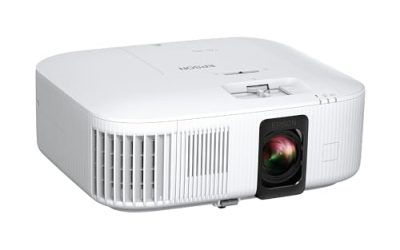
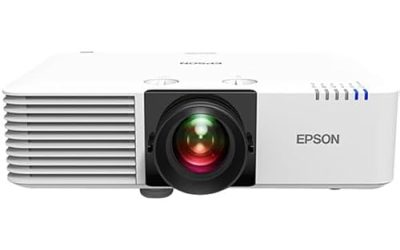
Epson Pro EX7280
The Epson Pro EX7280 is a strong default choice for business presentations because it pairs 4,000 lumens of color brightness with 4,000 lumens of white brightness. That equal rating matters for PowerPoint decks full of colored charts, logos, and photographs, since the color image does not dim relative to a plain white slide. Its WXGA resolution matches the 16:10 output of many business laptops, so slides fill the screen without awkward scaling.
The 3-chip 3LCD design displays the full color signal for each frame, which avoids the rainbow artifacts some viewers notice on single-chip designs during fast slide transitions. A 16,000 to 1 contrast ratio, an HDMI input, and a built-in speaker cover the core needs of a conference room, and the lamp rating supports years of regular meetings in eco mode. At roughly five and a half pounds class portability, it also works as a shared projector moved between departments.
Who It Suits
This model suits offices and classrooms that present in bright rooms and rely on color-heavy decks. It is a sensible pick for teams that want one projector to handle slides, spreadsheets, and short video clips without a separate screen-matching exercise each time the laptop changes. Buyers who need native Full HD for very fine detail should look at the Full HD picks below instead.
ViewSonic PA503W
The ViewSonic PA503W is a WXGA DLP projector built for education and business use, with a current listing brightness of 4,000 ANSI lumens and a 22,000 to 1 dynamic contrast ratio. That combination favors crisp text and clear chart lines in rooms where lights stay on. SuperColor technology is ViewSonic’s approach to keeping presentation colors lively across the wide color range a DLP color wheel can produce.
Connectivity is a practical strength. Alongside HDMI, the PA503 series design includes VGA inputs that still matter in older classrooms and offices with fixed podium computers. Vertical keystone correction of plus or minus 40 degrees gives generous room to square the image from a table or ceiling mount, and the 1.1x optical zoom adds a little placement flexibility. The built-in speaker covers basic audio for small groups, and eco lamp modes stretch service intervals for shared installations.
Who It Suits
The PA503W suits schools, training providers, and offices that need a bright widescreen image plus legacy VGA support. It fits rooms where several different computers connect over the course of a week and where a straightforward lamp-based design with long eco life keeps maintenance predictable. Viewers who are sensitive to DLP rainbow effects during video may prefer the 3LCD Epson models in this guide.
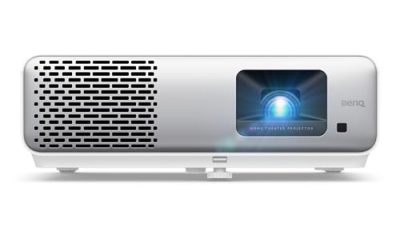
BenQ MH535FHD
The BenQ MH535FHD brings Full HD resolution to presentation work, which makes a visible difference when slides give way to spreadsheets, financial tables, or design files. Its 1,920 x 1,080 native resolution keeps small numbers and thin gridlines legible at larger image sizes, while 3,600 lumens of brightness supports lights-on presenting in small and midsize rooms. A 15,000 to 1 contrast ratio helps dark text stay distinct on white backgrounds.
BenQ rates lamp life up to 15,000 hours in SmartEco mode, which reduces how often a busy office or school needs to budget for a replacement lamp. Two HDMI inputs make it easy to keep a room computer connected while a guest laptop plugs in, and the 1.2x zoom offers more framing flexibility than a fixed lens. At 5.3 pounds, it remains portable enough for cart use between meeting rooms, and vertical keystone correction speeds up table setup.
Who It Suits
This projector suits presenters whose decks include detailed data, product images, or video alongside standard slides. Finance teams, engineering groups, and trainers who display software screens will value the Full HD panel most. Rooms with very strong daylight may want the extra brightness of the 4,000 lumen models, while smaller huddle rooms will find 3,600 lumens ample.
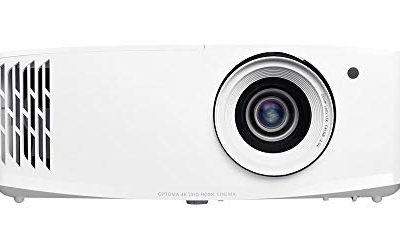
ViewSonic PA503HD
The ViewSonic PA503HD is the Full HD member of the PA503 business line, pairing 4,000 ANSI lumens with a 1920 x 1080 native resolution. That pairing is useful for larger meeting rooms, because brightness and pixel count rise together: the image can grow without losing the fine detail that makes charts and documents readable from the back. A 22,000 to 1 dynamic contrast ratio and a 0.65 inch DMD chip underpin the sharp, high-contrast look ViewSonic targets for multimedia presentations.
Dual HDMI ports are the headline connection feature, and a USB-A port can power a wireless HDMI dongle, which helps presenters share a screen without running a cable across the table. The specification lists a 1.1x optical zoom, vertical keystone of plus or minus 40 degrees, a 30 to 300 inch image range, and a 3 watt built-in speaker. Lamp life reaches up to 15,000 hours in Dynamic Eco mode, with a shorter normal-mode rating, so high-use rooms should plan around eco settings for the longest service life.
Who It Suits
The PA503HD suits larger conference rooms and lecture spaces that need both brightness and Full HD detail. It is a good fit for organizations that standardize on one model for mixed use, from slide decks in the morning to training video in the afternoon. Teams that mainly show simple slides in small rooms can save complexity by choosing a WXGA model instead.
FAQ
How many lumens does a projector need for PowerPoint in a lit room?
For a small room with blinds and dimmable lights, around 3,000 lumens can be enough. For typical offices and classrooms with lights fully on, 3,600 to 4,000 lumens is a safer target, especially at larger image sizes. Brightness needs rise with screen size and ambient light, so the largest, brightest room in regular use should drive the decision.
Is WXGA or Full HD better for presentations?
WXGA at 1280 x 800 handles standard slide decks well and matches many business laptops. Full HD at 1920 x 1080 is better when presentations regularly include spreadsheets, dashboards, code, drawings, or small text that must stay readable from a distance. If the content is mostly titles and bullet points, WXGA remains a practical and clear choice.
Can a presentation projector connect to a laptop without HDMI?
Options depend on the laptop and the projector. Many rooms solve this with a USB-C to HDMI adapter, while older computers may use the VGA inputs found on models such as the ViewSonic PA503W. A powered wireless HDMI dongle is another route on projectors with a USB-A port for power, such as the PA503HD. Testing the exact adapter with the room setup before an important meeting avoids surprises.
How long do lamps last in business projectors?
Lamp life varies by model and mode. The projectors in this guide list eco or SmartEco ratings from 12,000 to 15,000 hours, with normal modes rated lower. Running eco mode when the room allows it, keeping filters and vents clear, and avoiding rapid power cycling all help a lamp approach its rated life. High-use installations should still confirm replacement lamp availability when standardizing on a model.
Final Verdict
For most offices and classrooms, the Epson Pro EX7280 is the balanced pick: equal color and white brightness at 4,000 lumens, WXGA resolution that matches business laptops, and a simple HDMI setup. The ViewSonic PA503W is the alternative for rooms that still need VGA alongside HDMI, with the same widescreen format and strong dynamic contrast. When detail matters more than anything, step up to Full HD. The BenQ MH535FHD adds a 1.2x zoom and long SmartEco lamp life, while the ViewSonic PA503HD pairs Full HD with the full 4,000 ANSI lumens and dual HDMI ports for larger shared rooms. Match the choice to room brightness, screen size, and the finest content on the slides, and any of these four will keep presentations clear with the lights on.
Product and ASIN Reference
| Product | ASIN |
|---|---|
| Epson Pro EX7280 | B08YM84ML6 |
| ViewSonic PA503W | B0749NTSCD |
| BenQ MH535FHD | B07MV524ZD |
| ViewSonic PA503HD | B0CJ4LMLY8 |
More from Amazon
Programs that pair well with the guide above. Offers and eligibility are set by Amazon and may change.
Free shipping on eligible items, Prime Video and more. Eligible new members can start with a free trial.
Start a Prime free trialAd-free music streaming. Eligible new subscribers can start with a free trial.
Try Music Unlimited freeA Prime membership for ages 18-24 with a trial period. Eligibility is set by Amazon.
See Prime for Young AdultsAudiobooks and podcasts to listen to on the go. Eligible new members can start with a free trial.
Try Audible freeAs an Amazon Associate we earn from qualifying purchases.