Our Short List of 3

- Best for: Bright living rooms where the lights stay on during the match.
- Resolution: 4K UHD (3840 x 2160, DLP pixel shift)
- Brightness: 4,000 lumens
- Refresh rate: 240Hz at 1080p
- Input lag: 4.2ms at 1080p/240Hz, 16ms at 4K
- Best for: Fans who watch sports and play console games on one screen.
- Resolution: 4K UHD (3840 x 2160)
- Brightness: 3,200 ANSI lumens
- Refresh rate: 240Hz
- Input lag: 4.2ms

- Best for: Viewers who want a picture mode tuned specifically for sports.
- Resolution: 4K UHD (3840 x 2160)
- Brightness: 3,200 lumens
- Input lag: 16ms at 4K/60Hz, 4.2ms at 1080p/240Hz
- HDR: HDR10 and HLG
All 5 Picks at a Glance
| Product | Specs | Action |
|---|---|---|
| Optoma UHD38x |
| Check price on Amazon |
| ViewSonic PX701-4K |
| Check price on Amazon |
| BenQ TK700 |
| Check price on Amazon |
 Epson Home Cinema 2350 |
| Check price on Amazon |
 BenQ X500i |
| Check price on Amazon |
Our Top Picks
A football match is not a film. The camera pans across the pitch in seconds, a tennis ball crosses the frame before your eyes catch up, and the score graphic in the corner has to stay readable while the room fills with people talking. Picking a projector for sports therefore means choosing for brightness and motion first, and for cinema polish second. A dim unit that looks fine in a dark room turns washed out the moment someone switches a lamp on for halftime snacks.
This guide is for living-room fans who host game days, households that split the big screen between matches and console games, and anyone whose viewing room never gets fully dark. Every model below was selected from the specifications stated on its Amazon listing, with an emphasis on lumen output, refresh rate, input lag and throw distance, since those four numbers decide whether fast action stays sharp on a large screen.
Quick Picks
As an Amazon Associate we earn from qualifying purchases.
| Product | Best for | Key spec |
|---|---|---|
| Optoma UHD38x | Brightest picture for lights-on game days | 4,000 lumens, 4K UHD |
| ViewSonic PX701-4K | Fast 240Hz motion for back-to-back matches | 240Hz refresh, 4.2ms input lag |
| BenQ TK700 | Sports picture modes for grass and courts | 3,200 lumens, 16ms lag at 4K |
| Epson Home Cinema 2350 | Built-in streaming for cord cutters | Android TV, 2,800 lumens |
| BenQ X500i | Short throw for tight rooms | 0.69 short throw, 4LED light source |
How to Choose
Brightness First, Because Game Day Happens in Daylight
Most matches kick off in the afternoon or early evening, and a living room full of fans rarely sits in darkness. Brightness decides whether the picture survives that reality. Look for a lumen figure of at least 2,800 for a room with lamps on, and 3,200 or more if daylight reaches the screen. Pay attention to the unit behind the number: ANSI lumens are measured with a standard method, while a bare lumen figure from a listing can be harder to compare across brands. A light-rejecting screen helps too, yet no screen rescues a projector that is simply too dim for the room it sits in.
Motion Handling Keeps the Ball Sharp
Fast sports expose blur that slow dramas hide. A higher refresh rate lets the projector redraw the image more often, so a sprinting player or a spinning ball leaves less of a smear behind. Models in this guide list 120Hz or 240Hz modes, usually at 1080p, with 4K running at 60Hz. Input lag matters just as much when the same screen doubles as a console display, because a long delay between controller and picture makes games feel sluggish. For pure match viewing, lag is less critical than refresh rate, yet a projector that handles both gives one screen two jobs without compromise.
Throw Distance Decides Where the Projector Lives
Throw distance is the gap between the projector and the screen, and it determines whether the unit fits your room at all. A standard-throw model needs roughly ten feet or more to fill a 100-inch image, which suits a long living room with a shelf or ceiling mount at the back. A short-throw model fills the same image from about five feet, so it can sit on a coffee table in a small flat. Measure your room before shortlisting anything, then check the throw ratio on the listing. Zoom and keystone correction add flexibility, but they cannot fix a projector that physically cannot fit the space.
Sound and Streaming Save You Extra Boxes
A sports setup gathers around the screen, so built-in speakers and streaming matter more than they do in a dedicated cinema room. A 10W speaker carries commentary clearly for a small group, while a 5W unit works best when a soundbar or speakers take over. Built-in Android TV or a bundled streaming dongle means the match starts without plugging in a separate stick, and Bluetooth lets you send audio to a speaker without running cables across the floor. Check the HDMI count as well: two ports cover a streaming stick and a console, while one port forces you to swap cables every game day.
The 5 Best Options
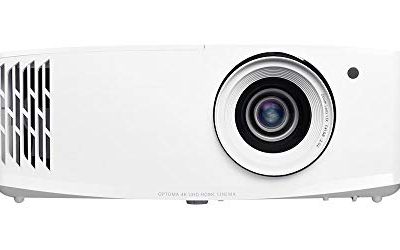
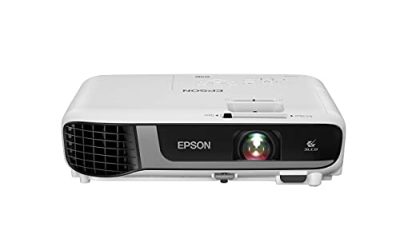
Optoma UHD38x
- Best for: Bright living rooms where the lights stay on during the match.
- Resolution: 4K UHD (3840 x 2160, DLP pixel shift)
- Brightness: 4,000 lumens
- Refresh rate: 240Hz at 1080p
- Input lag: 4.2ms at 1080p/240Hz, 16ms at 4K
Bright living rooms where the lights stay on during the match.
It uses a lamp rather than a laser, so budget for a replacement lamp down the line, and it has no built-in streaming system.
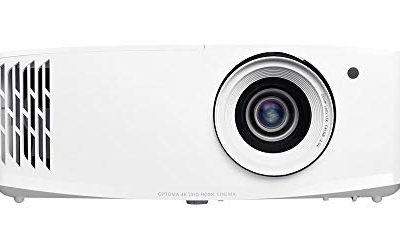
The UHD38x leads this guide on sheer brightness. Its 4,000-lumen output is the highest figure here, and it keeps grass green and kits vivid while the room lights stay on, which is exactly the condition most weekend matches are watched in. The 4K UHD image uses pixel shifting to reach 3840 x 2160, and the 240Hz mode at 1080p with 4.2ms input lag keeps fast breaks and counter-attacks crisp. HDR10 and HLG support add depth to evening games under floodlights.
Watch out for: It uses a lamp rather than a laser, so budget for a replacement lamp down the line, and it has no built-in streaming system.
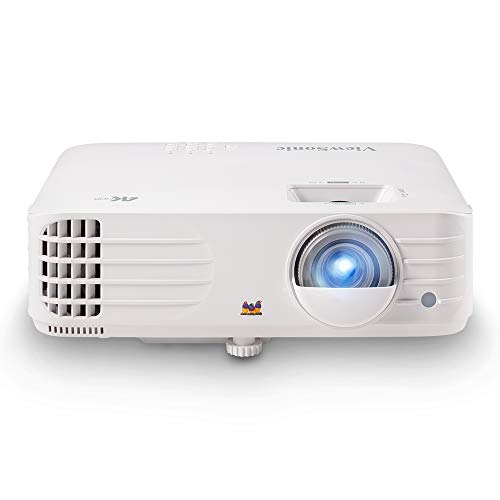
ViewSonic PX701-4K
- Best for: Fans who watch sports and play console games on one screen.
- Resolution: 4K UHD (3840 x 2160)
- Brightness: 3,200 ANSI lumens
- Refresh rate: 240Hz
- Input lag: 4.2ms
Fans who watch sports and play console games on one screen.
There is no smart system built in, so you will need a streaming stick, and the lamp-based design means eventual lamp replacement.
The PX701-4K pairs the same 240Hz refresh rate with a 4.2ms input lag, making it the strongest pick for households that watch a match and then play console games on the same screen. Its 3,200 ANSI lumens hold up well in a room with lamps on, and the 4K UHD picture resolves fine detail such as shirt numbers and pitch markings. Automatic keystone and four-corner adjustment simplify setup when the projector cannot sit square to the screen, and the image stretches up to 300 inches for a full game-day wall.
Watch out for: There is no smart system built in, so you will need a streaming stick, and the lamp-based design means eventual lamp replacement.
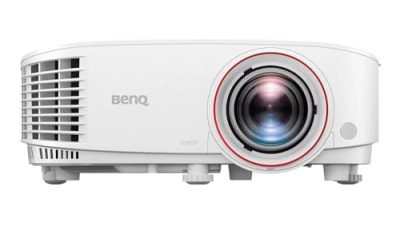
BenQ TK700
- Best for: Viewers who want a picture mode tuned specifically for sports.
- Resolution: 4K UHD (3840 x 2160)
- Brightness: 3,200 lumens
- Input lag: 16ms at 4K/60Hz, 4.2ms at 1080p/240Hz
- HDR: HDR10 and HLG
Viewers who want a picture mode tuned specifically for sports.
The built-in speaker is modest for a large room, so plan on external audio for bigger gatherings.
The TK700 is the only model here with a dedicated sports picture mode, which tunes green tones and contrast for pitches and courts rather than treating every scene like a film. Its 3,200-lumen output handles a bright family room, and the 16ms input lag at 4K keeps console play responsive without dropping to a lower resolution. Dual HDMI 2.0 ports accept a streaming stick and a console at the same time, while the 5W chamber speaker covers commentary for a small group. Auto keystone correction speeds up setup when the projector moves between rooms.
Watch out for: The built-in speaker is modest for a large room, so plan on external audio for bigger gatherings.
Epson Home Cinema 2350
- Best for: Cord cutters who want streaming apps built into the projector.
- Resolution: 4K PRO-UHD (pixel shift, accepts 3840 x 2160)
- Brightness: 2,800 lumens colour and white brightness
- Technology: 3-chip 3LCD
- HDR: HDR10 and HLG
Cord cutters who want streaming apps built into the projector.
The 4K image comes from pixel shifting rather than a native 4K panel, and the lamp will need replacing eventually.
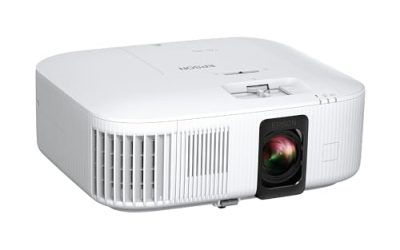
The Home Cinema 2350 is the simplest route to a match: Android TV is built in, so streaming apps open straight from the projector with no extra stick to plug in. Its 3-chip 3LCD design shows full colour in every frame, which keeps kits and pitch markings vivid, and the 2,800 lumens of colour and white brightness cope with a room that has lamps on. A 10W speaker carries commentary without extra hardware, and the 1.62x zoom plus vertical lens shift make placement forgiving. It accepts 4K at 60Hz and 1080p at 120Hz for console play.
Watch out for: The 4K image comes from pixel shifting rather than a native 4K panel, and the lamp will need replacing eventually.
BenQ X500i
- Best for: Small rooms where the projector has to sit close to the screen.
- Resolution: 4K UHD (3840 x 2160, DLP pixel shift)
- Brightness: 2,200 ANSI lumens
- Light source: 4LED
- Input lag: 4.2ms at 1080p/240Hz, 16.7ms at 4K/60Hz
Small rooms where the projector has to sit close to the screen.
The 2,200-lumen output suits dimmed rooms better than bright ones, and streaming runs on a dongle rather than a built-in system.
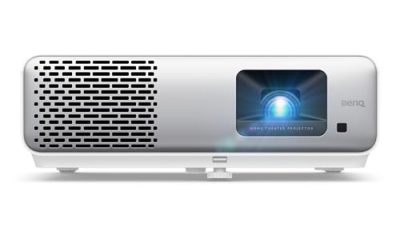
The X500i solves the small-room problem. Its short-throw lens fills a 100-inch image from roughly five feet, so it can sit on a coffee table where a standard projector would need the far wall. The 4LED light source removes lamp replacements from the equation, and the 4.2ms input lag at 1080p/240Hz makes it a strong console companion after the final whistle. Console-specific picture modes cover sports tuning as well as FPS and RPG presets, and the included Android TV dongle handles streaming. At 2,200 ANSI lumens it wants a dimmer room than the brighter picks above.
Watch out for: The 2,200-lumen output suits dimmed rooms better than bright ones, and streaming runs on a dongle rather than a built-in system.
Which One Fits Your Situation
Your Living Room Never Gets Fully Dark
Choose the Optoma UHD38x. Its 4,000-lumen output is the brightest in this guide by a clear margin, so afternoon matches and rooms with lamps on stay vivid instead of washing out. The ViewSonic PX701-4K is the fallback if you also want the 240Hz mode paired with a lower lamp-replacement cost over time.
You Watch Every Game and Play Console Games After
Choose the ViewSonic PX701-4K or the BenQ TK700. Both combine a 240Hz mode with 4.2ms input lag at 1080p, so the screen stays responsive when the match ends and the console comes on. The TK700 adds a sports picture mode, while the PX701-4K brings a longer lamp life in its eco mode.
You Stream Everything and Want One Box
Choose the Epson Home Cinema 2350. Android TV is built in, the 10W speaker covers commentary without extra hardware, and the 3-chip 3LCD picture keeps colours vivid for a group. It is the least fussy setup here: mount it, connect Wi-Fi, and open the match without juggling extra boxes or cables.
Your Room Is Small and the Wall Is Close
Choose the BenQ X500i. The short-throw lens fills a large image from a coffee-table distance, and the 4LED light source means no lamp swaps. Dim the room a little to suit its 2,200-lumen output, and it turns a tight space into a proper game-day screen for the whole household on match day.
Common Mistakes
- Buying on resolution alone while ignoring brightness: a 4K image that washes out under lamps loses to a bright 1080p picture every afternoon.
- Comparing lumen figures from different measurement methods as if they were the same number.
- Forgetting to measure throw distance, then finding the projector cannot fill the screen from where it has to sit.
- Assuming every HDMI port carries the same signal: check that the port you use supports the resolution and refresh rate you want.
- Skipping audio planning: a small built-in speaker cannot fill a room of fans, so budget for a soundbar or speakers if the group is large.
Frequently Asked Questions
How many lumens do I need for watching sports?
Aim for at least 2,800 lumens if lamps stay on during the match, and 3,200 or more when daylight reaches the screen. Dimmer projectors suit dark rooms only, so match the lumen figure to your actual lighting rather than to a pitch-black cinema room.
Does refresh rate matter for live sports?
Yes, because fast camera pans and sprinting players blur on a slow panel. A 120Hz or 240Hz mode keeps the ball and the players sharper during quick action. Most projectors here run those fast modes at 1080p, with 4K at 60Hz.
Is a short throw projector better for a small room?
It is, when the room is too short for a standard model. A short-throw lens fills a 100-inch image from about five feet, while a standard model needs roughly twice that distance. Measure the wall-to-seating gap first, then check the throw ratio on the listing.
Do I need a separate streaming stick with these projectors?
It depends on the model. The Epson Home Cinema 2350 has Android TV built in, and the BenQ X500i includes an Android TV dongle. The Optoma UHD38x, ViewSonic PX701-4K and BenQ TK700 need a streaming stick or console plugged into HDMI.
More from Amazon
Programs that pair well with the guide above. Offers and eligibility are set by Amazon and may change.
Free shipping on eligible items, Prime Video and more. Eligible new members can start with a free trial.
Start a Prime free trialAd-free music streaming. Eligible new subscribers can start with a free trial.
Try Music Unlimited freeA Prime membership for ages 18-24 with a trial period. Eligibility is set by Amazon.
See Prime for Young AdultsAudiobooks and podcasts to listen to on the go. Eligible new members can start with a free trial.
Try Audible freeAs an Amazon Associate we earn from qualifying purchases.