Our Top Picks


The onn 4K Pro is the best overall 4K streaming box on this list for most households, because it pairs a fast Google TV interface with 3GB of RAM, 32GB of storage, Dolby Vision and Dolby Atmos support, Wi-Fi 6 and an Ethernet port. A 4K streaming box is a small set-top device that plugs into an HDMI port and delivers apps such as Netflix, YouTube and Disney+ in 4K resolution with HDR when the TV supports it. If you want the most powerful hardware and smart-home extras, the Google TV Streamer is the step up, while the cheaper onn models and the Roku stick suit smaller rooms and simpler needs.
The six devices below cover three platforms: Google TV, Android TV and Roku. Details differ by listing, so confirm the final specs on the product page.
Quick List
- onn 4K Pro – best for an all-around Google TV box with Ethernet and generous storage
- onn Android TV 4K (100026240) – best for a basic secondary TV on the older Android TV platform
- Google TV Streamer 4K – best for the fastest hardware and smart-home control
- onn 4K Plus – best for a quick, affordable Google TV upgrade with Wi-Fi 6
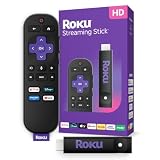
- Roku Streaming Stick Plus – best for Roku fans who want a compact stick instead of a box
- onn Google TV 4K Streaming Box – best for a simple entry-level Google TV box
Which One Is Right for You?
| If you… | Choose |
|---|---|
| want one box that does everything well, including wired Ethernet | onn 4K Pro |
| need a Google TV device that doubles as a smart-home hub | Google TV Streamer 4K |
| want Google TV with Wi-Fi 6 and do not need Ethernet | onn 4K Plus |
| prefer the Roku interface and a stick that tucks behind the TV | Roku Streaming Stick Plus |
| are upgrading a bedroom or guest-room TV on a tight budget | onn Google TV 4K Streaming Box |
| already have an older Android TV setup and want to stay on that platform | onn Android TV 4K (100026240) |
If your main TV is a high-end OLED or mini-LED set, lean toward the devices that list Dolby Vision. If the TV already has built-in smart features and you only need a faster interface, the lower-spec boxes will do the job. For any room with a weak Wi-Fi signal, an Ethernet-capable model gives the most reliable 4K stream.
All 6 Picks in Detail
1. onn 4K Pro – Best for an All-Around Google TV Box
As an Amazon Associate we earn from qualifying purchases at no extra cost to you.

The onn 4K Pro is the most complete box in the onn family. The listing describes Google TV with Gemini, 4K UHD, 32GB of storage, 3GB of RAM, Dolby Vision and Dolby Atmos support, and an Ethernet port. It suits living-room TVs where you stream every day, install a lot of apps and want a snappy interface, and it is a strong choice for people who prefer a wired connection for reliability.
- Google TV interface with Gemini, according to the listing
- 32GB of storage and 3GB of RAM, according to the listing name
- Dolby Vision and Dolby Atmos support, according to the listing
- Ethernet port and Wi-Fi 6, per retailer product information; confirm on the listing
- Voice remote; retailer information describes a backlit remote with a find-my-remote feature
Pros
- More storage and memory than the cheaper onn boxes
- Ethernet option for steadier streaming
- Strong HDR and audio format coverage
Cons
- Reseller-style listing names can be confusing, so confirm the model year
- Not as smart-home capable as Google’s own streamer
Compared with the Google TV Streamer, the onn 4K Pro covers most of the same everyday needs, and the Google device is the pick when you want faster hardware and extra smart-home functions.
2. onn Android TV 4K (100026240) – Best for a Basic Secondary TV on Android TV

This is the older onn 4K device, built on the Android TV platform rather than the newer Google TV interface. The listing describes a 4K UHD streaming device with a Google Assistant voice remote and a high-speed HDMI cable included. It suits a secondary room where the main need is to open a few popular apps, and it is a sensible choice for anyone already comfortable with the Android TV layout.
- Android TV platform rather than Google TV
- 4K UHD output according to the listing name
- Voice remote with Google Assistant
- High-speed HDMI cable included in the box
- Retailer and review information describe 2GB of RAM and 8GB of storage; confirm on the listing
- Compact puck or dongle-style body
Pros
- HDMI cable included
- Familiar Android TV layout
- Small enough for tight spaces
Cons
- Older platform, with limited memory that can slow down when many apps are open
- No Ethernet option, according to published product information
Because it ships with its own HDMI cable and a simple remote, it is also easy to hand to a relative who just wants a TV that opens streaming apps. Next to the onn 4K Plus, this model gives up newer software and Wi-Fi 6, so it is the more basic choice and best kept for secondary rooms.
3. Google TV Streamer 4K – Best for the Fastest Hardware and Smart-Home Control

Google’s own streamer is the most capable device on the list. Google’s specification page describes 4GB of RAM, 32GB of storage, a gigabit Ethernet port, Dolby Vision, HDR10, HDR10+ and HLG support and Dolby Atmos audio, plus Matter support and Thread border router capability. It suits households that want a quick interface, a wired connection and a streaming box that also helps manage compatible smart-home devices.
- 4GB of RAM and 32GB of storage, per Google’s specification page
- Gigabit Ethernet and HDMI output with 4K HDR up to 60 frames per second
- Dolby Vision, HDR10, HDR10+ and HLG, with Dolby Atmos audio
- Matter support and Thread border router functionality
- Voice search remote with TV controls
- USB-C power and data port
Pros
- Best performance headroom on the list
- Broad HDR format support
- Smart-home features beyond streaming
Cons
- Sits in a higher cost tier than the onn boxes
- Overkill if you only watch a few apps
Compared with the onn 4K Pro, the main differences are more RAM, a gigabit Ethernet port and Matter and Thread features, which matter most to smart-home users.
4. onn 4K Plus – Best for an Affordable Google TV Upgrade with Wi-Fi 6

The onn 4K Plus sits in the middle of the onn range. The listing describes Google TV, 16GB of storage, 2GB of RAM and a voice-control remote, and the listing is marked for U.S. use only. Published product information describes Wi-Fi 6, HDR10, HDR10+, Dolby Vision and Dolby Atmos support and no Ethernet port. It fits bedrooms, offices and apartments where Wi-Fi is strong and the budget is modest.
- Google TV interface
- 16GB of storage and 2GB of RAM, according to the listing name
- HDR and Dolby formats named in manufacturer and review information; confirm on the listing
- Wi-Fi 6, with no Ethernet port per published information
- Voice control remote
Pros
- Current Google TV software on a small, light device
- Twice the storage of the entry-level onn box
- Reasonable performance for everyday apps
Cons
- No Ethernet port
- Less memory than the 4K Pro for heavy multitasking
Owners who want to future-proof a main TV may prefer to move up, but for a secondary set the smaller footprint and lower power draw are real advantages. Compared with the 4K Pro, the Plus loses storage, RAM and Ethernet, which makes it better for secondary TVs than for the main living-room set.
5. Roku Streaming Stick Plus – Best for Roku Fans Who Prefer a Stick

This is a stick rather than a box, so it is the runner-up in a list of boxes, but it earns a place because it is a popular 4K option. The listing describes 4K and HDR10+ support and the Roku Voice Remote. It suits people who prefer the Roku home screen, with its simple grid of channels, free live local news and neutral interface that does not push a single content service. It also tucks behind the TV and can sometimes be powered from the TV’s USB port.
- Stick form factor; plugs directly into an HDMI port
- 4K and HDR10+ streaming according to the listing name
- Roku Voice Remote; confirm remote features on the listing
- Dolby Vision support is not stated in the listing name, so confirm on the product page
- Wi-Fi only, with no built-in Ethernet port
- Free and live local news access named in the listing
Pros
- Simple interface that is easy for all ages
- Compact stick that hides behind the TV
- Wide app coverage on the Roku platform
Cons
- A stick is less cooling-friendly and less expandable than a box
- No built-in Ethernet or Dolby Vision as stated in the listing
Households that already own several Roku devices will find the shared remote layout and account handy, and travelers can pack the stick in a bag and plug it into a hotel TV. Compared with the onn 4K Plus, the Roku stick trades Google TV’s content recommendations for a simpler, more neutral interface.
6. onn Google TV 4K Streaming Box – Best for a Simple Entry-Level Google TV Box

The listing name for this device is short and does not state RAM, storage or HDR formats. It describes an onn Google TV 4K streaming box, which places it in the entry-level tier of the onn family. It suits guest rooms, kids’ rooms and anyone upgrading an older TV who wants Google TV without spending much. Because the listing leaves out the hardware details, treat the specifications as something to confirm before you buy.
- Google TV interface
- 4K output named in the listing
- RAM, storage and Wi-Fi standard not stated in the listing name; confirm on the product page
- Voice remote with Google Assistant is typical for this line; confirm on the listing
- Box form factor
Pros
- Simple path onto Google TV
- Small and easy to hide
- Good for secondary TVs
Cons
- Limited published detail on the listing
- Entry-level memory can feel tight over time
Next to the onn 4K Plus, this box is the more bare-bones option, so choose it only if you want the lowest-tier Google TV experience.
Specs Compared
| Device | Platform | RAM / storage | HDR and audio | Ethernet | Form |
|---|---|---|---|---|---|
| onn 4K Pro | Google TV | 3GB / 32GB | Dolby Vision, Dolby Atmos | Yes per retailer information; confirm on listing | Box |
| onn Android TV 4K (100026240) | Android TV | 2GB / 8GB per published information; confirm on listing | HDR10 per published information; confirm on listing | No per published information | Compact dongle or puck |
| Google TV Streamer 4K | Google TV | 4GB / 32GB | Dolby Vision, HDR10, HDR10+, HLG, Dolby Atmos | Gigabit Ethernet | Box |
| onn 4K Plus | Google TV | 2GB / 16GB | Dolby Vision, HDR10+, Dolby Atmos per published information; confirm on listing | No per published information | Compact box |
| Roku Streaming Stick Plus | Roku OS | Confirm on listing | 4K, HDR10+; confirm Dolby Vision on listing | No built-in port; confirm on listing | Stick |
| onn Google TV 4K Streaming Box | Google TV | Confirm on listing | Confirm on listing | Confirm on listing | Box |
How We Chose These
We worked from the six listings supplied for this topic and checked manufacturer pages, retailer specification fields and published product write-ups to confirm platform, memory, storage, HDR formats, Ethernet and remote features. Our criteria were platform health, memory and storage, HDR and audio format coverage, network options, remote features, and clarity of the listing. We noted plainly where a listing leaves details out and where a device is a stick instead of a box. We avoid speed claims that are not stated by the manufacturer. Where sources disagreed, we treated the detail as unconfirmed and told you to check the product page.
What to Look For
Platform: Google TV, Android TV or Roku
The platform shapes your daily experience more than any spec. Google TV puts recommendations from many services on one home screen and integrates Google Assistant and, on newer models, Gemini. Android TV is the older platform that Google TV replaced on new devices, with a more traditional grid of apps. Roku uses a simple home screen of channel tiles that is easy for guests and older relatives. All three cover the major streaming apps, so check that any niche service you use is available. If you use several Google services such as YouTube TV or Google Photos, Google TV integrates well.
HDR formats and audio
HDR10 is the baseline and is supported by almost every 4K TV. HDR10+ and Dolby Vision add scene-by-scene metadata that can improve contrast on compatible TVs and content. Most TVs support one or the other, and some support both, so match the device to your set rather than paying for a format your TV cannot show. For sound, Dolby Atmos support on the streaming device lets it pass object-based audio to a compatible soundbar or receiver. Remember that all of this depends on the app, the content and the HDMI chain also supporting the format.
Memory, storage and longevity
Streaming boxes run apps just like phones, so more memory keeps the interface responsive. Devices with 2GB of RAM work for basic use but may slow when you install many apps, whereas 3GB or 4GB gives more headroom. Storage matters because Google TV and Android TV apps are installed locally: 8GB leaves limited space after system software, 16GB is workable, and 32GB is comfortable. A rule of thumb is to choose the highest tier you can reasonably afford on your main TV, and to use lower tiers on secondary TVs where usage is lighter.
Network: Wi-Fi versus Ethernet
4K streaming typically needs roughly 15 to 25 megabits per second per stream, according to streaming service guidance. Worked example: two 4K streams at once plus a video call and browsing can consume 60 megabits per second or more, which is why a wired connection helps in a busy household. If your router is far from the TV, an Ethernet port or a Wi-Fi 6 device with a strong signal avoids buffering. Devices without an Ethernet port can use a USB adapter in some cases, but compatibility varies, so check before assuming.
HDMI cable, ports and remotes
A high-speed HDMI cable rated for 18 gigabits per second handles 4K at 60 frames per second with HDR, and some onn kits include one. Plug the box into an HDMI port on the TV that supports 4K and HDR, since some TVs reserve only one or two ports for full features. A good remote has TV power and volume control, voice search and, on higher-end models, a backlight or a remote finder. If you use a soundbar, decide whether HDMI ARC or eARC will carry audio.
Software updates, ads and privacy
A streaming box is a connected computer, so update support matters. Look for a platform that still receives security and feature updates, and expect major platforms to refresh their software for several years after launch. All three platforms show promoted content on the home screen, and each lets you reduce data collection through the privacy settings, such as turning off personalized ads and limiting viewing-data sharing. Spend five minutes in the settings menu on first boot: set a PIN for purchases, review microphone permissions on the remote and decide whether you want voice search enabled at all.
Smart-home features: Matter and Thread
Matter is an industry standard that lets smart-home devices from different brands work together, and Thread is a low-power wireless network many of them use. A streaming box that acts as a Thread border router, as Google lists for its streamer, can extend that network without a separate hub. If you do not own smart lights, locks or sensors, this feature adds nothing, so do not pay a premium for it. If you are building a smart home, it is a useful extra that keeps the number of boxes under the TV low.
Setup tips that avoid common problems
Use the HDMI port labeled for 4K or HDR on your TV, switch on the TV’s enhanced HDMI mode if it has one, and let the box run its first software update before judging it. If colors look washed out, check that the TV input is in HDR mode and that the box’s display settings match the TV’s capabilities. For the best audio, connect the box to the TV or soundbar with a certified high-speed cable and set the audio output to the format your system supports. Placing the box where the remote has line of sight, or using the remote’s Bluetooth connection where supported, prevents most missed button presses.
Questions
Do I need a streaming box if my TV is already smart?
Not always, but many built-in smart TV systems become slow or stop receiving updates after a few years. A dedicated box usually gives a faster interface, more app support and longer update coverage than an older TV’s built-in system.
What is the difference between Google TV and Android TV?
Google TV is the newer interface built on Android TV, with content recommendations that combine many streaming services on one home screen. Android TV is the older platform, which still works but looks and behaves more like a basic app grid.
Is Dolby Vision worth having?
It is worth it if your TV supports Dolby Vision and your favorite services deliver it. If your TV only supports HDR10 or HDR10+, extra Dolby Vision support adds nothing.
Is a stick as good as a box?
For 4K streaming alone, yes, a stick can perform well. Boxes tend to have more memory, more ports and better cooling, which can matter for heavy use.
Do these devices need a subscription?
The devices themselves do not require a subscription, though the apps you use, such as Netflix or Disney+, charge their own fees. Some free ad-supported services are also available on every platform.
How much internet speed do I need for 4K?
Plan on at least 25 megabits per second for one 4K stream and more if several people stream at once. A wired connection or a strong Wi-Fi 6 signal is the best way to avoid buffering.
Will a streaming box make an old 4K TV faster?
Yes, in most cases the interface will feel much quicker because the box has its own processor and memory. The picture quality still depends on the panel in the TV.
Can I use these devices with a non-4K TV?
Yes. They downscale video to the TV’s resolution, so they work on 1080p sets, though you would not need the 4K features.
Update History
- October 20, 2026 – Initial publication; product set drawn from current catalog listings.
- Check the product page for current specifications and availability before buying.
Sources
- Google Store specification page for the Google TV Streamer (4K)
- Manufacturer and retailer product pages and specification fields for the onn and Roku devices
- Independent product write-ups of the onn 4K Pro, onn 4K Plus and onn Android TV 4K for memory, storage and port details
- General streaming-service bandwidth guidance for 4K video