Our Short List of 3

- Best for: larger meeting rooms that mix detailed presentations with video calls.
- Display technology: 3-chip 3LCD
- Native resolution: 1920 x 1080 (Full HD)
- Brightness: 4,000 lumens color and 4,000 lumens white
- Contrast ratio: 16,000:1

- Best for: mid-size rooms where widescreen slides and spreadsheets are the daily content.
- Display technology: DLP
- Native resolution: WXGA 1280 x 800
- Brightness: 4,000 ANSI lumens
- Throw ratio: 1.5-1.7

- Best for: small rooms, home offices and teams that carry one projector between spaces.
- Display technology: 3-chip 3LCD
- Native resolution: XGA 1024 x 768
- Brightness: 3,600 lumens color and 3,600 lumens white
- Contrast ratio: 15,000:1
All 4 Picks at a Glance
| Product | Specs | Action |
|---|---|---|
| Epson Pro EX9240 |
| Check price on Amazon |
| ViewSonic PA503W |
| Check price on Amazon |
| Epson EX3280 |
| Check price on Amazon |
 ViewSonic PA503S |
| Check price on Amazon |
Key takeaways
- Compare four conference room projectors for meetings: bright 3LCD and DLP models with HDMI, keystone correction and built-in speakers for clear slides.
Buying a projector for a conference room is really a decision about light and text. Most meeting rooms cannot be fully darkened, so the machine has to hold its own against windows and ceiling lights while keeping small spreadsheet figures and slide text readable from the far end of the table. Resolution, brightness and throw distance matter more here than cinematic contrast.
This roundup is for office managers equipping a fixed meeting room, small teams sharing one portable unit between rooms, and anyone replacing an aging boardroom projector, plus facilities staff who want a unit that non-technical presenters can run without help. Every model below was picked from the names and specifications on its Amazon product page, with brightness, native resolution, ports and lamp life checked against the listing before it earned a place.
Quick Picks
As an Amazon Associate we earn from qualifying purchases.
| Product | Best for | Key spec from title |
|---|---|---|
| Epson Pro EX9240 | Large rooms and hybrid video calls | 4,000 lumens of color and white brightness |
| ViewSonic PA503W | Widescreen slides and spreadsheets | WXGA 1280 x 800 native resolution |
| Epson EX3280 | Small rooms and carrying between offices | 3,600 lumens of color and white brightness |
| ViewSonic PA503S | Straightforward slide decks in smaller rooms | 4,000 ANSI lumens of brightness |
How to Choose
Start With Brightness Matched to Your Room
Brightness decides whether people at the back of the table can read the screen without dimming every light. A small huddle room with blinds can work with output in the mid three-thousand lumen range, while a boardroom with glass walls and ceiling panels calls for four thousand lumens or more. Remember that quoted figures are the maker’s maximum, so leave headroom rather than buying the dimmest unit that seems adequate on paper. Also check whether color brightness is quoted separately, because a projector can look strong with white slides yet washed out on charts.
Pick a Native Resolution That Suits Your Content
Native resolution is the sharpness the projector actually produces, whatever the input signal claims. XGA suits basic slide decks, WXGA matches the widescreen shape of modern laptops and keeps spreadsheet columns in proportion, and Full HD keeps small fonts, detailed drawings and video calls crisp on larger screens. If your meetings revolve around dense documents, step up a class rather than enlarging a low-resolution image, because stretching a soft picture across a big screen makes text harder to read, not easier.
Measure Throw Distance Before You Mount Anything
Throw ratio links the projector’s position to the image size it can produce, so measure the room before ordering brackets or cables. Work out the distance from the planned mounting point to the screen, then confirm the model can fill your screen from exactly that spot. Optical zoom gives welcome flexibility when the ceiling mount cannot move, while keystone correction rescues a slightly off-center setup at a small cost to sharpness. A short test with a tape measure prevents the common surprise of a picture that overflows the screen.
Count Ports, Speakers and Wireless Needs
A conference room projector serves a parade of different laptops, so connection options decide how smoothly meetings start. Two HDMI ports let a room PC and a guest laptop stay plugged in together, VGA still rescues older hardware, and wireless mirroring removes the cable handoff entirely for regular presenters. Built-in speakers vary widely in output, and a stronger speaker matters in rooms without a separate audio system. Finally, look at lamp life figures, because a shared room projector accumulates hours quickly across a working week.
The 4 Best Options
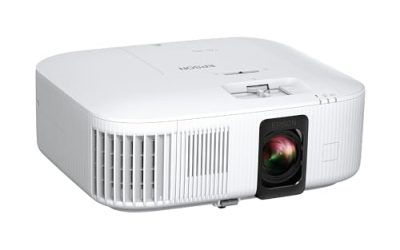
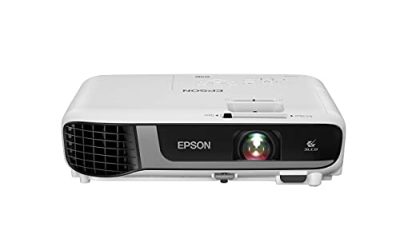
Epson Pro EX9240
- Best for: larger meeting rooms that mix detailed presentations with video calls.
- Display technology: 3-chip 3LCD
- Native resolution: 1920 x 1080 (Full HD)
- Brightness: 4,000 lumens color and 4,000 lumens white
- Contrast ratio: 16,000:1
larger meeting rooms that mix detailed presentations with video calls.
current offers for this model come from third-party sellers rather than Amazon.com itself, so check the seller and the unit’s condition before ordering.
The Pro EX9240 is the heavy lifter of this group, built around a Full HD 3LCD engine with equal color and white brightness, so detailed slides and video content stay clear in rooms that cannot go dark. Miracast mirroring lets regular presenters share a screen without passing a cable around the table, and the 16W built-in speaker is strong enough to carry voices on hybrid calls without extra audio hardware. Two HDMI ports keep a room computer and a guest laptop connected at once, which shortens the fumbling at the start of every meeting.
Watch out for: current offers for this model come from third-party sellers rather than Amazon.com itself, so check the seller and the unit’s condition before ordering.
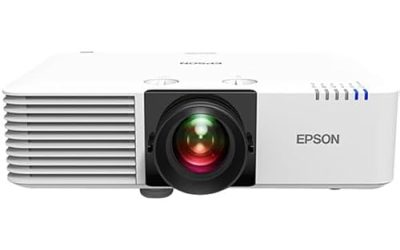
ViewSonic PA503W
- Best for: mid-size rooms where widescreen slides and spreadsheets are the daily content.
- Display technology: DLP
- Native resolution: WXGA 1280 x 800
- Brightness: 4,000 ANSI lumens
- Throw ratio: 1.5-1.7
mid-size rooms where widescreen slides and spreadsheets are the daily content.
brightness figures for this model vary between older documents and the current listing, so confirm the number on the listing page before you order.
The PA503W uses a WXGA panel in the same 16:10 widescreen shape as most business laptops, so slides and spreadsheets fill the screen without the letterboxing or squashed proportions that a 4:3 projector imposes. Its listed brightness suits rooms with ordinary ambient light, and the port mix covers the usual conference room mix of HDMI sources, an older VGA machine and USB power for a streaming stick. Vertical keystone correction helps when the projector sits on a credenza rather than a ceiling mount, and the 1.5 to 1.7 throw ratio fits typical mid-size rooms.
Watch out for: brightness figures for this model vary between older documents and the current listing, so confirm the number on the listing page before you order.
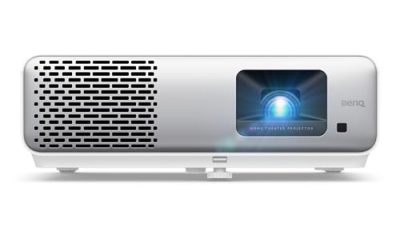
Epson EX3280
- Best for: small rooms, home offices and teams that carry one projector between spaces.
- Display technology: 3-chip 3LCD
- Native resolution: XGA 1024 x 768
- Brightness: 3,600 lumens color and 3,600 lumens white
- Contrast ratio: 15,000:1
small rooms, home offices and teams that carry one projector between spaces.
the single HDMI port and small 2W speaker limit bigger setups, so rooms that switch between several laptops or need louder call audio should plan on a switcher or external speaker.
The EX3280 is the portable option here, a compact 3LCD unit light enough to move between a home office and a shared meeting room without a second thought. Its XGA resolution and strong color brightness keep standard slide decks, charts and video calls legible in lit rooms, and the single HDMI port covers the usual one-laptop meeting without adapters for most modern machines. Epson positions it for everything from home offices to large video conference rooms, and the modest footprint suits a shelf or table rather than a permanent ceiling installation.
Watch out for: the single HDMI port and small 2W speaker limit bigger setups, so rooms that switch between several laptops or need louder call audio should plan on a switcher or external speaker.
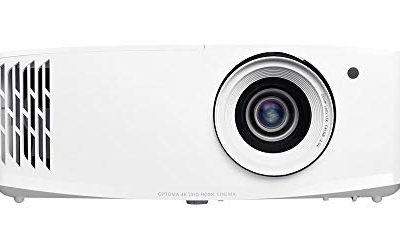
ViewSonic PA503S
- Best for: smaller rooms running standard slide decks where simple, durable hardware matters most.
- Display technology: DLP
- Native resolution: SVGA 800 x 600
- Brightness: 4,000 ANSI lumens
- Contrast ratio: 22,000:1
smaller rooms running standard slide decks where simple, durable hardware matters most.
SVGA resolution softens fine spreadsheet text as the image grows, so keep the screen size moderate or step up to a higher-resolution model for document-heavy meetings.
The PA503S is a straightforward lamp-based DLP projector for rooms whose meetings run on conventional slide decks rather than dense documents. It pairs a high brightness figure with a long quoted lamp life in its SuperEco mode, which dims output when no signal is present and stretches the hours between lamp changes in a busy shared room. Vertical keystone correction of plus or minus forty degrees forgives imperfect placement on a table or cart, and the port selection covers HDMI sources alongside legacy VGA equipment that many offices still keep in service.
Watch out for: SVGA resolution softens fine spreadsheet text as the image grows, so keep the screen size moderate or step up to a higher-resolution model for document-heavy meetings.
Which One Fits Your Situation
A Fixed Boardroom With Glass Walls
Rooms flooded with daylight need brightness first and resolution second. The Epson Pro EX9240 fits this brief, with four thousand lumens of color and white brightness, a Full HD picture for detailed material, and two HDMI ports so the room system stays permanently wired. Ceiling-mount it once, and presenters simply select an input.
A Huddle Room Used for Hybrid Calls
Small rooms hosting video meetings need easy screen sharing and sound the far end can hear. The Pro EX9240 again earns its place through Miracast mirroring and its 16W speaker, while the compact Epson EX3280 works when the same room doubles as a workspace and the projector must pack away afterward.
One Projector Shared Between Several Rooms
Portability changes the shortlist. The Epson EX3280 weighs just over five pounds, sets up on any table and covers the standard one-laptop meeting through its single HDMI port. The ViewSonic PA503S is the alternative when the shared rooms are larger and the decks are simple, trading resolution for brightness and lamp life.
A Training Room Full of Spreadsheets
When attendees must read figures from the back row, the ViewSonic PA503W’s WXGA panel matches laptop screens in shape and keeps columns proportioned correctly. Its throw ratio suits the longer distances of a training layout, and vertical keystone correction compensates when the only mounting point sits slightly off the screen’s center line.
Common Mistakes
- Choosing by headline lumens alone, without checking whether the figure covers color brightness as well as white output.
- Ignoring native resolution, then wondering why spreadsheet text looks soft on a large screen.
- Skipping the throw distance measurement and discovering the image overflows or underfills the screen after mounting.
- Forgetting audio, then finding the built-in speaker cannot carry voices across a long table on video calls.
- Buying a projector with one HDMI port for a room where several laptops rotate through every day.
Frequently Asked Questions
How many lumens does a conference room projector need?
It depends on the room’s light and the screen size. A small room with blinds can work near the mid three-thousand lumen range, while a bright boardroom with glass walls is better served by four thousand lumens or more. Leave headroom, because quoted figures are maximums and lamps dim slowly over their working life.
Is XGA resolution enough for meetings?
XGA handles conventional slide decks, large-font presentations and basic charts comfortably. It starts to struggle when the group reads dense spreadsheets, detailed drawings or small text from several feet away. Rooms built around documents and data usually justify WXGA or Full HD, which keep fine detail readable at larger image sizes.
Should a meeting room projector have wireless built in?
Wireless mirroring helps when many presenters rotate through the room, because nobody hunts for the right cable or adapter. It matters less in a fixed room where one computer stays connected by HDMI. Bear in mind that guest laptops on restricted networks may still need the cable, so wireless works best as an addition, not a replacement.
How long will the lamp last in a shared office projector?
Quoted lamp life in these models runs from about five thousand hours in normal mode to fifteen thousand in eco settings that reduce brightness. A shared room used for several meetings a day accumulates hours faster than expected, so eco modes and automatic dimming features genuinely extend the time between replacement lamps.
More from Amazon
Programs that pair well with the guide above. Offers and eligibility are set by Amazon and may change.
Free shipping on eligible items, Prime Video and more. Eligible new members can start with a free trial.
Start a Prime free trialAd-free music streaming. Eligible new subscribers can start with a free trial.
Try Music Unlimited freeA Prime membership for ages 18-24 with a trial period. Eligibility is set by Amazon.
See Prime for Young AdultsAudiobooks and podcasts to listen to on the go. Eligible new members can start with a free trial.
Try Audible freeAs an Amazon Associate we earn from qualifying purchases.