Our Short List of 3

- Best for: Installation designers blending or stacking several projectors across one large surface.
- 5,200 lumens color and white brightness
- 3LCD with WUXGA resolution and 4K Enhancement
- Laser light source rated at 20,000 hours
- Images up to 500″ diagonal

- Best for: Single-surface mapping in classrooms, galleries and small venues with limited throw distance.
- Short throw design
- 4,000 lumens color and white brightness
- Full HD 1080p resolution
- Lamp-free laser light source rated at 20,000 hours

- Best for: Close-range mapping in tight rooms, exhibits and dusty venues where the projector must sit near the surface.
- 0.5:1 short throw ratio (120″ image from 4′-4″)
- 4,200 lumens
- 1080p resolution
- 300,000:1 contrast ratio
All 3 Picks at a Glance
| Product | Specs | Action |
|---|---|---|
| Epson PowerLite L570U |
| Check price on Amazon |
| Epson PowerLite L210SF |
| Check price on Amazon |
| Optoma ZH406ST |
| Check price on Amazon |
Key takeaways
- Three installation laser projectors compared for projection mapping, covering brightness, short throw, lens shift and edge blending from the listings.
Projection mapping punishes the wrong projector quickly. A model that looks bright enough on paper can still fail the moment your surface turns out wider, more curved or further away than its lens allows, and no software repairs a throw ratio that cannot fill the wall. The real decision is matching three things at once: brightness headroom for the size of your surface, a lens position your room or venue can physically hold, and correction tools that can bend the image onto the shape you are mapping.
This roundup is written for three kinds of buyers: installation designers blending several projectors into one wide image, event and venue producers mapping buildings or stage pieces, and smaller creators who need a short-throw unit working close to the surface. Every projector below was picked from the names and specifications on its Amazon product page, with priority given to listing-stated mapping features such as edge blending, geometric correction, lens shift, short throw ratios and portrait or 360-degree installation support.
Quick Picks
As an Amazon Associate we earn from qualifying purchases
| Product | Best for | Key spec from title |
|---|---|---|
| Epson PowerLite L570U | Multi-projector blends on large surfaces | 5,200 lumens with built-in edge blending |
| Epson PowerLite L210SF | Single-surface mapping in compact rooms | 4,000 lumens, short throw, 360-degree placement |
| Optoma ZH406ST | Mapping from very close range | 0.5:1 short throw with 4-corner adjustment |
How to Choose
Brightness Headroom for the Surface You Are Mapping
Mapped images compete with ambient light, surface texture and the color of the wall itself, so the lumen figure on the listing is only the starting point. A projector spreading its output across a huge facade or a wide blended canvas delivers far less brightness per square foot than the same unit filling a small backdrop. Buyers planning large or multi-projector work should favor the highest stated color and white brightness they can mount, while single-surface projects in controlled rooms can work with less. Treat the stated image-size ceiling as a practical guide: a unit rated for very large diagonals keeps usable headroom when you push it wider.
Throw Distance and Lens Flexibility
Throw decides where the projector body can live, and mapping venues rarely offer the exact distance a standard lens wants. Short throw models sit close to the surface, which keeps shadows from people and objects out of the image and suits tight rooms, kiosks and stage floors. Standard-throw installation units need more depth but reward you with lens shift and optical zoom, letting you fine-tune position without moving the mount. Check the listing for the throw arrangement, the zoom range and whether lens shift is stated, because digital resizing shrinks your usable resolution while optical adjustment preserves it.
Correction and Blending Tools Built Into the Unit
Flat keystone correction is rarely enough for mapping, where surfaces curve, wrap corners or tilt away from the projector. Look for listing-stated geometric correction tools, four-corner adjustment and wide keystone ranges, which let you pin an image onto irregular shapes without leaning entirely on external software. If your design spans several projectors, built-in edge blending matters even more: it feathers the overlap zones so the seam between units fades instead of showing as a bright band. An HDMI output and network control also help chained or stacked setups, so note which connectivity the listing actually states before assuming a multi-unit rig will sync cleanly.
Mounting Orientation and Long-Term Installation Demands
Mapping installs often hang projectors at odd angles, on their sides or in portrait orientation, so confirm the listing supports the position you plan rather than assuming any unit can rotate freely. Stated 360-degree installation and portrait modes are the signals to look for. Laser light sources suit fixed installs because their long rated hours reduce lamp changes on high mounts, and dust resistance ratings matter in warehouses, halls and workshops where air quality is poor. Finally, wired control options such as RJ-45 and RS-232 make a ceiling-mounted fleet far easier to manage than units you must reach with a remote.
The 3 Best Options
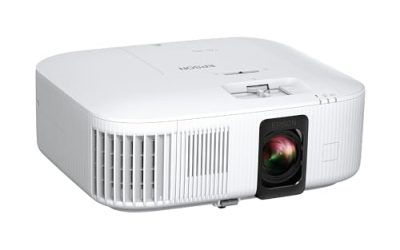
Epson PowerLite L570U
- Best for: Installation designers blending or stacking several projectors across one large surface.
- 5,200 lumens color and white brightness
- 3LCD with WUXGA resolution and 4K Enhancement
- Laser light source rated at 20,000 hours
- Images up to 500″ diagonal
Installation designers blending or stacking several projectors across one large surface.
Check current availability on the Amazon listing before planning around this model, since recent listing data showed no featured offers for it.
The L570U is the heavy lifter of this group, aimed at designers whose mapping surface is large, wide or split across several projectors. Its listing leads with 5,200 lumens of color and white brightness, WUXGA resolution with 4K Enhancement and images up to 500 inches diagonal, which gives it the headroom blended and stacked work demands. Wide lens shift and a 1.6x optical zoom make placement forgiving, while built-in edge blending and geometric correction tools handle the seams and surface warping inside the projector itself. HDBaseT, an HDMI output and an optional PixAlign camera round out a spec sheet clearly built for permanent multi-unit installations.
Epson PowerLite L210SF
- Best for: Single-surface mapping in classrooms, galleries and small venues with limited throw distance.
- Short throw design
- 4,000 lumens color and white brightness
- Full HD 1080p resolution
- Lamp-free laser light source rated at 20,000 hours
Single-surface mapping in classrooms, galleries and small venues with limited throw distance.
Check current availability on the Amazon listing before committing, since the listing information behind this pick is months old.
The L210SF suits creators mapping a single surface in a room where it must sit close and stay out of the way. The listing states short throw projection with 4,000 lumens of color and white brightness, Full HD 1080p resolution and images up to 125 inches diagonal, a comfortable envelope for classroom walls, gallery pieces and small venue backdrops. Its 360-degree placement, running from landscape through to portrait, opens up floor, ceiling and vertical-surface work that fixed-orientation units cannot attempt. Built-in split screen and iProjection casting from up to 50 devices also help where content arrives from several sources during a show or lesson.
Optoma ZH406ST
- Best for: Close-range mapping in tight rooms, exhibits and dusty venues where the projector must sit near the surface.
- 0.5:1 short throw ratio (120″ image from 4′-4″)
- 4,200 lumens
- 1080p resolution
- 300,000:1 contrast ratio
Close-range mapping in tight rooms, exhibits and dusty venues where the projector must sit near the surface.
Check current availability on the Amazon listing before buying, since availability signals for this model have conflicted between sources.
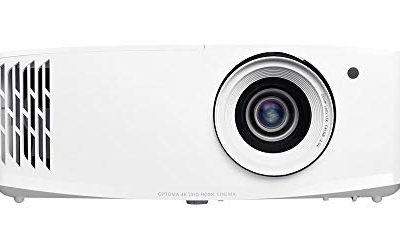
The ZH406ST suits the tightest mounting positions in this roundup, with a 0.5:1 short throw ratio the listing says produces a 120-inch image from 4 feet 4 inches away. That closeness keeps presenters and furniture from casting shadows across the surface. Brightness is 4,200 lumens with 1080p resolution and a 300,000:1 contrast ratio, while 4-corner adjustment and vertical keystone give the pinning tools curved or angled surfaces require. The listing also states 360-degree single-axis installation, portrait mode and IP6X dust resistance, and its DuraCore laser, rated up to 30,000 hours, suits dusty halls and installs you rarely service.
Which One Fits Your Situation
Blending Several Projectors Across One Wide Surface
A blended canvas lives or dies on overlap control, brightness matching and signal distribution. The Epson PowerLite L570U fits because its listing states built-in edge blending, geometric correction, an HDMI output for chaining and support for an optional camera for blending and stacking. Its 5,200 lumens hold up when each unit covers part of a wide image. Manage the array from one point over RJ-45 or RS-232.
Mapping From a Tight Corner or a Short Room
When the mount must sit close to the surface, throw ratio matters more than brightness. The Optoma ZH406ST throws a 120-inch image from just over four feet, and the Epson PowerLite L210SF is short throw with images up to 125 inches, so either keeps shadows away. Choose the Optoma for four-corner pinning or a dust-sealed unit; choose the Epson for split screen or multi-device casting.
Rotating Content Between Portrait and Landscape
Vertical surfaces, pillars and portrait artwork need a projector that can turn without breaking its cooling or geometry. Both the Epson PowerLite L210SF and the Optoma ZH406ST state 360-degree placement in their listings, including portrait operation, so either rotates with your design. The Optoma adds dust resistance for harsher rooms. Confirm the mount holds the chosen orientation before the first show, not during it.
Running a Fixed Install You Rarely Want to Touch
Permanent installs reward laser light sources and remote management over everything else. All three use laser light sources rated from 20,000 hours on the Epsons to 30,000 on the Optoma, stretching service intervals on high mounts. The L570U adds the strongest control set for a managed fleet, while the ZH406ST adds dust sealing for workshops and halls. Managed multi-unit sites lean Epson; hostile dusty environments lean Optoma.
Common Mistakes
- Choosing by lumens alone and ignoring throw ratio, then discovering the projector cannot fill the surface from the only mounting point available.
- Assuming any projector can run in portrait or upside-down orientations when the listing never states 360-degree or portrait support.
- Planning a multi-projector blend around units whose listings do not state edge blending, leaving visible bright seams in the overlap zones.
- Relying on digital keystone to fix severe placement problems, which shrinks the usable image instead of correcting it optically.
- Forgetting to confirm a live buy option on installation models, whose listings can sit without featured offers for long stretches.
Frequently Asked Questions
Can a regular home theater projector handle projection mapping?
It can project the content, but home models lack the tools mapping depends on. The installation projectors in this roundup state geometric correction, edge blending, lens shift and flexible orientation support in their listings, and those are what let an image conform to curved, angled or multi-unit surfaces. A home projector is fine for a flat wall experiment, but it fights you on anything more ambitious.
How much brightness does a mapping project actually need?
It depends on surface size, color and ambient light. Larger and brighter rooms eat lumens quickly, which is why the picks here start at 4,000 lumens and rise to 5,200 for the largest work. A small, dark-room piece can succeed with the lower figures, while a wide blended wall or a lit venue should start from the highest stated brightness your mounting plan allows.
Do I need edge blending if I only use one projector?
No. Edge blending only matters where two projected images overlap, so a single-projector setup never uses it. A solo mapper needs correction range: four-corner adjustment, keystone and, on the L570U, geometric correction tools that pin the image onto irregular shapes. If you might expand to a second unit later, choosing a model whose listing already states edge blending keeps that door open without replacing the first projector.
What throw ratio works best in a small room?
Short throw designs are the practical answer when mounting distance is measured in a few feet. The Optoma ZH406ST states a 0.5:1 ratio, producing a 120-inch image from 4 feet 4 inches. The Epson PowerLite L210SF is listed as short throw with images up to 125 inches. In a small room, measure your mount-to-surface distance, then match it against the throw figures the listing states.
More from Amazon
Programs that pair well with the guide above. Offers and eligibility are set by Amazon and may change.
Free shipping on eligible items, Prime Video and more. Eligible new members can start with a free trial.
Start a Prime free trialAd-free music streaming. Eligible new subscribers can start with a free trial.
Try Music Unlimited freeA Prime membership for ages 18-24 with a trial period. Eligibility is set by Amazon.
See Prime for Young AdultsAudiobooks and podcasts to listen to on the go. Eligible new members can start with a free trial.
Try Audible freeAs an Amazon Associate we earn from qualifying purchases.