Key takeaways
- Width: the stand’s top should be at least as wide as the TV on its feet, and ideally a few inches wider on each side so the set does not look perched at the edge.
- Foot spacing: many current TVs use wide-set feet near the corners. Others use a single center pedestal. A narrow stand can be too short for wide feet even when the TV looks small enough.
- Weight capacity: makers state a maximum load for the top. Modern 65-inch sets are usually far below typical limits, but the limit also covers soundbars and consoles placed on the same surface.
- Depth: soundbars, game consoles and cable boxes need space. A shallow top can leave a pedestal-style TV overhanging at the front.
- Height: the center of the screen is generally most comfortable near eye level when seated. A very tall stand can force you to look up.
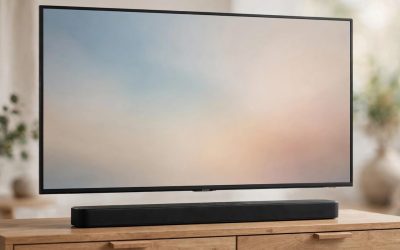
For a 65-inch TV, a low-profile console of roughly 58 to 70 inches wide suits most living rooms, a corner or swivel-friendly unit suits tight spaces, and a floor stand with a bracket suits anyone who wants the screen off furniture altogether. The right choice depends less on the diagonal size than on three numbers: the TV’s actual width, its weight, and the width of its feet. This guide explains how to match those numbers to a stand, how the common stand types trade off, and which established makers are worth looking at for each kind of buyer.
Our top picks


As an Amazon Associate we earn from qualifying purchases at no extra cost to you.
Start with the numbers that actually matter
A 65-inch diagonal is a measurement of the screen, not the cabinet. Most 65-inch TVs are about 57 to 58 inches wide, though bezel design varies. Brands list exact width, depth, weight and foot spacing on the spec sheet or in the manual, and those are the figures to compare against a stand’s listed top-surface dimensions and weight capacity.
- Width: the stand’s top should be at least as wide as the TV on its feet, and ideally a few inches wider on each side so the set does not look perched at the edge.
- Foot spacing: many current TVs use wide-set feet near the corners. Others use a single center pedestal. A narrow stand can be too short for wide feet even when the TV looks small enough.
- Weight capacity: makers state a maximum load for the top. Modern 65-inch sets are usually far below typical limits, but the limit also covers soundbars and consoles placed on the same surface.
- Depth: soundbars, game consoles and cable boxes need space. A shallow top can leave a pedestal-style TV overhanging at the front.
- Height: the center of the screen is generally most comfortable near eye level when seated. A very tall stand can force you to look up.
At a glance: stand types for a 65-inch TV
| Type | Best for | Key points | Limits |
|---|---|---|---|
| Low-profile media console | Most living rooms with consoles and a soundbar | Wide top, shelves or doors for hiding cables and devices | Takes floor space; check top depth |
| Open-shelf / entertainment center | Households with many devices | Extra shelving, often with cable cutouts | Visually busier; dust collects on open shelves |
| Corner stand | Small rooms, odd layouts | Angled design uses dead corner space | Fewer shelves; fit depends on the room angle |
| Floor stand with mount (pole style) | Renters, open plans, no wall mount | TV sits on a bracket, height and tilt often adjustable | Must match the TV’s VESA pattern and weight rating |
| Rolling cart / mobile stand | Offices, classrooms, multi-room use | Casters and VESA bracket on a frame | Less stable on carpet; not for homes with small children unless anchored as the maker directs |
| Fireplace-style stand | Living rooms wanting a focal point | Console with a decorative insert | Any heater insert has its own safety and ventilation rules |
Makers worth looking at
The list below groups familiar brands by the kind of buyer they usually serve. Model lineups change often, so the maker’s own product page is the place to confirm current dimensions, capacity and finishes before buying.
Budget tier: ready-to-assemble consoles
Sauder, Ameriwood Home, Walker Edison and Bestar all sell ready-to-assemble consoles sized for 65-inch sets, typically in engineered wood with laminate or veneer finishes. Retail-focused house brands also fill this space. The common trade-offs are lighter board construction, assembly time, and finishes that scratch more easily than solid wood. Reviewers often point out that these units are fine for a flat-panel TV and a few devices but that heavy items on open shelves can bow over time, so spreading weight and respecting the listed capacity matters.
Mid-range tier: sturdier consoles and better cable handling
Walker Edison’s heavier lines, Safavieh and similar home-furnishing makers sell consoles with metal frames, tempered-glass doors or slatted fronts. Look for rear cable pass-throughs, adjustable shelves and door styles that let remote signals through, which matters for IR-controlled boxes and soundbars. Glass-front doors can hold heat in if devices sit inside, so shelves with vented backs are worth looking for.
Premium tier: solid wood and designed furniture
Furniture brands such as West Elm, Crate and Barrel and Article sell media consoles built from solid or veneered wood with better hardware and cleaner cable management. These units are generally heavier, which helps stability, but need two people to move. They are most sensible for buyers who plan to keep the piece through several TV upgrades.
Floor stands and mounts
Mounting Dream, Perlesmith and Sanus sell floor stands and mobile carts that hold TVs on a VESA bracket. The maker lists a supported screen range and maximum weight; a 65-inch TV should be matched against both, plus the TV’s VESA hole pattern. Some stands include a shelf for a soundbar or console. Manuals typically call for assembly on a hard, level surface, and many include anti-tip instructions that should be followed exactly.
Fit and compatibility notes
- Measure the TV’s width and the distance between its feet. Write both down before opening a shopping tab.
- Compare the stand’s top-surface dimensions to the TV, leaving a margin on each side.
- Add the weight of the TV, soundbar and anything else that will sit on the top, and compare to the stated capacity.
- Consider soundbar placement. A tall soundbar in front of a low TV can block the bottom of the picture or the IR sensor.
- If a TV has a center pedestal base, confirm that the pedestal fits in the stand’s cut-out or on its surface.
- For a pole-style floor stand, confirm the TV’s VESA pattern and screw size, and use the hardware supplied by the maker.
Safety and care
Tip-over is the main hazard with TVs on furniture, especially in homes with children or pets. Maker manuals typically recommend anchoring the furniture to a wall and, where the TV allows, securing the set to the stand. Use the anti-tip hardware that comes with the product, and consider a stud-anchored strap where the manual allows. Do not let children climb on shelves or doors. Keep vents unblocked, and do not stack heat-producing devices without airflow. If a fireplace-style unit includes a heater, follow its manual and local electrical guidance, and consult an electrician if wiring is needed.
For cleaning, laminate and veneer surfaces generally do best with a slightly damp soft cloth and a dry wipe, while solid wood often calls for the maker’s recommended cleaner. Avoid harsh chemicals that can lift finishes.
Pick X if …
| Pick this | If you |
|---|---|
| A low-profile ready-to-assemble console | want the lowest cost and are comfortable with assembly |
| A mid-range metal-and-glass or slatted console | want sturdier build and better cable handling for a modest step up |
| A solid-wood premium console | plan to keep it for years and value finish quality |
| A corner stand | have a small room or a corner that is otherwise unused |
| A floor stand with a VESA bracket | rent, cannot drill into walls, or want adjustable height |
| A mobile cart | move the TV between rooms or use it for presentations |
| An open entertainment center | have a large device collection and want open airflow |
Alternatives to a traditional stand
- Wall mount: frees floor space and puts the TV at a chosen height. It needs suitable wall structure and a mount rated for the TV’s weight and VESA pattern; consider a professional installer if unsure.
- Floating shelf with a soundbar ledge: pairs with a wall-mounted TV and keeps devices off the floor.
- Dedicated TV furniture with a lift or swivel: useful in multipurpose rooms, though more complex and generally more costly.
Frequently Asked Questions
What width of TV stand is best for a 65-inch TV?
Many 65-inch TVs are around 57 to 58 inches wide, so a stand of roughly 60 to 70 inches wide is a common fit. Always confirm the TV’s exact width and foot spacing from the maker’s spec sheet. A stand that is a little wider than the TV looks balanced and leaves room for speakers or decor.
Can a 65-inch TV sit on a stand that is narrower than the TV?
It can if the TV uses a center pedestal or if its feet are closer together than the stand’s width, but the screen will overhang. Overhang can look awkward and raises the chance of knocking the set. Where feet are wide-set at the corners, the stand needs to be at least as wide as the foot spacing.
How much weight should a TV stand hold?
Choose a stand whose stated top capacity comfortably exceeds the TV plus anything else on top, such as a soundbar. The TV’s weight is on its spec sheet. Capacity ratings apply to evenly distributed loads on the stated surface, so follow the maker’s instructions.
Do I need to anchor a TV stand to the wall?
Many manufacturers and safety organizations recommend anchoring furniture and securing the TV, particularly in homes with children. Use the anti-tip hardware provided, and follow the product manual for the correct method. If you are unsure about wall type, ask a qualified installer.
Is a floor stand better than a media console?
Neither is better universally. A floor stand suits people who cannot wall mount and want adjustable height, while a console suits those who need storage for devices. Check the floor stand’s listed weight and VESA compatibility before buying.
Will a soundbar fit under a 65-inch TV on a console?
It depends on the TV’s foot height and the soundbar’s height. Some TVs sit low enough that a soundbar blocks the bottom of the picture or the remote sensor. Compare the soundbar’s height to the gap under the screen in the TV’s dimensions diagram.
More from Amazon
Programs that pair well with the guide above. Offers and eligibility are set by Amazon and may change.
Free shipping on eligible items, Prime Video and more. Eligible new members can start with a free trial.
Start a Prime free trialAd-free music streaming. Eligible new subscribers can start with a free trial.
Try Music Unlimited freeA Prime membership for ages 18-24 with a trial period. Eligibility is set by Amazon.
See Prime for Young AdultsAudiobooks and podcasts to listen to on the go. Eligible new members can start with a free trial.
Try Audible freeAs an Amazon Associate we earn from qualifying purchases.