Key takeaways
- Learn how to pick a 3D projector for Blu-ray movie nights: brightness, DLP-Link glasses, 1080p versus 4K, throw distance, and the setup mistakes to avoid.
A 3D Blu-ray collection is only useful if something can still play it, and that something is now almost always a projector. Television makers stopped building 3D into new sets years ago, so the big-screen choice comes down to finding a projector that genuinely supports 3D playback rather than one that simply looks sharp in two dimensions. That distinction matters because many current projectors have quietly dropped 3D, and a bright 4K image means nothing for depth if the format itself is missing.
This guide is for collectors with shelves of 3D discs, home theater builders setting up a dedicated room, and families who want movie nights with real depth. It explains how to check for true 3D support, how much brightness the glasses demand, and which type of projector fits each room, using manufacturer specifications and current buying roundups as the reference.
As an Amazon Associate we earn from qualifying purchases.
How to Choose
Confirm Real 3D Support First
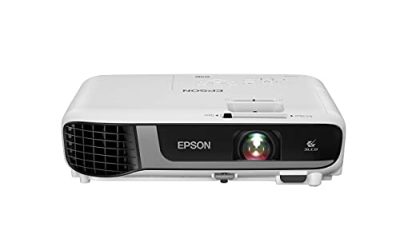
The first check is also the one most buyers skip: look for DLP-Link 3D or Full HD 3D printed on the specification sheet, not just in a marketing headline. Most home 3D projectors today are DLP models from BenQ, Optoma, and ViewSonic, while most current Epson and LG home projectors have dropped the feature entirely, so a familiar brand name is no guarantee. Confirm the formats too, since a good 3D projector handles frame packing from Blu-ray as well as side-by-side and top-and-bottom files. The Optoma HD146X, for example, accepts all three. If the listing never mentions 3D at all, assume the projector cannot play it and move on. Vague 3D-ready wording without a named format deserves a second look.
Buy More Brightness Than You Think You Need
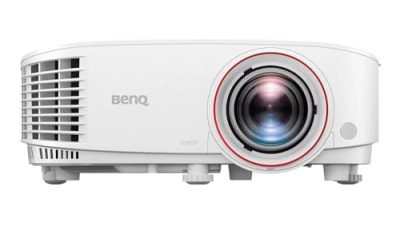
Active-shutter glasses darken each lens in turn, blocking roughly half to two-thirds of the light before it reaches your eyes, which is why brightness matters far more for 3D than for ordinary viewing. A projector that looks vivid in 2D can look washed out and dim the moment the glasses go on. As a working rule, aim for at least 2,000 ANSI lumens at 1080p and 3,000 to 4,000 lumens at 4K, and treat a dark room as a requirement rather than a nice extra. The BenQ HT2060 sits at 2,300 ANSI lumens, the Optoma HD146X at 3,600 lumens, and the Optoma UHD38x at 4,000 lumens, and each of those figures buys headroom the glasses will take away.
Choose Between 1080p and 4K
Resolution is a simpler decision than it first appears, because 3D Blu-ray tops out at 1080p per eye no matter what the projector can do. If 3D discs are the main event, a sharp 1080p projector such as the BenQ HT2060 or the Optoma HD146X delivers everything the format contains, and the money saved can go toward glasses and a screen. Choose 4K only when everyday two-dimensional viewing matters just as much, since that is where the extra detail shows up, and spend the difference on glasses and a screen. The ViewSonic PX701-4K and the Optoma UHD38x pair 4K sharpness with 3D support, so they suit households that split their time between new 4K films and an older 3D collection.
Plan the Glasses, Source, and Room
A 3D projector is only one third of the setup, and the other two parts catch buyers by surprise. DLP-Link active-shutter glasses are almost always sold separately, so budget for one pair per viewer, and remember that they sync through light pulses from the projector itself, which means no external emitter is needed. You also need a real 3D source, normally a 3D Blu-ray player with 3D discs, because streaming apps rarely carry 3D at all. Finally, measure the room before mounting anything: a standard-throw model such as the Optoma HD146X needs roughly eleven feet for a 100-inch screen, while a short-throw model such as the BenQ TK700STi fills the same screen from much closer.
Which One Fits Your Situation
You Collect 3D Blu-rays and Watch in a Dark Room
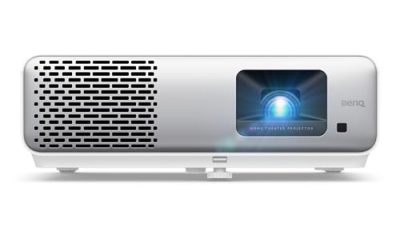
A 1080p DLP projector with accurate color and a long-life light source is the natural fit, and the BenQ HT2060 is the clearest example: 2,300 ANSI lumens, a LED engine built to last around 30,000 hours, and full DLP-Link 3D. It keeps running costs low, its factory-calibrated color suits film, and its vertical lens shift makes ceiling or shelf placement forgiving in a dedicated room with a fixed screen and seating set well back from it.
You Want 4K for Everyday Viewing and 3D on Weekends
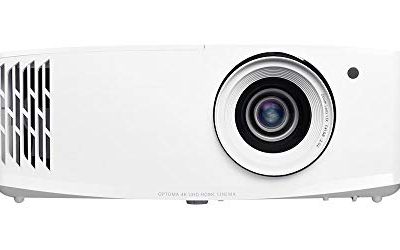
Pick a 4K DLP model that keeps 3D rather than trading it away for brightness or smart features. The ViewSonic PX701-4K is the value route at 3,200 lumens, while the Optoma UHD38x is the brighter step up at 4,000 lumens with HDR10 and low input lag. Either one plays new 4K films in full detail and still opens the 3D collection when the weekend arrives, and both hold up better than dimmer models when the room is not fully dark.
You Are Starting Out and Want the Cheapest Real 3D
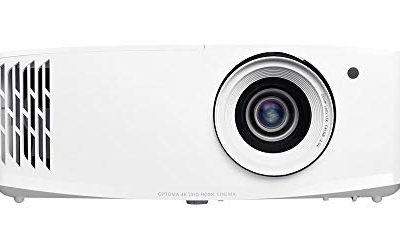
Start with a bright 1080p DLP model and spend the savings on glasses. The Optoma HD146X is the usual entry point: 3,600 lumens gives 3D real punch for the money, the compact body moves easily between a theater room and a backyard screen, and its low input lag keeps it useful for casual gaming too. Accept the lamp-based design and plan for a bulb replacement eventually, and a plain white wall works while you save for a proper screen.
You Game as Much as You Watch Movies
Choose a projector built for low input lag and a fast refresh mode, with 3D as a bonus rather than the headline. The BenQ TK700STi is the strongest match: 4K resolution, a short-throw lens for small rooms, and DLP-Link 3D alongside its gaming speed. The Optoma UHD38x is the alternative when the room is larger or brighter, since its 4,000 lumens holds up better with some ambient light, with a console or PC as the main source.
Common Mistakes
- Assuming every projector plays 3D, when most current models have dropped the feature and only a DLP-Link or Full HD 3D listing proves otherwise.
- Buying a dim projector and discovering that active-shutter glasses make the 3D image too dark to enjoy on a large screen, even when the 2D image looked bright in the shop.
- Forgetting to budget for glasses, which are usually sold separately and needed one pair per viewer.
- Expecting 3D from streaming apps, when a 3D Blu-ray player and discs are still the reliable source.
- Ignoring throw distance and buying a standard-throw projector for a room too short to fill the screen, so the image ends up too small.
Frequently Asked Questions
Do they still make 3D projectors in 2026?
Yes, but almost all of them are DLP models from BenQ, Optoma, and ViewSonic that use DLP-Link active-shutter glasses. Television makers dropped 3D years ago, and most current Epson and LG home projectors have quietly dropped it too. That leaves DLP projectors as the main consumer route to big-screen 3D, so confirm the format is on the specification sheet before buying, and read the listing twice.
What do I need to watch 3D on a projector?
You need three things: a projector that supports 3D, a 3D source such as a 3D Blu-ray player with 3D discs, and DLP-Link active-shutter glasses. Connect the player over HDMI, load a 3D disc, enable 3D on the projector, and put on the glasses. No external emitter is needed, since the projector syncs the glasses with brief light pulses. A plain white wall works for a first setup.
Why does 3D look dimmer than 2D?
Active-shutter glasses darken each lens in turn so each eye sees only its own image, and that blocks roughly half to two-thirds of the light reaching your eyes. A projector that looks bright in 2D can therefore look dim in 3D. The fix is brightness headroom: choose a model brighter than what you would accept for 2D alone and watch in a dark room, so brightness comes first.
Is 1080p enough for a 3D projector?
Yes. The Blu-ray 3D format tops out at 1080p per eye, so even a 4K projector shows 3D content at up to Full HD while 2D plays in full 4K. If 3D discs are the priority, a sharp 1080p model is plenty, and the savings can fund extra glasses for the whole household. Step up to 4K only when you also want maximum detail for everyday two-dimensional films and games.
More from Amazon
Programs that pair well with the guide above. Offers and eligibility are set by Amazon and may change.
Free shipping on eligible items, Prime Video and more. Eligible new members can start with a free trial.
Start a Prime free trialAd-free music streaming. Eligible new subscribers can start with a free trial.
Try Music Unlimited freeA Prime membership for ages 18-24 with a trial period. Eligibility is set by Amazon.
See Prime for Young AdultsAudiobooks and podcasts to listen to on the go. Eligible new members can start with a free trial.
Try Audible freeAs an Amazon Associate we earn from qualifying purchases.