Our Short List of 3
All 5 Picks at a Glance
| Product | Specs | Action |
|---|---|---|
 Epson Pro EX7280 | Check price on Amazon | |
 Optoma X400LVe | Check price on Amazon | |
 ViewSonic PA503W | Check price on Amazon | |
 Epson EpiqVision Flex CO-W01 | Check price on Amazon | |
 BenQ MH550 | Check price on Amazon |
Our Top Picks
- ViewSonic PA503W 4000 Lumens WXGA DLP Projector4.3" x 8.6" x 11.6"4.33 x 11.57 x 8.58 inches4.9 poundsCheck on Amazon
A product demo lives or dies on the screen. Whether the setting is a sales meeting, a trade show booth, a training session, or a client walkthrough, the audience has to read small interface text, follow a cursor across a dashboard, and see product colors the way they were designed. A dim or fuzzy image makes even a polished demo feel unfinished, and fumbling with cables or keystone settings while people wait costs the presenter credibility before the first slide appears.
The projectors in this guide are built for exactly that job. Each one is a bright, lamp-based business model with the brightness to hold up in lit rooms, the inputs to connect to a presenter’s laptop in seconds, and the portability to move between offices, booths, and meeting rooms. The picks range from a wireless WXGA model for polished client presentations to a high-brightness XGA workhorse with a loud built-in speaker for bigger rooms, so there is a sensible match for most demo setups.
As an Amazon Associate, we earn from qualifying purchases.
How to Choose a Projector for Demos
Brightness comes first for demo work. Demo rooms are rarely darkened the way a home theater is, and trade show floors are brighter still. A rating of 3,000 lumens or higher keeps slides, spreadsheets, and software interfaces readable with the lights on, and models at 3,500 to 4,000 lumens give extra headroom for larger screens and brighter spaces. Just as important, look at whether the rating covers color brightness as well as white brightness, since colorful product screens and charts can look washed out when color output lags behind.
Resolution shapes how sharp the demo looks up close. WXGA at 1280 x 800 matches the widescreen shape of most laptops and presentation software, so slides fill the screen without letterboxing. Full HD at 1920 x 1080 is the step up for video-heavy demos and detailed product footage. XGA at 1024 x 768 still handles slides, documents, and charts well, and it often comes with the loudest speakers and the longest lamp life in this class, which matters for all-day events.
Setup speed is the third factor, and it is easy to underestimate until a demo starts late. Vertical keystone correction squares the image when the projector sits at an angle to the screen, optical zoom allows some flexibility in placement distance, and a picture skew sensor on some models corrects the image automatically. Dual HDMI inputs help when a demo switches between two laptops, and a built-in speaker loud enough for the room removes one more piece of gear from the bag. Finally, consider lamp life: ratings of 10,000 to 15,000 hours in eco modes mean a busy demo schedule does not turn into a lamp replacement schedule.
Epson Pro EX7280
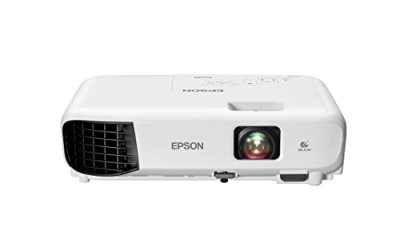
The Epson Pro EX7280 is the strongest all-around pick here for presenters who demo in front of clients. Its 3-chip 3LCD system delivers 4,000 lumens of color brightness and 4,000 lumens of white brightness, so saturated product screens, charts, and video clips keep their color in well-lit rooms instead of fading toward gray. WXGA resolution keeps text and interface details crisp, and the projector accepts 4K content through its HDMI port, downscaling it for display, which helps when demo footage comes from a high-resolution source.
Setup is designed for people who present in unfamiliar rooms. A built-in picture skew sensor analyzes the image and corrects the vertical keystone automatically, 1.2x optical zoom gives placement flexibility, and built-in wireless connectivity allows screen sharing without hunting for the right cable. The 2-watt built-in speaker covers narration in small to midsize rooms, and at 5.7 pounds the unit travels easily between offices.
Who It Suits
The EX7280 suits sales presenters, consultants, and trainers who demo software or services in client offices and conference rooms where lighting cannot be controlled. The equal color and white brightness, wireless sharing, and automatic keystone correction make it a strong fit for polished, color-sensitive demos that need to start quickly.
Optoma X400LVe
The Optoma X400LVe is built for volume, in both senses. Its 10-watt built-in speaker is the loudest in this guide by a wide margin, which makes a real difference when a demo includes product videos or narration in a medium to large meeting room and no external speaker is available. Brightness is rated at 4,000 lumens with a 25,000:1 contrast ratio, so slides and graphics stay punchy under normal room lighting.
The XGA resolution of 1024 x 768 is the trade-off: it is well matched to slides, documents, and charts, and less ideal for fine interface detail at very large sizes. In return, the projector offers a lamp life of up to 15,000 hours in eco mode, vertical keystone correction of plus or minus 40 degrees, and 1.1x zoom for flexible placement. Connectivity covers HDMI, VGA, composite video, audio in and out, USB power, and RS232 control, so it connects to older laptops and installed room systems as readily as to a modern ultrabook with an adapter.
Who It Suits
The X400LVe suits trainers, educators, and field teams running demos in larger rooms where audio matters as much as the picture. It is also a sensible choice for organizations that present all day, every day, since the long lamp life and broad legacy connectivity reduce both maintenance and adapter headaches.
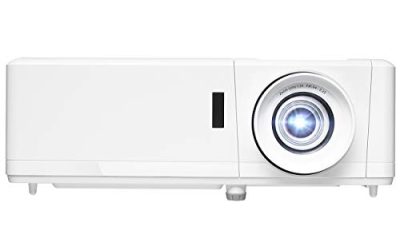
ViewSonic PA503W
The ViewSonic PA503W pairs widescreen WXGA resolution with the kind of straightforward, repeatable setup that demo work rewards. The DLP image runs at 1280 x 800 with a 22,000:1 dynamic contrast ratio and ViewSonic SuperColor technology, and the current listing rates brightness at 4,000 lumens, so presentation decks and product walkthroughs hold up in ordinary office lighting. The 16:10 aspect ratio matches business laptops closely, which keeps slides proportional without manual resizing.
Connectivity is a practical strength: one HDMI input, two VGA inputs, a VGA output for passing the signal to a monitor, composite video, and audio in and out cover everything from a modern laptop to a legacy demo machine kept for older software. Vertical keystone correction of plus or minus 40 degrees and 1.1x optical zoom help square the image on whatever wall or screen is available. The SuperEco mode extends lamp life up to 15,000 hours, and at 4.9 pounds the projector is easy to carry between rooms or pack for a roadshow.
Who It Suits
The PA503W suits small business teams and educators who run frequent demos and presentations and want widescreen output, flexible inputs, and low running costs in one package. It is a particularly good fit for mixed laptop fleets, where the second VGA input and monitor output still earn their keep.
Epson EpiqVision Flex CO-W01
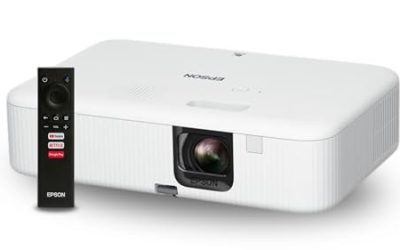
The Epson EpiqVision Flex CO-W01 is the portable option in this guide, designed to move from a desk to a meeting room to a booth without a dedicated case full of accessories. Its 3-chip 3LCD engine produces 3,000 lumens of color and white brightness at WXGA resolution, and it can project an image up to 300 inches, which gives a small unit surprising range for keynote-style demos and product reveals. Color accuracy is a 3LCD strength, so branded visuals and product photography keep their intended tones.
The built-in speaker is rated at 5 watts, stronger than the 2-watt speakers on several rivals here, which helps when a demo includes video in a small room. A single HDMI port handles the laptop connection and can also power the experience for streaming sticks used to play back recorded demo content. There is no optical zoom beyond digital adjustment and no wireless built in, so placement takes a little more care, but for presenters who value a compact, simple unit, the trade is reasonable.
Who It Suits
The CO-W01 suits traveling presenters, small teams, and home office professionals who demo in smaller rooms and want accurate color without a bulky unit. It works well for one-on-one client demos, small group walkthroughs, and pop-up presentations where setup space is limited.
BenQ MH550
The BenQ MH550 is the pick for demos where the content itself is the showpiece. Native Full HD resolution at 1920 x 1080 gives video footage, product photography, and detailed interfaces the sharpest canvas in this guide, and the DLP system pairs it with 3,500 lumens of brightness and a 20,000:1 contrast ratio. For a software demo with fine text or a product film with dark scenes, that combination keeps detail visible in a normally lit room.
Two HDMI inputs make it easy to keep two sources connected and switch between them mid-demo, for example moving from a slide deck on one laptop to a live product feed on another, and VGA covers older machines. Keystone correction handles angled placement, and BenQ SmartEco technology reduces lamp power consumption during darker scenes, stretching lamp life and lowering running costs for teams that present often. The trade-off is a more meeting-room-oriented design than the smallest portables here, so it fits a regular demo space or a presenter who travels by car rather than by carry-on.
Who It Suits
The MH550 suits presenters whose demos lean on video, imagery, and fine detail: creative agencies, product marketers, and trainers showing recorded content alongside live material. The dual HDMI inputs also make it a good fit for demo rooms where two presenters or two devices share one screen.
Frequently Asked Questions
How bright should a projector be for demos in a lit room?
For most meeting rooms and offices with normal lighting, 3,000 lumens or more is a sensible floor, and 3,500 to 4,000 lumens gives comfortable headroom for larger screens. Bright trade show floors and rooms with uncontrolled windows push toward the top of that range. Every model in this guide is rated at 3,000 lumens or higher, and the 4,000-lumen picks are the safer choice when the lighting cannot be dimmed.
Which resolution is best for presenting software demos?
WXGA at 1280 x 800 is the practical sweet spot for most presenters because it matches the widescreen shape of laptops and slide software. Full HD at 1920 x 1080 is better when the demo includes detailed interfaces, small text, or product video. XGA at 1024 x 768 remains serviceable for slides and documents, especially when it comes with a stronger speaker or longer lamp life, but fine interface detail softens at large image sizes.
Can these projectors handle a demo without external speakers?
For small and midsize rooms, yes. The built-in speakers here range from 2 watts to 10 watts, and the 10-watt Optoma X400LVe is designed to fill medium to large rooms on its own. For a keynote space, a trade show floor, or any demo where the audio carries the message, connecting a powered speaker through the audio output, available on several of these models, is the safer plan.
What should be checked before presenting in an unfamiliar room?
Confirm the laptop connection first: most modern laptops need HDMI, and every projector here offers at least one HDMI input, though an adapter may be needed for USB-C-only machines. Check the throw distance against the room layout, since standard-throw models need several feet to reach a large image. Finally, use keystone correction sparingly, square the projector to the screen as closely as placement allows, and keep a spare cable in the bag so a single fault cannot delay the demo.
Final Verdict
For most people presenting demos, the Epson Pro EX7280 is the first model to consider: 4,000 lumens of color and white brightness, WXGA clarity, wireless sharing, and automatic keystone correction cover the widest range of rooms and demo styles. The BenQ MH550 is the alternative when Full HD detail and dual HDMI switching matter most, while the Optoma X400LVe earns its place wherever a loud built-in speaker and long lamp life are the priorities. The ViewSonic PA503W is the dependable widescreen workhorse for mixed laptop fleets, and the Epson CO-W01 is the compact travel pick for smaller rooms. Match the choice to the room size, the lighting, and the content, and any of these five will keep the focus where it belongs: on the product being demonstrated.
Product and ASIN Reference
| Product name | ASIN |
|---|---|
| Epson Pro EX7280 | B08YM84ML6 |
| Optoma X400LVe | B08QDVY4CM |
| ViewSonic PA503W | B0749NTSCD |
| Epson EpiqVision Flex CO-W01 | B0BDQ84L6Z |
| BenQ MH550 | B0792FQ5Z8 |
More from Amazon
Programs that pair well with the guide above. Offers and eligibility are set by Amazon and may change.
Free shipping on eligible items, Prime Video and more. Eligible new members can start with a free trial.
Start a Prime free trialAd-free music streaming. Eligible new subscribers can start with a free trial.
Try Music Unlimited freeA Prime membership for ages 18-24 with a trial period. Eligibility is set by Amazon.
See Prime for Young AdultsAudiobooks and podcasts to listen to on the go. Eligible new members can start with a free trial.
Try Audible freeAs an Amazon Associate we earn from qualifying purchases.