Key takeaways
- Find the best projectors for iPhone with AirPlay, screen mirroring and HDMI options, from laser portables to smart mini models for movies anywhere.
An iPhone holds movies, shows, photos, games, and presentations in a pocket, but its small screen limits how far that content can go. A projector that works well with an iPhone turns a wall, a ceiling, or a backyard sheet into a shared screen, so a video saved on the phone, a streaming app, or a slideshow can reach everyone in the room instead of passing the handset around. The good news is that most modern portable projectors connect to an iPhone in at least one reliable way, and many connect in two or three ways at once.

The connection method matters more than almost any other detail. Some projectors support AirPlay directly, so an iPhone can mirror its screen over Wi-Fi with a few taps. Others run their own smart platform and treat the iPhone mainly as a remote, a casting source, or a source of photos and files. A third group relies on a wired link through an HDMI adapter, which remains the most dependable route for paid streaming apps that restrict wireless mirroring. This guide covers four portable projectors that each handle iPhone use in a practical way, explains the trade-offs between wireless and wired connections, and sets out the specs that separate a smooth movie night from a frustrating setup session.
As an Amazon Associate, we earn from qualifying purchases.
How to Choose a Projector for iPhone Use
Start with the connection. AirPlay support is the simplest wireless path: the iPhone and the projector join the same Wi-Fi network, the viewer opens Control Center, taps Screen Mirroring, and selects the projector. Not every smart projector offers native AirPlay, though. Android TV and Google TV projectors often center on Chromecast instead, which works well for casting from supported apps but does not mirror a full iPhone screen the same way. For those models, a Lightning or USB-C digital AV adapter paired with an HDMI cable gives a direct, stable picture and sidesteps most app restrictions. Buyers with an iPhone 15 or later can use a USB-C to HDMI cable, while earlier models need the Lightning version of the adapter.
Next, consider resolution and brightness together. A native 1080p projector keeps text, faces, and fine detail clear at larger sizes, while a lower native resolution can still suit casual viewing at modest sizes. Brightness decides where the projector can work: portable models in this class are built for dim rooms, bedrooms, tents, and evening outdoor use rather than bright daylight. A model with a built-in battery adds freedom for ceilings, patios, and travel, while a mains-powered model removes any worry about runtime during a long film or a double feature.
Sound and setup features round out the choice. Built-in speakers vary from small drivers suited to dialogue to fuller systems that fill a room without extra gear, and Bluetooth output lets a separate speaker take over when needed. Auto focus and auto keystone correction save time every time the projector moves, which matters for portables that get set up in a new spot each night. Finally, check the streaming side: a projector with licensed apps on board can play a film without the iPhone at all, leaving the phone free, while the iPhone still handles photos, home videos, and screen sharing when needed.
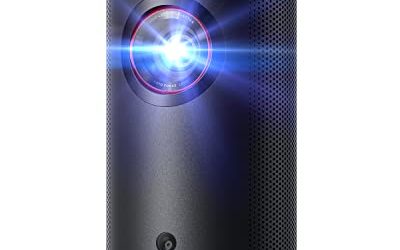
1. NEBULA Capsule 3 Laser by Anker
The Capsule 3 Laser packs a laser light source and native 1080p resolution into a cylinder about the size of a large drinks can, which makes it one of the easiest projectors to carry from room to room or pack for a trip. Its built-in battery supports up to 2.5 hours of playtime, enough for most films, and the Google TV platform with officially licensed Netflix means the projector can stream on its own once it is on Wi-Fi. For iPhone owners, the projector joins the home network for app-based casting and screen sharing, and its HDMI port accepts a wired feed from an iPhone through a digital AV adapter for the most stable connection during paid streaming.
Automatic setup is a strong point. The projector handles focus automatically and corrects the image shape, so pointing it at a wall or ceiling takes moments. The built-in 8-watt Dolby Digital speaker gives dialogue and music more body than the small drivers in many mini projectors, and Bluetooth allows a separate speaker to join when a bigger sound is wanted. The picture reaches up to 120 inches, though smaller sizes in the 60 to 100 inch range keep the image at its brightest and sharpest in a typical dim room.
Specs
| Item | Detail |
|---|---|
| Display technology | DLP with laser light source |
| Native resolution | 1920 x 1080 (1080p) |
| Brightness | 300 ANSI lumens |
| Maximum image size | 120 inches |
| Operating system | Google TV with licensed Netflix |
| Speaker | 8W, Dolby Digital |
| Battery life | Up to 2.5 hours |
| Connectivity | Wi-Fi, Bluetooth, HDMI, USB-C |
| Focus | Auto focus |
| ASIN | B0BDCQP6ZZ |
Who It Suits
The Capsule 3 Laser suits iPhone owners who want one small device for bedroom ceilings, travel, and garden movie nights without giving up 1080p sharpness. It fits viewers who value a battery and fast automatic setup over maximum brightness, and who like the option of streaming from the projector itself while keeping the iPhone free for everything else.
2. XGIMI MoGo 2 Pro
The MoGo 2 Pro is a portable 1080p projector built around intelligent screen adaptation. Its ISA 2.0 technology combines auto focus, auto keystone correction, object avoidance, and screen alignment, so the projector reshapes and sharpens the picture on its own when it is placed off to one side or moved between rooms. That automation pairs well with iPhone use, where the goal is usually to get a photo slideshow, a video, or a streaming app onto the wall quickly rather than to fine-tune settings by hand.
The projector runs Android TV 11.0, which provides a broad app library and Chromecast built in for casting from supported iPhone apps. A full iPhone screen mirror or a protected streaming app is best handled through the HDMI port with a digital AV adapter, and the USB port adds playback from storage. Dual 8-watt speakers deliver stronger built-in sound than most projectors of this size, with a wide color approach that covers 90 percent of the DCI-P3 gamut for richer tones in films and nature footage. There is no built-in battery, so the MoGo 2 Pro works from a wall outlet or a suitable USB-C power bank.
Specs
| Item | Detail |
|---|---|
| Display technology | DLP |
| Native resolution | 1920 x 1080 (1080p), supports 4K input |
| Brightness | 400 ISO lumens |
| Maximum image size | 200 inches |
| Operating system | Android TV 11.0 |
| Speakers | 2 x 8W |
| Connectivity | Wi-Fi, Bluetooth 5.0, HDMI, USB, USB-C power |
| Setup features | Auto focus, auto keystone, object avoidance, screen alignment |
| Battery | None built in |
| ASIN | B0BWQB77LX |
Who It Suits
The MoGo 2 Pro suits iPhone owners who mostly watch at home, move the projector between a living room and a bedroom, and want setup to handle itself. It fits families sharing photos and videos from a phone, viewers who cast from supported apps, and anyone who prefers stronger built-in speakers and a larger possible image over battery-powered portability.
3. Samsung The Freestyle 2nd Gen with Gaming Hub
Samsung built The Freestyle 2nd Gen around a cradle that tilts a full 180 degrees, so the picture can land on a wall, swing up to a ceiling, or angle onto a floor without a tripod. The projector produces a Full HD image from 30 to 100 inches and adjusts itself with auto focus, auto leveling, and auto keystone, keeping setup short. Its Smart TV platform, powered by Tizen, runs major streaming apps directly and adds the Samsung Gaming Hub for cloud gaming, so an iPhone is a companion rather than a requirement for everyday viewing.
For iPhone owners, the useful paths are screen sharing over Wi-Fi through the projector’s mobile connection features and a wired feed through the micro-HDMI port with the right cable and adapter. The 360-degree speaker spreads sound around the unit instead of firing it in one direction, which helps when the projector sits in the middle of a group outdoors or on a bedroom floor. The Freestyle has no internal battery; an optional battery base or a USB-C power source covers off-grid use. HDR support and a contrast approach tuned for darker scenes keep evening movies looking rich at moderate sizes.
Specs
| Item | Detail |
|---|---|
| Model | SP-LFF3CLAXXZA |
| Native resolution | 1920 x 1080 (Full HD), HDR support |
| Image size range | 30 to 100 inches |
| Operating system | Tizen Smart TV with Gaming Hub |
| Speaker | 360-degree sound |
| Connectivity | Wi-Fi, Bluetooth, micro-HDMI, USB-C power |
| Setup features | Auto focus, auto keystone, auto leveling |
| Tilt range | 180 degrees on cradle stand |
| Battery | None built in; optional battery base |
| ASIN | B0C87Q4R51 |
Who It Suits
The Freestyle 2nd Gen suits iPhone owners already comfortable with Samsung’s Smart TV layout who want ceiling projection in a bedroom, quick setup in small spaces, and cloud gaming alongside films. It fits viewers who watch near a power outlet most of the time and who like the idea of the projector handling streaming alone while the iPhone handles photos, calls, and sharing.
4. KODAK Luma 350 Portable Smart Projector
The Luma 350 is the pocket-sized option in this group, a small rechargeable projector designed to travel in a bag and run without a cable nearby. It carries onboard Android with streaming apps, Wi-Fi screen mirroring, and support for the Luma app, which lets a phone act as the control point for the projector. iPhone owners can mirror content over Wi-Fi for photos, clips, and presentations, and can connect through HDMI with a digital AV adapter when an app blocks wireless mirroring or when a network is unavailable.
The DLP picture reaches up to 150 inches, although the smaller end of that range suits its portable brightness best, especially outside a fully dark room. A rechargeable battery keeps the unit untethered for shorter sessions, and the included remote covers basic control when the phone is busy. Bluetooth and onboard storage round out a package aimed at convenience: this is a projector for hotel rooms, dorms, classrooms, and family visits, where carrying a full home theater setup is not realistic and a good-enough big picture beats a perfect one left at home.
Specs
| Item | Detail |
|---|---|
| Display technology | DLP |
| Input support | Up to 4K compatible input |
| Maximum image size | 150 inches |
| Operating system | Onboard Android with streaming apps |
| Phone control | Luma app, Wi-Fi mirroring |
| Connectivity | Wi-Fi, Bluetooth, HDMI, USB |
| Battery | Rechargeable built-in battery |
| Remote | Included |
| Form factor | Pocket-size portable |
| ASIN | B07RB7P439 |
Who It Suits
The Luma 350 suits iPhone owners who travel often and want the smallest workable projector for photos, videos, and casual streaming on the road. It fits students, presenters, and families who value pocket size and a built-in battery over the sharpest picture, and who mostly project at modest sizes in dim spaces.
Wired or Wireless: Getting an iPhone Picture to Stay Put
Wireless mirroring is the most convenient route and the one most people try first. When a projector supports AirPlay or a mirroring app, the iPhone sends its screen over the local network, which is ideal for photos, home videos, web pages, and presentations. The limits show up with some paid streaming services, which can block a mirrored picture while still allowing sound, and with busy networks, which can introduce lag or dropped frames. Casting from an app is a middle path: the projector pulls the stream directly, the picture stays stable, and the iPhone becomes a remote.
A wired connection avoids both problems. An Apple digital AV adapter sends the iPhone display over HDMI with no network involved, no compression surprises, and no dependency on hotel or office Wi-Fi. The trade-off is a cable across the room and an adapter to keep in the bag. For a permanent bedroom or living room setup, wired is the dependable default; for quick sharing and travel, wireless earns its place. Three of the four projectors above accept both routes, so the choice can change with the situation rather than being fixed at purchase.
FAQ
Can an iPhone connect to a projector without Wi-Fi?
Yes. A digital AV adapter from Apple, paired with an HDMI cable, connects an iPhone directly to any projector with an HDMI input, with no network needed. USB-C models of iPhone can also use a USB-C to HDMI cable. This wired route is the most reliable option in hotels, classrooms, and venues where the Wi-Fi is locked down or overloaded.
Why does a streaming app show a black screen when mirroring from an iPhone?
Some streaming services restrict wireless screen mirroring on their iPhone apps, so the projector receives menus and sound but not the film itself. The usual fixes are to cast from inside the app when the projector supports casting, to open the same service on the projector’s own smart platform, or to switch to a wired HDMI connection through a digital AV adapter.
Does a projector need AirPlay to work with an iPhone?
No. AirPlay is the smoothest wireless option, but it is only one path. Projectors without native AirPlay can still show iPhone content through a casting feature in supported apps, through a mirroring app supplied by the maker, or through a wired HDMI adapter. Checking which of those paths a projector supports matters more than looking for a single logo on the box.
How big a picture can a portable projector show from an iPhone?
The projectors in this guide range from a maximum of 100 inches to a maximum of 200 inches on paper, but the clearest and brightest results come at smaller sizes, commonly between 60 and 100 inches in a dim room. A larger image spreads the same brightness over more area, so evening viewing, a plain light wall, and a shorter throw distance all help when pushing toward the top of a model’s range.
Final Verdict
For most iPhone owners, the NEBULA Capsule 3 Laser is the balanced pick: native 1080p, a laser light source, a built-in battery, and both wireless sharing and HDMI for the phone. The XGIMI MoGo 2 Pro is the stronger home option, with brighter output, fuller speakers, and automatic screen adaptation for rooms where it stays plugged in. Samsung’s Freestyle 2nd Gen stands out for ceiling projection and its Smart TV and gaming platform, while the KODAK Luma 350 is the travel-first choice when pocket size matters most. Whichever model fits, plan on keeping a digital AV adapter in the kit: wireless handles everyday sharing, and the cable guarantees the picture on the nights when the network or an app says no.
Product and ASIN Reference
| Product | ASIN |
|---|---|
| NEBULA Capsule 3 Laser by Anker | B0BDCQP6ZZ |
| XGIMI MoGo 2 Pro | B0BWQB77LX |
| Samsung The Freestyle 2nd Gen with Gaming Hub | B0C87Q4R51 |
| KODAK Luma 350 Portable Smart Projector | B07RB7P439 |
More from Amazon
Programs that pair well with the guide above. Offers and eligibility are set by Amazon and may change.
Free shipping on eligible items, Prime Video and more. Eligible new members can start with a free trial.
Start a Prime free trialAd-free music streaming. Eligible new subscribers can start with a free trial.
Try Music Unlimited freeA Prime membership for ages 18-24 with a trial period. Eligibility is set by Amazon.
See Prime for Young AdultsAudiobooks and podcasts to listen to on the go. Eligible new members can start with a free trial.
Try Audible freeAs an Amazon Associate we earn from qualifying purchases.